
On this page
An 8 team double elimination bracket has a winners bracket, a losers bracket, and a final between their surviving teams. A team leaves after its second loss. With a championship reset, the tournament takes 14 games if the undefeated finalist wins the first final, or 15 if the other finalist wins and forces a second final. Use the match sheet below to place teams, trace results, and keep that extra game available.
The match sheet also gives you a specification for your own tournament app: organizers enter results, and players see their next opponent, court, and start status. Use it to build a mobile event companion with Atoms while keeping a printable master sheet at the score desk.
Printable 8-team match sheet
You can copy this sheet into a document or spreadsheet and print it without creating an account. Add your event name, team names, scores, and court assignments. Print a landscape copy for the score desk, then keep a separate participant schedule with larger text.
This example uses seeds 1–8. If you prefer a blind draw, randomly assign teams to those slots before play. The numbers identify positions; they do not change the advancement rules. W means the winner of a numbered game, and L means its loser. Thus W1 is the winner of Game 1, while L1 is the team that loses Game 1.
| Game | Side | Team A slot | Team B slot | Winner goes to | Loser goes to |
|---|---|---|---|---|---|
| G1 | Winners | Seed 1: ______ | Seed 8: ______ | G5 | G7 |
| G2 | Winners | Seed 4: ______ | Seed 5: ______ | G5 | G7 |
| G3 | Winners | Seed 2: ______ | Seed 7: ______ | G6 | G8 |
| G4 | Winners | Seed 3: ______ | Seed 6: ______ | G6 | G8 |
| G5 | Winners | W1 | W2 | G11 | G10 |
| G6 | Winners | W3 | W4 | G11 | G9 |
| G7 | Losers | L1 | L2 | G9 | Eliminated |
| G8 | Losers | L3 | L4 | G10 | Eliminated |
| G9 | Losers | W7 | L6 | G12 | Eliminated |
| G10 | Losers | W8 | L5 | G12 | Eliminated |
| G11 | Winners final | W5 | W6 | G14 | G13 |
| G12 | Losers | W9 | W10 | G13 | Eliminated |
| G13 | Losers final | W12 | L11 | G14 | Eliminated |
| G14 | Championship | W11 | W13 | Champion, or G15 | Eliminated, or G15 |
| G15 | Reset, if needed | Same finalists | Same finalists | Champion | Runner-up |
For G14, the outcome depends on which finalist wins. If W11 wins, the event ends. If W13 wins, both finalists enter G15. The reset winner is champion.
These game numbers belong to this sheet. A downloaded bracket may use a different numbering system, so follow one complete sheet throughout the event. The crossovers in G9 and G10 send semifinal losers into the opposite opening half of the losers bracket.
If you want a conventional bracket graphic, PrintYourBrackets provides printable 8-team layouts. Keep its labels with its diagram. When using an 8 team double elimination bracket printable, check the print preview for clipped connectors and a visible reset game before making copies.
Turn this match sheet into a tournament app with a clear next-match page for every team.
Why the final sometimes needs a reset
The undefeated finalist reaches G14 with no losses. The losers-bracket finalist arrives with one. A win by the undefeated team gives its opponent a second loss and ends the tournament. A win by the other team gives each finalist one loss, so another game is required to eliminate either under the two-loss rule.
Publish that rule before registration closes. Reserve a court and officials for the possible reset, and tell participants that the finish time is conditional. A bracket labeled “double elimination” can still use a modified final, so check the actual tournament rules rather than relying on its name.
LeagueLobster's 8-team instructions explicitly discuss the rematch and note that some organizers omit it. If your event uses a single championship game, state that exception clearly: the previously undefeated team could then finish after only one loss. The sheet above uses the reset format throughout.
There are seven games on the winners side and six on the losers side before the championship. Add one final for 14 games, or the reset for 15. You can also count losses: seven eliminated teams must each receive two losses. That accounts for 14 losses, with one more possible loss belonging to the champion when a reset occurs. Each completed game contributes one loss.
Fill the bracket before you assign start times
First confirm the eight entrants and the seeding method. For a seeded event, record the ranking source, such as standings from the qualifying competition. For a random event, record the draw once and retain it. Changing positions after results arrive makes the printed and online versions difficult to reconcile.
Next, write the playing rules beside the bracket: match length or scoring target, tie resolution, rest between matches, result reporting, and how forfeits are handled. Double elimination determines advancement; the sport or game still needs a rule that produces a winner for each match.
Finally, give each team one stable name. “Falcons” and “Falcons A” should not alternate between the registration sheet and the bracket. A simple roster with slot, team name, and captain is enough to reconcile an uncertain score report without guessing which team played.
An organizer can use this preparation checklist:
- Place all team names in G1–G4 and confirm each appears once.
- Choose the reset rule and publish it with the event details.
- Set the tie, forfeit, and minimum-rest rules.
- Number the courts or stations consistently.
- Name the person who confirms scores and updates the master sheet.
- Leave the reset slot open until G14 determines whether it is needed.
A captain should be able to check the draw, understand the final rule, and identify where results are reported before the opening games start.
Turn results into a useful next-match view
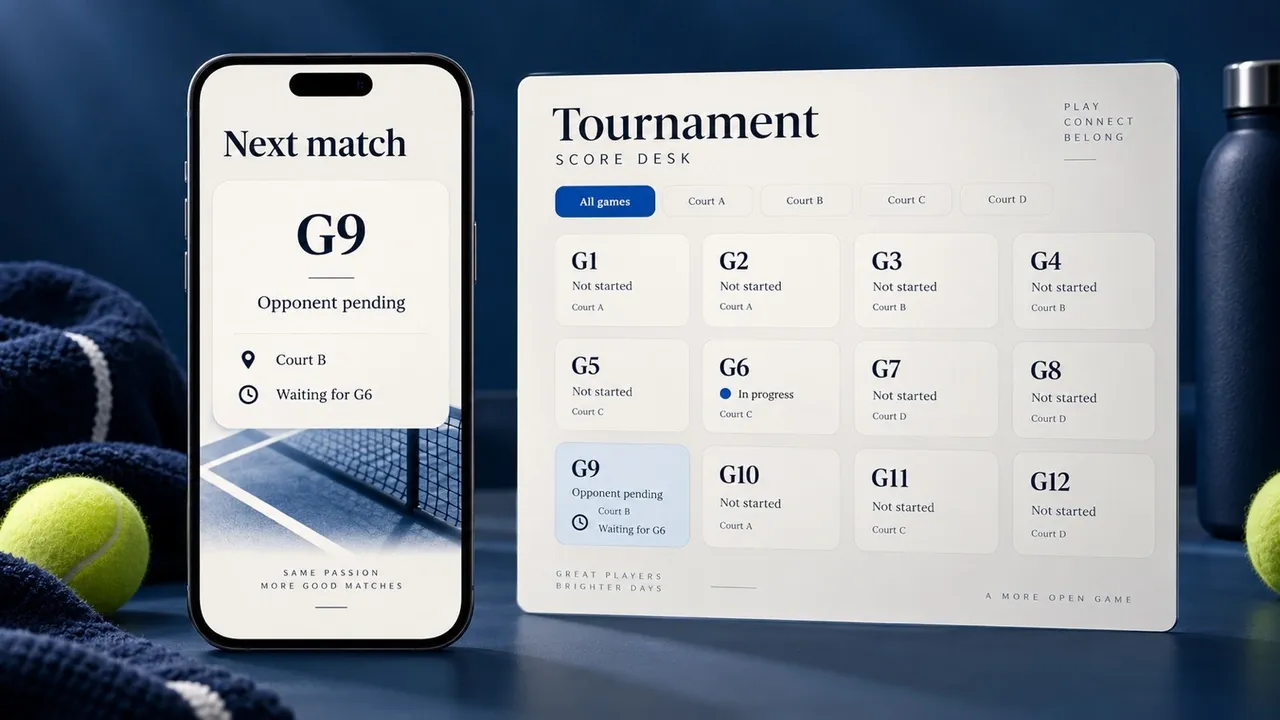
AI-generated editorial concept; not a screenshot of a deployed app.
The full bracket helps the score desk track advancement. A participant usually needs a smaller answer: who is my opponent, where do I play, and when should I be ready? Keep those details together in a team-specific schedule or a clearly labeled public list.
Show the game ID alongside the team names. If an opponent has not been determined, display the unresolved slot, such as “Winner of G7,” rather than a guessed team. Keep the start status equally explicit: “scheduled,” “waiting for G6,” or “ready after the required rest.” An estimated time should be labeled as estimated.
Here is a suggested card for a team that wins G7:
Next match: G9
Opponent: loser of G6; name pending until G6 is confirmed
Location: Court B
Start: after G6 finishes and both teams meet the rest rule
Status: waiting for opponent
This is an illustrative schedule card, not a screenshot of a tournament product. You can reproduce it on paper, in a shared spreadsheet, or in an event page. Update it from the same confirmed result used to update the bracket.
For a small event, one public read-only schedule and one organizer-controlled master sheet may be sufficient. Keep printing and public viewing accessible to participants; reserve editing access for the score desk. If you evaluate an 8 team double elimination bracket generator, check how it handles corrections, reset games, and unresolved opponents before relying on it during play.
Bracketmaker's double-elimination page advertises score updates, automatic advancement, and PDF/CSV exports. Those features are useful starting points for evaluation. Run a practice event to confirm the participant view and your event's exact rules in the tool you choose.
Schedule by dependencies, courts, and rest
Game numbering gives you identifiers, not a requirement to use only one court. G1 and G2 have different teams and can run together if courts are available. G5 must wait for both results. G7 also depends on G1 and G2, but involves their losers, so it can run alongside G5 when the rest rules allow.
That creates a useful scheduling approach: list each game's prerequisites, then assign a court only when its teams and required rest are resolved. Treat court availability and team availability as separate checks. A free court does not make a team ready to play again.
| Scheduling decision | What the organizer checks | What participants see |
|---|---|---|
| Opening games | Assigned teams, available court, official | Opponent, court, confirmed time |
| Later winners games | Both prerequisite winners, required rest | Confirmed opponent or pending slot |
| Losers games | Correct drop-down slots, required rest | Current game and elimination risk |
| Championship | Both finalists, final rule, officials | Final location and reset condition |
| Reset | G14 won by W13, court and teams ready | G15 activated with updated time |
Build a buffer into your event plan for long matches, result confirmation, and score corrections. Publish a finish estimate based on the possible reset. The actual duration also depends on match length, court count, and your sport's rest requirements; the bracket alone does not supply a reliable closing time.
Correct a score without corrupting later games
Keep the original report and record who confirmed the correction. Find every later game that used the changed winner or loser. If those games have not started, update the affected slots and the participant schedule together.
If a dependent game has started, pause the affected part of the bracket and ask the designated official to decide the remedy under the published rules. Automatically replacing a team after play begins can create a match that no longer corresponds to the original results.
On paper, cross out the incorrect entry legibly and write the confirmed replacement with a time or initials. Online, use a tool's correction history when available, and check the print version afterward. A corrected bracket and an old “next match” card can otherwise send a team to the wrong court.
Before reopening the affected games, verify that no team occupies both slots in a match, no eliminated team advances, and the championship condition still matches the finalists' loss counts.
Build a tournament app with Atoms
Atoms builds websites and web applications from natural-language requirements. Its app-building workflow, data storage, login, and deployment capabilities let you turn this match sheet into a club-specific web app: a score desk for organizers, a public bracket, and a mobile page that answers each player's next-match question.
Give Atoms the rules and the visible actions together. That connects the bracket logic to the pages people will use during the event:
- Organizers: enter teams, confirm scores, assign courts, and review corrections in one interface.
- Players: open a public team page to see the opponent, location, and start status.
- The score desk: store confirmed results and use the same record to update the bracket and team pages.
- The venue: print a landscape sheet with game IDs and the conditional championship reset.
The requirements below specify those app features. The match-routing algorithm and correction behavior should be checked against the sheet before your first event. Atoms supplies the general development capabilities; this article supplies the tournament rules and the checks for your build.
Copy this complete tournament-app brief
Copy the prompt below, choose Build my tournament app, and paste it into Atoms to start your build. The button opens the native Atoms entry; the prompt is available here for you to copy.
Copy the complete brief into Atoms to build your bracket, score desk, and player views.
Review the generated app with both championship outcomes. In the first, W11 wins G14 and the event ends. In the second, W13 wins G14 and the same finalists play G15. Also correct a semifinal before its dependent match begins and confirm that the bracket, next-match pages, and print sheet show the same teams afterward.
For interface ideas, browse user-created projects in Atoms Discover. Choose a mobile layout that makes the opponent, court, and readiness status visible before asking players to study the full bracket.
Conclusion
Print the sheet, publish the final rule, and keep a court available for the reset. During play, confirm each score once and use it to update both the bracket and each team's next-match information. To bring that workflow into one app for your club, copy the complete brief into Atoms and build your organizer screen, player pages, and print view around the same result records.
Build a tournament app for your club with the reset rule and printable match sheet included.
Frequently asked questions
01Q1: Does an eight-team bracket need any byes?
A complete eight-team field fits the four opening games on this sheet without byes. If an entrant withdraws, decide whether to redraw before play or apply the published withdrawal rule. Keep that decision consistent across the bracket and schedule.
02Q2: Can a team still win after losing its first game?
Yes. In this format, that team moves through the losers bracket and can reach the championship. To become champion, it must win the first final to force a reset, then win the reset.
03Q3: Is a third-place match included?
This sheet has no separate third-place playoff. The loser of G13 finishes third. If your event requires an additional placement match, announce it separately and add its court time to the schedule.
04Q4: How should I print the bracket for a venue with poor connectivity?
Keep a master landscape sheet at the score desk and publish a separate large-text list of current games. After each confirmed result, update both. Include court labels and the reset rule on the printed materials so teams can keep playing if the online view becomes unavailable.
