On this page
A DnD encounter builder is most useful when it leaves you with a fight you can run: a checked monster budget, a clear objective, starting positions, and notes you can follow during each turn. Begin with your table's rule version and the actual characters attending. Then turn the calculator's roster into a scene card. An XP estimate helps you plan. Creature abilities, terrain, resources, and dice shape the fight.
This guide takes you from that first calculation to a reusable DM run sheet, with an example you can adapt for your next session. You can also build your own encounter app in Atoms: keep the party, XP budget, scene card, and turn sheet in one workspace, then adjust attendance without copying your notes between tools. The build brief below gives you a concrete starting point.
Build an encounter app that keeps your party, scene notes, and turn sheet together.
Choose a builder for your rule version and table workflow
Choose the tool that handles your rules and preserves the information you need at the table. A generator that produces an interesting monster list still leaves work to do if you must rebuild that list in your initiative tracker.
Two useful starting points are AideDD's encounter builder and GameShelf's encounter builder. AideDD describes support for 2014 and 2024 calculations, individual character levels, creature counts, and editable XP values. GameShelf's page presents terrain and theme choices, a generated roster, tactical notes, and copying into your prep. Its displayed calculation uses adjusted XP and monster-count multipliers. Check the selected rules before using either result for your campaign.
Before entering monsters, record these inputs:
- The encounter-building rules: 2014 or 2024, plus any house rules.
- Each attending character's level, current resources, and important combat options.
- The monster stat-block source and version you will actually use.
- The desired challenge, setting, and purpose of the scene.
- The output you need: printable notes, editable roster, initiative tracking, or an export for another tool.
Test the handoff with a small roster. Can you distinguish identical creatures, edit their notes, and reopen the saved scene? Does the export retain the ruleset? If you mostly run from paper, a clean printable card may serve you better than a crowded dashboard. If you use a tablet, check the controls at that screen size before game night.
Check the XP calculation before choosing a roster
Verify the calculator against the rules you selected. The two editions use different procedures. Check the calculation behind the difficulty label.
Under the 2014 Basic Rules, add the characters' difficulty thresholds, total monster XP, and apply the relevant encounter multiplier. Compare adjusted XP with the party thresholds. Adjusted XP estimates difficulty; it is separate from the monsters' XP value for awards.
The 2024 DM's Toolbox uses Low, Moderate, and High budgets. Select a difficulty and deduct each creature's listed XP from that budget. Keep this calculation separate from the 2014 multiplier procedure.
Here is a calculation fixture for four level-3 characters and three creatures worth 200 XP each. The creatures are hypothetical XP entries, not a recommended monster combination.
| Calculation field | 2014 procedure | 2024 procedure |
|---|---|---|
| Per-character values | Easy 75; Medium 150; Hard 225; Deadly 400 | Low 150; Moderate 225; High 400 |
| Party totals | 300; 600; 900; 1,600 | 600; 900; 1,600 |
| Listed monster XP | 200 + 200 + 200 = 600 | 200 + 200 + 200 = 600 |
| Calculation | Three contributing monsters: 600 × 2 = 1,200 adjusted XP | Selected Moderate budget: 900 − 600 = 300 XP remaining |
| Interpretation | Hard threshold reached; below Deadly | Below the selected Moderate budget |
For the 2014 column, assume all three creatures contribute meaningfully and the four-character party uses the standard multiplier. Review weak creatures and unusual party sizes separately. For 2024, record the selected budget and remaining XP; avoid carrying across a difficulty label from the other edition.
Once the arithmetic matches, inspect the actual roster. Read the abilities you will use, including movement, control effects, and attacks that threaten vulnerable characters. Choose opponents you can operate comfortably while listening to the players. The budget check and the stat-block check answer different questions, and you need both.
Turn the roster into an encounter card
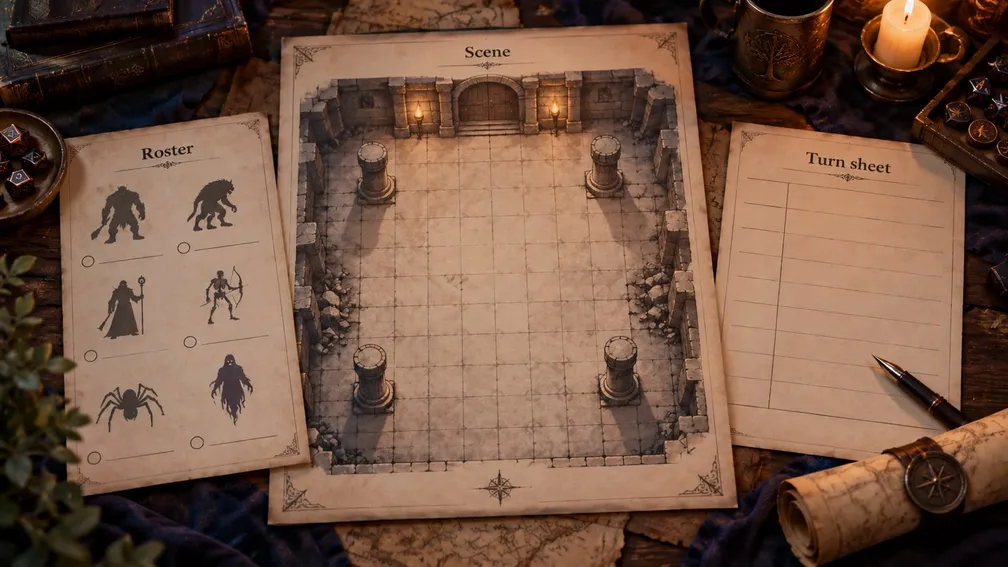
AI-generated editorial concept; not a screenshot of a deployed app.
Give the fight a purpose, a physical layout, and an ending. These details turn a collection of enemies into decisions the players can understand.
The following original illustrative scene, “The Ferry Bell,” uses the three XP entries above as placeholders. Choose and verify real stat blocks before play. Its geometry, objectives, and morale are design suggestions; the scene has not been playtested.
| Scene element | Preparation note |
|---|---|
| Situation | A ferryman is trapped at the landing while raiders try to take the ferry. |
| Player objective | Reach the ferryman and secure a route across the river. |
| Starting positions | Characters approach along the bank; opponent A guards the landing, B holds the bell platform, and C watches the side path. |
| Terrain | The landing is narrow; crates provide a defensive position; a side path offers another approach. Use your chosen rules to adjudicate movement and cover. |
| Enemy intent | A delays the party, B tries to signal allies, and C protects the escape route. |
| Visible pressure | Describe B moving toward the bell, so players can identify and interrupt the plan. |
| Escalation | If the bell remains reachable at the end of round 3, B attempts to signal. Decide the consequence before play. |
| Morale and exit | In this design, A seeks retreat after falling below half HP. The party can negotiate, rescue the ferryman, or withdraw. |
Write the bell's consequence clearly. It could alert guards elsewhere in the adventure, reveal the party's location, or bring additional enemies. If you choose reinforcements, prepare their stat blocks and review the added challenge in advance. Preparing the consequence lets you resolve the signal while keeping the current turn moving.
Give players enough information to make decisions. Describe the raised bell platform, the crates, the side path, and the ferryman's predicament before asking for actions. Let them discover useful approaches through observation and interaction. Keep hidden motives and future events in your DM notes.
You can adapt this card without changing its structure. Replace the ferryman with a courier or the bell with a gate mechanism. Retain the questions: what are the characters trying to achieve, what can they see, what do their opponents want, and when does the scene end?
Prepare the turn sheet and rehearse a table change
Use stable creature IDs to carry preparation into play. “A,” “B,” and “C” should identify the same opponents in the roster, scene notes, map, and HP tracker. Add descriptive names if they help you distinguish miniatures or narrate actions.
For each combatant, keep initiative, current HP, conditions, relevant duration or ending trigger, and a link or reference to the chosen stat block. Keep the encounter objective and next scene trigger visible to yourself. The official 2024 combat guidance describes both hidden and open tracking; choose what your players should see.
A public view can show turn order and information the characters have learned. Your private view can hold enemy HP, unrevealed combatants, morale, and planned events. Check that sharing a screen or exporting player notes preserves that distinction.
Rehearse the most likely change: a player cannot attend. With three level-3 characters, the same fixture produces these results:
- 2014: the Hard threshold becomes 675 and Deadly becomes 1,200. The unchanged roster's 1,200 adjusted XP reaches Deadly.
- 2024: the Moderate budget becomes 675. The unchanged roster's 600 listed XP leaves 75 XP remaining.
That discrepancy is a reason to retain the edition and calculation beside the scene. After recalculating, review the party's current resources and the creatures' abilities before deciding whether to keep, remove, or replace an opponent.
Finally, export the card, close the tool, and reopen it. Confirm that IDs, sources, notes, and any live tracking state survive as intended. If the application has separate prep and run modes, preserve a clean starting copy. Being able to reset after rehearsal makes the next session easier to prepare.
Build a custom prep-to-run workspace with Atoms
Build an encounter app around the way you prepare and run fights. Atoms turns natural-language briefs into web applications and lets you refine the result through conversation. Describe your party form, roster editor, scene card, and turn sheet together so that each creature keeps its identity from preparation through play.
Relevant platform capabilities include:
- Build from a brief: specify the four views and their shared data, then inspect the generated app with the sample encounter.
- Refine through conversation: ask for changes you can check, such as larger HP controls on a tablet or keeping the objective visible beside the current turn.
- Publish your app: review the calculations, saved data, and exports before making the workspace available through Atoms' publishing workflow.
Copy this brief, open Atoms using the button, and paste it into a new project. It specifies the app to build; the button opens the normal Atoms entry and does not automatically insert the prompt.
Copy the brief below and build your encounter app in Atoms.
Keep arithmetic deterministic and inspectable in the app you build. Atoms supplies the application-building workflow; use verified D&D tables and the checks above to validate your encounter calculation. Story suggestions can propose an objective, atmosphere, or enemy motive. An edit to narrative notes should preserve the numbers unless you also change the roster or party.
Before publishing, verify that the four-character example returns a Moderate budget of 900 and 300 remaining XP. Then change attendance to three and check 675 and 75. Test editing a creature's XP, saving and reopening the roster, resetting the run, and exporting both DM and player views. Review access controls wherever private notes are stored or shared.
For source material, start with the official System Reference Document page, retain the exact version, and follow the applicable attribution terms. Check monster text, artwork, and map assets individually against their sources and permitted use. Public availability of a tool or image does not establish permission to copy its library.
If this is your first app project, the vibe coding workflow provides a broader scope, build, and review process. Apply it to this small workspace before expanding into campaigns, additional editions, or virtual-tabletop integrations.
Conclusion
Before game night, open one encounter card and verify three things: the budget uses the chosen rules, the players have an understandable objective, and you can find the next action without rebuilding your notes. Rehearse a missing player and an export so the preparation survives a table change.
Use an existing builder when its output fits your run sheet. When repeated copying is the obstacle, build your own encounter app in Atoms with the brief above. Start with The Ferry Bell, check the two attendance examples, and refine the run sheet around your table before adding more campaign features.
Build your own encounter app, then check it with The Ferry Bell sample.
Frequently asked questions
01Q1: Is an encounter builder the same as an encounter calculator?
A DnD encounter calculator focuses on the numbers. A builder can also help choose a roster or organize scene details. Check each tool's output: the label alone does not tell you whether it includes saving, notes, or a run view.
02Q2: Can I apply the 2014 monster multiplier to a 2024 budget?
Use the procedure for your selected edition. The 2024 budget method deducts listed creature XP directly; importing the 2014 multiplier changes that calculation.
03Q3: How should I handle characters of different levels?
Keep each character's level and add the corresponding per-character values from the chosen edition. A tool that accepts only an average needs a separate arithmetic check for your actual party. Also inspect whether a creature's abilities are especially dangerous to the lowest-level character.
04Q4: What should I check before sharing my custom builder?
Verify rule-table values, stat-block versions, source attribution, media permissions, saved data, and private-note visibility. Share a tested sample encounter with enough calculation detail for another DM to check it.
