You do not need to start with code. You need a clear audience, accurate source material, one primary action, and a review process that catches what generation cannot verify.
This guide shows how to turn a business brief into a review-ready marketing or commerce website without manually writing front-end code using CMS-verified examples built with Atoms.
What you can make: a focused, mobile-ready result with a clear information hierarchy and conversion path.
What to prepare: your audience, source content, approved visual assets, and the destination of every important action.
What the result looks like: start with Snacks Online Store.
Start now: open the No Code AI Builder and customize the verified prompt below.
1. See a finished result before you plan
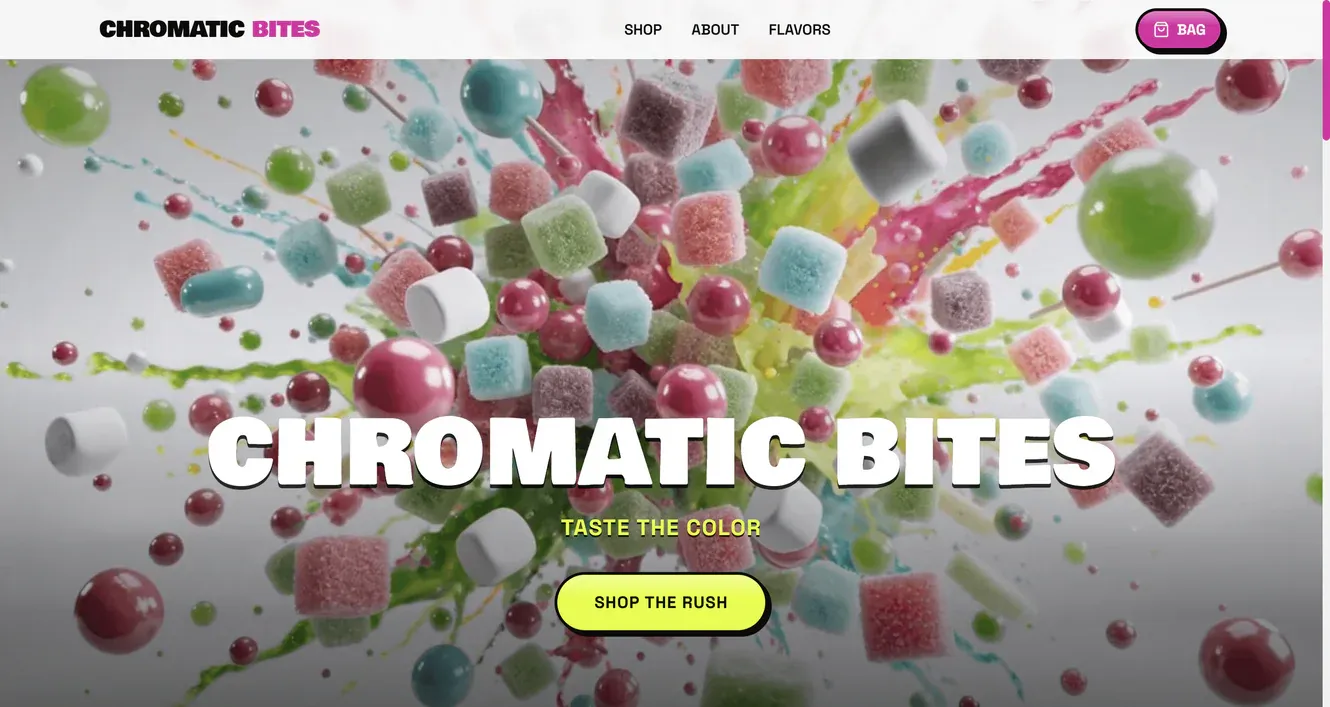
The original CMS prompt was:
This example proves that a prompt can produce a concrete visual result. It does not prove that every generated fact, link, form, payment path, policy, review, metric, or integration is production-ready. Treat the output as a working draft until the business details and actions are tested.
2. Define the audience and the one primary action
Write one sentence before generating:
Use that sentence to decide what belongs above the fold, which examples deserve space, and which calls to action are secondary. A site can look polished and still fail if it asks visitors to buy, contact, subscribe, browse, download, and book with equal emphasis.
3. Prepare the inputs
Gather:
- the business, audience, offer, and one primary action
- approved product or service descriptions, prices, policies, and contact details
- logo, colors, typography, photography, and product imagery
- required pages and content hierarchy
- the real destinations for checkout, payment, forms, analytics, domain, and publishing where supported
Create a separate list of unknowns. Do not ask the model to fill gaps that affect trust, legal meaning, payment, availability, or attribution.
4. Use a prompt with scope and truth boundaries
A useful prompt defines the audience, outcome, content structure, visual direction, and facts that must remain placeholders. It is more reliable than a vague request to “make a professional website.”
Build this type of website with Atoms
5. Generate the first version
- Open the relevant Atoms Use Case page.
- Replace every bracketed field in the reusable prompt.
- Generate the first version.
- Review the first screen before polishing details.
- Confirm the audience, offer, and primary action are immediately clear.
- Replace generated business facts with approved content.
- Refine one requirement at a time—for example, improve project context, simplify navigation, or make the primary CTA clearer.
Generation is not publication. The next steps—fact review, action testing, mobile QA, and ownership—turn a visual draft into a usable website.
6. Use a structure matched to the job
Each section should answer the visitor's next question. Remove sections that exist only because they are common in templates.
7. Learn from real Atoms examples
Snacks Online Store
Original prompt
CHROMATIC BITES: translate a specific product audience and visual identity into a browsable commerce story.
Beverages Online Store
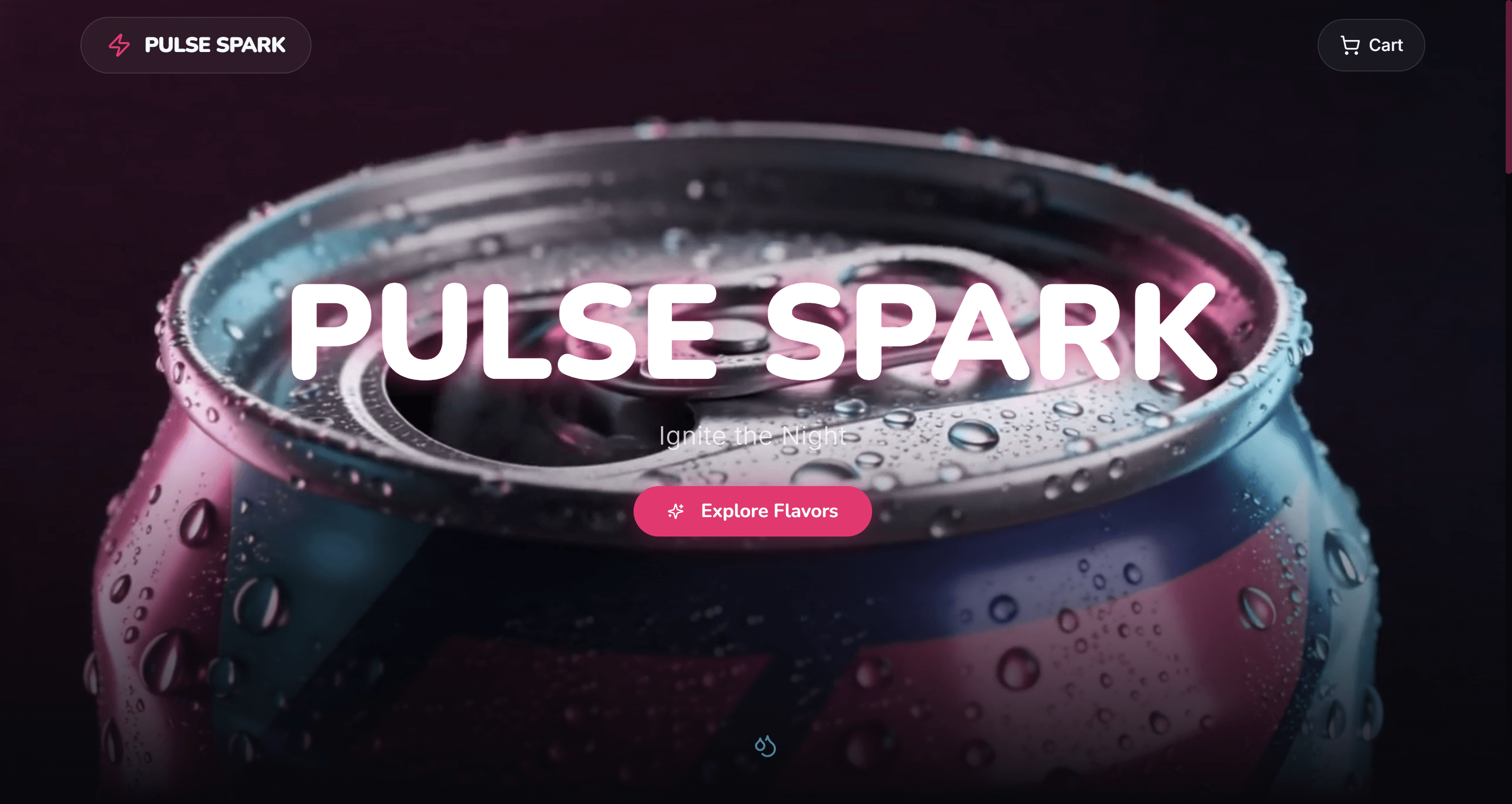
Original prompt
PULSE SPARK: keep age-sensitive product language, availability, and legal requirements separate from decorative brand copy.
Modern & Decorative Vases Online Store
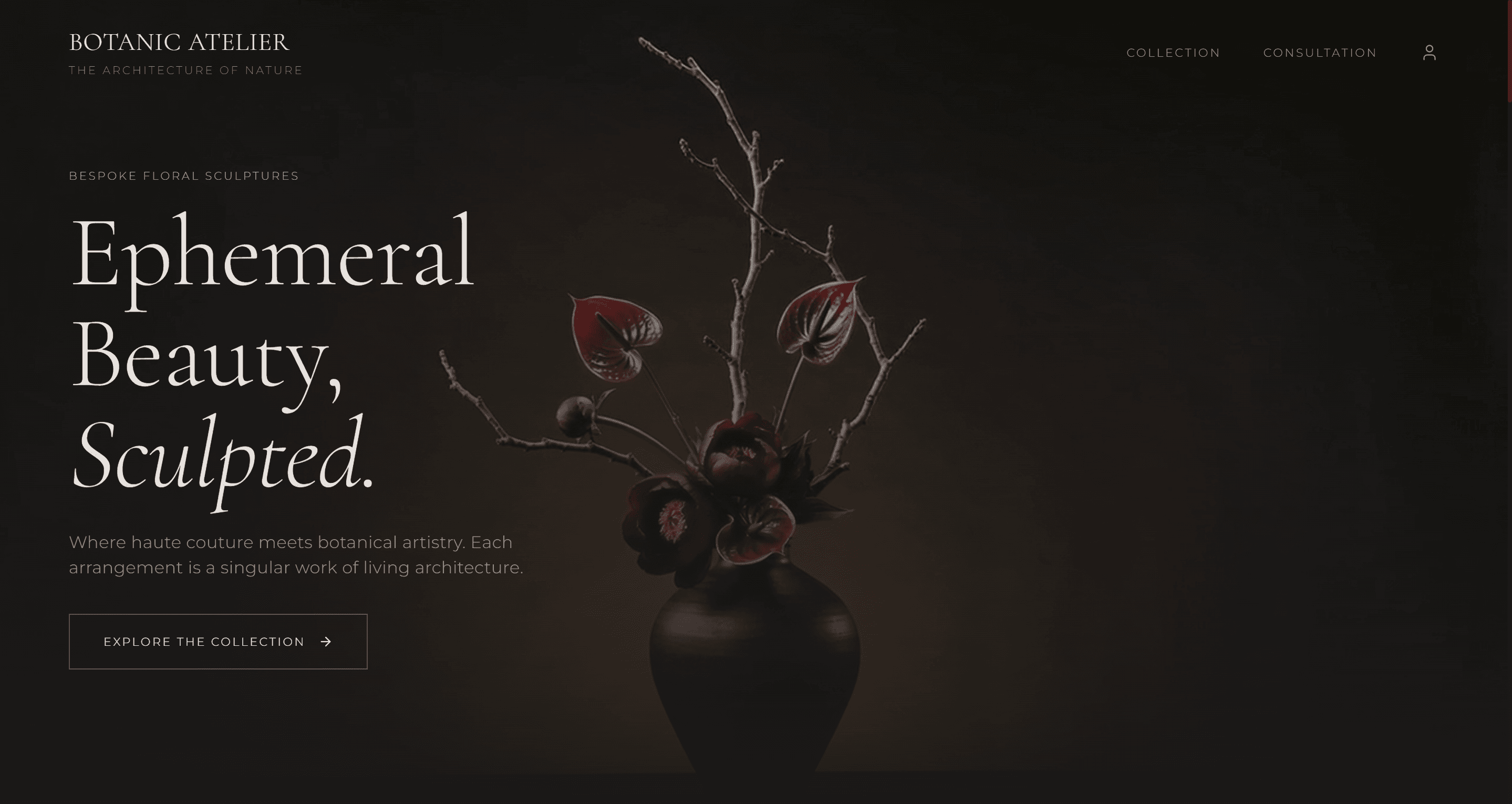
Original prompt
BOTANIC ATELIER: use collection structure, commissioned-work guidance, and premium imagery without inventing availability.
Digital Watches Online Store
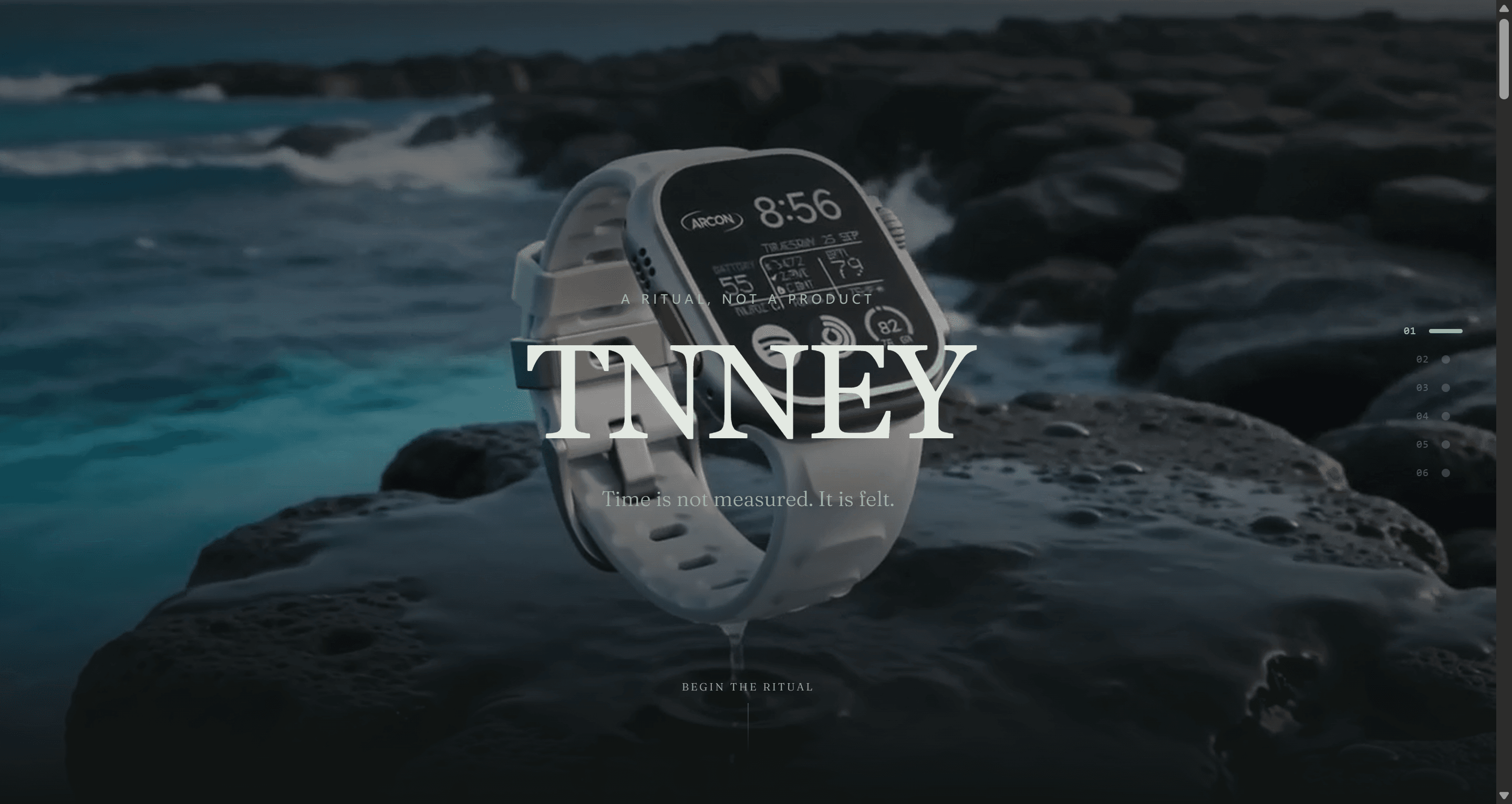
Original prompt
TNNEY: a focused product landing page can work without a large catalog when one product and one action lead.
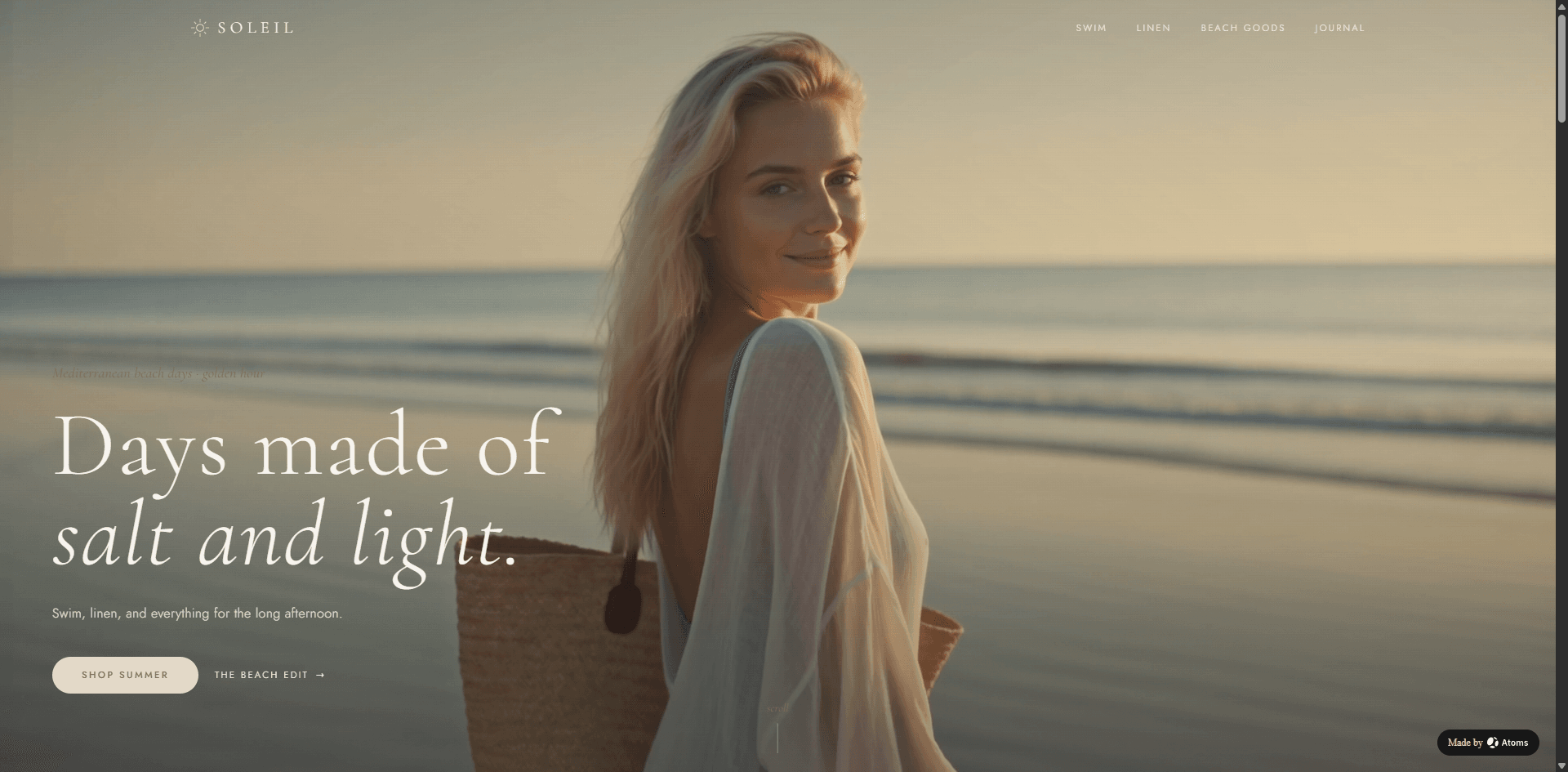
Beach And Swim Online Store
Original prompt
SOLEIL: organize categories, seasonal imagery, sizing, shipping, and returns before presenting the site as ready to sell.
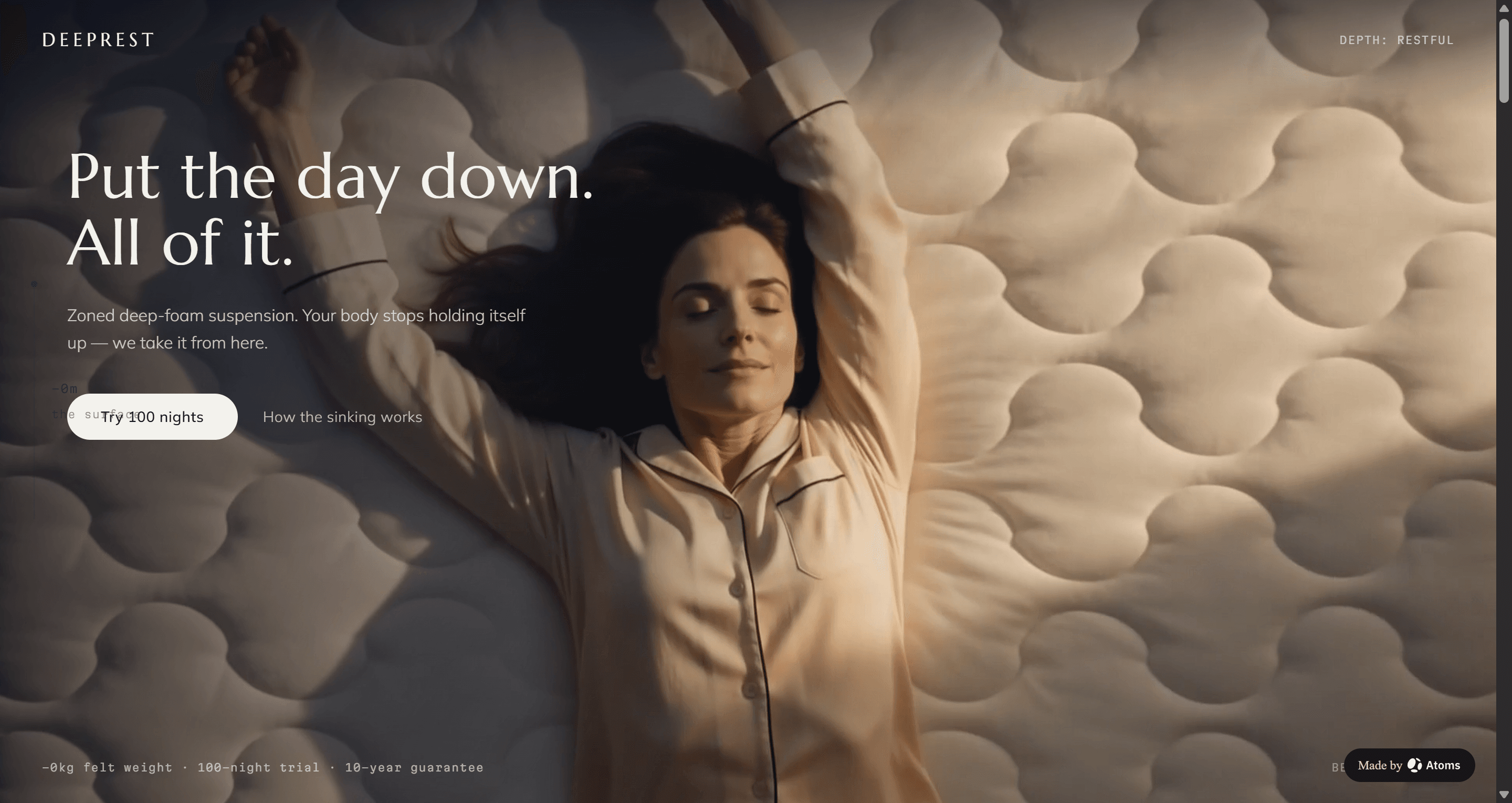
Mattress Brand E-commerce Web
Original prompt
DEEPREST: balance product education, material claims, warranty, delivery, and a real purchase path.
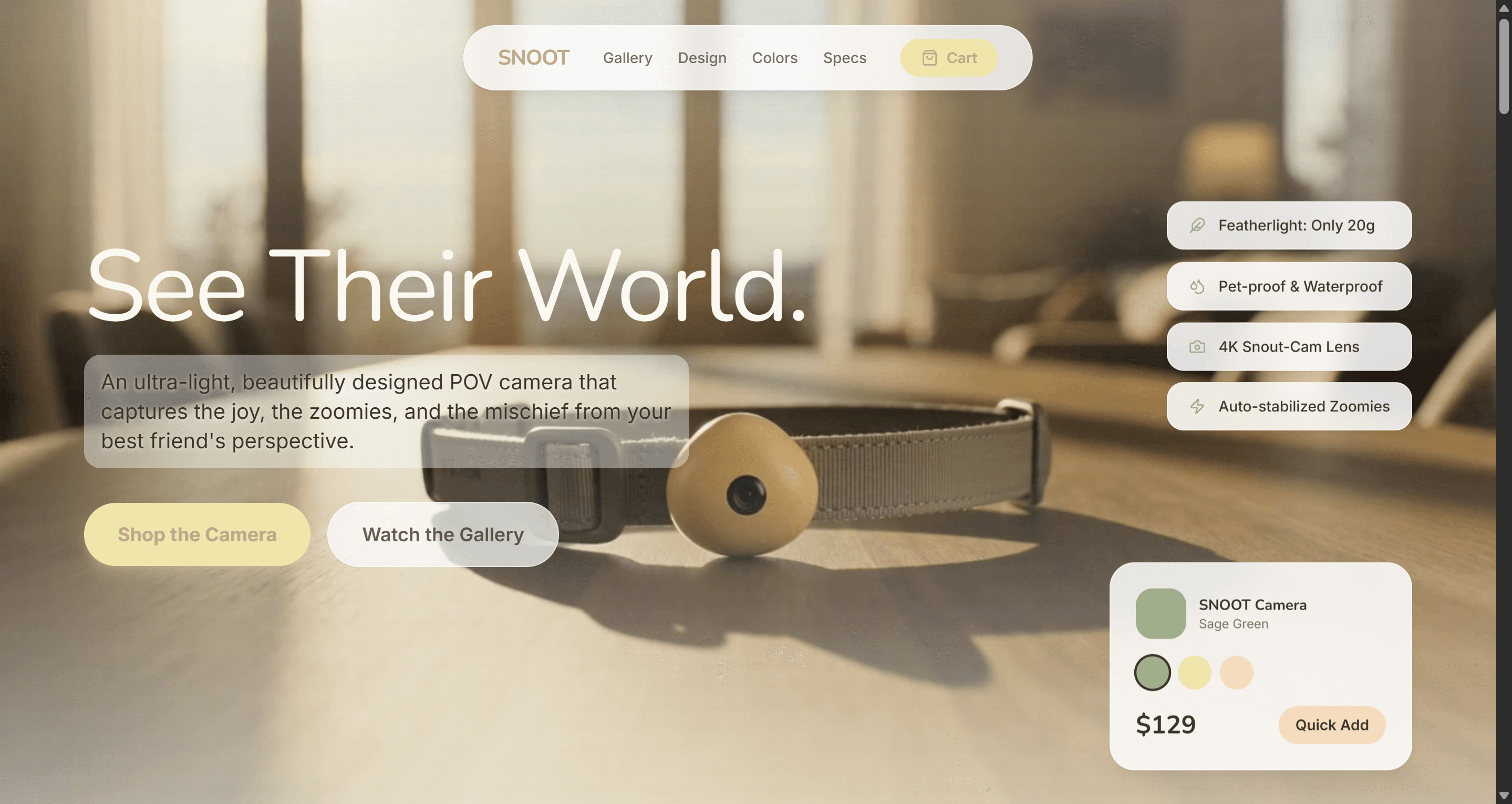
Pet Wearable Camera Store
Original prompt
SNOOT: explain hardware features and compatibility carefully, and verify every tracking or smart-device claim.
8. Review before publishing
- The website is described as a marketing or commerce site—not a database-backed app unless that functionality was actually built and tested.
- Products, prices, inventory, shipping, returns, age restrictions, and warranties are accurate.
- Checkout and payment buttons reach a real tested flow; visual mockups are not called connected commerce.
- Forms deliver submissions to the intended destination.
- The site works on mobile and common browsers.
- Domain, HTTPS, analytics, privacy, and cookie behavior are reviewed before launch.
- No generated sales number, review, scarcity claim, partner logo, or integration remains.
Also review spelling, contrast, heading hierarchy, keyboard behavior, image loading, and mobile layout. Do not call a visual interaction a connected production feature until its destination and completion path have been tested.
9. Launch and measure the real user journey
Track behavior connected to the page's job:
- source and medium;
- first landing page;
- example and CTA clicks;
- signup and first build;
- successful generation;
- publication;
- failed actions and exits.
Use these signals to improve the page. Raw traffic alone cannot tell you whether visitors found the right example, understood the prompt, or completed the intended action.
Start with the verified example
- View Snacks Online Store.
- Copy and customize the original or reusable prompt.
- Create your own version with Atoms.
The strongest first version is not the one with the most sections. It is the one that gives the intended audience accurate information and a clear next step.
