Atoms now ships with Shadcn UI as the default design system for generated applications. That means when you describe an app in plain language, the interface it produces is no longer a rough mockup. It looks and feels like something a real team could ship.
In this post, we’ll walk through:
- what Shadcn UI is and why engineers like it,
- why we chose to build it into Atoms,
- how it changes the experience of going from prompt to product,
- and how you can start using it today.
1. Your AI Apps Just Got a Design Upgrade
Most AI tools today can generate something that “works.” You can click buttons, submit forms, and see data on the page. However, there’s a significant difference between an interface that merely functions and one you would be comfortable presenting to a paying customer.
Design affects:
- whether users trust your product,
- whether they can find what they need without thinking too hard,
- and whether they come back after the first visit.
If an app resembles a prototype, users tend to treat it as such. That’s exactly the gap we wanted to close.
Shadcn UI has become a common choice for developers who want clean, modern interfaces without committing to a rigid component library. By making Shadcn UI the default in Atoms, our goal is straightforward: when you describe an app in the chat, the interface you receive should resemble a professional product, not a throwaway demo.
You still work the same way as before: write what you want in natural language. Atoms and its agent team handle the rest, and Shadcn UI now becomes the visual language behind the screens you see.
2. Why Shadcn UI Matters for Modern Apps
“UI library” has become an overloaded term. Many tools promise attractive components, but in practice you often get one of two extremes:
- a tightly controlled design system that is hard to customize, or
- a loose collection of components that don’t add up to a coherent product.
Shadcn UI takes a different path. It is not a package you install and call done. It is closer to a set of well-structured, copy-and-paste components that you bring into your codebase and fully control. The original project describes itself as “not a component library” for exactly this reason, and you can read more about that philosophy in the official docs at shadcn/ui.
For modern apps, this has a few practical implications:
- Consistency – You get a cohesive set of primitives: typography, spacing, buttons, forms, dialogs, navigation, and more. Everything feels like it belongs to the same product.
- Accessibility as a baseline – Many components follow best practices around keyboard navigation and screen readers, which aligns with broader accessibility guidelines such as the WAI-ARIA Authoring Practices.
- Tailwind & React alignment – Shadcn’s approach fits naturally into the workflow of teams that already use Tailwind CSS and React. Developers are not forced to learn an unfamiliar abstraction layer.
In other words, Shadcn UI gives you a practical starting point that teams recognize and can extend. That makes it a good fit for an environment where AI generates the first version and humans refine it later.
3. What Is Shadcn UI and Why We Built It into Atoms
Shadcn UI started as an opinionated way to build interfaces using React and Tailwind. Instead of shipping a closed, versioned library, it provides:
- component source code you copy into your project,
- a clear structure for organizing UI primitives,
- and a set of patterns that can be adapted to your own brand.
The result is a UI system that feels more like a starter kit + guidance than a black box. For a deeper dive into Shadcn UI’s design approach, the official documentation and examples on GitHub are worth reading.
This “own your components” model aligns well with how we think about Atoms:
- Atoms is meant to produce applications that you can extend, not one-off demos.
- A generated app should be something a real team could maintain.
- Developers should not be blocked from modifying the interface or integrating it into an existing codebase.
That is why Shadcn UI is now the default design system in Atoms. When Atoms generates an app, the interface structure is based on established Shadcn patterns, including navigation, layouts, forms, tables, and more.
We chose it for three main reasons:
- It looks like a real product
Out of the box, Shadcn UI provides a calm, modern visual style. Buttons, inputs, cards, and navigation elements are carefully designed. That matters when your goal is not just to show that something is possible, but to present something that feels ready for real users. - It gives developers full control later
Because Shadcn UI components are meant to live in your codebase, they can be edited like any other part of the application. If your team wants to adjust spacing, change interaction patterns, or integrate a custom design token system, they are not fighting a closed library. - It supports Atoms’ focus on actual businesses
Atoms is built to help people move from idea to working business. That includes real-life flows, such as sign-up, sign-in, paying for a subscription, managing data, and so on. Shadcn UI is a solid foundation for these flows: it gives enough structure to be reliable, without locking you into a narrow aesthetic.
4. A Gallery of Shadcn-Powered Apps You Can Build
To make this more concrete, here are a few example applications that can be generated in Atoms with Shadcn UI as the design foundation.
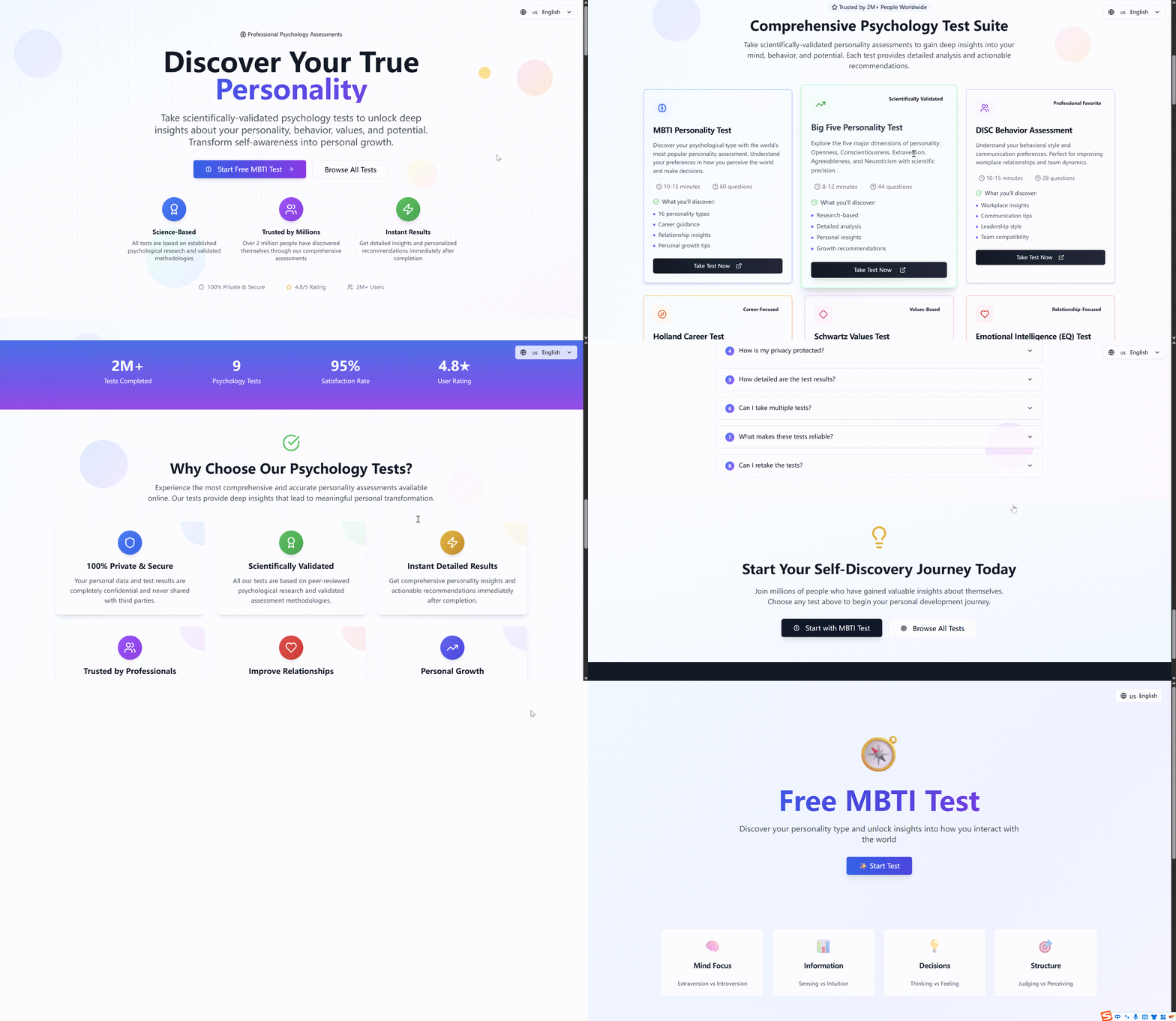
4.1 Discover Your True Personality
Think of a simple personality quiz that you might send to your newsletter subscribers. It asks a series of questions, shows progress along the way, and presents a tailored result at the end.
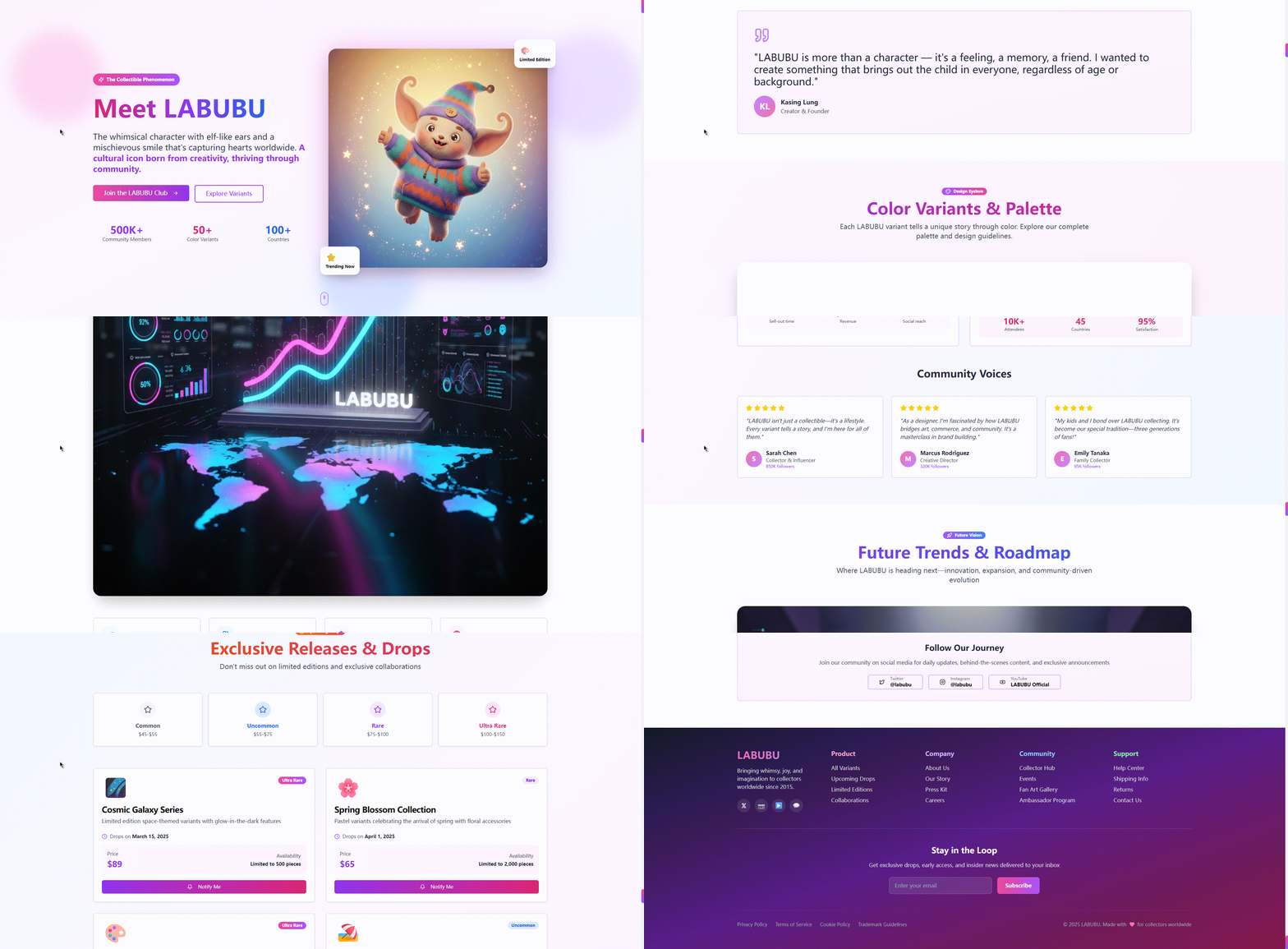
4.2 The LABUBU Phenomenon
Now consider a page built around a topic with a strong visual identity, such as a character, brand, or cultural moment. You might want an explanation of the story, a timeline of events, and a section for related content.
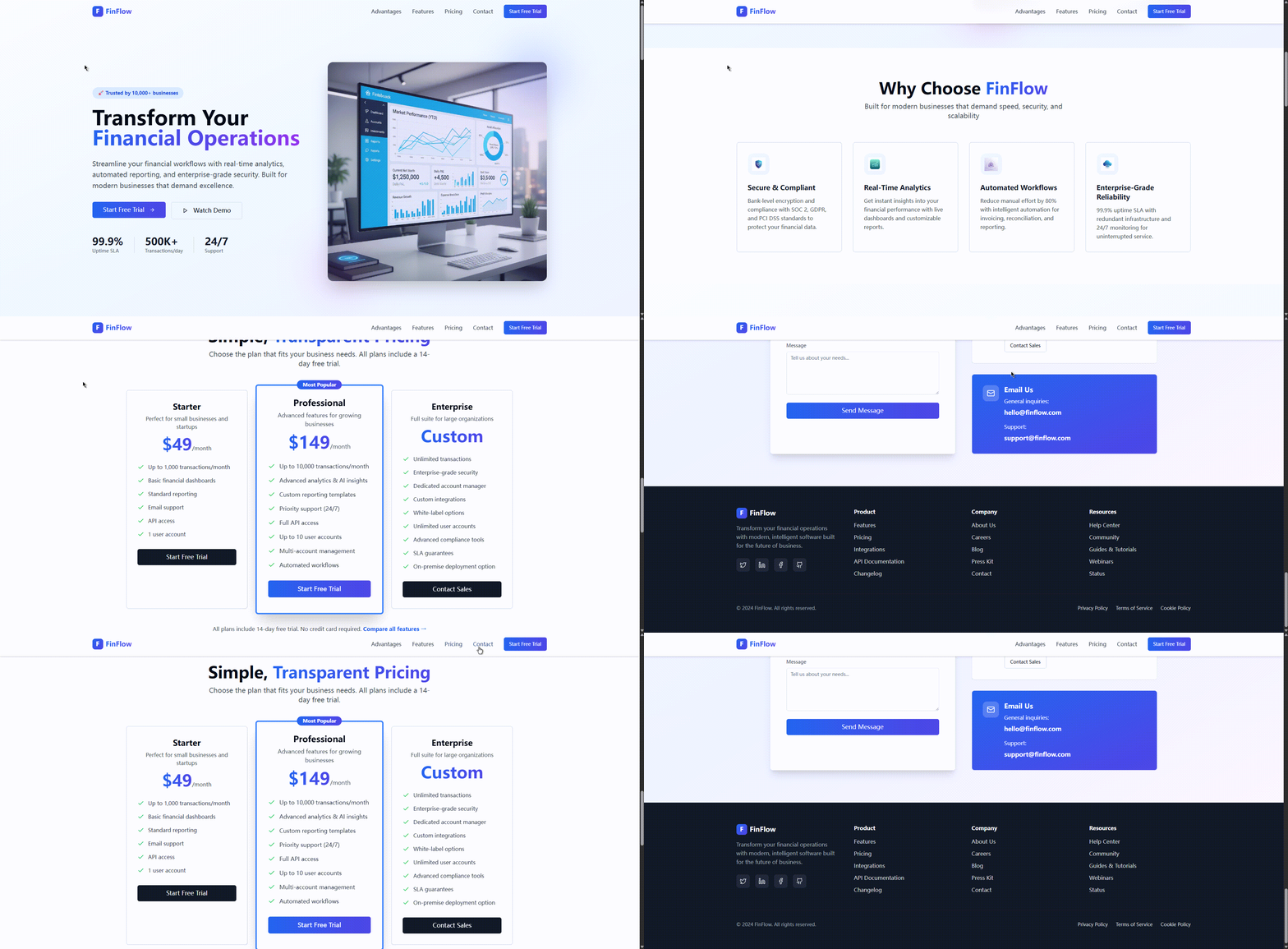
4.3 Elegant Landing Page Design
For a product or SaaS offering, you may want a straightforward landing page that includes a hero section, benefits, feature overview, pricing information, and a contact method.
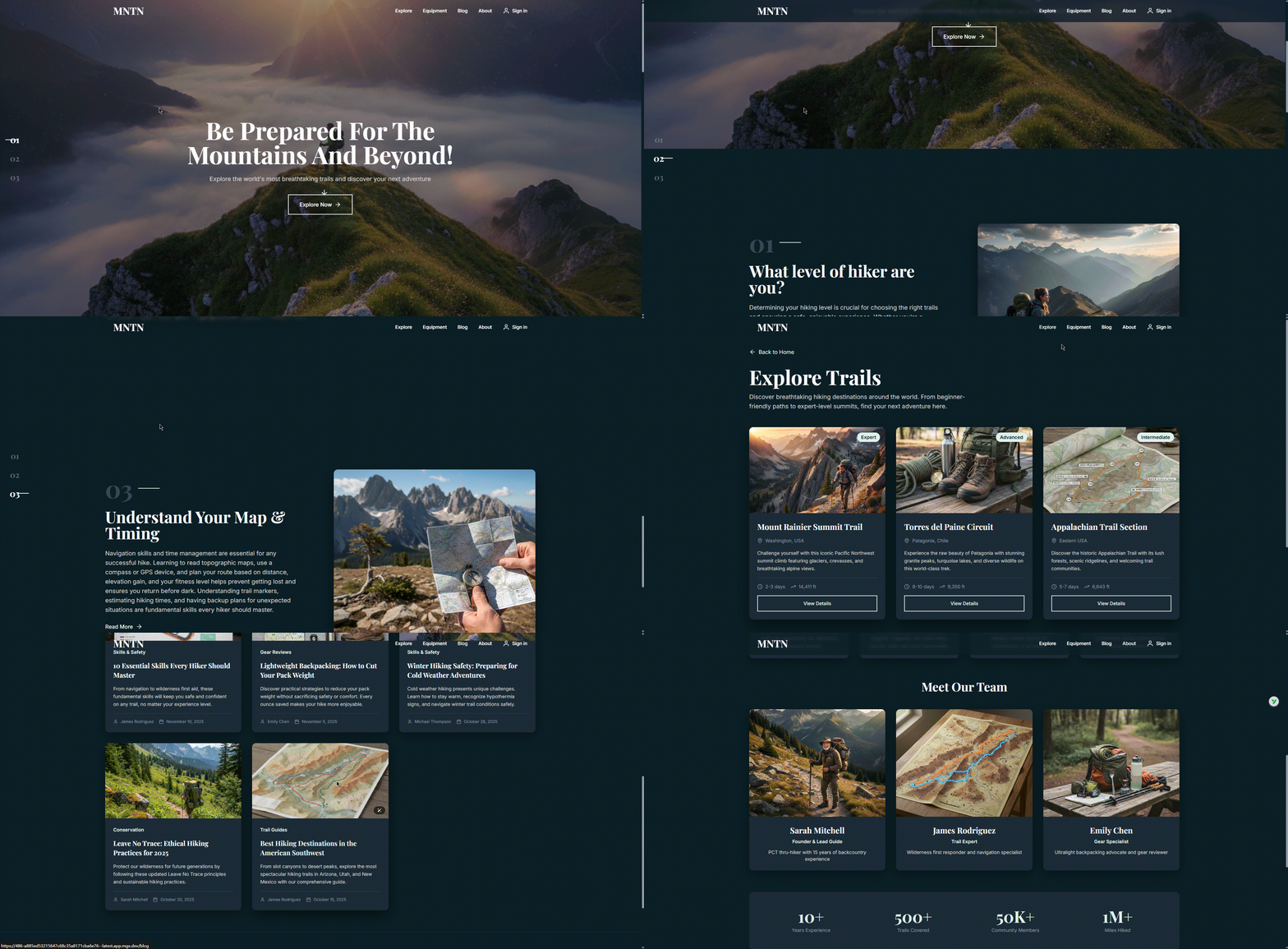
4.4 Responsive Outdoor Brand Page
For a brand focused on physical goods (like outdoor equipment), you may want to show products, describe materials, and encourage users to subscribe or purchase.
5. How to Start Building Shadcn UI Apps in Atoms
Getting started does not require any special setup. The flow is the same as any other project in Atoms; the difference is the quality of the UI you see at the end.
- Sign in at atoms.dev
Open your browser and go to Atoms (atoms.dev). Create an account or sign in. - Describe the app you need in plain language
In the chat, write what you are trying to build. Include the core idea, the audience, and the main screens or flows. The more context you give, the better Atoms can match the structure and tone of the UI. - Let your AI team work through the project
Atoms coordinates a team of agents to handle research, planning, and implementation. On the UI side, it uses Shadcn UI components and layout patterns as the base for your interface. - Review, edit, and iterate
Once the app is generated, you can walk through the screens, adjust copy, and refine flows. If your team has front-end experience, they can continue from the generated Shadcn UI structure and adapt it to your brand. - Move toward deployment
When you are satisfied with the experience, you can proceed to integrate your own content, connect services, and prepare the app for real users.
If you want to learn more about Shadcn UI as you explore, the official docs at ui.shadcn.com and the Tailwind CSS documentation at tailwindcss.com are good references. Both emphasize clear, explicit configuration, which aligns with Atoms' goal of generating apps that teams can understand and maintain.
6. FAQ
Do I need to know Shadcn UI or Tailwind to use this feature?
No. Atoms is designed so that non-technical users can describe what they want in natural language. The system chooses appropriate components and layouts based on Shadcn UI by default. If you never touch the underlying code, you still benefit from the design work.
If you do know React and Tailwind, you will probably recognize many patterns from the Shadcn ecosystem and be able to extend them further. For background, you can read the official React documentation and Tailwind’s utility-first guide.
Can I customize the Shadcn UI components generated by Atoms?
Yes, to the extent that your workflow allows for editing and refining the generated app. You can adjust copy, structure, and styling to better fit your product and brand. The intent is that Atoms gives you a solid starting point rather than a fixed template.
The exact degree of customization will depend on how deeply you choose to integrate the generated project into your own development setup, but the UI is built on patterns that front-end teams already understand.
Is Shadcn UI used in all new Atoms projects by default?
For new apps generated in Atoms, Shadcn UI is now the default UI foundation. You do not need to enable it manually. If we introduce alternative themes or design systems in the future, we will document how to choose between them, but the default path is Shadcn-based.
How is Shadcn UI different from other UI options in AI app builders?
Many tools rely on either generic, template-driven layouts or closed component libraries. Shadcn UI sits in a different place: it provides a thoughtful starting point that gives you ownership of the components and a clear path to customization.
That makes it a better match when the goal is not just to show “something on the screen” but to produce an application that can live alongside the rest of your code, be versioned, and be maintained like any other part of the product.
Can I use Atoms to prototype Shadcn UI apps for clients?
Yes. If you are a freelancer, consultant, or agency, you can use Atoms to quickly produce Shadcn-based interfaces that feel like credible first versions of real products. You can then refine them with your client, either staying within Atoms or exporting and integrating into your existing toolchain.
This is especially useful for early validation: clients can react to actual screens and flows rather than abstract wireframes.
