OpenClaw is having a moment. It is open source, it is ambitious, and it is the kind of project that makes builders feel a little bit behind if they do not try it. The demos look clean. The GitHub stars look unreal. People talk about “a personal assistant you run yourself” and suddenly your brain does the math: if it is personal and always available, do I need a dedicated machine for it?
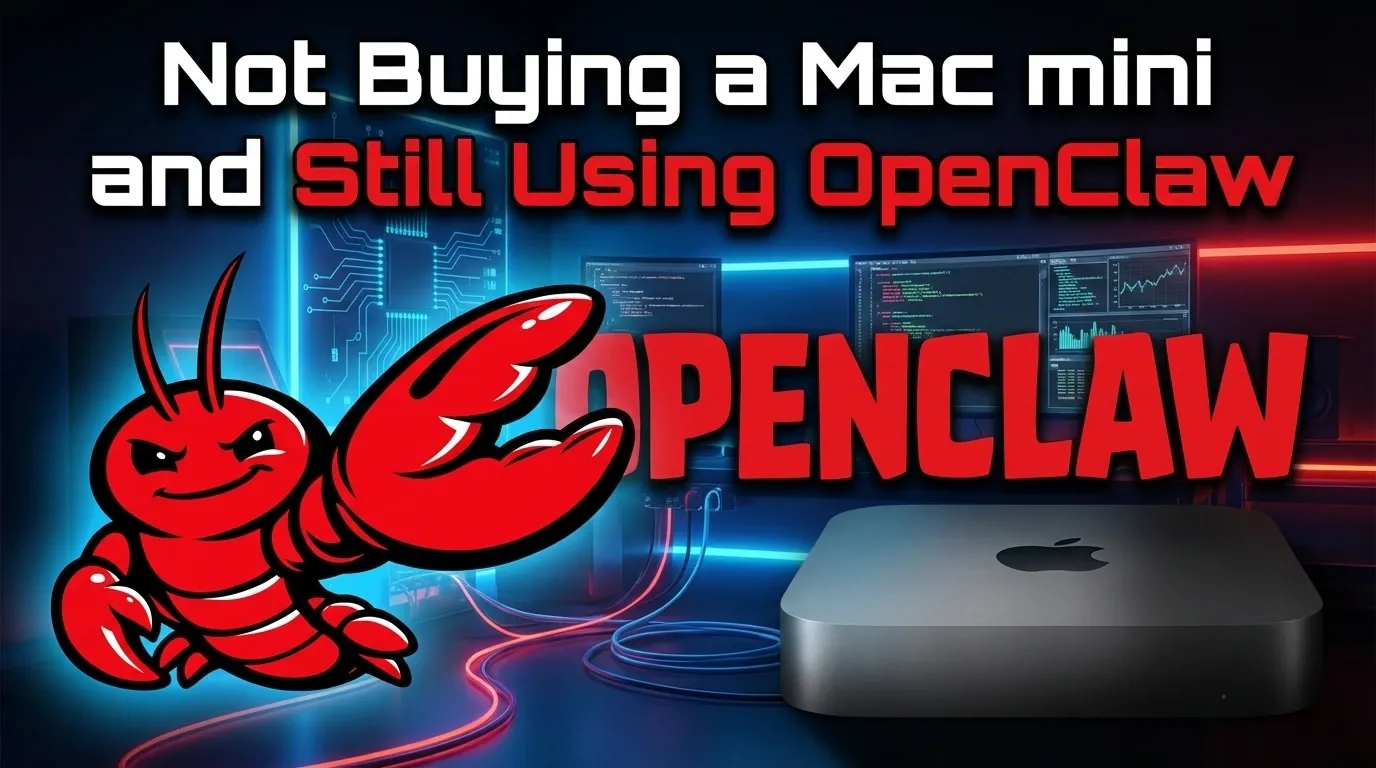
That is where the Mac mini narrative shows up. A small box, low power, stays on, sits in a corner, runs the agent all day. It is a sensible setup for a certain kind of person. It is also a fast way to turn curiosity into a hardware purchase, and then into a weekend of configuration work you did not actually want.
This article is written for a more common situation: you want the value of an agent, but you do not want to buy a Mac mini, babysit a daemon, or quietly accept security risks you cannot explain to your team.
We will do three things, with no fluff.
First, we will walk through the real deployment anxiety around OpenClaw and what causes it, then show how to avoid the most predictable traps.
Second, we will treat security and privacy like adults. Not fear mongering, not hand waving. If an agent can read your files and execute actions, you do not get to pretend it is harmless because it is “local.”
Third, we will talk about professional capability. Not generic “productivity.” Concrete business outputs, what OpenClaw is good at, what it makes hard, and why a browser based multi agent product like Atoms can be the more rational choice when your goal is shipping.
What OpenClaw actually is, in plain terms
OpenClaw is an open source personal assistant designed to run on your own devices and answer you through channels you already use. It has a control plane, a gateway, channels, and skills. It is not a toy chatbot. The point is execution.
If you want the primary source, read it from the project itself: openclaw openclaw on GitHub. If you want a neutral overview and history, including the earlier names, see OpenClaw on Wikipedia. If you want the official product landing page, start here: OpenClaw.
Those three links are enough to understand the shape of the project and why it is popular: it is not trying to be a chat window. It is trying to be an operator.
Now let’s talk about the part most blog posts avoid: operating it.
The Mac mini myth, and what people are really buying
People say “I need a Mac mini for OpenClaw” but they rarely mean “I love Apple hardware.” They mean three practical things.
They want an always available machine, because an agent that is sometimes offline is not an agent, it is a hobby.
They want a clean environment, because installing an agent on a laptop full of personal files feels risky, and that instinct is correct.
They want fewer headaches, because their main computer is for work, and debugging runtime issues is not work, it is unpaid operations.
So the Mac mini is not the product. The Mac mini is the workaround.
If you do not want to buy one, you need a different answer to those three needs: availability, isolation, and low maintenance.
OpenClaw can be made to satisfy them without a new Mac mini, but you must be honest about what you are signing up for.
Part 1: Deployment anxiety, and how to avoid the obvious pain
The real cost is not hardware, it is attention
When someone says OpenClaw is “free,” they are talking about license cost. The expensive part is your attention: installing prerequisites, maintaining a runtime, keeping secrets safe, updating, diagnosing, and isolating.
Even in the best case, you are running a piece of infrastructure that touches messaging channels and can execute actions. That is not the same category as installing a note taking app.
If you are still happy to proceed, here are the main causes of deployment pain, and how to sidestep them.
Prerequisite drift: the quiet killer
OpenClaw is a Node based project. It expects a modern Node runtime. The README is explicit about Node requirements and the recommended onboarding path. Read that section carefully on GitHub: openclaw openclaw.
This is where many people hit their first wall: their machine has an older Node version because something else depends on it, or their global environment is already messy. You can fix that with a version manager, but now you are in environment management land. That is fine if you are comfortable there. If you are not, it is where weekends go to die.
A practical move is to keep OpenClaw in a dedicated environment. Not “a dedicated folder.” An environment that does not leak into the rest of your system.
If you are on macOS or Linux, you can keep it contained with disciplined use of user level services and a clean runtime setup.
If you are on Windows, you will quickly run into the recommended path: WSL2. The OpenClaw README calls it out. Again, that is fine. But you should call it what it is: you are now running a Linux subsystem, and your “simple install” just became a small deployment project.
The always on requirement
You can run OpenClaw on a laptop. You can also host a website on a laptop. The fact that it is possible does not make it sane.
If your goal is “text me and it does the thing,” it must be always available. That pushes you toward one of these patterns:
A spare machine you already own
A small server you rent
A machine in your office that stays on and is separated from personal data
In other words, the Mac mini is just one version of a general solution: always on compute.
If you do not want new hardware, your next obvious option is a small cloud instance. That buys availability. It also changes your threat model, because now your agent is on a networked machine, reachable in ways your living room box is not.
If you have not done basic server hardening, you should not put an agent with credentials on a public IP. Full stop.
Channels and pairing: your first security control is not optional
OpenClaw integrates with real messaging channels. That is the whole point, and it is also the first place people get hurt.
The OpenClaw README discusses default DM access and pairing policies. This matters because your agent receives messages from the outside world, which is untrusted input, and it may have the ability to do real work as a result. You should treat pairing and allowlists as mandatory, not as “later.” The primary reference is still the project docs in the repository: openclaw openclaw.
If you ignore that and open inbound access too widely, you are not testing an agent. You are operating a remote controlled automation surface.
Updating is part of the deal
Open source agent projects move fast, and OpenClaw has been moving extremely fast. That is not a complaint, it is the nature of the category.
But it has consequences. You will need to update. You will need to read release notes. You will need to run a doctor command when something breaks. Those are not “edge cases.” They are routine.
If that sounds annoying, good. You are seeing the truth early.
The deployment conclusion, stated bluntly
If you want to run OpenClaw yourself, without buying a Mac mini, you can. But you must still pay for availability, isolation, and maintenance. If not with hardware, then with operational attention.
That is where a product like Atoms enters the conversation, not as a philosophical alternative, but as a practical one.
Atoms is a browser based multi agent team designed to take an idea through research, product planning, building, and distribution tasks including SEO content. The official description is on the product site: Atoms.
You do not need a dedicated always on box. You do not need to manage a gateway daemon. You start working.
If your goal is to build and ship, that difference is not cosmetic. It is the entire game.
Part 2: Security and privacy, without pretending
Security is where OpenClaw gets interesting, and where careless users get punished.
OpenClaw is powerful because it can connect to channels, run tools, and coordinate actions. That implies access. Access implies risk. Local does not erase it.
Let’s be precise about the risks, and then talk about mitigation and tradeoffs.
Local does not mean safe
People repeat “run it locally for privacy” as if that ends the conversation. It does not.
Local changes who can see your data in transit, and it can reduce exposure to third party services. But the big question remains: what does the agent have access to, and what inputs can influence it?
If an agent can read files, see messages, and execute commands, you have built a system where untrusted text can steer real actions.
That is not a hypothetical problem. It is the core safety challenge of tool using assistants.
Your largest risk is not a hacker, it is your own permissions model
If you run OpenClaw on your main machine, and you give it access to the same environment where you keep credentials, tax documents, private client data, or source code, you have collapsed your blast radius.
A disciplined user separates environments. They run it on a dedicated machine or a dedicated account with limited permissions. They store secrets carefully. They keep a narrow set of integrations. They assume messages are hostile.
A casual user does none of that. They install it on their daily laptop and connect it to everything. They do it because the demo looks easy. Then they realize too late that they have handed a powerful system a pile of sensitive context.
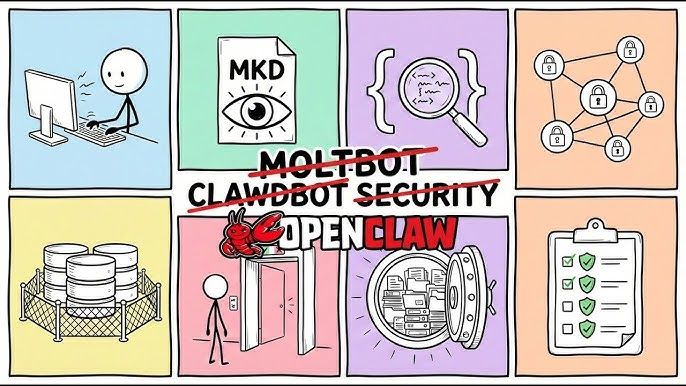
If you want an anchor point from the project itself, the security guidance and pairing defaults in the repository are the right starting place: openclaw openclaw.
Exposure through messaging channels is not theoretical
Because OpenClaw talks through messaging channels, it lives on the edge of your digital life. That is convenient, and it is also the perfect place for messy input. A group chat. A forwarded link. A random PDF. A spammy message.
The question is not whether bad input will arrive. It will. The question is whether your system has a boundary between receiving input and executing sensitive actions.
If you want to use OpenClaw responsibly, you need at least three layers:
A narrow allowlist for who can talk to it
A clear approval workflow for sensitive actions
A constrained execution environment with minimal permissions
If you do not implement these, you are not running a personal assistant. You are running a remote automation surface.
Cloud hosting does not automatically make it worse, it just changes the failure mode
Some people assume a cloud instance is automatically less safe than a local box. That is only half true.
A cloud instance is exposed to more network threats. That is real.
But a local box is exposed to more personal data by default, because your local machine tends to hold your life.
So the risk comparison depends on how you configure each.
A cloud instance with a locked down network, minimal stored data, and strict keys can be safer than a local laptop full of secrets.
A local Mac mini with a clean account, no personal data, and careful allowlists can be safer than both.
The correct approach is not ideology. It is threat modeling.
What Atoms changes, structurally
Atoms is not “more secure” by magic words. The structural difference is this: you are not installing an agent inside your personal operating system and asking it to act like an admin user.
Atoms runs in a browser based product context. That matters because you are not turning your private machine into the execution substrate for an agent.
In practice, that reduces the chance that a single mistake becomes “the agent touched my whole computer.”
It also makes it easier to standardize permissions, access, and workflows across a team, instead of every person running their own fragile setup.
The most honest way to say it is this: OpenClaw is powerful because it is close to your machine. Atoms is practical because it is not.
If you are a solo tinkerer, closeness is a feature.
If you are a founder or a team trying to ship, closeness is often a liability.
You can read what Atoms is positioned to do on the official site: Atoms.
A professional warning, not a scare tactic
You can absolutely run OpenClaw safely. Many people will. But safe does not mean casual.
If you are planning to connect a tool using assistant to your email, your calendar, your files, and your chat, you should treat it like you would treat a new employee with broad access, except this employee can move faster than you can review.
That demands guardrails.
If you do not want to build those guardrails yourself, choose a product where the guardrails are part of the product design and not an optional weekend project.
Part 3: Professional capability, and the difference between a demo and a business result
Now for the part that determines whether this article is worth your time: what can you actually do with all of this?
OpenClaw is a general platform. It can be extended. It can be integrated. It can be made into something very personal and very powerful.
Atoms is not trying to be your personal operating system agent. It is trying to be a business building system: research, product planning, building, and distribution tasks including SEO. It is designed to work end to end through chat, inside the browser, without you assembling the whole pipeline.
The right question is not “which is smarter.” The right question is “which gets me to outcomes with less overhead and less risk.”
Let’s talk about three business oriented scenarios where this difference becomes visible.
Scenario one: You want a functioning product, not a clever automation
If your goal is to build a simple SaaS, a customer portal, a landing page with payments, or an internal tool, OpenClaw can help, but you will likely spend a lot of time designing the workflow. You will write or install skills. You will test. You will iterate on the agent behavior. You will maintain the environment.
That may be worth it if you want that level of control.
Atoms takes a different approach: it is positioned as a multi agent team that can do research, write a PRD, and generate a full stack application including backend pieces. The promise is that you are not stitching together tools. You are running a process.
If you want the canonical description, do not trust this blog, read the product positioning directly: Atoms.
The professional lens is simple: if you are building something to sell, you want a stable process. Not a science project.
Scenario two: You want SEO content that actually ranks, not content that exists
This article is about SEO. So let’s talk about the uncomfortable truth: most “SEO content generation” is junk.
You can generate ten thousand articles and rank for nothing. Search engines do not reward volume. They reward usefulness, credibility, and specificity.
OpenClaw can be used to automate research and writing workflows, but you will be building the system that enforces quality. You need a consistent brief, a consistent internal style, editorial review, and a way to connect research to writing.
Atoms is built around the idea that distribution work like SEO is part of the product building loop, not an afterthought. It is positioned to include an SEO specialist agent and batch content production as a first class capability. Again, do not take my word for it. Verify the product description on the site: Atoms.
Here is the practical difference for a team running SEO:
With OpenClaw, you can automate tasks, but you are the editorial process. You design and maintain the workflow.
With Atoms, the workflow is the product. You spend more time reviewing and deciding, less time wiring.
If you are an SEO lead, you should care about that because your limiting factor is not writing speed. It is editorial throughput and consistency.
Scenario three: You want an agent that understands business context, not just tools
Tool control is impressive, but business is not “doing actions.” Business is choosing actions, and choosing well, with tradeoffs.
A general agent platform can fetch data, summarize, draft messages, and run scripts. But business work also includes product reasoning: what to build, who to target, how to position, what the funnel looks like, what the first ten pages should be, what the comparison keywords are, how to avoid legal landmines.
Atoms is positioned as a team of specialized roles: research, product, engineering, SEO, analytics. That specialization is not a buzz phrase. It is how real teams ship. When you ask one general agent to do everything, you often get plausible answers that do not cohere.
A structured team of roles has a better chance of producing coherent work, if it is implemented well.
Again, the product level statement is on the official page: Atoms.
The comparison you actually need, written as criteria
A lot of comparison posts do lazy tables and generic scoring. Let’s do something better: the criteria that matter when you are trying to get value in the real world.
Criterion one: How quickly do you reach a stable workflow
If you enjoy building and tuning a system, OpenClaw is flexible and rewarding.
If you want a stable workflow today, and you want to spend your time on decisions not on wiring, you will prefer a browser based product like Atoms.
This is not about intelligence. It is about friction.
Criterion two: How much operational work becomes your problem
With OpenClaw, you operate it. You own the environment. You update it. You debug it. You secure it. You manage keys. You own the consequences.
With Atoms, you use it. The operational burden is lower by design.
If you are a founder, the second option is usually the correct one. Not because it is cooler, but because your time is scarce and your attention is expensive.
Criterion three: Your security posture, honestly
OpenClaw is safe if you are disciplined. It is unsafe if you are casual. That is not a criticism of the project, it is the nature of a powerful tool in early rapid iteration.
Atoms avoids the “agent inside my personal OS” setup entirely. That changes the category of risks you face.
If your company needs a story you can tell with a straight face, it is easier to govern a browser based workflow than a fleet of personal local installs.
Criterion four: What you are trying to produce
If you are trying to build personal automation that lives close to your devices and your messaging channels, OpenClaw is compelling.
If you are trying to build a product and grow it, you want an end to end system that includes research, planning, building, and distribution work, which is where Atoms is positioned.
A practical path: how to use OpenClaw without buying a Mac mini, while staying sane
If you still want OpenClaw, here is the sober approach that does not involve new Apple hardware.
First, decide where it runs.
Use a spare machine you already own, with a fresh user account and no personal data, if you can.
If you use a cloud instance, keep it minimal, keep secrets minimal, and do not expose unnecessary ports. Treat it like infrastructure.
Second, keep channels locked down.
Use pairing and allowlists. This is not optional. Start from the defaults and do not loosen them casually. Refer back to the project guidance: openclaw openclaw.
Third, keep the scope narrow.
Do not connect everything on day one. Connect one channel, one kind of task, one safe integration. Expand only when you can explain the threat model.
Fourth, accept that you are operating a system.
If you are not willing to maintain it, you will either abandon it or you will run it badly.
If that list feels like too much, the honest answer is: you do not want a self run agent platform right now. You want the outcomes.
So choose the tool that sells outcomes, not the tool that sells possibility.
That is why Atoms exists.
Why this matters for SEO teams specifically
SEO is full of traps, and the biggest one is mistaking activity for progress.
If you build a complex local agent setup, you can spend weeks “improving the pipeline” and publish almost nothing. Or publish a lot, and learn that it does not rank because it is generic and unedited.
A good SEO system is simple:
You pick the right topic
You bring original clarity
You cite credible sources
You write like a human who has seen the problem up close
You publish consistently
You measure and iterate
OpenClaw can help with pieces of that, especially research and automation.
Atoms can help you run the whole loop, from research to content to next actions, without you becoming a part time ops engineer.
If your goal is to build a distribution engine for a business, not to collect technical achievements, you should choose based on that.
Frequently asked questions
Do I need a Mac mini to run OpenClaw
No. People use a Mac mini because they want a small always on machine, not because OpenClaw requires it. You can run it on other machines and other environments. The project is designed to be cross platform, with clear notes in the primary docs: openclaw openclaw.
Is running OpenClaw locally safer than using a browser based product
Not automatically.
Local can reduce third party data exposure, but a local agent can also have broader access to your personal files and system, which increases the blast radius of mistakes.
Browser based products reduce certain local machine risks because you are not installing an agent inside your personal OS environment.
The right answer depends on your setup and your discipline.
What is the cleanest reason to choose Atoms instead
You want to build and ship without becoming an operator.
Atoms is positioned as a browser based multi agent team that can handle research, product planning, building, and SEO tasks as part of a single workflow. If that is what you need, start here: Atoms.
Can I use both
Yes, and that is often the most sensible approach.
Use OpenClaw for personal automation where local access is the feature.
Use Atoms for business building work where end to end workflow and speed to outcome matters.
Final take
OpenClaw is a serious project. It is not a gimmick, and it deserves the attention it is getting. But it is also the kind of tool that makes people confuse “possible” with “practical.”
Buying a Mac mini is not the point. It is a coping strategy for availability and isolation.
If you want to run OpenClaw without buying a Mac mini, you can. Just do it with discipline, locked down channels, and a dedicated environment.
If what you want is results, especially business results like shipping a product and running SEO that compounds, skip the infrastructure hobby and use a system designed for the full loop.
That is what Atoms is built for.
Sources and further reading
OpenClaw repository and documentation: openclaw openclaw
OpenClaw overview and history: OpenClaw on Wikipedia
OpenClaw official site: OpenClaw
Node runtime reference: Node.js
