On this page
Websites are gaining a new interface: not only pages that people read, but structured tools that browser agents can discover and call. WebMCP is the proposal at the center of that shift.
The timing is no longer theoretical. OpenAI’s WebMCP Challenge asks developers to build web apps that work with ChatGPT, and OpenAI says compatible sites can expose tools to the ChatGPT desktop app’s built-in browser. The challenge is supported by Google Chrome, Cloudflare, Shopify, Vercel, Render, and Netlify. Separately, the Web Machine Learning Community Group published a Draft Community Group Report for WebMCP on August 26, 2026.
That does not make WebMCP a finished, universal web standard. It does mean website owners and builders have a practical reason to understand the interface now.
The short answer: what is WebMCP?
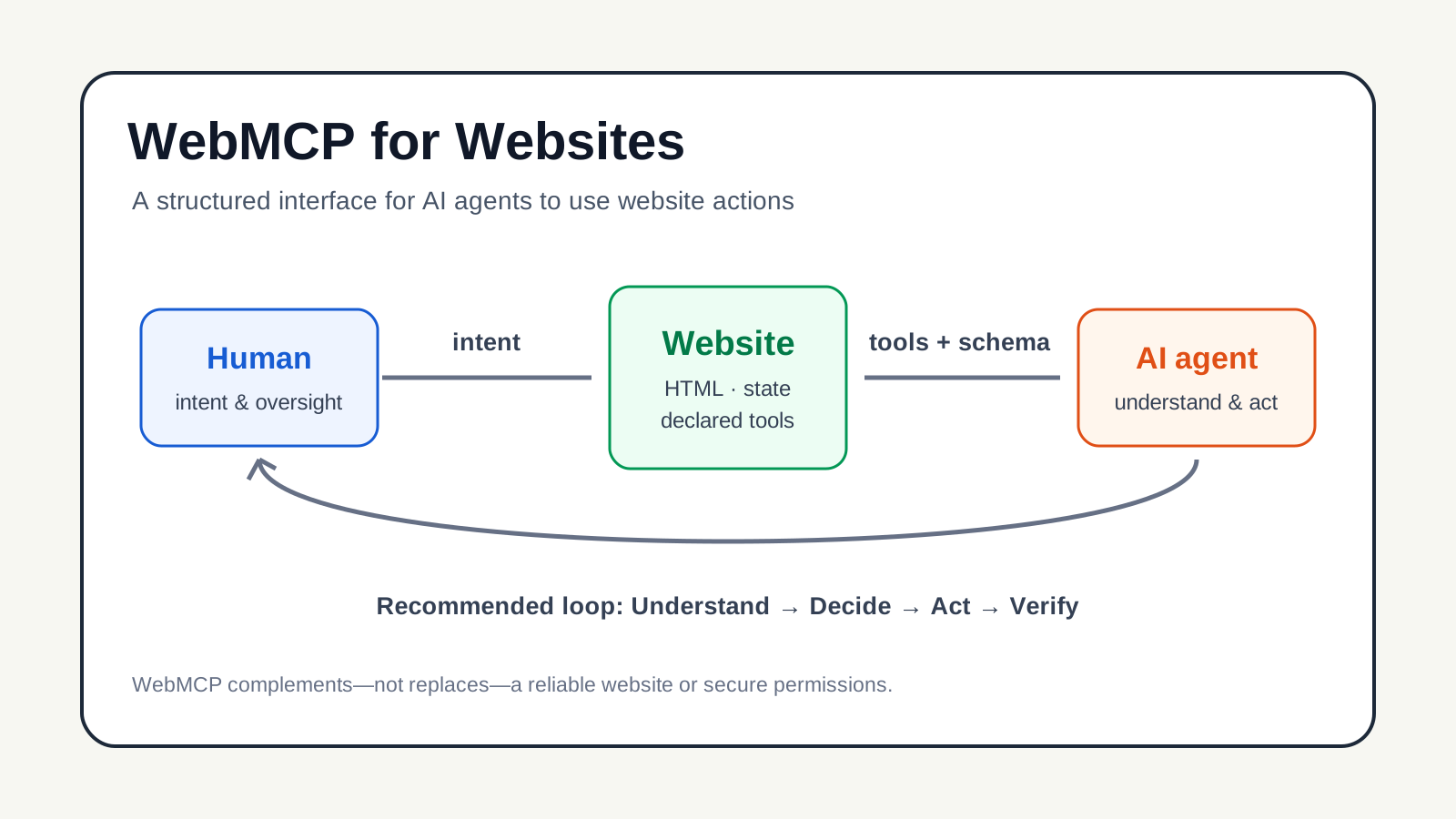
WebMCP is a proposed browser/web-platform approach for exposing website functionality as structured, callable tools for AI agents. A site can describe an action, define its inputs, and provide an implementation that runs in the site’s existing context. WebMCP also considers how HTML forms can express actions declaratively.
Instead of asking an agent to infer that a visually styled element means “add the blue jacket in size M to my cart,” a site can expose a bounded action with a name, description, input schema, and explicit result. The normal human interface still matters: WebMCP is an action/interface layer, not a replacement for the page.
Chrome’s documentation describes WebMCP as a proposed standard intended to help agents interact with web features with greater speed, reliability, and precision. Availability and API details are still evolving, so production implementations should feature-detect the current API and preserve a usable fallback.
Why WebMCP matters now
Three signals have converged:
- A platform event: OpenAI launched the WebMCP Challenge on August 25 and connected compatible websites with ChatGPT’s in-app browser experience.
- A standards signal: the WebMCP Community Group Report was updated on August 26.
- An implementation ecosystem: Chrome documentation, DevTools support, examples, React packages, and community projects are appearing around the proposal.
The downstream ecosystem is useful evidence of developer interest, not proof that WebMCP has reached final-standard status. Treat package names, browser support, and client availability as volatile facts that must be checked before deployment.
WebMCP vs. an agent-ready website
These terms are related, but they are not interchangeable.
| Layer | Main question | Examples |
|---|---|---|
| Agent-ready website | Can an agent understand, decide, act, and verify reliably? | Semantic HTML, current state, accessible forms, authentication handoffs, confirmations, receipts |
| WebMCP | Can a compatible browser agent discover and call defined site actions? | Named tools, structured inputs, tool handlers, form annotations |
| SEO | Can search systems discover, interpret, and rank the site? | Crawlable content, canonical URLs, internal links, structured data |
WebMCP can improve the action layer of an agent-ready website, but it cannot repair ambiguous content, stale pricing, broken authentication, missing authorization, or unclear outcomes. A site that exposes a tool while returning unreliable state is not agent-ready; it is merely callable.
The four-part implementation model
Design every agent-facing workflow around:
1. Understand
Make the page purpose, entities, constraints, and current state explicit in readable HTML and accessible structure. Use real headings, labels, buttons, tables, and links. Keep critical facts out of image-only or hover-only UI.
2. Decide
Expose the facts an agent needs to make a user-aligned choice: price and currency, inventory, eligibility, dates, regional conditions, and a timestamp for volatile information. Separate factual state from promotional copy.
3. Act
Expose narrowly scoped tools with descriptive names and typed inputs. Prefer addToCart, searchAvailability, or saveShippingAddress over a vague continue action. Validate every input server-side and enforce authorization independently of the browser-facing tool.
4. Verify
Return an explicit result. After a booking, payment, or account change, show a durable confirmation, reference ID, updated state, or recoverable error. A disappearing toast is weak evidence for both an agent and a human.
A minimal tool design pattern
The exact WebMCP API is evolving. The following is a conceptual pattern, not a claim that every identifier or method is stable across current previews:
The important properties are not the snippet’s spelling. They are the contract: a clear purpose, bounded inputs, predictable validation, a server-side security boundary, and a result that can be verified.
WebMCP for React and Next.js
React and Next.js teams should treat WebMCP registration as a client capability layered onto an existing application, not as a replacement for server actions or API authorization.
A practical rollout looks like this:
- Identify one low-risk, high-value workflow.
- Define the user intent, input schema, authorization rules, and success receipt.
- Implement the normal accessible UI first.
- Register the tool only when the browser API is available.
- Keep registration and cleanup tied to the component lifecycle.
- Reuse the same domain service as the human UI, but do not trust client-side tool parameters.
- Test with Chrome DevTools and a real compatible client.
- Record failures, confirmations, and audit events.
Community React packages can reduce boilerplate, but they are not the WebMCP standard itself. Check package maintenance, browser assumptions, license, and whether a bridge or extension is being used. Do not confuse a library that connects WebMCP-like tools to desktop MCP clients with native ChatGPT site-tool support.
Security is part of the interface
WebMCP does not remove ordinary web security responsibilities. Keep authentication, authorization, CSRF protection, input validation, rate limits, abuse controls, and server-side policy checks.
For sensitive actions:
- require explicit user interaction or confirmation;
- show the exact object, amount, and consequence;
- prevent a tool description from silently broadening permissions;
- avoid exposing private data through tool results;
- make irreversible actions reviewable;
- return a receipt and log the actor, scope, and result.
Treat page content as untrusted input. A malicious instruction embedded in a product description must not be able to rewrite the tool’s policy or override user intent.
What WebMCP does not prove
WebMCP is about agent interaction with website functionality. The current materials do not prove that adding WebMCP will improve Google rankings, increase ChatGPT citations, or guarantee more traffic. It is also not a universal replacement for APIs, structured data, accessibility, or good UX.
The sensible claim is narrower: a compatible client may be able to discover and invoke a site’s structured actions more reliably than it can infer every action from pixels and ambiguous controls.
A launch checklist for website owners
- [ ] The page has a clear purpose and semantic structure.
- [ ] Important facts are present in readable HTML and have freshness conditions.
- [ ] Actions have descriptive names and bounded inputs.
- [ ] Human users can complete the same task without WebMCP.
- [ ] Authentication and authorization are enforced server-side.
- [ ] Sensitive actions require explicit confirmation.
- [ ] Loading, disabled, error, success, and completion states are observable.
- [ ] Results include a stable receipt or reference where appropriate.
- [ ] The implementation feature-detects evolving browser APIs.
- [ ] The workflow has been tested in a compatible browser/client and with adversarial inputs.
The practical takeaway
WebMCP is worth learning now because the web is moving from agent-readable pages toward agent-callable interfaces. But the durable investment is broader than registering tools.
Build the website so that a human, a search crawler, and an AI agent can all answer four questions:
What is this? What is true now? What can be done? What happened afterward?
WebMCP helps with the third question. The other three remain the responsibility of the website.
Sources
- OpenAI WebMCP Challenge
- OpenAI Community: The WebMCP Challenge is here
- WebMCP Draft Community Group Report
- Chrome Developers: WebMCP
- Chrome Developers: WebMCP tool security
- Chrome DevTools: Debug WebMCP tools
- Search Engine Journal: WebMCP connects AI agents to actions inside websites
- WebMCP React examples
