Investigating and Troubleshooting GitLab 500 Errors: A Post-Incident Analysis for January 8, 2026
Introduction: Addressing the GitLab 500 Error
This report addresses the recent occurrence of a 500 Internal Server Error on the company's GitLab instance, which was brought to our attention. The primary purpose of this investigation is to identify potential causes that may have contributed to this critical service disruption. Our scope will specifically focus on analyzing events and system changes that occurred on 2026-01-08 to pinpoint any direct correlations. This section serves to establish the critical context for the subsequent detailed analysis of the incident.
Understanding 500 Errors in a GitLab Context
An HTTP 500 Internal Server Error is a generic indicator of an unexpected server condition that prevents a request from being fulfilled 1. Within the GitLab environment, these 500 errors specifically point to unexpected conditions within GitLab's architecture that hinder the successful processing of a user's request 1. Diagnosing and resolving these errors typically involves inspecting logs, checking service statuses, and verifying configurations 1.
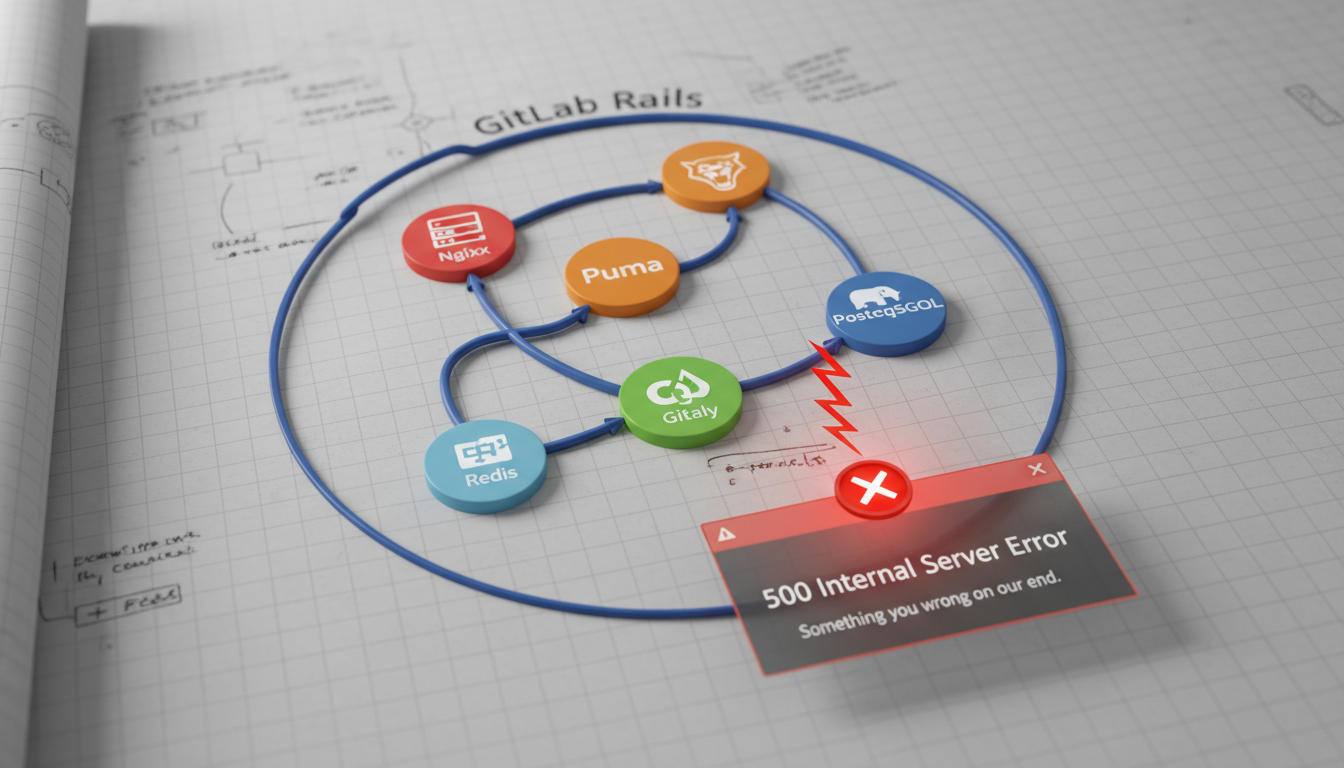
Various components and issues within the GitLab architecture can lead to 500 errors. Understanding these common technical reasons is crucial for effective troubleshooting.
Common Technical Reasons for GitLab 500 Internal Server Errors
Failures or misconfigurations in several core GitLab components can lead to 500 errors:
-
Database Issues:
- Incomplete or Failed Database Migrations: These frequently occur after GitLab upgrades, often presenting as
ActiveRecord::StatementInvalid,PG::UndefinedTable, orPG::UndefinedColumnerrors in theproduction.log2. This signifies that the application expects database tables or columns that are either missing or not up-to-date 2. - Database Corruption: Errors like
ERROR: could not read block ...in PostgreSQL logs indicate data corruption, which can trigger 500 errors on specific pages or actions related to the compromised data 3. - Lock Contention:
ActiveRecord::LockWaitTimeouterrors can arise if Sidekiq processes heavily lock database tables that application migrations are trying to alter, leading to timeouts 4.
- Incomplete or Failed Database Migrations: These frequently occur after GitLab upgrades, often presenting as
-
Gitaly Problems:
- Gitaly Service Connection Failures: Errors such as
FAIL: 14:connections to all backends failing.orFailed to pick subchannelindicate that Gitaly is unable to establish connections, thereby impacting critical repository operations like cloning, pushing, and pulling 5. - Configuration/Authentication Mismatches:
remote: GitLab: 401 Unauthorizederrors during Git operations are often caused bygitlab-secrets.jsonfile mismatches between the GitLab application and Gitaly servers, or when Gitaly is an older version than GitLab (e.g., pre-15.5 GitLab uses shared secrets, while 15.5+ uses JWT tokens) 6. Additionally, Gitaly socketPermission Deniederrors can lead to intermittent 500s during command-line Git actions 7. - Connectivity Issues:
Fetching folder contentand 500 errors on repository pages frequently signal underlying network or communication problems between GitLab and Gitaly 6.
- Gitaly Service Connection Failures: Errors such as
-
Application and Configuration Errors:
- Application-Specific Bugs: Certain GitLab versions may contain bugs that cause 500 errors on particular features, such as repository settings pages 8.
- Invalid Component URLs: A
URI::InvalidComponentErrorcan occur due to misconfigured URLs in GitLab settings, such as an incorrect SSH Clone URL 8. - File Permissions: Improper file or directory permissions can result in generic 500 errors across the application 2.
- Dependency Proxy Issues: 500 errors when using the Dependency Proxy are often linked to
Rack::Timeout::RequestTimeoutExceptiondue to network configuration (e.g.,http_proxysettings) or timeouts from upstream services 9. - Outdated Operating System Components: For GitLab Pages, errors like
securecookie: failed to generate random ivcan occur if the underlying operating system lacks necessary cryptographic system calls likegetrandom10. - Systemd Temporary File Cleanup: The
systemdprocess cleaning the/tmpdirectory can disrupt GitLab Pages by removing bind-mounted files like/etc/hosts, leading to intermittent 502/500 errors 10. - Missing Asset Files: After an upgrade, if old Puma processes are still running or duplicate
sprocketsfiles exist, GitLab might fail to serve assets correctly, resulting in a broken UI and 500 errors 4.
-
Resource Exhaustion and Performance:
- Request Timeouts: A
Rack::Timeout::RequestTimeoutExceptionindicates that a request took too long to complete, possibly due to slow backend services, heavy load, or network latency 9. - General Server Overload: Issues such as out-of-memory (OOM) conditions or high disk I/O bottlenecks can also manifest as 500 errors, signifying resource limitations 1.
- Request Timeouts: A
The table below summarizes common technical reasons for GitLab 500 Internal Server Errors, along with their typical symptoms or error messages.
| Component | Specific Reason | Example Error/Symptom |
|---|---|---|
| Database Issues | Incomplete or Failed Database Migrations | ActiveRecord::StatementInvalid, PG::UndefinedTable, or PG::UndefinedColumn in production.log |
| Database Issues | Database Corruption | ERROR: could not read block ... in PostgreSQL logs |
| Database Issues | Lock Contention | ActiveRecord::LockWaitTimeout |
| Gitaly Problems | Gitaly Service Connection Failures | FAIL: 14:connections to all backends failing. or Failed to pick subchannel |
| Gitaly Problems | Configuration/Authentication Mismatches (gitlab-secrets.json) | remote: GitLab: 401 Unauthorized during Git operations |
| Gitaly Problems | Gitaly socket Permission Denied | Permission Denied errors for command-line Git actions |
| Gitaly Problems | Connectivity Issues | Fetching folder content and 500 errors on repository pages |
| Application and Configuration Errors | Application-Specific Bugs | 500 errors on specific features (e.g., repository settings pages) |
| Application and Configuration Errors | Invalid Component URLs | URI::InvalidComponentError (e.g., invalid SSH Clone URL) |
| Application and Configuration Errors | File Permissions | Generic 500 errors due to improper file/directory permissions |
| Application and Configuration Errors | Dependency Proxy Issues | Rack::Timeout::RequestTimeoutException (network config or upstream service timeouts) |
| Application and Configuration Errors | Outdated Operating System Components (GitLab Pages) | securecookie: failed to generate random iv (OS lacks getrandom) |
| Application and Configuration Errors | Systemd Temporary File Cleanup (GitLab Pages) | Intermittent 502/500 errors (systemd removes bind-mounted files like /etc/hosts) |
| Application and Configuration Errors | Missing Asset Files | Broken UI and 500 errors after upgrade (old Puma or duplicate sprockets) |
| Resource Exhaustion and Performance | Request Timeouts | Rack::Timeout::RequestTimeoutException |
| Resource Exhaustion and Performance | General Server Overload | Out-of-memory (OOM) issues or high disk I/O bottlenecks |
Common Causes of GitLab 500 Errors
GitLab 500 Internal Server Errors are generic indicators of an unexpected server condition preventing a request from being fulfilled1. These errors often require a detailed investigation involving log inspection, service status checks, and configuration verification. Various components and issues within the GitLab architecture can trigger these errors, ranging from database inconsistencies to resource limitations1.

Technical Reasons for GitLab 500 Internal Server Errors
The following table summarizes common technical reasons behind GitLab 500 errors:
| Major Category | Specific Technical Reason | Associated Error Message/Symptom |
|---|---|---|
| Database Issues | Incomplete or Failed Database Migrations | ActiveRecord::StatementInvalid, PG::UndefinedTable, PG::UndefinedColumn |
| Database Issues | Database Corruption | ERROR: could not read block ... in PostgreSQL logs |
| Gitaly Problems | Gitaly Service Connection Failures | FAIL: 14:connections to all backends failing., Failed to pick subchannel |
| Gitaly Problems | Configuration/Authentication Mismatches | remote: GitLab: 401 Unauthorized, Gitaly socket Permission Denied |
| Application and Configuration Errors | Invalid Component URLs | URI::InvalidComponentError |
| Application and Configuration Errors | File Permissions | Generic 500 errors due to improper file/directory permissions |
1. Database Issues
Database-related problems are a frequent cause of 500 errors, especially after system updates. Incomplete or failed database migrations, often occurring after GitLab upgrades, can lead to specific error messages like ActiveRecord::StatementInvalid, PG::UndefinedTable, or PG::UndefinedColumn in the production.log2. These errors signal that the application expects certain database tables or columns that are either non-existent or not up-to-date2.
Furthermore, database corruption, indicated by errors such as ERROR: could not read block ... in PostgreSQL logs, can cause 500 errors on pages or actions linked to the compromised data3. Lock contention, where ActiveRecord::LockWaitTimeout errors arise, occurs when Sidekiq processes heavily lock database tables that application migrations attempt to alter, resulting in timeouts4.
2. Gitaly Problems
Gitaly, responsible for handling Git operations, is another common source of 500 errors. Gitaly service connection failures, evidenced by errors like FAIL: 14:connections to all backends failing. or Failed to pick subchannel, prevent Gitaly from establishing necessary connections, thus impacting repository operations such as clones, pushes, and pulls5.
Configuration and authentication mismatches are also critical. Errors like remote: GitLab: 401 Unauthorized during Git operations are frequently caused by gitlab-secrets.json file mismatches between the GitLab application and Gitaly servers6. Version discrepancies, particularly for GitLab versions 15.5 and later which use JWT tokens instead of shared secrets, can also lead to authentication failures6. Additionally, Permission Denied errors on Gitaly sockets can result in intermittent 500s for command-line Git actions7. Connectivity issues between GitLab and Gitaly, often appearing as Fetching folder content and 500 errors on repository pages, also point to communication problems6.
3. Application and Configuration Errors
Application-specific bugs can cause 500 errors on particular features, such as repository settings pages, depending on the GitLab version8. Invalid component URLs, leading to URI::InvalidComponentError, can occur due to misconfigured URLs in GitLab settings (e.g., an incorrect SSH Clone URL)8. Improper file or directory permissions are a straightforward yet common cause of generic 500 errors2.
Issues with the Dependency Proxy can manifest as 500 errors, often linked to Rack::Timeout::RequestTimeoutException, due to network configuration like http_proxy settings or upstream service timeouts9. Outdated operating system components, especially for GitLab Pages, can lead to errors such as securecookie: failed to generate random iv if the underlying OS lacks essential cryptographic system calls like getrandom10. Systemd temporary file cleanup can disrupt GitLab Pages by removing bind-mounted files in /tmp, resulting in intermittent 502/500 errors10. Finally, missing asset files after an upgrade, or duplicate sprockets files, can prevent GitLab from serving assets correctly, leading to a broken user interface and 500 errors4.
4. Resource Exhaustion and Performance
Resource-related problems are another significant factor. Request timeouts, signaled by Rack::Timeout::RequestTimeoutException, indicate that a request took too long to complete, potentially due to slow backend services, heavy server load, or network latency9. Beyond specific timeouts, general server overload, including out-of-memory (OOM) issues or high disk I/O bottlenecks, can also frequently manifest as 500 internal server errors1.
Investigating Potential Causes from January 8, 2026
While no information regarding public GitLab outages or significant service disruptions on or around January 8, 2026, was found, preventing confirmation of any global or major regional incidents, several specific internal factors could account for a GitLab 500 error on this date 11. These potential causes are primarily linked to critical GitLab patch updates released just prior to January 8, 2026, and recently identified regressions.

A significant event leading up to January 8, 2026, was the release of critical GitLab patch versions 18.7.1, 18.6.3, and 18.5.5 for Community Edition (CE) and Enterprise Edition (EE) on January 7, 2026 11. These patches contained crucial security and bug fixes, with GitLab strongly recommending immediate upgrades for all self-managed installations 11. If a GitLab instance had not yet applied these patches by January 8, 2026, it would remain vulnerable to the issues addressed therein, potentially leading to 500 errors.
A primary candidate for causing a 500 error on an unpatched system is the Denial of Service (DoS) vulnerability identified as CVE-2025-10569, patched on January 7, 2026 11. This critical vulnerability allowed authenticated users to create a DoS condition in GitLab CE/EE by providing crafted responses to external API calls related to import functionality 11. Instances running versions from 8.3 before 18.5.5, 18.6 before 18.6.3, and 18.7 before 18.7.1 were affected 11. Symptoms of this vulnerability frequently manifest as 500 Internal Server Errors, alongside system unresponsiveness or API failures 11. The mechanism involved crafted API responses exploiting a weakness in how GitLab processed external API calls during import, leading to resource exhaustion or application crashes 11. Immediate upgrade to the patched versions was the recommended mitigation 11.
In addition to the DoS vulnerability, the January 7, 2026, patch releases (18.7.1, 18.6.3, 18.5.5) included several bug fixes that could have previously contributed to server-side errors, potentially causing 500 responses 11. These fixes addressed issues such as premature connection release in web requests, which can lead to resource errors, and problems with clearing the query cache when releasing load balancing hosts, which could cause inconsistencies 11. Other resolved issues included Elasticsearch pagination with null sortable field values and GraphQL type mismatches, both of which could cascade into 500 errors if data retrieval or API processing failed 11. Such fixes indicate underlying code issues that, in prior versions, could cause server exceptions or incorrect processing, resulting in a 500 error 11.
Another distinct and relevant issue reported in December 2025 is the TanukiEmoji library problem in GitLab 16.11.8 12. This regression specifically affected self-hosted GitLab CE when upgrading from 16.11.5 to 16.11.8-ce.0, leading to frequent 500 errors 12. The characteristic symptom included specific error messages such as ActionView::Template::Error (uninitialized constant TanukiEmoji::Db::Gemojione::Character) or ActionView::Template::Error (uninitialized constant TanukiEmoji::Index) 12. The root cause was an issue where the TanukiEmoji library's constants were not initialized correctly, leading to template errors when pages requiring emoji rendering were accessed 12. Downgrading to GitLab CE 16.11.7-ce.0 or restarting the server were suggested mitigations 12.
The following table summarizes these potential causes for a GitLab 500 error on January 8, 2026:
| Description/Name | Affected Versions | Symptoms (leading to 500s) | Mechanism | Mitigation |
|---|---|---|---|---|
| Denial of Service (DoS) Vulnerability (CVE-2025-10569) | All versions from 8.3 before 18.5.5, 18.6 before 18.6.3, and 18.7 before 18.7.1 | Denial of Service conditions, frequently 500 Internal Server Errors, system unresponsiveness, or API failures | Crafted API responses exploited weakness in GitLab's handling of external API calls during import processes, leading to resource exhaustion or application crashes | Immediately upgrade to GitLab 18.7.1, 18.6.3, or 18.5.5 |
| Bug Fixes in January 7, 2026 Patch Releases (18.7.1, 18.6.3, 18.5.5) | Versions prior to 18.7.1, 18.6.3, 18.5.5 | Intermittent 500 errors, failed operations, or data retrieval issues | Address underlying code issues such as premature connection release, cache inconsistencies, Elasticsearch pagination errors, or GraphQL type mismatches causing server exceptions or incorrect processing | Upgrade to the latest patch versions (18.7.1, 18.6.3, 18.5.5) |
| TanukiEmoji Library Issue in GitLab 16.11.8 | GitLab CE 16.11.8-ce.0 | Frequent 500 errors with specific messages like ActionView::Template::Error (uninitialized constant TanukiEmoji::Db::Gemojione::Character) |
Upgrade introduced an issue where the TanukiEmoji library's constants were not initialized correctly, causing ActionView::Template::Error when pages requiring emoji rendering were accessed |
Downgrading to GitLab CE 16.11.7-ce.0; restarting the server or adding CPU cores also suggested |
Recommendations and Next Steps
To effectively diagnose and resolve GitLab 500 Internal Server Errors, a systematic approach combining immediate log analysis, health checks, and targeted remediation is essential. Given the potential for a critical vulnerability (CVE-2025-10569) and recent patch releases, timely action is crucial.
Immediate Triage & Log Analysis
The first and most critical step is to immediately check GitLab logs to capture real-time error messages and stack traces.
- Stream Logs: Use
sudo gitlab-ctl tailto stream all GitLab logs concurrently. Reproduce the 500 error while tailing the logs to pinpoint the exact moment of failure and associated messages . - Inspect Key Log Files:
/var/log/gitlab/gitlab-rails/production.log: For detailed Rails application errors, including stack traces and500 Internal Server Errorentries ./var/log/gitlab/gitlab-rails/production_json.log: For structured JSON logs, useful for programmatic analysis and identifyingcorrelation_id./var/log/gitlab/gitaly/current: Essential for issues related to Git repository operations 5./var/log/gitlab/nginx/gitlab_error.logandgitlab_access.log: To identify Nginx proxying issues or upstream service communication problems 10./var/log/gitlab/puma/currentand/var/log/gitlab/sidekiq/current: Logs for the primary application server and background processing 13./var/log/gitlab/postgresql/current: For database-level errors .
- Key Indicators: Look for the
correlation_idto trace a single request across various services . Identify specific exception messages (e.g.,ActiveRecord::StatementInvalid,Rack::Timeout::RequestTimeoutException,URI::InvalidComponentError,JWT::VerificationError) and entries withstatus:500.
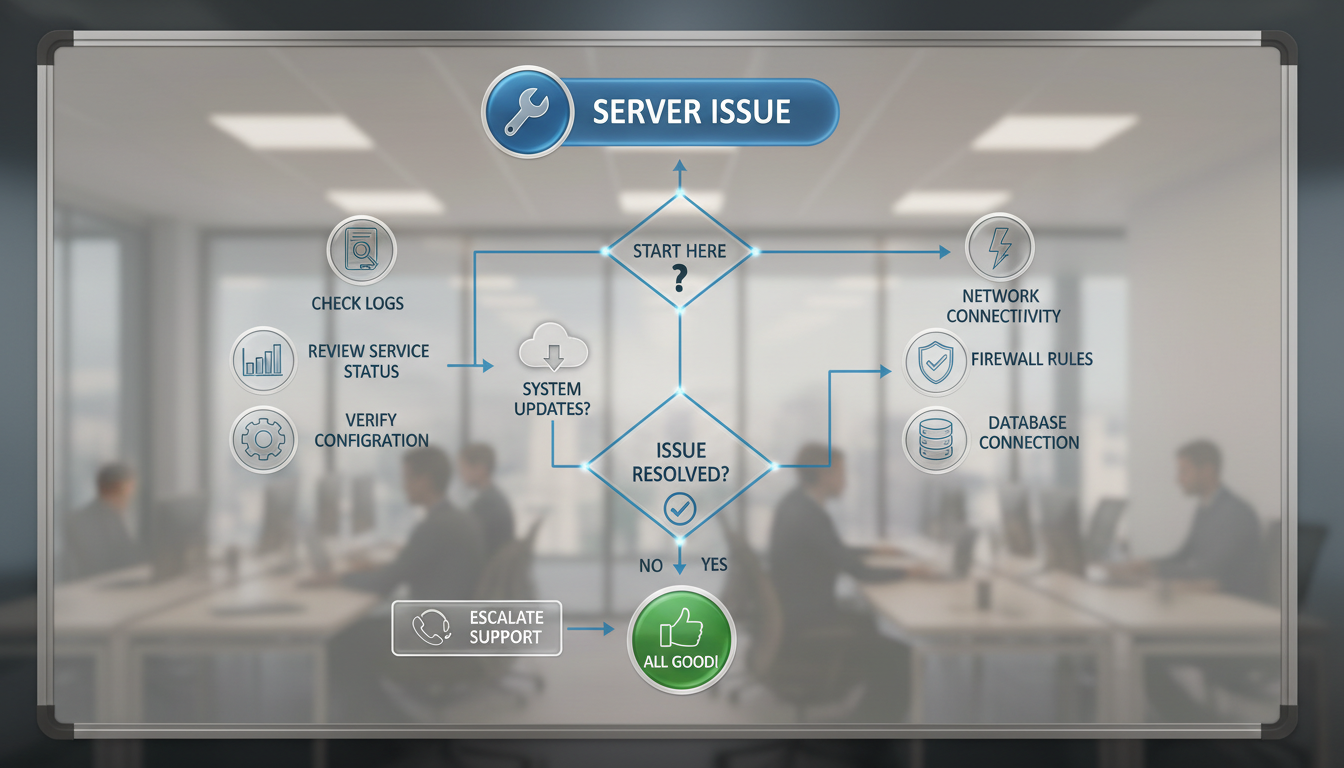
Run Health Checks
After initial log examination, perform comprehensive health checks:
- GitLab Installation Check: Execute
sudo gitlab-rake gitlab:check SANITIZE=true(or--trace) to identify issues across GitLab components, such as Gitaly connection failures or missing dependencies . - Database Migration Status: Run
sudo gitlab-rake db:migrate:status --trace. Any migrations listed as "down" indicate pending or failed database schema changes, a common cause of 500 errors post-upgrade .
Address Database Issues
If database migration issues are identified:
- Apply Migrations: If
db:migrate:statusshows "down" migrations, runsudo gitlab-rake db:migrate. This applies pending schema changes. It might require multiple executions and can be time-consuming, so consider usingscreento prevent interruption . - Finalize Background Migrations: If specific background migration issues are noted in logs, use commands like
gitlab-rake gitlab:background_migrations:finalize[...]as guided by the error messages 2. - Restart Services: After successful migrations, reconfigure and restart GitLab using
sudo gitlab-ctl reconfigurefollowed bysudo gitlab-ctl restart. For faster service reloading, considersudo gitlab-ctl hup pumaandsudo gitlab-ctl restart sidekiq.
Verify Service Status & Restart
Ensure all essential GitLab services are operating correctly:
- Check Status: Use
sudo gitlab-ctl statusto confirm that all GitLab services (e.g., Puma, Sidekiq, Gitaly, PostgreSQL, Redis, Nginx) are running as expected . - Restart Unhealthy Services: If a service directly related to the 500 error is down or unhealthy (e.g., Gitaly), restart it with
sudo gitlab-ctl start gitaly5. For GitLab Pages issues,sudo gitlab-ctl restart gitlab-pages10.
Configuration & Permissions Audit
Misconfigurations or incorrect permissions can frequently lead to 500 errors:
- Review
gitlab.rb: Inspect/etc/gitlab/gitlab.rbfor any misconfigurations, especially after manual changes or upgrades. For instance, ensuregitlab_pages['gitlab_server']has the correct protocol scheme 10. - Synchronize
gitlab-secrets.json: If running Gitaly or GitLab Pages on separate servers, verify thatgitlab-secrets.jsonis synchronized across all relevant machines to prevent authentication failures, especially after GitLab 15.5+ which changed authentication to JWT tokens . - Check Proxy Settings: For issues related to the Dependency Proxy, confirm
http_proxy,https_proxy, andno_proxyenvironment variables ingitlab.rbfor services likegitlab_rails,gitlab_workhorse, andregistry9. - Correct File Permissions: If log messages point to permission issues (e.g.,
Permission Deniedfrom Gitaly), verify and correct permissions on relevant GitLab files and directories (e.g.,chmod 644for files,chmod 755for directories) .
Apply Critical Updates
Given the context of a 500 error on January 8, 2026, it is imperative to:
- Promptly Upgrade GitLab: Ensure the instance is upgraded to the latest patch versions (e.g., 18.7.1, 18.6.3, or 18.5.5). These patches, released on January 7, 2026, directly address critical security vulnerabilities, most notably CVE-2025-10569 (Denial of Service), which could manifest as widespread 500 errors .
- Address Known Bugs: The patches also include bug fixes for issues that could lead to server-side errors, such as problems with database connection pooling, query caching, Elasticsearch pagination, and GraphQL type mismatches 11. An upgrade would resolve these underlying issues. If running GitLab CE 16.11.8, downgrading to 16.11.7 or restarting the server might be needed due to
TanukiEmojilibrary issues 12.
Monitor Resources & Performance
500 errors can also stem from resource constraints:
- Investigate Resource Exhaustion: Look into potential out-of-memory (OOM) issues or high disk I/O bottlenecks that can lead to server unresponsiveness and 500 errors 1.
- Address Request Timeouts:
Rack::Timeout::RequestTimeoutExceptionindicates that requests are taking too long, often due to backend service slowness, heavy load, or network latency, which can be mitigated by optimizing performance or increasing resources 9.
Consider Full Server Reboot
As a last resort, particularly after significant upgrades or if lingering old processes are suspected (e.g., Puma processes preventing asset files from loading), a full server reboot can resolve transient issues and ensure all components are initialized correctly .
Understand Interdependencies
Always remember that the 500 Internal Server Error presented to users is generic . A failure in one critical backend component (e.g., PostgreSQL or Gitaly) can cause a cascading failure, leading the web frontend to report a 500 error, even though the root cause is elsewhere in the system . Thorough log analysis and systematic troubleshooting across all services are key to uncovering the true problem.