所有使用案例 / 網站

線上程式設計:開始在網頁上寫程式

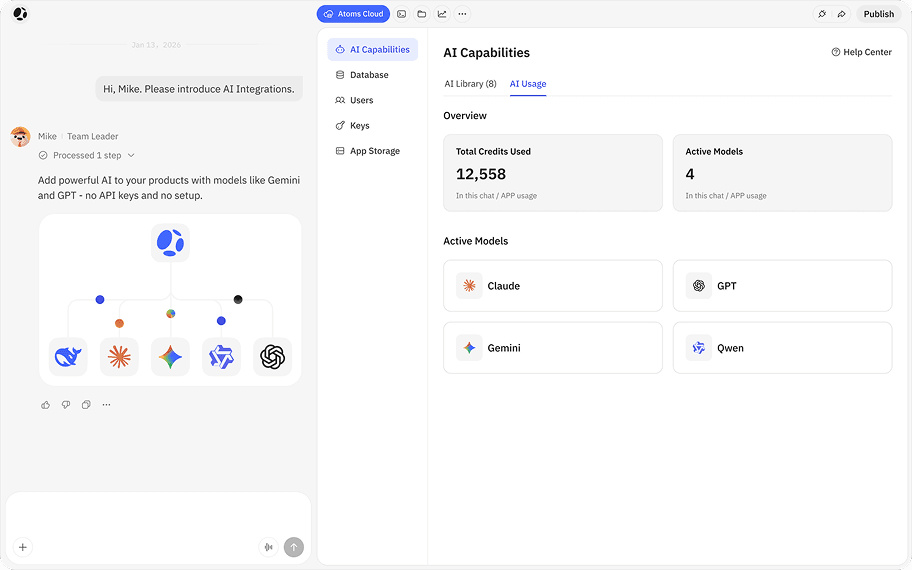
Atoms 讓你在瀏覽器中獲得完整的開發堆疊。編輯器、終端機、套件與部署皆已就緒,因此你可以從想法直接進入執行中的程式碼,無需設定或承受繁瑣的環境建置。

star

在幾秒內啟動新的環境。

功能logo亮點

即時渲染

即時 更新,支援圖片、分支、任一步驟復原與一鍵部署

優雅設計

內建 範本 與打造精緻介面的指引

多代理人工作流程

代理人 在產生可靠程式碼前會討論並精修計畫

Supabase 後端

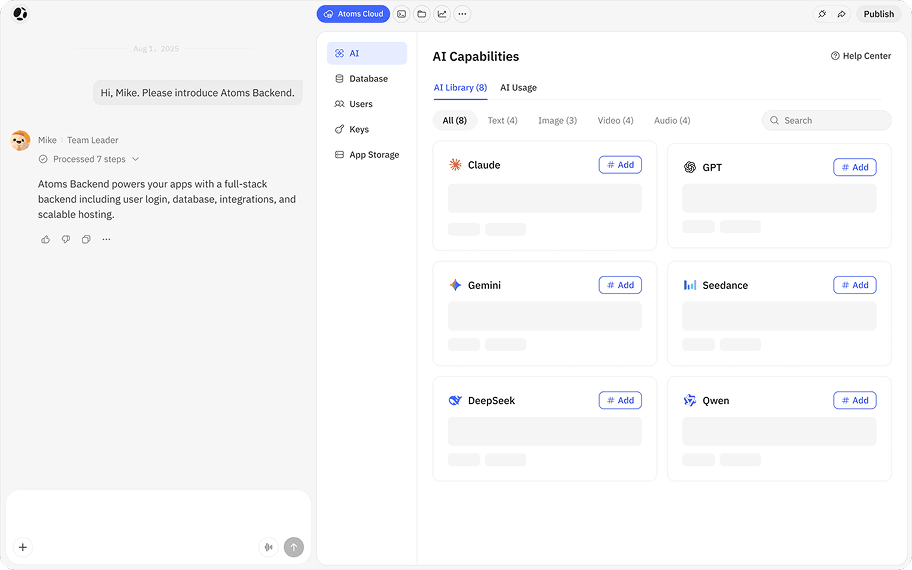
以自然語言轉換為 資料結構 與 API,無需手動設定

設計

選取元素,描述變更並套用 精確 更新

深受數千位產品創作者喜愛

TheTuringPost
Pratham@Prathkum
Atoms not only thinks, but it assigns you a whole AI team of product manager, architecture, engineer, etc based on your prompt.
TheTuringPost
Nerdy Kings@NerdyKings
Atoms + Supabase: Build a Full-Stack App in 8 Click: Atoms ne se contente pas de générer un peu de code ou une interface, il va appliquer une vraie logique de planification et hiérarchique.
TheTuringPost
TheTuringPost
Ai Finder@AiFinder18
Whether you're a startup founder, developer, student, or creative, Atoms gives you access to a powerful team of multi-agent AIs — developers, designers, analysts — all working together in real time to bring your ideas to life.
TheTuringPost
TheTuringPost
ByteMonk@ByteMonk
I Built My Personal Finance App with One Prompt: From login to pagination, transactions, budgets, and reports — everything was generated and iterated by agents, with zero boilerplate coding from me.
TheTuringPost
TheTuringPost
AI Minds@AIMinds68
Build software with Atoms – the AI agent that thinks, plans, and codes like a team of expert developers. Whether you're a solo founder, a startup, or a full-stack dev, Atoms turns your ideas into real, working products fast.
TheTuringPost
TheTuringPost
Kalli - All about AI (Artificial Intelligence)@ai.mentors
I built an AI app in 10 minutes: Hier arbeiten die KI-Agenten wirklich Schritt für Schritt für dich alles ab. Das ist absolut faszinierend.
TheTuringPost
Kingy AI@kingy-ai
We’ll walk through how Atoms handles everything from idea → spec → code → launch, and why this changes how creators and developers build apps, a YouTube content tool: title, thumbnail text, and description generator.
TheTuringPost
TheTuringPost
Venkatesh Saragadam@Venkatesh Saragadam
Best For: Indie developers who want fast MVPs; Solo founders building products quickl; Creators looking for streamlined, intelligent tooling
TheTuringPost
The AI Colony@TheAIColony
We just built an entire marketing website while sitting on the couch. Our designer friend asked who we hired. When we said “no one”, they didn’t believe us. Took 59 minutes. Why struggle alone when you can have an entire AI team working for you?
TheTuringPost
How to build
How to build

如何建立

1
建立一個新的 Atoms 專案,並選擇你偏好的語言與技術堆疊。
2
開啟瀏覽器內編輯器,其中已備妥檔案樹、終端機與可直接執行的範例樣板。
3
安裝任何額外套件、連接資料庫或 API,並照常建置你的應用程式,只是改在雲端進行。
4
從同一個工作區部署,並與你的隊友或使用者分享即時 URL。

定價

免費起步,彈性擴充。

常見問題

查看我們的 說明中心 了解更多資訊

別再跟你的環境設定奮戰,開始寫程式碼吧。

用線上程式設計工作空間取代那些浪費在修復環境問題上的週末;打開就能用,順暢運作。Atoms 會讓整個技術堆疊隨時就緒,讓你能快速交付。