
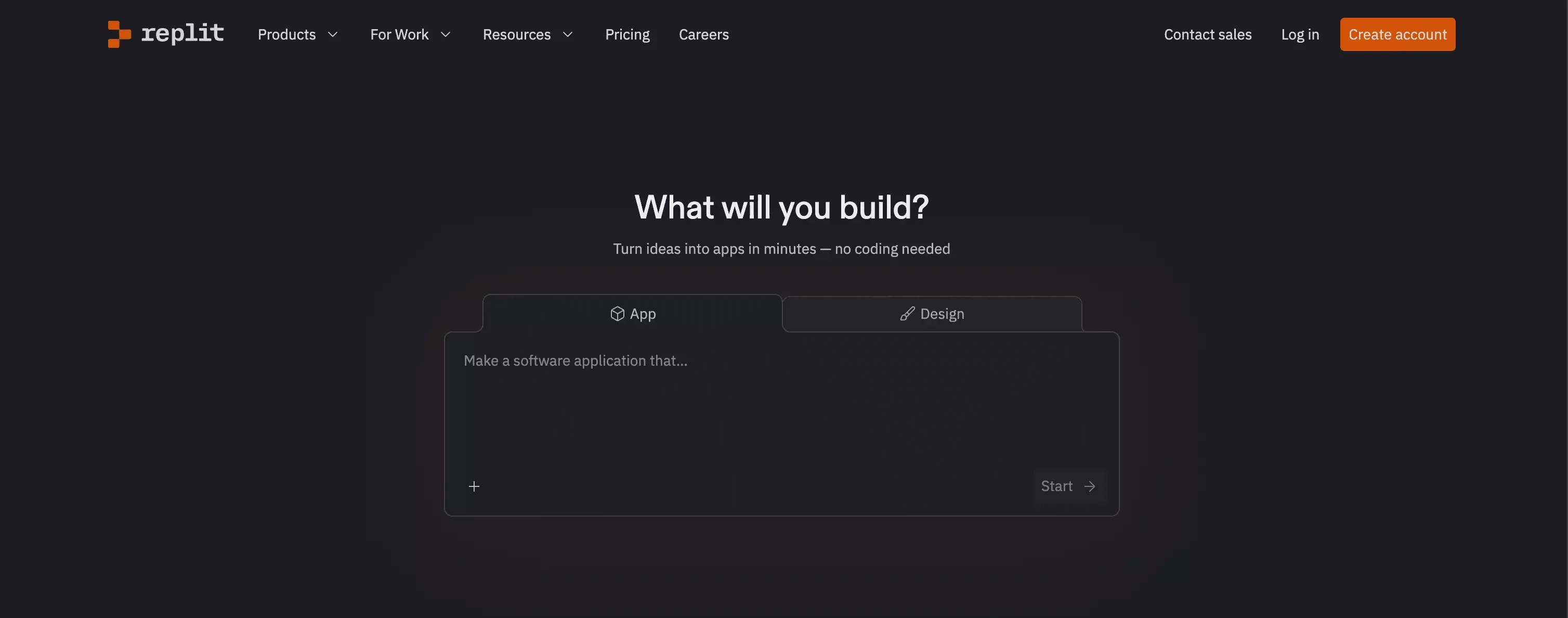
 Replit feels very different now.
A few years ago, most people saw it as a browser-based IDE. In 2026, that description feels outdated. Replit has grown into something much bigger. It now sits at the intersection of AI app building, coding, deployment, and collaboration. It wants to be the place where you go from idea to working product without leaving the browser.
That is a big promise.
And to be fair, Replit does a lot right. It is fast. It feels modern. It removes a surprising amount of setup friction. In some cases, it can help you move from concept to app much faster than a traditional workflow.
But that does not automatically make it the right tool for everyone.
That is the part many reviews miss. They focus on what Replit can do, but not enough on what it feels like to depend on it. Those are two different questions. A tool can be impressive and still not be the best fit for your workflow, your budget, or the way you like to build.
My take is simple: Replit is one of the more capable AI app building tools on the market right now, but it makes the most sense for users who still want a fair amount of control. If you are hoping for the easiest path from idea to launched product, there are cases where a platform like Atoms AI may be a better fit.
Is Replit Worth It in 2026?
Yes, for the right user.
If you are a developer, a technical founder, or someone comfortable guiding AI-generated output, Replit is absolutely worth looking at. It can speed up early development, reduce setup overhead, and keep everything in one place. That combination is powerful.
What I like about Replit is that it feels serious. It does not come across like a toy. It is trying to help people build real software, not just pretty demos. You can see that in the way it handles app generation, code editing, deployment, testing, and integrations.
At the same time, I would not call it the easiest tool for non-technical users. Replit lowers the barrier, but it does not remove the need for judgment. You still need to steer the process, review what the AI is doing, and decide whether the output is actually good.
That is why I think Replit is worth it for builders who want speed with visibility. But if you want more guidance and less hands-on coordination, you may prefer something built around product delivery rather than development workflow.
What Is Replit?
Replit is an AI-powered development platform that helps users build software in the browser. At its core is Replit Agent, which can turn natural-language instructions into working apps, generate full-stack projects, suggest structure, and help iterate on what has already been built.
In plain English, Replit is trying to make software building feel faster and less technical at the start, while still giving users access to the code and the underlying system when they want it.
That is an important distinction.
Some AI tools are basically code assistants. Others are more like no-code builders with AI layered on top. Replit sits somewhere in the middle. It gives you the speed and convenience of AI generation, but it still feels closer to software development than pure no-code.
That is a big part of its appeal. It is also one reason it can feel heavier than some users expect.
Replit Review: What Replit Does Well
Replit makes it easy to start building fast
This is one of Replit’s biggest strengths.
Getting started with software is often not hard in theory, but annoying in practice. Environment setup, deployment choices, package management, and other small technical decisions often slow people down before the real work even begins.
Replit removes much of that friction.
That matters more than it may seem. Early momentum is fragile. A tool that helps you start quickly is often more useful than a tool with a longer feature list but more setup pain.
Why this matters
- Less time spent on setup
- Faster path from idea to working prototype
- Lower chance of losing momentum early
- Easier to react to something real instead of a blank page
In practice, Replit is good at creating that momentum. You describe what you want, the system starts moving, and you quickly have something tangible to respond to.
Replit goes beyond simple AI code generation
A lot of tools can generate snippets now. That alone is no longer special.
What makes Replit more interesting is that it supports a broader workflow. It is not just about writing code. It is about helping users build, revise, test, and publish in one environment.
That makes it feel more complete than many lighter AI coding products.
Where Replit feels stronger
| Area | What Replit does well |
|---|---|
| Code generation | Helps users create a working starting point quickly |
| Iteration | Makes it easier to revise and improve inside the same workspace |
| Testing | Supports a more practical build-and-check workflow |
| Publishing | Reduces the gap between building and shipping |
In my view, this is where Replit earns its reputation. It is not just giving users assistance. It is giving them a workspace where real product building can happen.
Replit still gives builders a sense of control
This is one reason technical users often like it.
Replit does not hide everything behind a simplified interface and pretend details no longer matter. It still feels like a tool for people who want to understand what is happening under the hood.
You can move quickly, but you are not completely locked out of the logic behind the build.
I think that is a real strength. It makes the product feel more credible.
What that means for users
- You can work fast without giving up visibility
- The product still feels builder-oriented
- Technical users may trust it more
- It is less ideal for people who want everything fully guided
That tradeoff is worth noting. Replit is powerful, but it is not the easiest option for users who want a completely hand-held experience.
Replit feels more serious than many AI app builders
This part is subjective, but still important.
Some AI builders feel impressive for the first ten minutes and less convincing after that. Replit feels more robust. It gives the impression that it was designed for people who want to keep going after the first draft.
That makes a real difference when you are evaluating tools for actual work rather than casual experimentation.
My take
Replit feels better suited to users who want:
- more than a quick demo
- a real build environment
- faster execution without losing too much control
- a tool they can continue using after the prototype stage
Replit Pros and Cons
Every good Replit review should be honest about both sides. The product has real strengths, but it also has real trade-offs.
Replit pros
- Fast way to move from idea to working prototype
- Browser-based workflow reduces setup friction
- More complete than basic AI code tools
- Keeps users closer to the code than most no-code builders
- Good fit for developers and technical founders
- Useful for rapid iteration and early product exploration
Replit cons
- Not as beginner-friendly as some people expect
- AI-generated output still needs review and direction
- Pricing can feel less predictable than the headline plan suggests
- Bigger projects can become harder to manage over time
- Not the best fit if you want a highly guided path from idea to launch
That last point is especially important.
Replit reduces coding friction, but it does not fully reduce product-building friction. It helps you build faster. It does not automatically make building simple.
Replit Pricing in 2026: What You Should Know
Pricing is one of the biggest things to think about before committing to Replit.
On the surface, the plans look simple enough. There is a free tier, then paid tiers with included monthly credits and more advanced features. But once you get deeper into how AI usage, publishing, and other services work, the real cost picture becomes more nuanced.
This is not necessarily a flaw. It is just something users should understand clearly.
The challenge is not that Replit is expensive by default. The challenge is that the monthly price alone does not tell the full story. Your actual cost depends on how much you build, how often you use AI, and how far you push the platform beyond light experimentation.
That creates a different buying decision.
If you are a serious builder who will use the tool often, the pricing may feel reasonable. If your usage is occasional or unpredictable, the value can feel less obvious. That uncertainty matters, especially for founders and smaller teams watching spend closely.
My honest view is that Replit’s pricing makes more sense the more often you build. If you are only testing ideas casually, it can feel harder to justify.
Replit Review for Beginners: Is It Easy to Use?
Replit is easier than traditional development, but not effortless.
That is probably the fairest way to put it.
A beginner can absolutely get started with Replit. Natural-language prompts lower the barrier. The browser-based experience helps too. You do not need to spend your first hour wrestling with local setup or trying to connect five different tools.
But ease of entry is not the same as ease of mastery.
Once the app starts evolving, you still need to make decisions. You need to notice when the AI misunderstood your intent. You need to refine prompts. You need to know when a quick fix creates a bigger mess. That is where many non-technical users run into friction.
So yes, Replit is beginner-accessible. No, it is not beginner-proof.
If you want a more guided experience with less development-style thinking, that is where tools built around vibe coding and structured delivery start to look more attractive.
Replit for Startups and Founders
Replit makes a lot of sense for certain startup use cases.
If you are a technical founder trying to prototype quickly, test an idea, or build an internal tool without wasting time on setup, Replit is appealing. It can compress the time between “I have an idea” and “I have something usable.”
That speed is valuable.
But startup teams should think carefully about what kind of speed they actually need. There is a difference between building faster and shipping smarter. Replit is strong on the first one. The second depends more on how well your team can manage product decisions, iteration, and scope.
This is where founder perspective matters.
If you already know what you want to build and you mainly need a faster execution environment, Replit is a solid choice. If you are still shaping the product, thinking through positioning, validating the idea, and trying to move from concept to launch with less manual orchestration, you may want a tool that supports more than development.
That is one reason I think Atoms AI belongs naturally in this conversation.
Best Replit Alternative in 2026
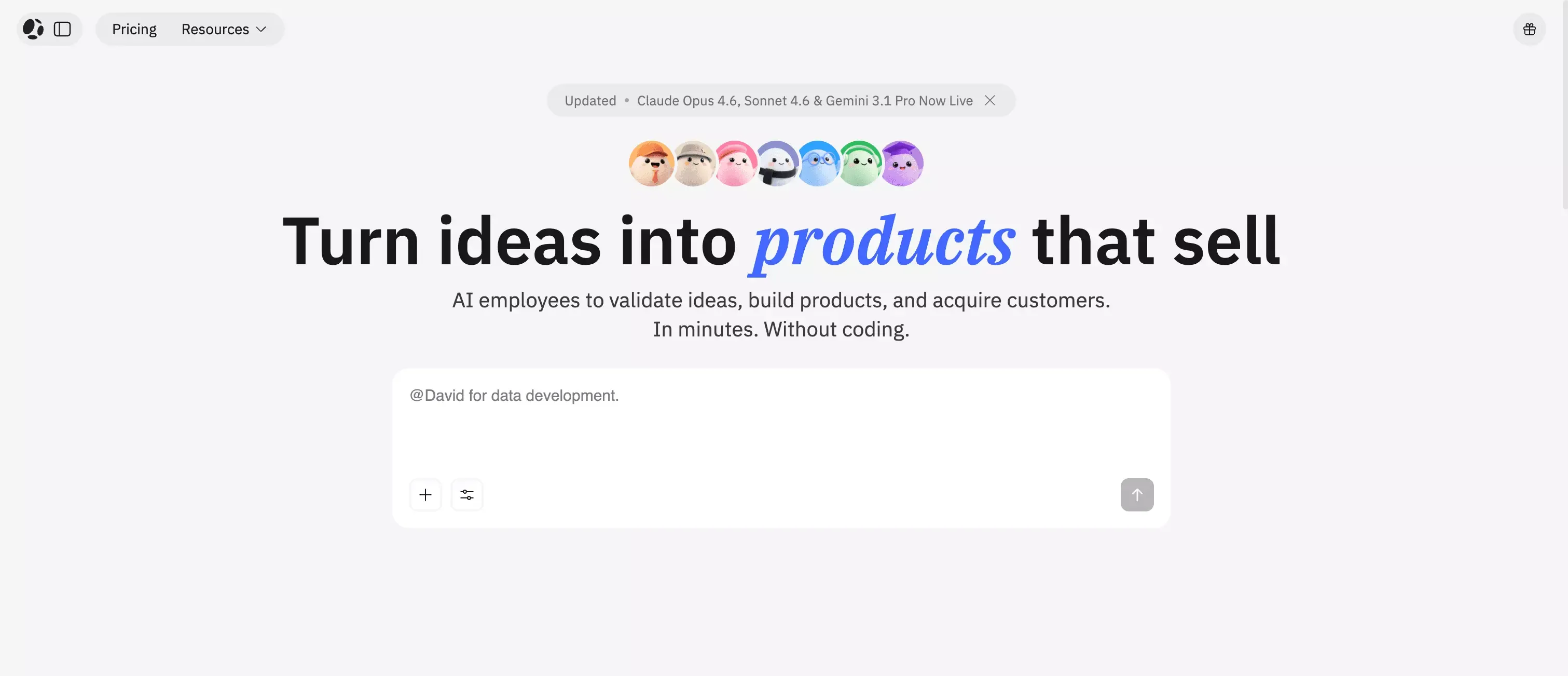 A lot of users searching for “Replit review” are not only asking whether Replit is good. They are really asking a more practical question:
What is the best way to go from idea to product right now?
That is why a comparison with Atoms makes sense.
Replit is strongest when you want an AI-enhanced development environment. It gives you speed, flexibility, and a workflow that still feels close to software building.
Atoms is different. It feels more like an AI product-building system.
Instead of focusing mainly on helping you code faster, Atoms AI is built around helping users move from idea to launched product through a multi-agent workflow. That matters for people who are less interested in managing the build process and more interested in getting a real outcome.
This is the key difference as I see it:
Replit helps you build software faster Atoms AI helps you move from idea to product more directly
That will not matter to everyone. But it matters a lot to founders, marketers, indie makers, and non-technical teams.
Replit vs Atoms AI: Which One Should You Choose?
If you care about code visibility, builder control, and a development workflow that still feels technical under the hood, Replit is the stronger fit.
If you care more about getting from concept to launch with less manual coordination, Atoms AI may be the better choice.
That is not just marketing language. It reflects a real product philosophy difference.
Replit is better for users who want AI inside the building process. Atoms AI is better for users who want AI to help carry more of the process itself.
I would choose Replit if:
- I wanted a browser-based AI development platform
- I was comfortable reviewing and shaping technical output
- I wanted speed without giving up too much control
- I planned to stay close to the build
I would choose Atoms if:
- I wanted a more guided idea-to-product flow
- I cared about speed, but also wanted more structure
- I did not want to manage as much of the development process myself
- I wanted a tool that felt closer to product creation than code generation
That is why Atoms AI works well as a recommendation here. It is not a random alternative. It solves a slightly different problem, and for many users, it may actually be the more useful answer.
Final Verdict: Is Replit Good in 2026?
Yes. Replit is good in 2026.
In fact, it is more than good. It is one of the more credible AI building platforms available right now. It has real capability, real speed, and a workflow that can genuinely help people get further faster.
But it also has limits.
Replit is best when the user still wants to think like a builder. It rewards people who can guide the AI, shape the process, and stay engaged with the details. That makes it powerful, but not universally easy.
My final take is this:
Replit is worth it if you want speed and control in the same tool. It is less ideal if you want the simplest, most guided route from idea to launched product.
If your goal is to build software faster, Replit is a strong option.
If your goal is to move from idea to product with less friction across the whole journey, Atoms AI is one of the most natural alternatives to consider.
FAQ: Replit Review 2026
Is Replit good for beginners?
Replit is easier than traditional development tools, but beginners still need to guide the process and review what the AI generates. It is accessible, but not fully hands-off.
Is Replit really no-code?
Not exactly. It reduces how much code you need to write, but it still feels closer to AI-assisted development than true no-code building.
Is Replit worth paying for?
It can be, especially if you build often and use the platform seriously. For lighter or irregular use, the value depends more on how predictable your workflow is.
What is the biggest downside of Replit?
For many users, it is predictability. The platform is powerful, but cost and complexity can grow as your usage and project scope increase.
What is the best Replit alternative?
If you want a more guided path from idea to finished product, Atoms AI is one of the strongest alternatives to look at.
Replit or Atoms AI?
Choose Replit if you want more technical control. Choose Atoms AI if you want a smoother idea-to-product workflow with less manual coordination.
