AI HTML Website Builder
Describe a portfolio, service site or event website. Explore working examples, test the interactions and download a standalone HTML site from each demo.
No credit card required
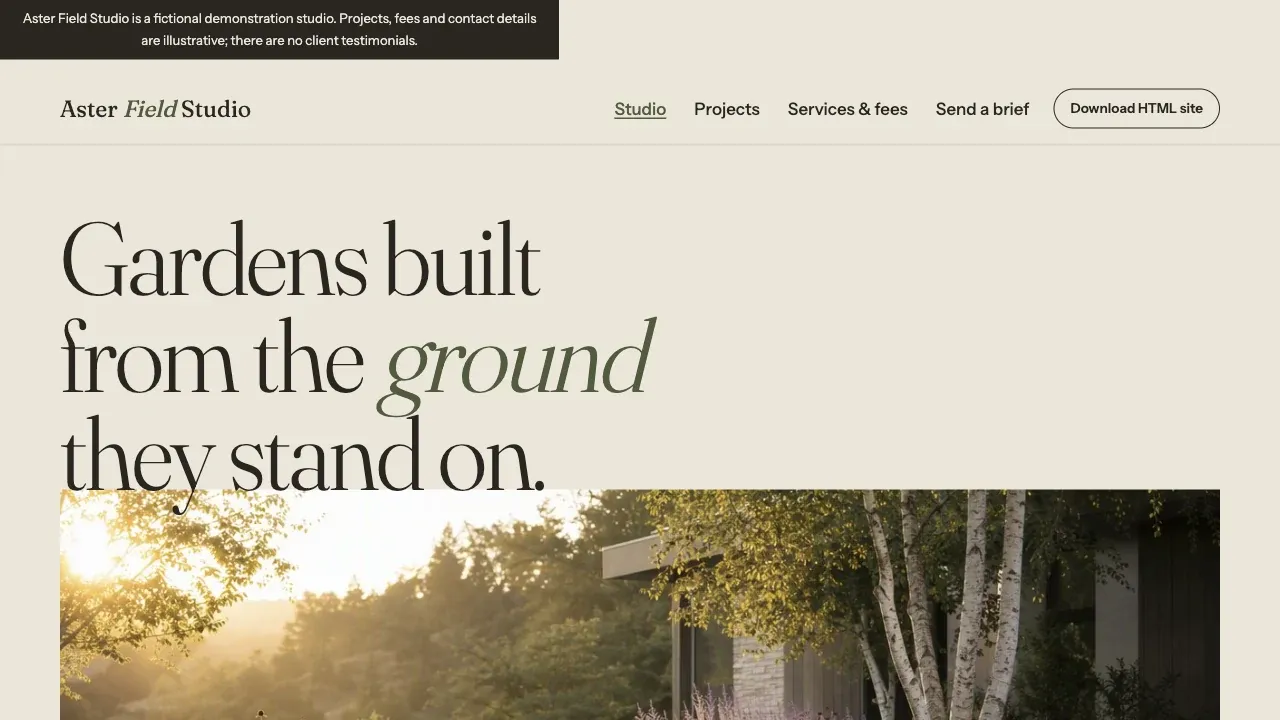
Build a complete, beautiful web experience for this genre: HTML Website Builder with Standalone Static Export Build exactly this customer use case as a new, plausible business: - Brand: Aster Field Studio - Business archetype: independent landscape architecture studio - Target audience: homeowners commissioning a garden, small hospitality owners - Jobs to be done: compare completed projects, understand design fees, send a project brief - Business model: paid design commissions - Operating model: consultation then staged design delivery - Must-have features: three project-detail pages with local image galleries, service scope and starting fees, working mobile navigation, project inquiry via honest mailto draft, download a complete standalone HTML/CSS/JS site ZIP - Primary conversion path: project gallery to service fit to inquiry draft - Content direction: site constraints, design process, planting detail, realistic scope; fictional demonstration, no invented testimonials - Brand direction: warm stone, oversized serif, botanical photography, architectural editorial - Core differentiation: project storytelling converts bespoke landscape commissions Make the working site demonstrate these needs through its information architecture, content, sections, and interactions. Do not collapse this into a generic template or silently switch to another audience, offer, or conversion path. It must also satisfy these shared requirements: Build the actual downloadable website with semantic native HTML, CSS and small vanilla JS; no React runtime, backend or authentication for this genre. A small build tool is fine, but output must include an ordinary index.html and local assets that run on a generic static HTTP server. Use bundled/local images, working navigation and meaningful interactions. Provide a visible Download HTML site action returning a real ZIP containing the same site, assets and README with launch instructions. Ensure assets and links remain functional when served outside Atoms; no secret credentials, platform SDK or unavailable cloud calls in the static export. Never simulate downloads or label a JSON export as site export. Keep synthetic brand context clear and do not invent real customer results. Make all business CTA outcomes honest: mailto draft or local planning, not fake submitted lead/payment. Finish independently, provide the exact download path and tested export structure in your final report. Translate the genre into a distinctive visual system, typography, composition, imagery, and interaction details. Make the result feel intentional and specific rather than like a generic template. Use reliable generated or locally bundled visual assets instead of fragile remote image URLs, and verify that every rendered image has non-zero natural dimensions. Keep content visible by default; motion and reveal effects must be progressive enhancement so full-page captures, reduced-motion users, and 1280px, 768px, and 390px layouts always show complete text. Use only the architecture the requirements call for; do not add a backend, database, or authentication unless they are explicitly required. Build the working experience now, make reasonable design and technical decisions independently, and verify content fidelity, responsive rendering, and core interactions before finishing. Do not stop to ask questions or request plan approval.
Trusted by customers from






















Feature Highlights
Build with AI agents, customize visually, connect your backend, and preview every change as you go.
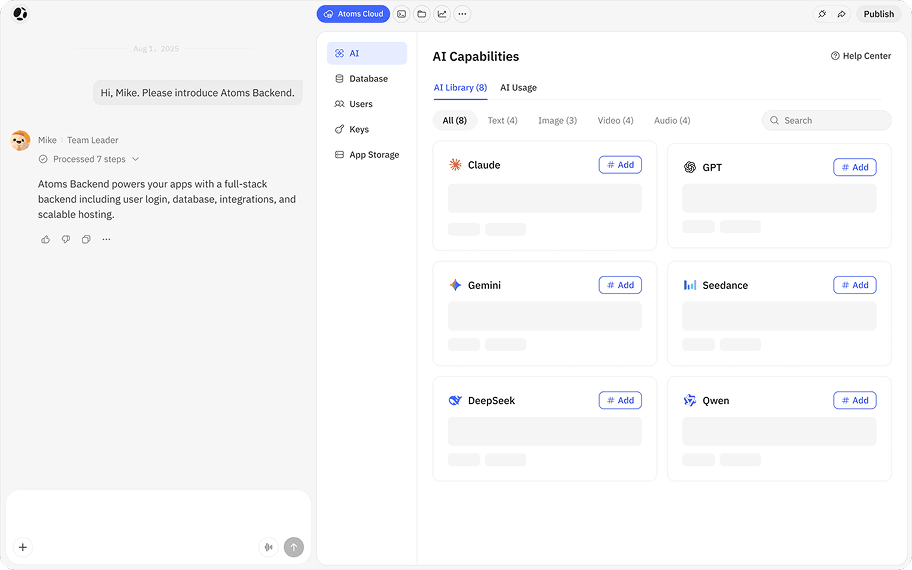
Atoms Cloud
Atoms Backend powers your apps with a full-stack backend including user login, database, integrations, and scalable hosting.
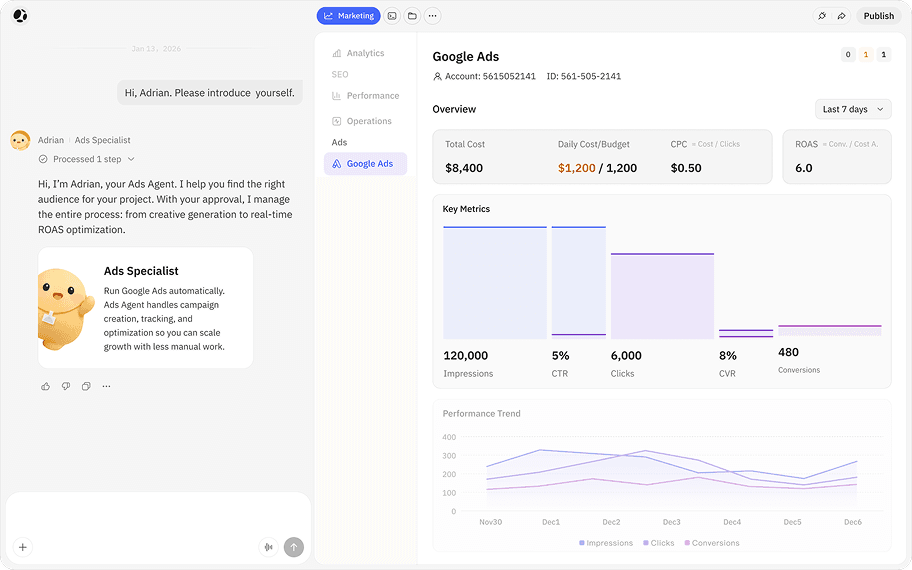
Ads Specialist
Scale growth with less manual work. Ads specialist handles campaign creation, tracking, and optimization.
Instant AI Integrations
Add powerful AI to your products with models like Gemini and GPT - no API keys and no setup.
Visual Editor
Bring your exact design to life. A visual editor to adjust layouts and components quickly.
Theme
Theme lets you personalize your product's aesthetics with distinct visual styles.
From a website brief to a checked HTML export

Describe the visitor task
Name the audience, pages, content and one useful action. For a static export, request native HTML, CSS, small JavaScript and bundled assets.

Review the working website
Check real pages and interactions with your own content. Correct broken links, misleading form confirmations and layout problems before release.

Download and inspect the files
Open the demo’s HTML ZIP. Confirm it includes index.html, assets and a README. Source code or a framework project can need a build step; inspect the actual output.

Test outside the preview
Serve the package with a static HTTP server and repeat the visitor journey. Choose a host compatible with the output; keep server-dependent features on their configured backend.
Atoms Pricing - Plans for Every Builder & Startup
Free to start. Flexible to scale.Frequently Asked Questions
More Insights
Discover more ways to build, launch, and grow with Atoms.
Turn ideas into products that sell

Loved by thousands of product creators