
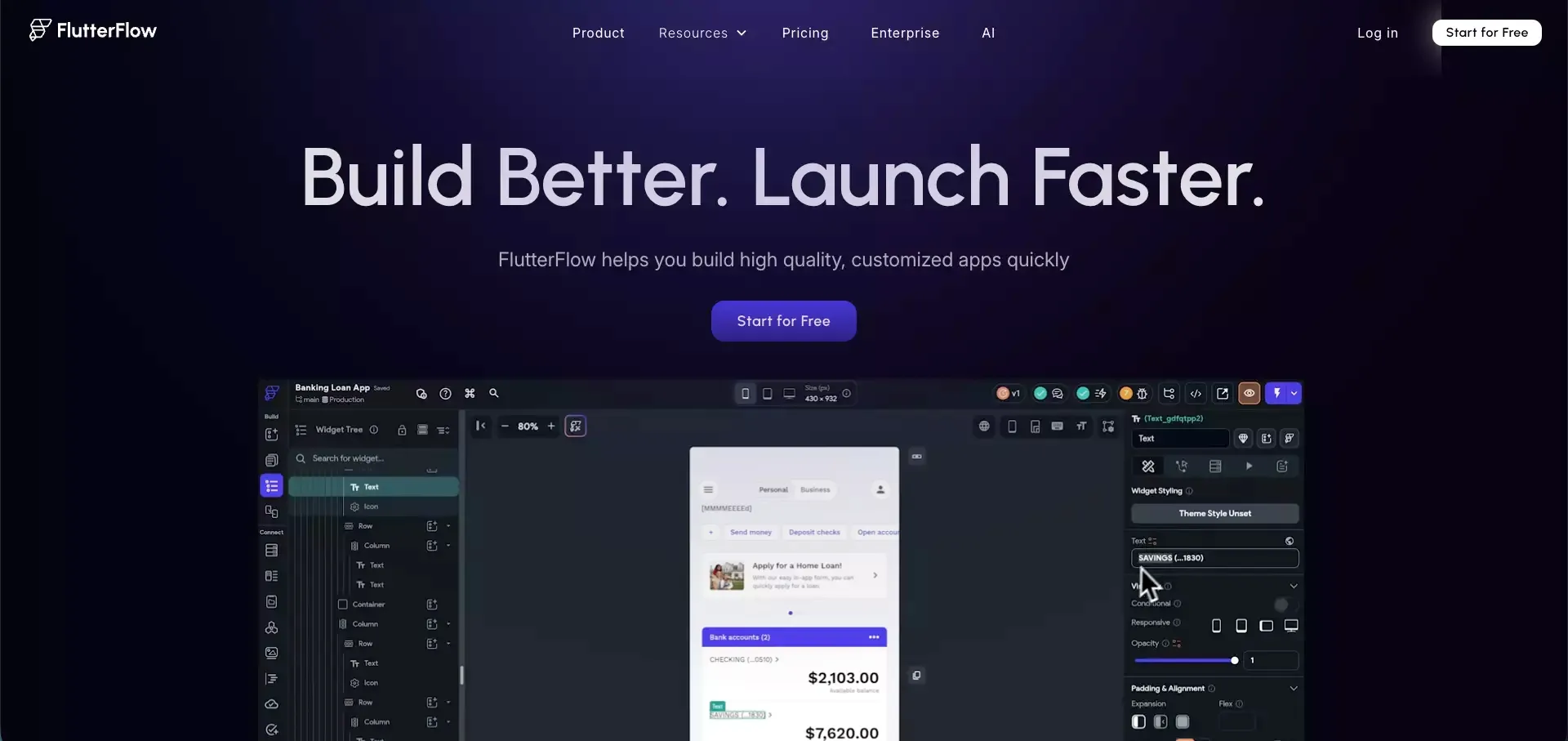
 If you search for FlutterFlow, you will quickly see the same promise repeated in different ways: build apps faster, launch without a full engineering team, and keep more control than you would with many no-code tools.
That promise is not fake. FlutterFlow is clearly more capable than a simple drag-and-drop app builder. It can handle visual UI work, app logic, backend connections, and multi-platform projects in a way that feels much closer to real product building than many beginner tools.
But that does not automatically make it easy.
My main takeaway is this: FlutterFlow is powerful, but it works best when you already understand how apps are supposed to work. It can speed up execution. It does not remove product complexity. If anything, it gives you a faster way to run into that complexity.
That is why FlutterFlow is interesting. It is not just a no-code tool. It sits in the middle ground between no-code convenience and real app development structure. For the right person, that is a strong advantage. For the wrong one, it can feel more demanding than expected.
Quick Verdict: Is FlutterFlow Worth Considering?
Yes, but with a condition.
FlutterFlow is worth considering if you want to build a mobile-first MVP, want more UI and logic control than basic no-code tools offer, and are comfortable learning how data, flows, and backend connections work.
It is much less appealing if you want a pure beginner experience where the product does most of the thinking for you.
Best for
- Founders building an MVP with some product sense
- Designers who want more control over app structure
- Indie makers who are willing to learn logic and backend basics
- Teams that want a visual workflow but still care about code flexibility
Not ideal for
- Users who want a true plug-and-play builder
- Beginners who do not want to think about data or logic
- Teams that need the simplest possible path from idea to shipped product
- People who expect visual building to remove technical trade-offs
My one-line verdict
FlutterFlow is a strong low-code app builder, but it feels best when you treat it as a serious product tool, not a shortcut around product complexity.
What Is FlutterFlow?
FlutterFlow is a visual app builder built around Flutter. That positioning matters.
It is not just trying to help users make mockups or simple internal tools. It is built for people who want to create real mobile or web products with visual editing, workflows, backend integrations, and the option to stay closer to production-style development than many traditional no-code tools allow.
What makes FlutterFlow different
- It is built around the Flutter ecosystem
- It supports mobile, web, and other cross-platform workflows
- It gives more control over UI and app logic than many entry-level builders
- It appeals to users who want a visual builder without giving up all technical structure
Why people are drawn to it
Most people are not just buying speed. They are buying a feeling of progress.
FlutterFlow is attractive because it promises a middle path:
| What users want | What FlutterFlow appears to offer |
|---|---|
| Faster app creation | Visual building and reusable UI blocks |
| More control than simple no-code tools | Logic flows, backend setup, and customization |
| A path beyond prototyping | Better alignment with real app development structure |
| Less dependency on a full dev team early on | A workable MVP route for small teams |
That is a compelling pitch. It is also why expectations get high very quickly.
My Core Take: What FlutterFlow Is Really Good At
FlutterFlow’s biggest strength is not that it is “easy.” Its biggest strength is that it gives you a visual layer on top of serious app-building work.
That is a meaningful difference.
A lot of tools feel smooth only when the project is small. The moment you need data models, conditional flows, integrations, or more product depth, they start to break down. FlutterFlow looks stronger in that middle zone.
1. It helps you move from idea to interface quickly
One thing FlutterFlow clearly does well is shorten the gap between idea and visible product.
That matters more than people think. Momentum is fragile. Seeing real screens early helps teams make decisions faster, catch weak assumptions sooner, and keep a build moving.
2. It offers more control than many no-code builders
FlutterFlow is not only about dragging blocks onto a canvas.
Its appeal is that it gives you room to shape:
- screen structure
- user flows
- backend behavior
- data-driven logic
- app-level interactions
That makes it feel more credible for real products, not just demos.
3. It sits in a useful middle ground
Some tools are simpler, but they hit limits quickly.
Some tools are more flexible, but they ask too much too early.
FlutterFlow sits between those extremes. That is why many teams keep it on their shortlist.
What Building With FlutterFlow Actually Feels Like
This is where the review gets more honest.
FlutterFlow looks approachable at first. The visual environment is cleaner than what scares most beginners away from traditional development. That part is real.
But after the first wave of enthusiasm, a different reality shows up: you still have to think like someone building software.
What feels good early on
- Creating screens feels faster than starting from code
- Visual layout work is more immediate and easier to adjust
- The product feels more polished than many lightweight builders
- It is easier to get something tangible on screen
What starts to feel harder later
- Data modeling becomes important fast
- Actions and workflows can become messy if you are not structured
- API and backend setup still require real understanding
- Complexity does not disappear just because the editor is visual
That is the key trade-off.
FlutterFlow reduces friction around execution. It does not remove the need for product logic, system thinking, or clean structure.
FlutterFlow Learning Curve: Easier Than Code, But Not Easy
A lot of people will ask one simple question: Is FlutterFlow a beginner-friendly builder?
My answer is: partly, but not in the way many people hope.
It is easier than building the same app fully from scratch. That is obvious. But being easier than traditional development is not the same as being easy.
Why the learning curve surprises people
The surprise usually comes from one wrong assumption:
“If the tool is visual, then the work must be simple.”
That is where people get misled.
Visual development removes some friction around writing code. It does not remove:
- app structure
- user states
- logic flow
- backend decisions
- edge cases
- debugging thought process
So yes, FlutterFlow is learnable. But it feels most natural for people who already have at least one of these:
- product thinking
- design systems thinking
- app logic intuition
- technical patience
My honest view on the learning curve
| Question | My take |
|---|---|
| Can a beginner start in FlutterFlow? | Yes |
| Can a beginner build something simple? | Usually yes |
| Can a beginner build something complex smoothly? | Not without a real learning phase |
| Is it easier than coding from scratch? | Definitely |
| Is it effortless? | No |
That is not a criticism. It is just the truth.
FlutterFlow Features That Matter Most in Real Use
A lot of review articles list feature after feature. That tends to make the product sound more impressive than useful. A better question is: which features actually matter when you are trying to ship something?
Visual UI building
This is the most obvious strength.
FlutterFlow helps users create app interfaces faster than traditional development and with more control than very simple no-code builders.
Why it matters:
You get to make progress quickly and revise layout decisions without a heavy engineering loop.
Logic and workflows
This is where the product starts becoming more serious.
The value is not just visual screens. It is being able to define actions, transitions, and behavior in a structured way.
Why it matters:
Without this, the tool would be mostly decorative.
Backend and data integration
This is one of the real dividing lines between “toy builder” and “real builder.”
Once a tool starts asking you to think about data, authentication, and integrations, you are dealing with something more substantial.
Why it matters:
Real apps live or die on data flow, not just UI.
Customization and flexibility
This is where FlutterFlow becomes more appealing to users who do not want to hit walls too early.
Why it matters:
You are less likely to outgrow the product immediately if your app becomes more ambitious.
Where FlutterFlow Feels Frustrating
This section matters because too many reviews underplay it.
FlutterFlow gets frustrating in exactly the place where many promising builders get frustrating: the moment your product stops being simple.
The main pain points
- Complexity piles up faster than expected
- Visual logic can become hard to manage if you are not disciplined
- Backend-related work still demands real understanding
- The promise of speed can hide the cost of later cleanup
The deeper problem
The real issue is not that FlutterFlow has limits. Every builder has limits.
The real issue is that speed can trick users into creating messy systems faster than they realize.
That is the hidden tax of many modern builders. They help you move quickly, but they do not guarantee clean architecture. FlutterFlow is powerful enough that this matters.
My honest frustration summary
| Frustration | Why it matters |
|---|---|
| Hidden complexity | The tool looks simpler than the work really is |
| Logic sprawl | Projects can become messy if flows are not well planned |
| Backend pressure | You still need to understand how your app behaves behind the UI |
| Time cost | Learning and cleaning up can eat into the speed advantage |
FlutterFlow Pricing Review: What You’re Really Paying For
The subscription price is only part of the story.
When people ask whether FlutterFlow is expensive, they often focus too much on the monthly plan and not enough on the total workflow cost.
That misses the point.
What the real cost includes
- subscription fees
- time spent learning the platform
- time spent debugging flows and logic
- backend setup and third-party tools
- revision and collaboration overhead
- future cleanup if the project becomes messy
A better way to think about pricing
Instead of asking:
“Is the monthly plan expensive?”
Ask this:
“Does FlutterFlow reduce the total cost of getting this product shipped well?”
That is the more useful question.
For some teams, the answer is clearly yes.
For others, the product may simply move the cost from coding into configuration, learning, and maintenance.
What Real Users Usually Like About FlutterFlow
Across public reviews and community discussions, the positive themes are fairly consistent.
Most common praise points
- faster MVP development
- strong visual building experience
- better design control than simpler no-code tools
- more serious app-building potential
- useful middle ground between no-code and full development
That praise makes sense. It matches the strongest case for FlutterFlow: small teams trying to build something real without starting from zero.
What Real Users Usually Complain About
The negative themes are also consistent, and they are worth taking seriously.
Most common complaint areas
- learning curve is steeper than expected
- logic and structure can become hard to manage
- some workflows feel more technical than the marketing suggests
- scaling complexity can reduce the feeling of speed
- maintenance concerns grow as projects grow
That last point is important.
A tool can be very good at helping you start and still become harder to manage later. Those two things are not contradictory.
FlutterFlow vs Other App Builders
A review is not complete unless it helps readers make a decision against real alternatives.
FlutterFlow is not competing in a vacuum. People comparing it are usually choosing between different types of speed, flexibility, and complexity.
FlutterFlow vs Bubble
- FlutterFlow feels more aligned with app-style UI and mobile-first thinking
- Bubble is often seen as stronger for certain web app workflows
Choose FlutterFlow if: you want a more app-oriented, visually structured builder
Choose Bubble if: your use case is more web-app-first and you prefer that ecosystem
FlutterFlow vs Adalo
- FlutterFlow offers more depth and flexibility
- Adalo tends to feel simpler at the start
Choose FlutterFlow if: you want more control and can tolerate more complexity
Choose Adalo if: you care more about ease than power
FlutterFlow vs Atoms AI
This is where the comparison gets more interesting.
FlutterFlow is better understood as a visual low-code builder. It helps you assemble products with strong UI control and a more structured app-building workflow.
Atoms fits a different preference. It makes more sense for users who want a more end-to-end AI building experience and want less manual assembly across the process.
A simple way to think about it:
| If you want... | Better fit |
|---|---|
| More visual control over app structure and flows | FlutterFlow |
| A more end-to-end AI-assisted path from idea to product | Atoms |
| A builder that feels closer to a visual app workspace | FlutterFlow |
| A builder that reduces more of the setup burden upfront | Atoms |
This is why I would not frame Atoms AI as a direct “replacement” in every case. It is better framed as a better fit for a different kind of builder.
If you like FlutterFlow’s speed but wish there were fewer moving parts to manage yourself, Atoms is one of the more natural tools to look at next.
Who Should Use FlutterFlow?
This is probably the most useful section for buyers.
FlutterFlow is a good fit for:
- founders building an MVP
- indie hackers willing to learn app logic
- product-minded designers
- small teams that want more flexibility than basic no-code tools
- builders who want speed without fully giving up structure
FlutterFlow is probably not the best fit for:
- users who want an ultra-simple beginner experience
- teams that want the product to make most implementation decisions for them
- people who do not want to think about backend or logic at all
- users who mainly care about the shortest possible path from prompt to product
If you are in that second group, a more end-to-end AI builder such as Atoms may feel more natural from the beginning.
Final Verdict: Is FlutterFlow Still a Good Choice in 2026?
Yes. But only if you judge it by the right standard.
FlutterFlow is not impressive because it makes software building effortless. It is impressive because it makes serious app building more accessible without reducing it to a toy experience.
That distinction matters.
If you want a builder that helps you move faster while still giving you meaningful control over how the product works, FlutterFlow is a strong option. If you want a tool that removes more of the assembly work and feels more direct from idea to launch, you may prefer something more end-to-end, including tools like Atoms.
My final view is simple:
- FlutterFlow is a strong choice for product-minded builders
- It is not the easiest tool in its category
- Its value comes from flexibility, not simplicity
- It works best when you respect the complexity of what you are building
That is why FlutterFlow remains relevant. It does not promise a fantasy. It offers a faster way to build real apps, and for the right user, that is enough.
