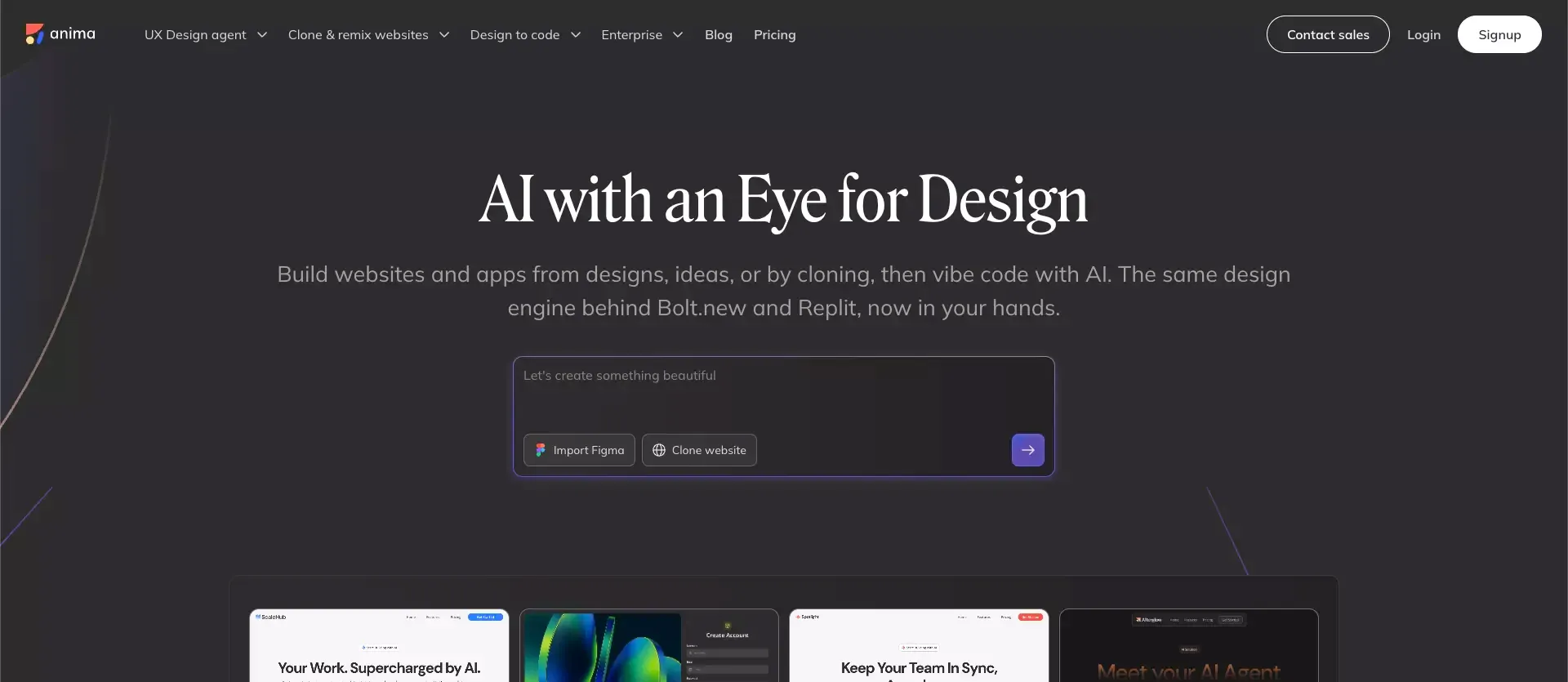
 I came into Anima thinking I already knew what it was.
In my head, it was still basically a Figma-to-code tool with some AI layered on top. Useful, maybe. But not that different from a lot of other products in the same category.
After digging through Anima’s current site, docs, and recent product updates, that no longer feels like the right description. The product has clearly moved into something broader: a design-aware build workflow that can start from a Figma file, a prompt, an image, or an existing website, then turn that input into something live, editable, and much closer to a usable product surface.
That shift makes Anima more interesting. It also makes it easier to misunderstand.
Because once a tool starts talking about AI agents, live apps, design systems, code generation, and publishing in one breath, the obvious question becomes: what is this actually good at?
My answer is pretty straightforward. Anima looks strongest when the problem is not “build my entire startup from a blank page.” It looks strongest when the problem is “we already care about design, and we want to move from design intent to usable frontend faster without losing the feel of the product.”
That is a narrower promise than some AI builders make.
It is also a more believable one.
TL;DR
Who Anima is best for
Anima makes the most sense for:
- teams already working in Figma
- designers who want less painful handoff
- startups with a clear UI direction already in place
- product teams that care about staying on-brand while moving faster
- teams with a design system they actually use in day-to-day work
Who should probably skip it
Anima may not be the best fit for:
- founders starting with only a rough product idea
- teams looking for a full frontend + backend app and website builder
- users who expect fully production-ready code with very little cleanup
- people who do not already have a design-led workflow
What Is Anima Design Agent?
Anima’s core promise in one sentence
If I had to describe Anima in one line, I’d say this:
Anima is a design-aware tool for turning interface intent into live, editable product output faster than a normal handoff process would.
That feels closer to the truth than calling it “just” design-to-code. It also feels more grounded than calling it a universal app builder.
Where it sits between design tools and AI app builders
This is the part many reviews blur, so it is worth saying plainly.
| Category | Where Anima fits |
|---|---|
| Traditional design tool | More execution-focused than that |
| Basic Figma-to-code plugin | Broader than that now |
| AI app builder | Usually narrower than that |
| Design-aware build workflow | This is the closest fit |
That middle position is why Anima can feel impressive and limited at the same time. It does more than export code, but it still works best when the workflow starts with design, not just business intent.
What Problem Anima Actually Solves
Why traditional design handoff is still painful
This problem has never really been about a lack of tools.
It is about translation.
Designers work in layouts, spacing, hierarchy, tokens, and reusable components. Developers inherit screens, prototypes, states, and edge cases. Then both sides spend time rebuilding the same intent in different formats.
That is the gap Anima is trying to compress.
The value here is practical:
- less time rebuilding approved UI from scratch
- less ambiguity around spacing, layout, and structure
- faster movement from design review to usable frontend
- a shorter path between visual intent and implementation
Why generic AI coding tools often miss visual fidelity
A lot of AI coding assistant tools can generate something that looks fine for ten seconds.
That is not the same thing as generating UI that actually feels like your product.
This is where Anima’s positioning makes sense. Its appeal is not just speed. It is speed with design awareness.
That distinction matters more than many roundup articles admit. “Fast” is no longer rare. “Fast without drifting into random-looking UI” still is.
How Anima Works in Practice
Starting from a Figma file
This is still the clearest use case.
If your team already has strong Figma files, reusable patterns, and a design system that people really use, Anima immediately makes more sense. In that setup, it acts as an accelerator rather than a replacement for thinking.
A strong fit usually looks like this:
- approved screens already exist
- core UI patterns are defined
- the team wants faster frontend handoff
- design quality matters enough to protect
Starting from a prompt, image, or website
This is where the current version of Anima feels more flexible than the older reputation it still carries.
You are not limited to polished design files. You can also start from looser inputs, which makes Anima more useful for workflows that are closer to text-to-website experimentation:
- early AI prototype generation
- rough UI direction
- remixing an existing visual style
- fast iteration on a half-formed idea
That said, I still think the product becomes less distinctive the further you move away from structured design input. It can do more than one thing, but its edge is strongest when design quality already matters.
Editing, previewing, and shipping
One thing I like about Anima’s current direction is that it does not stop at “here is your code, good luck.”
The broader workflow now feels more like a working environment than a one-time export utility.
That includes:
- live preview
- prompt-based iteration
- code output and handoff
- publishing paths
- API and coding agents
Key Features That Matter Most
Quick feature snapshot
| Feature | Why it matters |
|---|---|
| Figma to code | Helpful for teams with existing UI direction |
| Prompt-based edits | Faster iteration without manually reworking every screen |
| Design-system support | Keeps output closer to brand and component logic |
| Multi-input workflow | Useful when work starts from design, prompt, image, or URL |
| Multiple frontend outputs | Easier to fit into real engineering workflows |
| API / agent support | Makes Anima more relevant beyond simple export use cases |
Design-system-aware generation
This is the part that stood out most to me.
A lot of AI UI products can generate a decent first screen. Fewer can help you keep the second, third, and tenth screen aligned to the same system.
That is why design-system awareness matters. It gives Anima a more credible role inside real product teams.
If your team already has components, styles, and repeatable interface patterns, Anima becomes much more interesting. In that scenario, AI is not inventing the product from scratch. It is helping extend a language that already exists.
Flexible code handoff
From a practical standpoint, code output matters as much as UI quality.
A design-to-code tool becomes easier to adopt when it can meet teams close to their existing stack. That makes handoff less theoretical and more useful.
The real question is not “Can it generate code?”
The real question is “Can it generate code that another human on the team can actually work with?”
That is the standard that matters, and it is also the standard people should use when they compare any AI code generator workflow.
What Anima Does Well
1. It speeds up the annoying middle
This is the biggest strength.
Not the fantasy version where AI replaces product teams. The useful version, where a repetitive and expensive handoff layer gets shorter.
That middle stage is where a surprising amount of time disappears:
- rebuilding already-approved UI
- translating design decisions into frontend structure
- adjusting visual details that should have carried over cleanly
- repeating implementation work across similar screens
Anima looks strongest when it removes that drag.
2. It feels more specific than a lot of AI builders
I mean this as a compliment.
A lot of products in this space try to be everything at once. Anima feels more opinionated. It seems to know that its best users are people who already care about interface quality and want AI help without throwing visual consistency away.
That kind of product clarity is underrated.
3. Its current direction feels more credible than hype-heavy
The newer story around design-aware AI, design systems, and agent workflows is ambitious, but at least it is coherent.
The product is not just saying “we use AI.”
It is saying something more specific: “we help AI work with real design intent.”
That is a much stronger position.
Where Anima Still Falls Short
1. You still need judgment
This is the part people should not gloss over.
Even when AI output looks good, teams still need to evaluate:
- maintainability
- responsiveness
- naming quality
- component cleanliness
- how well the result fits the actual codebase
So yes, Anima can accelerate the workflow.
No, it does not remove the need for frontend judgment.
2. It is not the cleanest fit for blank-page product creation
If your starting point is just:
- “I have an idea”
- “I need the full product structure”
- “I do not already have design assets”
then Anima may not be the most natural first tool.
That does not make it weak. It just means its strongest use case starts later in the workflow.
3. Pricing clarity is good enough, not perfect
At the time of writing, the public pricing picture is understandable but not ultra-simple.
Here is the clean version:
| Pricing angle | My read |
|---|---|
| Free access | Enough to test the workflow and get a feel for the product |
| Enterprise | Clearly aimed at teams with security, compliance, and scale needs |
| API / SDK | More relevant for companies integrating Anima into broader workflows |
| Overall ROI | Strongest when design-to-frontend friction is a repeated bottleneck |
My takeaway is that Anima looks worth paying for when design fidelity already matters inside your team. If that setup does not exist, the value becomes much less obvious.
Anima vs Alternatives
Anima vs Atoms: different starting points, different jobs
This is still the comparison I find most useful, because it clarifies the category problem.
Anima starts from design intent.
Atoms starts from product intent.
That single difference explains a lot.
Choose Anima if…
- you already have Figma work or UI direction
- brand consistency matters a lot
- you want to speed up handoff more than reinvent the whole workflow
- your bottleneck is frontend translation, not product definition
Choose Atoms if…
- your idea is still early
- you need app structure, flows, backend, and deployment together
- you want to start from plain language instead of polished design assets
- you need more of an idea-to-product builder than a design-aware frontend accelerator
That is why I would not force a shallow “winner” framing here. These tools solve different kinds of slowness.
Best direct alternatives for design-to-code workflows
If you are comparing Anima to more direct alternatives, the real comparison set is still other design-to-code or visual frontend tools like Framer review, v0 review, and Lovable review.
The best question is not “Which one has more AI?”
It is:
- Which one fits how my team already works?
- Which one preserves the quality bar we actually need?
- Which one gives engineering something usable afterward?
That usually gets you to a better answer much faster.
Final Verdict
The clearest reason to use Anima
Use Anima if your team already takes design seriously and wants to shorten the path from approved UI to usable code without losing the product’s visual identity.
That is the most convincing version of the product.
The clearest reason to look elsewhere
Look elsewhere if your real need is broader than design-to-code.
If you need an AI builder to help define the product, generate full-stack structure, and move from concept to working app with less dependence on existing design assets, a broader builder like Atoms may be the better fit.
Final Take
I do not think Anima is the best AI builder for everyone.
I do think it is one of the more interesting options right now for teams that already know design quality is part of the product, not a layer you add at the end.
And honestly, that is a better compliment.
Because in this market, the tools that try to do everything often end up saying very little.
Anima is more useful when you understand what it is actually trying to be.
