
On this page

After spending a lot of time with Lovable, I can say it offers real value in 2026, but it’s not perfect for everyone. Lovable works best if you want to build apps quickly and don’t have much coding experience. Many businesses look at no-code options, and by 2026, 75% of new app development will use low-code tools. Here’s what stands out in my Lovable review:
Strengths
- Fast prototyping
- Easy for non-coders
Weaknesses
- Unpredictable pricing
- Can be unreliable and hard to scale
Lovable Overview
What Is Lovable?
When I first learned about lovable, I wanted to see what made it special compared to other no-code tools. Lovable is a no-code platform that lets people build apps without needing to write code. Its main goal is to help anyone design, launch, and improve complex apps fast. Lovable is not just about making apps. It also helps you control the whole system in one place. You can manage things like database logic, authentication, and API integration. Non-technical founders can use lovable to deploy and test apps by themselves. Startups and small businesses get the most out of lovable. They can try out ideas and make MVPs even if they don’t have a lot of money or time. The platform takes away many hard parts, like tricky integrations and infrastructure problems. Lovable gives new creators a chance to build things on their own.
How Lovable Works
I like how lovable works because it is simple but still powerful. I start by telling lovable what I want to make. Lovable AI listens and follows my steps one at a time. The platform uses a chat interface, so I talk to it like I’m talking to a friend. Lovable understands how my project is set up. This helps it give better answers and tips. I can connect Lovable to Supabase for backend support. It also makes clean TypeScript and React code for custom interfaces. I don’t have to worry about the technical details. Lovable AI takes care of backend connections and third-party tools for me. This makes everything easier and less stressful.
Key Features of Lovable AI
Lovable AI stands out because it has some special features. Here’s a quick look at what I found most helpful:
| Feature | Lovable AI | Competitors |
|---|---|---|
| Code Generation | Strong emphasis | Varies by platform |
| Developer Appeal | High | Moderate to High |
| Interaction Model | Unique and intuitive | Standardized |
| Rapid Prototyping | Excels | Varies |
| Integrations | Strong with Supabase | Varies |
Some features really stood out to me:
-
Repo context awareness means lovable knows my project’s structure and gives smart responses.
-
Conversational interface lets me make apps without using code.
-
It connects with backend features and third-party tools.
-
Fast prototyping helps me see results quickly and make changes fast.
-
Clean code generation means Lovable AI makes code that is easy to read if I want to check it.
Lovable puts all these features together to help me build, test, and launch apps faster than I thought I could.
Lovable Review: User Experience
Setup and Onboarding
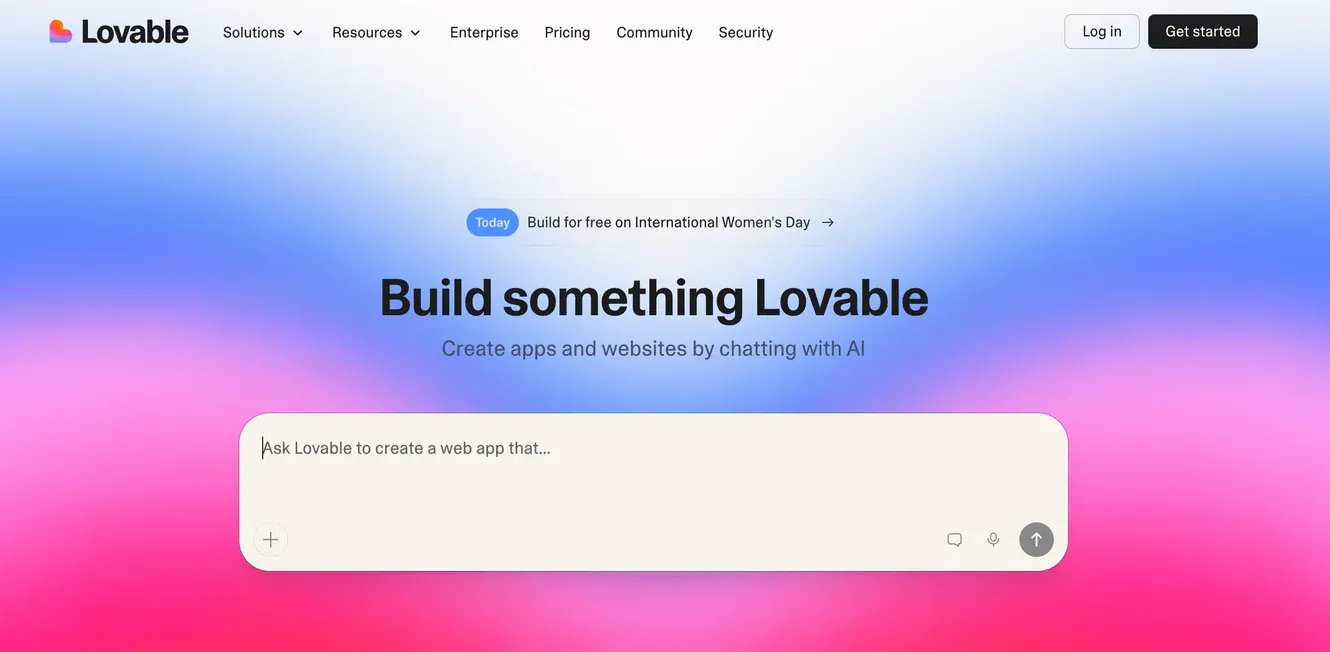
When I began my Lovable review, the onboarding felt easy and friendly. The visual editor made things simple to understand. I did not need to read long guides or watch many videos. I logged in and started making my first product right away.
Lovable gives a very smooth onboarding experience. We had a working prototype in 90 minutes after logging in. That is fast for a development platform. The visual interface removes the hard learning curve of regular IDEs.
The editor shows you each step. I saw my app come together quickly. The visual editor helped me connect parts of my product. I felt sure of myself even though I was new to development.
Day-to-Day Usage
Using lovable every day was simple and helpful. The editor keeps everything easy. I could try new ideas and change my product without worry. The lovable review showed how the platform guides users and gives quick feedback. I liked that mistakes became chances to learn instead of big problems.
| Feature | Description |
|---|---|
| Clarity of Purpose | The interface helps users do hard tasks in a simple way. |
| Error as Opportunity | Mistakes are seen as learning chances, building trust and engagement. |
| Seamless Onboarding | Step-by-step tutorials help new users feel sure and ready. |
| Real-Time Feedback | Fast responses keep users updated, so there is less guessing. |
| Focus on Outcomes | User goals come first, so actions lead to real results. |
I tried different UX patterns and tested them fast. The visual editor let me check usability with interactive interfaces. I could A/B test features and see what worked best for my product. The lovable review showed that development can be quick and flexible.
-
Lovable lets you test interaction flows and UI elements fast.
-
Users can try many UX patterns and A/B test them easily.
-
Usability can be checked with interactive interfaces instead of just static designs.
Support and Community
Support is very important for any development platform. Lovable has a strong community. I joined Discord and saw people helping each other every day. The lovable review showed how active the forum is. Members share tips, advice, and real stories about their products.
| Evidence Description | Details |
|---|---|
| Community Activity | The Lovable Discord has been active for over 1,000 hours without stopping, showing lots of engagement. |
| Member Contributions | 26,000 members have joined, because people like to help each other, not just grow. |
| Collaborative Events | More than 400 people worked together on 86 projects in only 36 hours, showing the community can work and create fast. |
| Supportive Environment | Members say the community is strong and helpful, and there are good connections and support. |
-
"I have met so many great people from this forum. All of it is about building real value." — User Richard Peck
-
"Tips and advice here stopped me from making big mistakes. Others helped me grow my business to 6-figure months." — User MitchC
I found answers quickly and learned from user reviews. The support team and community made my development journey easier. I felt connected and supported while building my product with lovable.
Pros of Lovable
Fast App Building
When I used lovable, I saw how fast I could make prototypes. The platform makes building apps quick and easy. I remember making my first simple app. It took less than a minute to finish the first version. That was surprising because coding usually takes much longer. Lovable helps me turn ideas into real products fast. I can test new features and see results right away.
| Metric | Lovable |
|---|---|
| Time to first render | 45 sec |
| Time to working auth | 5 min |
| Time to full app | 15 min |
I can make prototypes in lovable much faster than other platforms. This speed lets me try new ideas and change direction quickly. I don’t waste time waiting for code or backend services. Lovable gives me more time to improve my app.
If you want to test ideas quickly, lovable is a smart choice. I can build, test, and change my app in minutes.
Intuitive Interface
Lovable’s interface feels friendly and simple to use. I never felt confused or lost. The platform listens to users and updates the design based on feedback. I noticed lovable keeps making its interface better every time I log in.
-
User feedback helps Lovable make the interface easy to use.
-
The design changes often, showing lovable wants to be user-friendly.
-
Continuous feedback helps lovable find ways to improve.
I like how lovable guides me through making prototypes. The visual editor makes things clear. I can drag and drop parts, connect them, and see changes right away. I don’t need to read long guides or watch videos. Lovable makes prototyping easy for everyone.
The interface feels like talking to someone. I tell lovable what I want, and it helps me step by step.
Reliable Backend Generation
Lovable is great at making backends. I can connect to Supabase and other tools easily. The backend stays stable and reliable, even when I add new features. I don’t worry about outages or downtime. Lovable keeps everything running well.
| Metric | Description |
|---|---|
| Improved reliability | Stable performance with few outages and good uptime. |
| Costs controlled | Adaptive Metrics saves money by cutting extra time series. |
| Broad integration | Supports big data sources and plugins for better observability. |
| Enhanced efficiency | Tools help find issues faster and improve performance. |
I can build apps with strong backend support. Lovable lets me focus on making and testing apps while it handles the backend. I don’t need to worry about technical stuff. The backend works well for most projects.
When I compare lovable to other platforms, I see some differences:
-
Lovable is easy for full-stack development and has strong backend integration with Supabase.
-
Bolt works in the browser and has real-time debugging, but it can have trouble with big projects.
-
v0 is good for fast prototyping in React, but it might cause vendor lock-in.
Lovable gives me reliable backend generation and easy integration. I can build, test, and launch my app without worrying about backend problems.
Lovable’s backend lets me build apps that work well and grow easily. I can trust lovable to keep my app running.
Cons of Lovable
Customization Limits
I noticed some real limitations when I tried to push Lovable beyond simple prototypes. The platform works well for quick ideas, but I hit a wall when I wanted more control. I wanted to tweak the design and add custom features, but Loveable made it tough. The editor does not have all the advanced tools I expected. Sometimes, I needed to write code or use outside tools to get the look and feel I wanted.
Here’s a table that shows the main customization limits I ran into:
| Limitation Type | Description |
|---|---|
| Lack of Real-Time Feedback | I could not see performance or SEO insights while building, so I worried about code quality. |
| Limited Debugging Support | Debugging tools felt basic. I had to fix complex problems on my own. |
| Constrained UI Features | The editor missed advanced design options. I needed some programming skills for special tweaks. |
| Scalability Issues | Lovable struggled with big projects. It finished only part of the work, so I had to step in. |
| Usage Limits and Pricing | The free plan felt tight. When I worked on bigger apps, I ran into extra costs and interruptions. |
I wanted to build a full production app, but Lovable’s limitations slowed me down. For small projects, these issues might not matter. For anything bigger, they can become a real headache.
Learning Curve
When I first started with Lovable, I found it easy to pick up. The AI website builer is made for beginners. I did not need to know how to code. I liked that I could jump in and start building right away. Compared to other tools, Lovable has a shallow learning curve. I did not feel lost or confused.
Here’s how Lovable stacks up against other platforms:
-
Lovable: Very shallow learning curve. Great for people with no coding experience.
-
V0: Takes more time to learn. Easier if you know how to code, but harder for beginners.
-
Windsurf: Hardest to learn. You need to know how to code and use an IDE.
I think Lovable is a good choice if you want to learn fast and get results. If you want to build a production app with lots of custom features, you might need to learn more or use other tools.
Potential Drawbacks
Lovable has a few other issues that I noticed during my review. Sometimes, the platform loses track of what I am building. This can lead to code that is hard to maintain. I found myself fixing the same bugs over and over. That got frustrating and wasted my credits.
Here are some of the most common drawbacks I found:
-
Lovable sometimes loses context, which makes the code messy and hard to update.
-
I ran into endless bug loops. I would fix one thing, and another problem would pop up.
-
Integrating third-party tools was tricky. I saw errors and mismatched types when I tried to add new components.
-
Many projects ended up looking the same. Without a lot of customization, my apps felt generic.
I wanted to use Lovable for a big production project, but these problems made me think twice. The platform is great for testing ideas and building simple apps. For a full production launch, I needed more stability and flexibility.
Tip: If you want to build a unique, large-scale production app, make sure you know about these real limitations before you start. Lovable is best for fast prototypes and learning, not for every production need.
Lovable Pricing and Value
Subscription Plans
When I first checked out Lovable, I noticed the platform offers a free plan. This free plan gives you a taste of what the tool can do, but it comes with limited messages. For real projects, I found the free plan just isn’t enough. If you want more features and flexibility, you need to look at the paid options. Most users, including me, start with the basic paid plan, which usually costs around $25 to $30 per month. This plan gives you more messages and access to better integration features. The pricing structure feels simple at first, but there’s more to it than just the monthly fee.
| Plan Type | Monthly Cost | Message Limit | Integration Support |
|---|---|---|---|
| Free | $0 | Very Limited | Basic |
| Starter | $25-$30 | Higher | Advanced |
Additional Fees
Here’s where things get tricky. Lovable uses a credit-based pricing model. Every time I interact with the AI, it uses up message credits. At first, I didn’t think much about it. But when I started debugging or fixing bugs, I noticed my credits disappeared fast. Many users, like me, have run into unexpected costs because every message counts. If you spend a lot of time testing or making changes, you might end up paying more than you planned.
-
Each AI interaction uses credits, not just big changes.
-
Debugging can waste credits quickly, leading to extra charges.
-
Some users have complained about unpredictable costs, especially during long development sessions.
I wish lovable had more predictable pricing. It would help me plan my budget better and avoid surprises.
Value for Money
So, is Lovable worth the price? For simple MVPs or quick prototypes, I think the pricing feels fair. If you’re a non-coder or just want to build something basic, Lovable gives you good value. The integration options and easy setup make it a strong choice for small projects. But if you need to build a big app or do lots of testing, the credit system can get expensive. Some users say the premium plans feel pricey, especially if you need to iterate a lot. Others, like me, appreciate the affordable entry point for small projects.
Tip: If you want to keep costs low, plan your development steps and watch your credit usage closely.
In the end, Lovable’s pricing works best for people who want to build fast and don’t need endless customization or heavy integration. For bigger projects, you might want to compare other platforms to see which one gives you the most value.
Who Should Use Lovable?
Ideal User Profiles
Lovable is best for people who want to build apps fast. Startups use it because they need quick results. Entrepreneurs like it for testing new ideas. Small and medium businesses can launch tools without hiring many people. Non-technical founders find Lovable helpful since they don’t need to code. If you want to make a minimum viable product, Lovable makes it simple. Here are the main users who get the most from Lovable:
-
Startups that need speed and flexibility
-
Entrepreneurs who want to try new business ideas
-
Small and medium businesses need quick solutions
-
Non-technical founders who want to build apps themselves
Lovable’s easy interface and built-in integrations help these groups work better. The platform gives you hosting and deployment, so you don’t worry about tech stuff. Collaboration tools and support make everything smoother.
Best Use Cases
Lovable is great when you need to work fast. I use it to make prototypes quickly and check if my idea works. Startups use Lovable to build an MVP and get feedback from users. The platform is good for no-code app development. You can make apps without writing code, which saves time. Agent Mode lets you debug and search the web in real time. Chat Mode helps you plan and build with your team. Visual edits let you change the interface easily after getting feedback. If you want to go from prototype to production, Lovable helps you start that process.
-
No-code app development
-
Rapid prototyping for new features
-
Collaborative planning and step-by-step development
-
Real-time visual edits for user feedback
Practical Scenarios
Lovable gives real value in many situations. Startups use it to build onboarding flows and get teams working together fast. I saw a prototype for data retention management go from idea to working feature in about an hour. That saves a lot of time. Here’s a table showing how Lovable helps in real life:
| Scenario Description | Value Delivered |
|---|---|
| Rapid prototyping for onboarding flows | Quick teamwork and feedback, faster delivery of value |
| Prototype for data retention management | Development time cut from a week to about an hour |
If you want to go from a simple prototype to a full app, Lovable gives you a way. Startups can test ideas, get feedback, and grow when ready. Scalability is easier when you start strong. Lovable helps you build, test, and grow without needing a big team.
Tip: If you’re a startup or a non-technical founder, Lovable can help you launch your mvp and start moving to production.
Alternative to Lovable
Atoms Overview
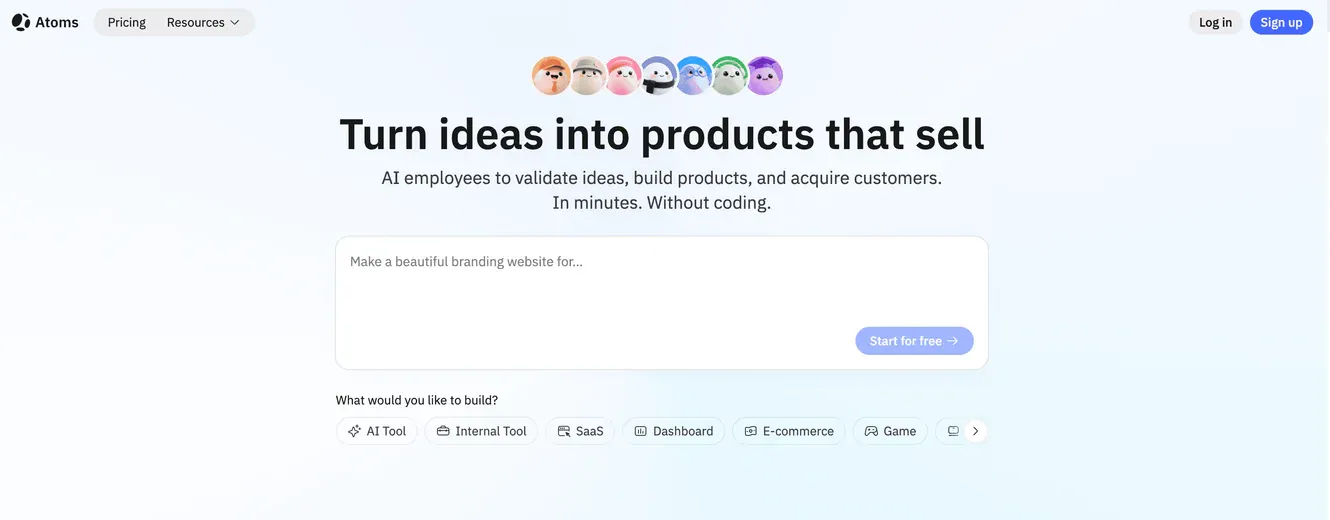
I tried Atoms, and it feels like a big upgrade. Atoms acts as an AI business team. It does more than just help build apps. It brings together many AI agents. Each agent has a special job, like research or product management. Some agents handle engineering, SEO, and data analysis. I can chat with Atoms, and the team takes care of everything. They help from idea to launch. Atoms builds the backend and sets up authentication. It connects databases and manages payments, too. I don’t need to worry about technical stuff. The platform uses open-source models. This makes it fast and affordable. Atoms helps me grow my business without hiring more people.
Atoms vs Lovable
Atoms and Lovable are different in many ways. Lovable is good for simple app building. It uses step-by-step interactions. Atoms goes further and changes how I build software. The AI team in Atoms handles hard tasks and gives more flexibility.
-
Atoms’ AI team works together, so things go smoother.
-
Lovable is best for basic projects and follows steps in order.
Atoms has special features that make it stand out:
| Feature | Advantage |
|---|---|
| Deep Research | Checks market trends and competitors. |
| Race Mode | Runs many AI teams at once. This gives better results and saves money. |
| SEO Agent | Makes high-quality content. My product gets noticed right away. |
I feel more confident using Atoms for bigger projects. The platform gives tools for strategy, development, and marketing.
If you need a full business tool, Atoms is better. It gives you a team of AI helpers, a ready backend, and SEO help. You should think about what you want, how much you can spend, and what your project needs. Try both Lovable and Atoms to see which one works best for you.
Frequently asked questions
01How fast can I build an app with Lovable?
I usually get a working prototype in under an hour. For simple apps, I finish even faster. Lovable speeds up the process, so I see results quickly.
02Is Lovable good for beginners?
Yes, I think so. I started with no coding experience. The interface feels friendly. I learned by doing. The tutorials and community helped me a lot.
03Can I use Lovable for big projects?
I tried building bigger apps. Lovable works for small to medium projects. For complex or large-scale apps, I found some limits. I needed more control and flexibility.
04Does Lovable have hidden costs?
I noticed extra charges when I used more message credits. Debugging and testing can use up credits fast. I always check my usage to avoid surprises.
05How does Atoms compare to Lovable?
Atoms feels like a full business team in my browser. It handles research, backend, and SEO. I use Atoms when I want more power and less manual work.
