
On this page
The short answer: start with work that has a clear handoff
GPT-6 is most useful at work when it transforms messy information into a structured next step: notes into actions, sources into a brief, feedback into themes, code into a tested change, or a request into a decision-ready draft. It should support the person accountable for the outcome, not become an invisible decision-maker.
The best first use case has three properties: a repeatable input, a recognizable transformation, and a human approval point. “Use AI for marketing” is too broad. “Turn a weekly customer-feedback export into three themes, supporting quotes, open questions, and a product-review brief” is testable.
CTA: Pick one recurring task and build the first version in Atoms with a clear approval step.
15 use cases at a glance
| Work area | Useful first task | What a reviewer checks |
|---|---|---|
| Meetings | Decisions, owners, deadlines | Names, dates, commitments |
| Research | Themes, comparisons, evidence map | Source fidelity and uncertainty |
| Content and SEO | Briefs, outlines, internal links | Intent, facts, originality |
| Support and sales | Draft responses and preparation | Policy, account details, tone |
| Data and reporting | Formula explanations and narratives | Calculations and source data |
| Engineering | Plans, tests, debugging, reviews | Diff, tests, security |
| Planning | Milestones, dependencies, next action | Feasibility and ownership |
Use the table to choose a starting point, not to promise automatic results. The review requirement is part of the use case. A support draft is successful only when the response follows policy; a research summary is successful only when its claims can be traced to sources.
Meetings, research, and knowledge
1. Meeting notes to actions. Give GPT-6 an approved transcript or notes. Ask it to separate decisions from discussion, assign owners only when named, mark missing deadlines as unknown, and return an action table. Check names, dates, and commitments before the actions enter a tracker.
2. Research synthesis. Provide a bounded source set and ask for themes, disagreements, evidence, and unanswered questions. Require source references so the researcher can verify the synthesis rather than reread everything from scratch.
3. Internal knowledge retrieval. Turn approved documents into role-specific answers. The workflow should show which source was used and what happens when the answer is not found. Do not let a fluent response hide stale or unauthorized information.
Planning and communication
4. Product briefs. Convert customer feedback and business requirements into goals, users, constraints, risks, and success metrics. Ask for assumptions and unresolved decisions.
5. Email and message drafts. Provide recipient, desired outcome, context, and tone. Check names, dates, commitments, and sensitive information before sending.
6. Proposals and presentations. Start with the decision the audience must make. GPT-6 can organize the narrative, counterarguments, evidence, and slide outline, but the owner must validate the business case.
Customer-facing work
7. Customer support. Draft replies from approved knowledge and flag cases requiring escalation. Keep a human approval gate for refunds, complaints, policy exceptions, or sensitive data.
8. Sales preparation. Prepare discovery questions, account summaries, objection handling, and follow-up drafts. Verify current account facts instead of trusting generated research.
9. Feedback analysis. Group recurring themes, preserve representative quotes, and identify evidence for product decisions. Do not confuse frequency with importance without a defined sampling method.
Content, SEO, and operations
10. Content planning. Create topic clusters, briefs, outlines, and repurposing plans. The finished article still needs original expertise, current sources, and editorial review.
11. SEO workflow support. Map search intent, content gaps, internal links, and a content checklist. Ask the model to mark claims that need citations and avoid keyword stuffing.
12. Document review. Compare versions, extract obligations, and identify inconsistencies. For contracts or regulated documents, use the output as review assistance, not legal advice.
Data, engineering, and personal planning
13. Reporting. Explain formulas, structure a metric definition, and turn validated data into a narrative. Check calculations independently.
14. Coding. Plan a feature, explain code, write tests, debug failures, and review diffs. Run the project’s tests and keep permission boundaries explicit.
15. Work planning. Break a goal into milestones, dependencies, owners, and a next action. Ask the model to challenge unrealistic assumptions instead of simply producing a longer checklist.
A repeatable GPT-6 workplace method
Step 1: define the user’s job. State the audience, decision, and success condition.
Step 2: provide approved context. Include source boundaries and remove or anonymize sensitive data unless the organization has approved the setup.
Step 3: request a reviewable format. Use tables, evidence fields, assumptions, open questions, and checklists.
Step 4: set the approval point. Decide what must be checked before sending, publishing, executing, or escalating.
Step 5: measure value. Track time, correction rate, adoption, escalation rate, and whether the output reaches the next process step.
How Atoms turns workplace ideas into usable web products
Atoms is an AI product-building platform centered on websites and web applications. Users describe what they want in natural language, then use AI-assisted building and coding workflows to generate, edit, preview, and prepare the result for publishing. It is intended for founders, product builders, developers, designers, and non-technical users who want to create a web product without starting every task from a blank codebase.
This makes Atoms a natural fit for workplace use cases that need a product outcome rather than a text-only answer. A team might turn a research brief into a landing page, build an internal tool around a reporting process, create a prototype for a new workflow, or add interactive content to a customer-facing website. The user still defines the requirement, checks the generated result, and decides whether it is ready to publish.
Atoms can also coordinate multiple specialized AI agents for complex product-building and operational tasks. AI image and video generation can support product creation, while growth agents can help with SEO and advertising workflows. Atoms can generate web-based 3D experiences as well, but specialist capabilities such as standalone CAD or 3D-printing workflows should not be implied.
The practical workflow is: describe the product or feature, inspect the generated result, refine it through natural-language edits, preview the experience, and review it before publishing. A useful case study should show the starting request, the generated product, the iterations, the human review points, and the resulting business or delivery metric.
CTA: Try Atoms when a workplace task needs to become an editable web product, not just a generated answer.
Examples: from visual direction to an interactive product
Atoms is an AI product-building platform for founders, designers, developers, and non-technical teams. It turns a natural-language brief into an editable web product and supports the full path from idea to preview and publication. Depending on the workplace goal, Atoms can help you:
- Build websites and web applications that can go directly online.
- Generate images for branding, content, product interfaces, and campaigns.
- Generate videos for demos, marketing, and storytelling.
- Create 3D models and interactive web-based 3D experiences.
- Prototype game-like products and playable interactions.
- Coordinate specialized agents for product, SEO, and advertising workflows.
The creator controls requirements, source material, permissions, review, and the final publishing decision. Each case below is a separate slot for an image or video.
Case: Seedance homepage design reference
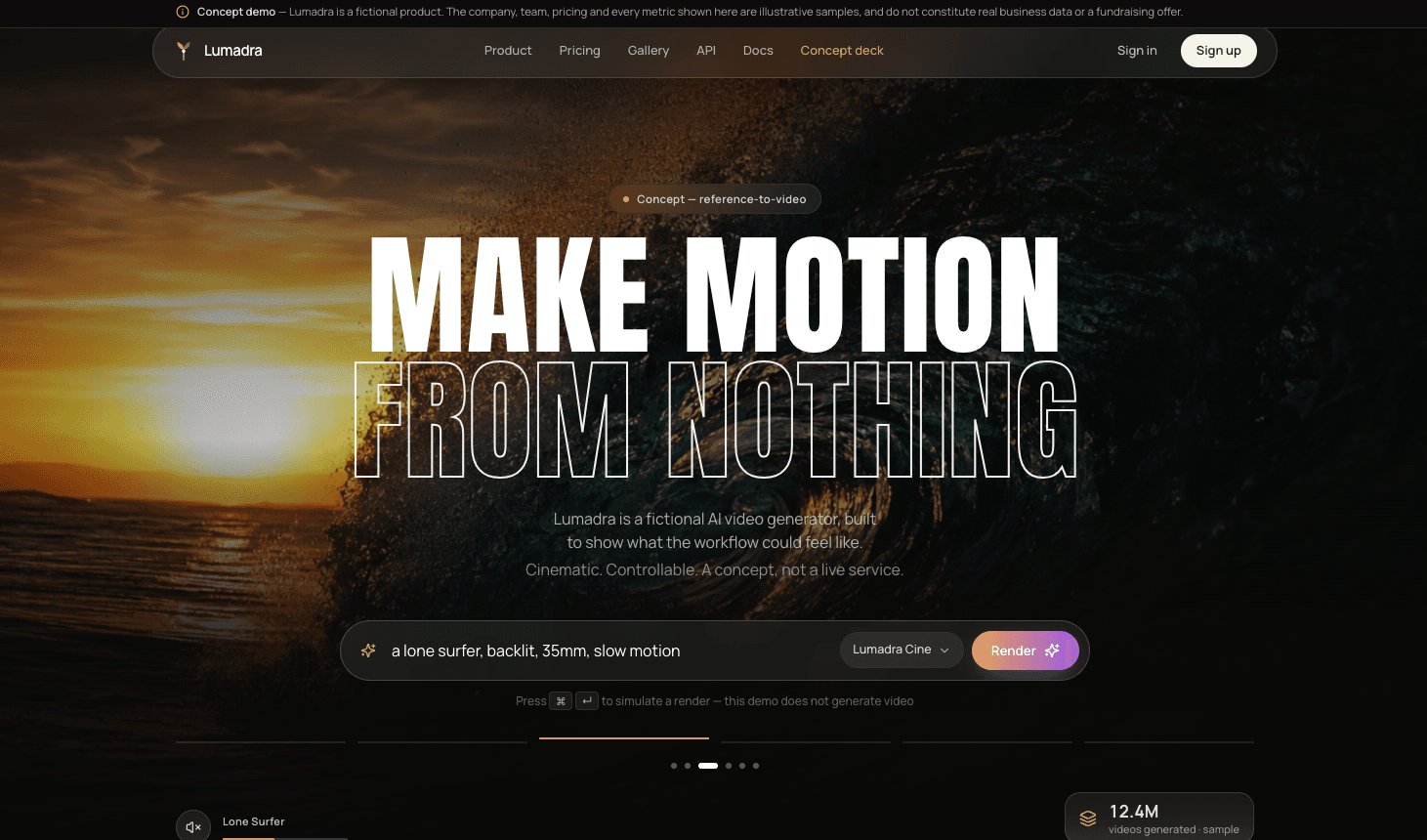
The Seedance homepage design reference shows how a visual direction can become a structured, inspectable web page.
Case: Yuanmingyuan · Digital Garden
Yuanmingyuan · Digital Garden presents a digital environment where navigation, interaction, assets, and performance can be reviewed.
Security, limits, and review design
GPT-6 can produce confident errors, repeat bad source material, invent details, or misunderstand a permission boundary. Start with low-risk, repeatable work and make the failure path explicit. The model should ask for clarification or hand the task back when sources are missing, the request exceeds a budget, or the output would trigger an irreversible action.
Human review does not mean rereading every token. Use a compact checklist: verify source boundaries, check names and numbers, inspect unsupported claims, confirm the format, and approve the next action. For low-risk outputs, sampling may be enough; for high-impact outputs, require explicit approval.
Measure more than time saved. Track completion rate, correction rate, escalation rate, source-check failures, adoption, and the percentage of outputs that actually reach the next step. If a team generates more drafts but corrects more errors, the workflow has not improved.
A practical launch checklist for a workplace use case
Before a team adopts GPT-6 for a recurring task, write down the current manual process. What information does the owner collect? Which decisions require judgment? Where do delays occur? Which errors are expensive? This baseline makes it possible to distinguish genuine improvement from simply producing a faster draft.
Next, define the minimum safe input. Name approved sources, exclude private data that is not needed, and decide how stale information is handled. Define the output contract: required fields, maximum useful length, evidence format, and what the model should write when information is missing. A good workflow makes uncertainty visible instead of filling gaps with plausible language.
Finally, define ownership. One person should own the workflow instructions, another role may approve the final output, and the team should know where to report an error. Review the first batch closely, then move to sampling only when the error rate is understood. Revisit the workflow after a material model, source, policy, or business-process change.
CTA: Use Atoms to turn this checklist into a repeatable workflow with a clear owner and approval step.
A little more clarity
Frequently asked questions
01Q1: Which team should start first?
Choose a team with a frequent task, an accessible baseline, a clear owner, and a low-risk review path.
02Q2: Can GPT-6 process confidential company data?
Only when the organization has approved the relevant product, account settings, permissions, and data-handling terms.
03Q3: How do we know a use case works?
Compare time to acceptable output, correction rate, quality, adoption, escalation, and completion against the previous process.
04Q4: Does Atoms replace the general method?
No. The task still needs clear inputs, constraints, review, and accountability. Atoms organizes those parts into a repeatable workflow.
05Q5: What should we automate first?
Start with a transformation task rather than a final decision: summarize, structure, classify, draft, or prepare a review.
Sources and update note
Sources: Add current first-party GPT-6 documentation, workplace AI safety and privacy guidance, and the approved Atoms product or case-study source before publication. Last checked September 7, 2026.
CTA: Try Atoms when you want a model response to become a repeatable, reviewable workflow.
Share this article
 Posts
Posts 