On this page
OpenAI's latest image tools are easier to judge through practical cases than through a feature list. The most interesting GPT Image 2.5 examples are not simple text-to-image prompts. They ask the model to preserve a person's identity, revise one object without damaging the rest of a composition, follow a hand-drawn layout, or keep track of an image inside another image.
OpenAI describes ChatGPT Image 2.5 as an upgrade focused on image quality, generation speed, editing precision, and consistency across multiple revisions. The API release includes two models: GPT-Image-2.5 Flare for faster, general-purpose image generation and editing, and GPT-Image-2.5 Sunburst for workflows where detailed control matters more than speed. Those are provider claims. The cases below are useful because they show the kinds of work people are testing.
Reported comparison from the source article. The GIF uses the same full-body input for both models; it is not an independently reproduced benchmark.
The best GPT Image 2.5 cases are editing cases
Image generators have traditionally been easier to use when starting from a blank canvas. The harder request is usually smaller: change the jacket, keep the face; replace the background, keep the lighting; correct one word, keep the layout; make a product look softer without changing its shape.
That is where GPT Image 2.5 is supposed to make a practical difference. OpenAI says the model can edit selected elements while preserving the subject, composition, and visual style. If that holds across repeated edits, the model becomes more useful for production work. A designer can work from one image instead of regenerating a new version after every change.
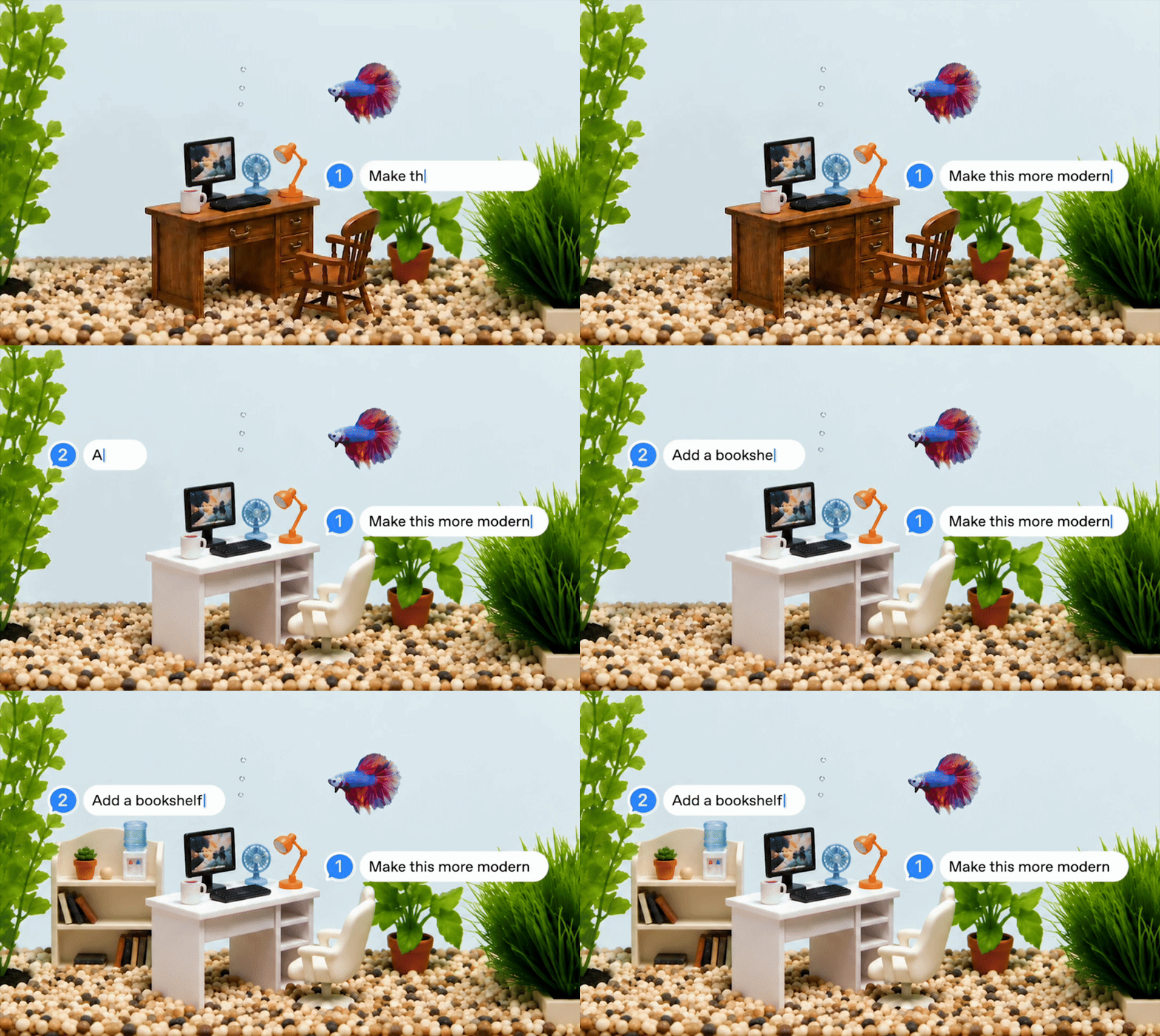
This distinction matters. A visually impressive first image is easy to share. A reliable five-round editing loop is much closer to a tool that a creative team can use.
GPT Image 2.5 examples for character and portrait consistency
One of the most common GPT Image 2.5 use cases is portrait transformation. A reference photo can be moved into a different environment, wardrobe, or photographic style while the model tries to retain the person's recognizable features.
Public tests reported in the source article include requests to preserve a reference face while changing the photography direction, clothes, and setting. The reported result suggests better identity retention than earlier workflows, although the test does not provide a controlled comparison or a fixed scoring method.
A useful portrait test should specify the parts that must remain unchanged:
- facial structure and identity;
- approximate pose and expression;
- camera angle and crop;
- lighting direction;
- image aspect ratio.
It should then separate those constraints from the requested changes, such as clothing, location, color treatment, or lens style. This makes it easier to tell whether an edit succeeded because the model followed the instruction or because it generated a vaguely similar new portrait.
For production use, identity consistency should be checked across several edits, not only in one result. The practical question is whether the subject still looks like the same person after the third or fourth revision.
Celebrity composites are a useful stress test, not proof of realism
Another reported GPT Images 2.5 case combines a reference portrait with a cinematic scene. The source article describes a request for a behind-the-scenes selfie featuring Elon Musk and the Godfather, with instructions to preserve facial structure, expression, posture, and a square composition.
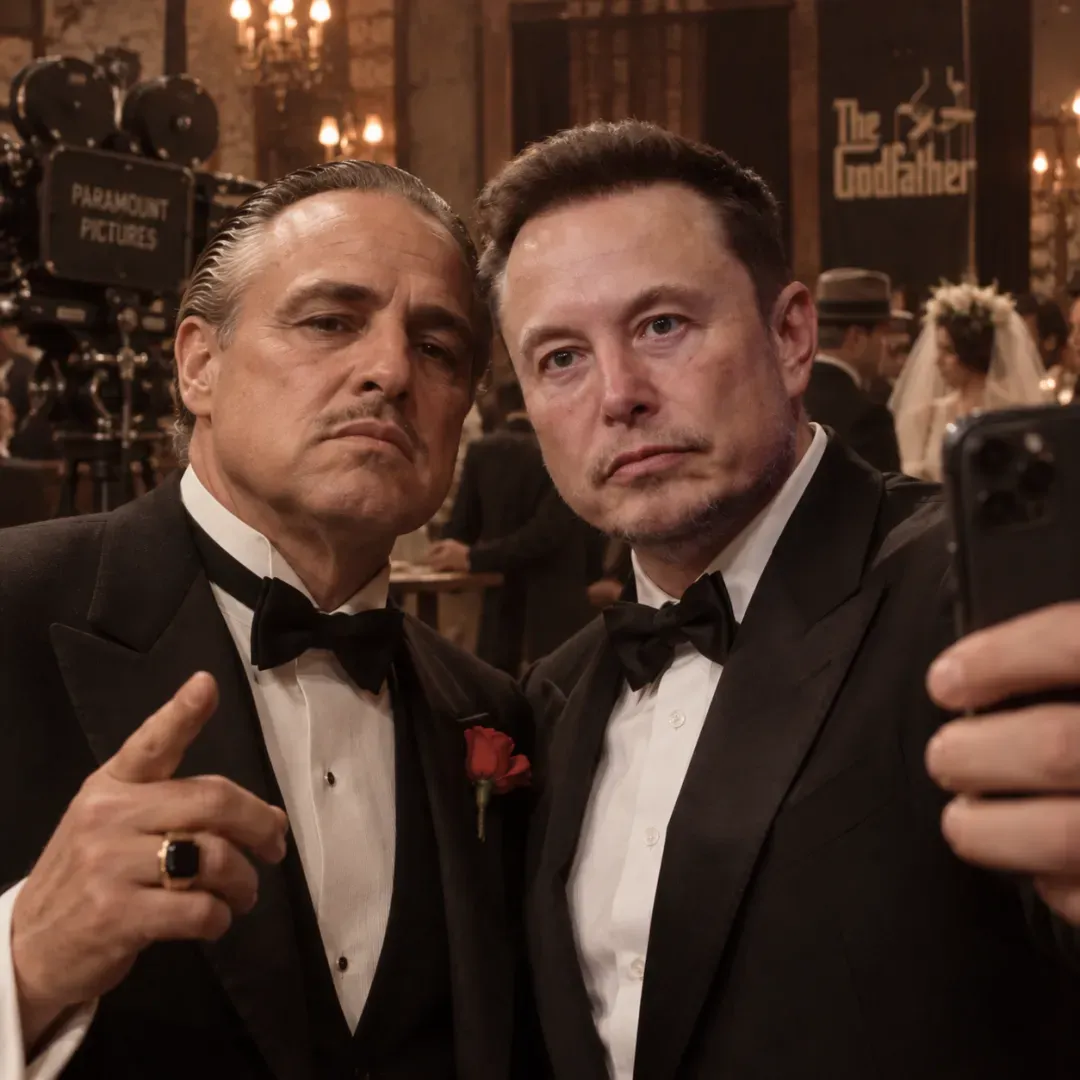
This type of prompt tests several capabilities at once:
- reference-image preservation;
- composition with multiple recognizable subjects;
- cinematic lighting and scene direction;
- control over a fixed 1:1 format.
The output can be entertaining, but it should not be treated as documentary evidence. A generated image of a public figure does not show that the person was present or that the scene happened. For publishing, the image needs a clear caption that identifies it as generated or fictional. It also raises the usual questions around likeness, consent, and misleading presentation.
A better evaluation asks whether the image follows the scene brief and preserves the requested visual relationships. It does not ask whether the fictional event looks real enough to pass as a photograph.
Product design and material changes
Product visualization is another strong area for GPT Images 2.5 cases. The source article describes a test asking the model to create a Coca-Cola can made entirely from soft plush material.
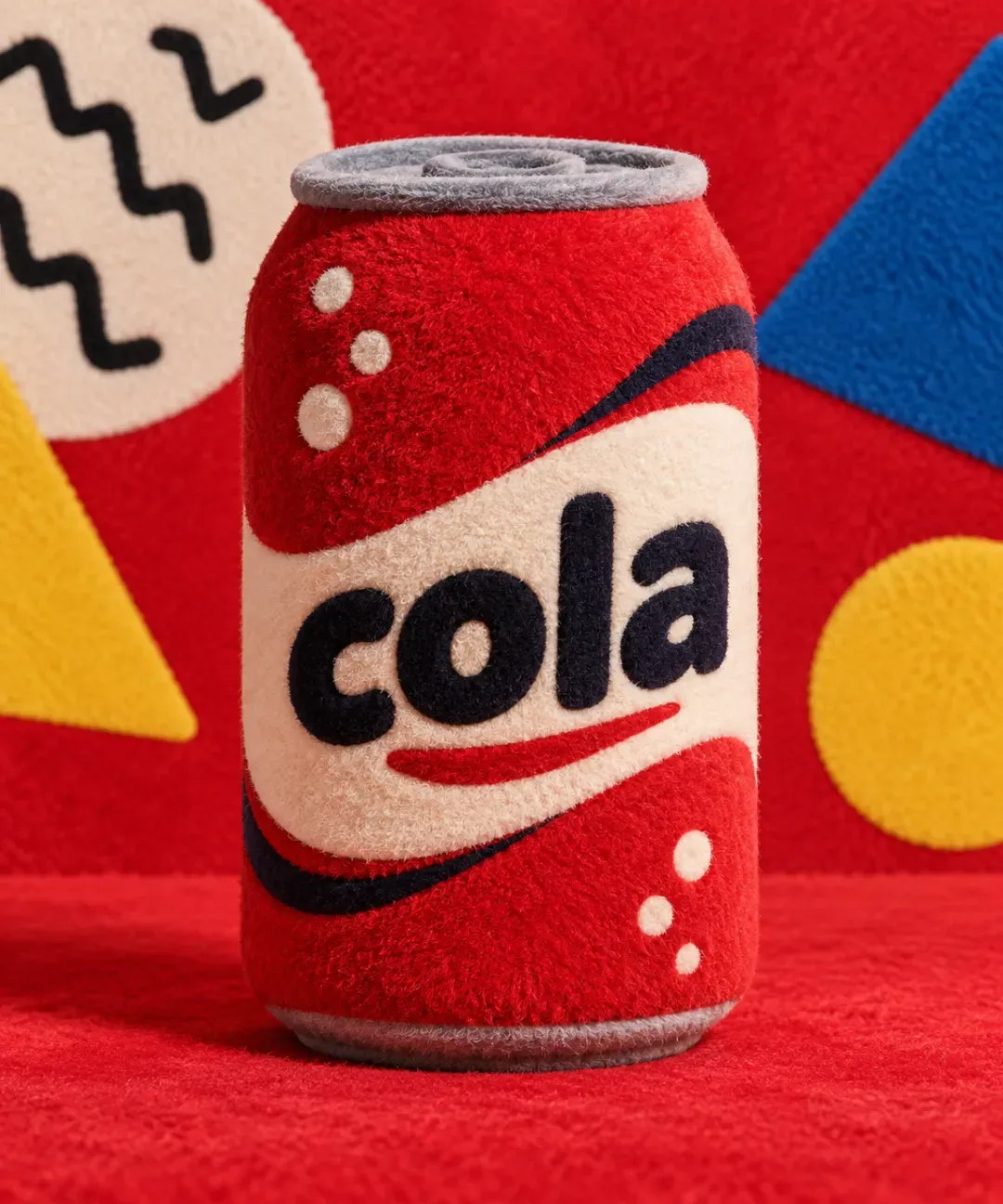
This is a compact prompt, but it contains a demanding material transformation. The result has to retain the recognizable cylindrical form of a can while changing the surface from metal to fabric or fur. It also has to handle branded packaging without turning the logo and typography into unrelated shapes.
Similar tests can be useful for:
- changing a package from glass to ceramic;
- turning a sneaker into a transparent product mockup;
- showing a piece of furniture in a different material;
- adapting one product image to a seasonal campaign;
- producing several background and lighting variants for an online store.
The right acceptance criteria are not simply "does it look attractive?" Check the product silhouette, label placement, material behavior, lighting, and whether the edit leaves unrelated details untouched. For an e-commerce workflow, also verify that any generated text, logo, or price is accurate before publication.
Recursive images test visual relationships
A more unusual example asks for an orange cat sitting in an office chair and holding an iPad. The iPad shows the same cat holding the same iPad, creating a recursive image that continues across multiple layers.
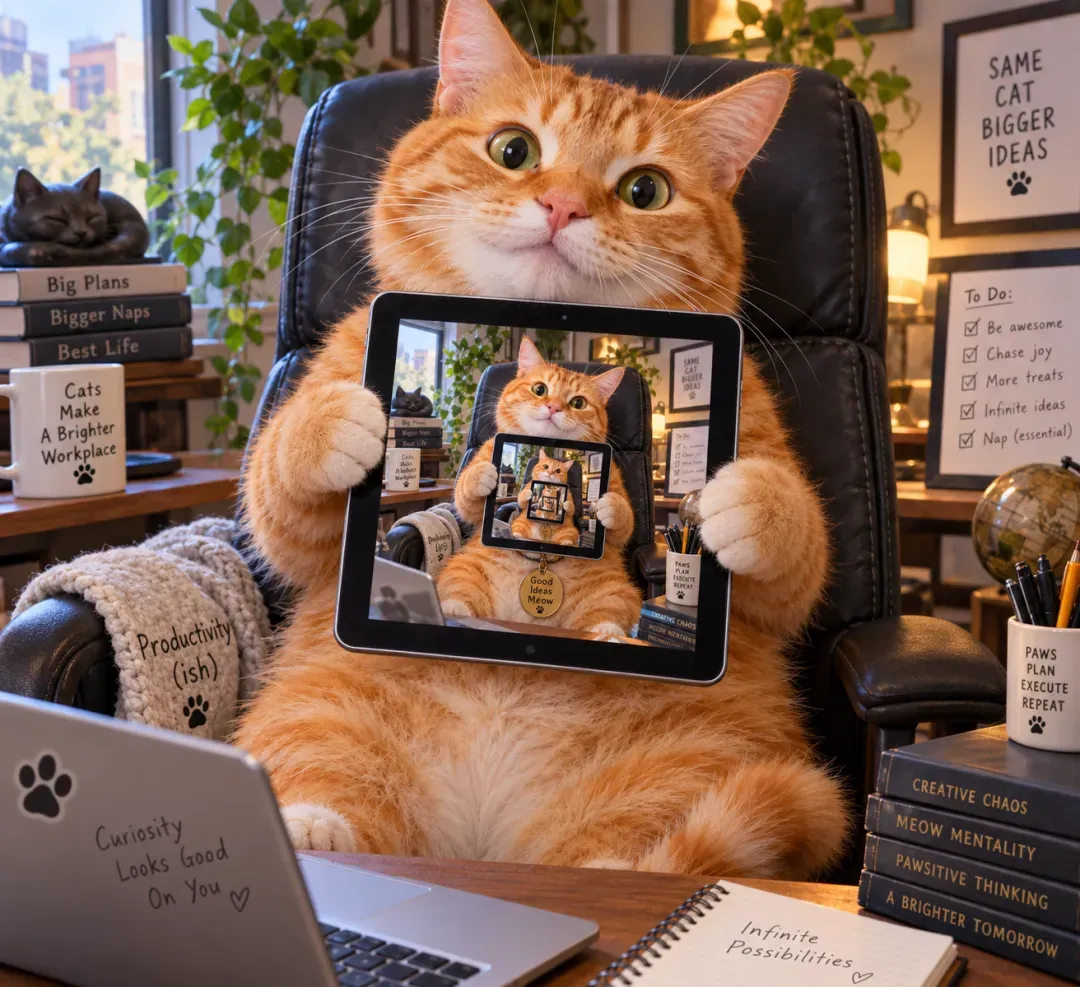
Recursive compositions are difficult because the model must track the main subject, the screen content, and the relationship between each repeated version. It is not enough to place several cats and tablets in a scene. The screen needs to contain a related copy of the scene, with enough consistency for the viewer to recognize the loop.
This makes recursive images a good qualitative test for spatial reasoning. They are also a reminder not to confuse visual plausibility with exact control. A model may produce a convincing first layer while gradually changing the cat, chair, tablet, or screen layout at deeper levels.
When testing this kind of prompt, count how many recursive layers remain coherent. Record where the structure breaks. That gives a more useful result than describing the image as simply "successful" or "failed."
Illustration styles and cultural visual references
GPT Images 2.5 is also being tested on non-photorealistic styles. The source article highlights a black-and-white, lightly colored comic-book treatment inspired by traditional Chinese illustrations, as well as a style associated with the game Black Myth: Wukong.
Reported recursive-image example from the source article. It illustrates nested visual relationships; it does not establish a measured level of spatial reasoning.
These examples point to a broader test: can the model reproduce the visual rules of a style instead of attaching a few surface symbols to an otherwise generic image?
For a traditional comic illustration, useful details include line weight, limited color, aged paper texture, panel composition, and the balance between ink and wash. For a game-concept-art prompt, the evaluation should consider atmosphere, character silhouette, environment design, and the relationship between detail and readability.
Style prompts need careful wording. Naming a living artist or a copyrighted franchise does not guarantee a faithful or appropriate result, and it can introduce rights and editorial problems. A safer brief describes observable visual properties, the intended subject, and the use case.
Sketch turns rough layouts into image references
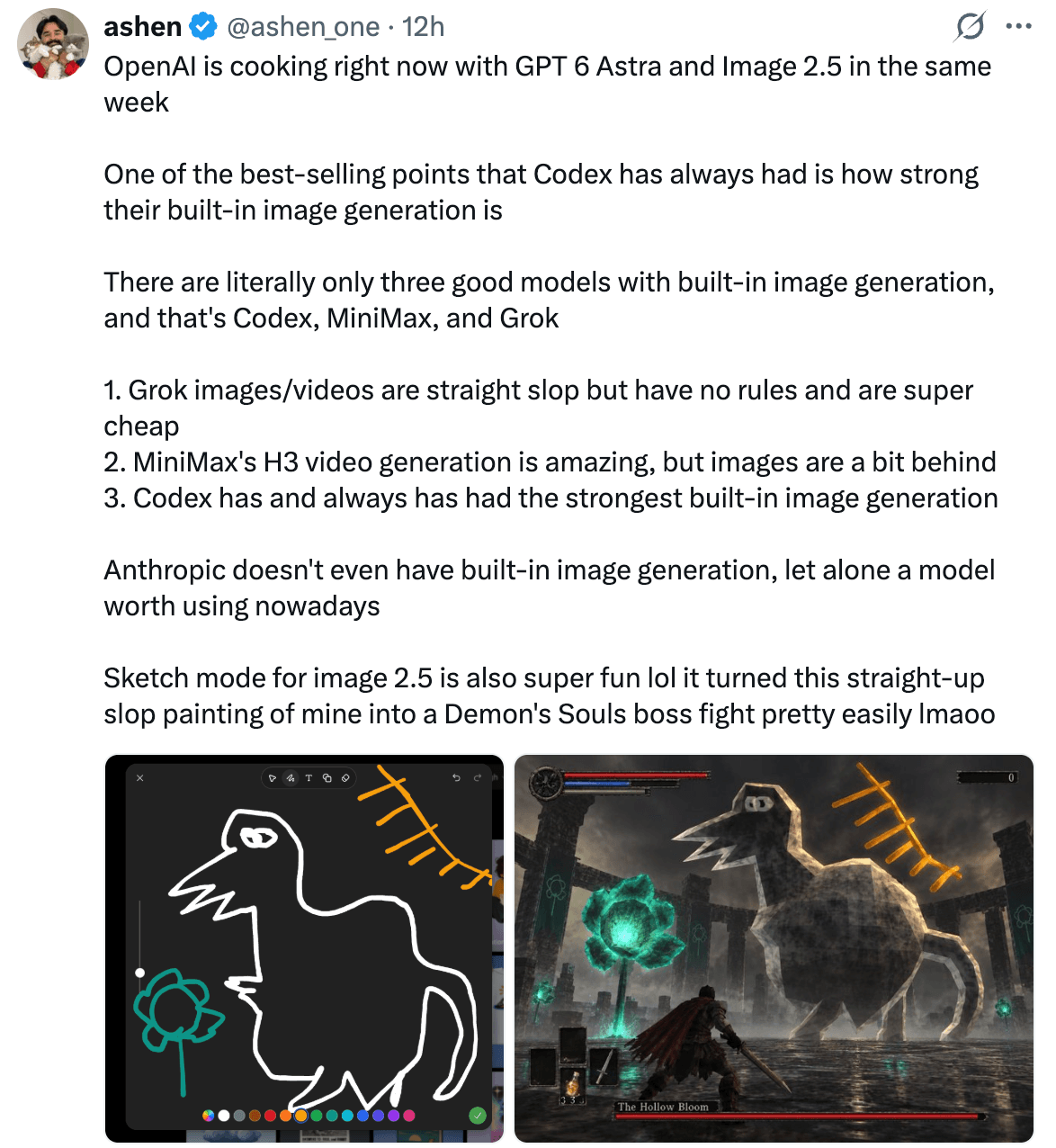
One of the product features highlighted by OpenAI is Sketch, which lets users draw a rough visual reference inside ChatGPT. The sketch can describe a room layout, a clothing outline, or the position of objects before the model generates a more polished image.
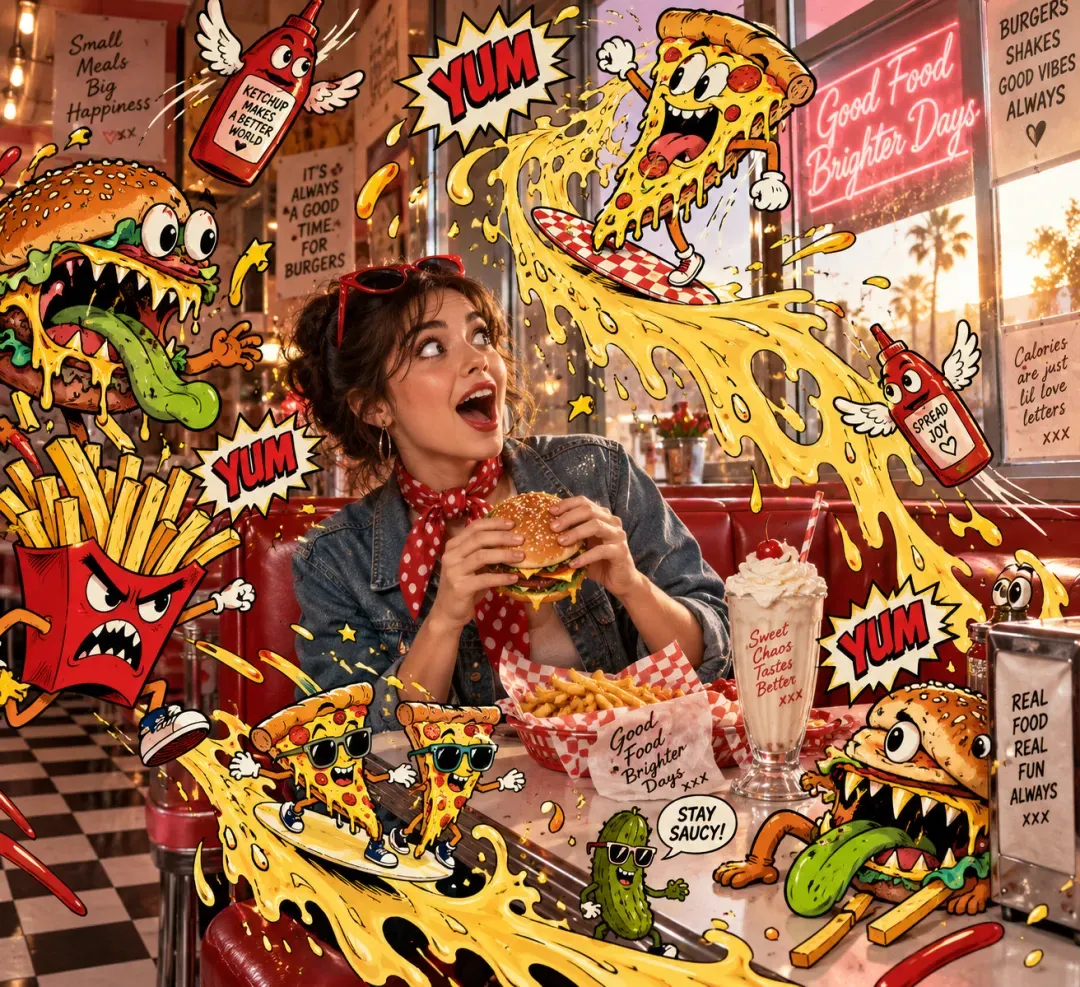
Reported illustration example from the source article. The image is used here as a visual reference for line work, color restraint, and paper texture, not as proof of a standardized style benchmark.
This addresses a real prompt-writing problem. Text is often a poor way to communicate spatial relationships. A quick drawing can show where a desk sits, how a product is angled, or which object should appear in the foreground.
The most useful Sketch examples are not polished drawings. They are rough planning diagrams that communicate structure. A simple box for a laptop, a line for a table, and an arrow for the camera direction may be enough if the model preserves the arrangement.
Illustrative Sketch-to-image example reported in the source article. The screenshot shows the workflow and result, but does not provide the original prompt or a reproducible generation record.
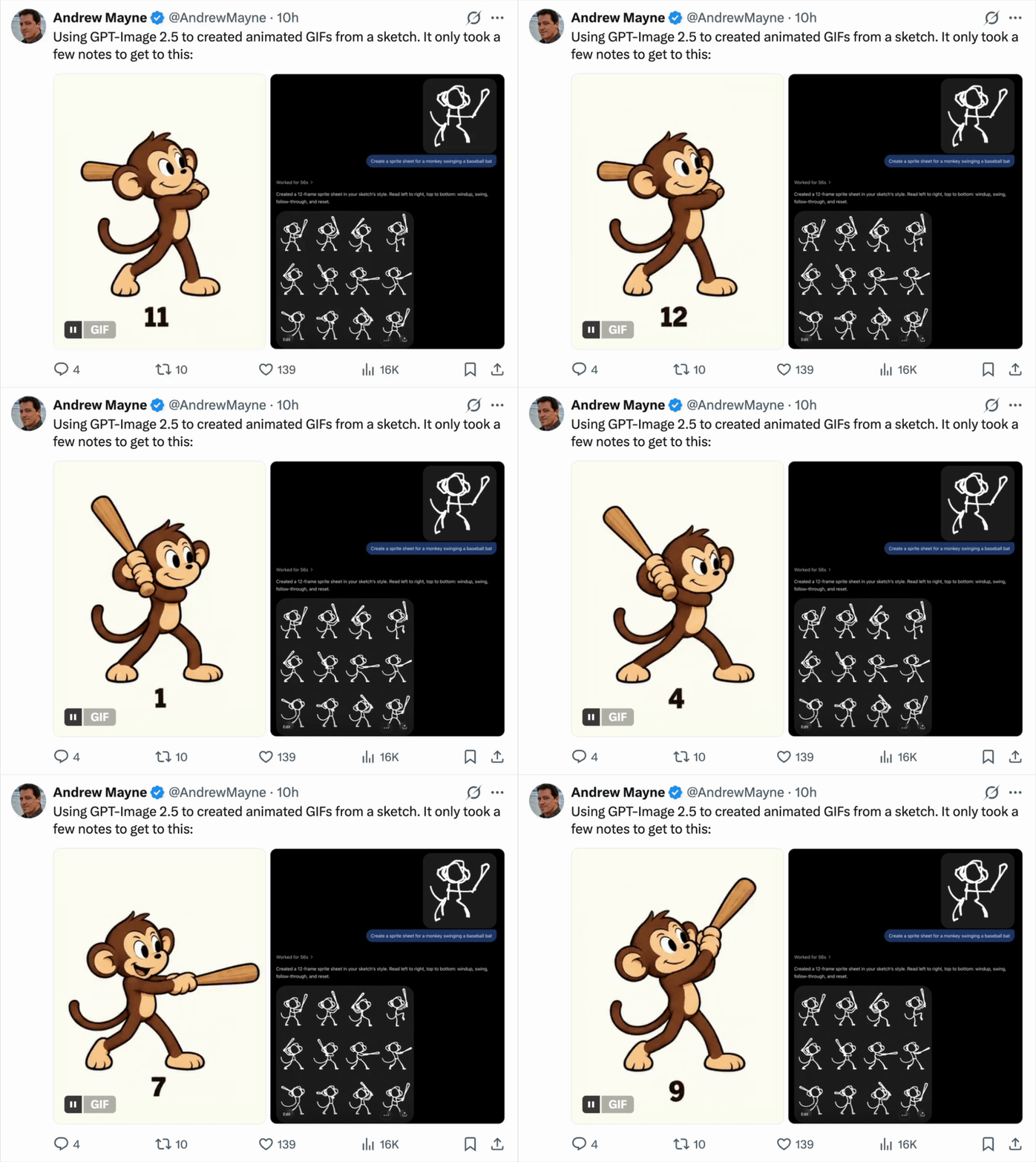
OpenAI also presents Sketch as useful for animated or GIF-style creative work. The same limitation applies: a rough reference can guide composition, but it does not replace checking the final frames for continuity, readable text, and unintended changes.
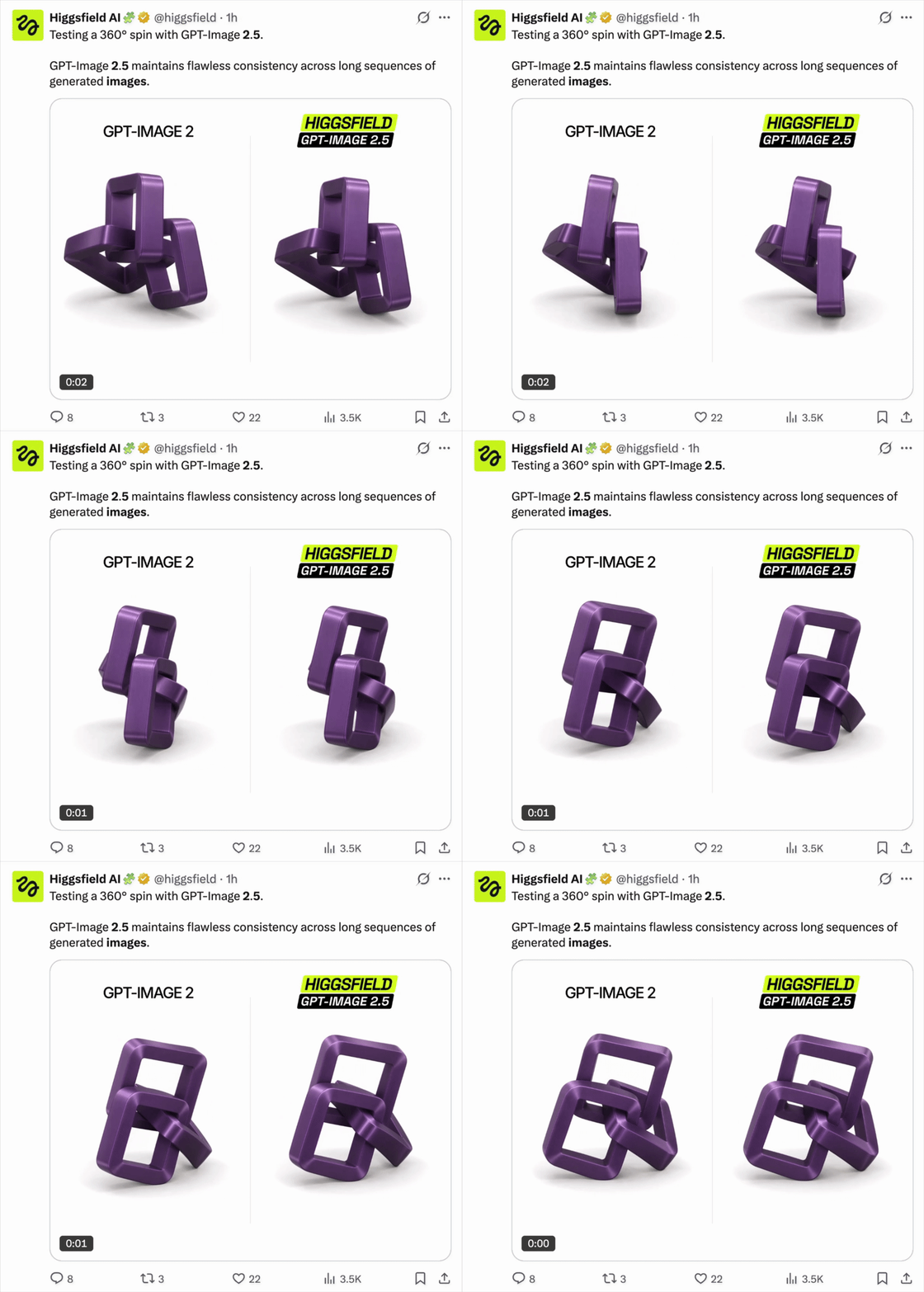
Animated example retained from the source article. The GIF demonstrates a reported creative workflow; it does not provide a reproducible prompt or model-run record.
Text, templates, and comments make the workflow more practical
The feature set around GPT Images 2.5 is designed to reduce the friction between generation and revision. Templates can provide starting points for common jobs such as posters and product images. Comments can point to a specific area that needs changing, rather than forcing the user to describe the whole image again.
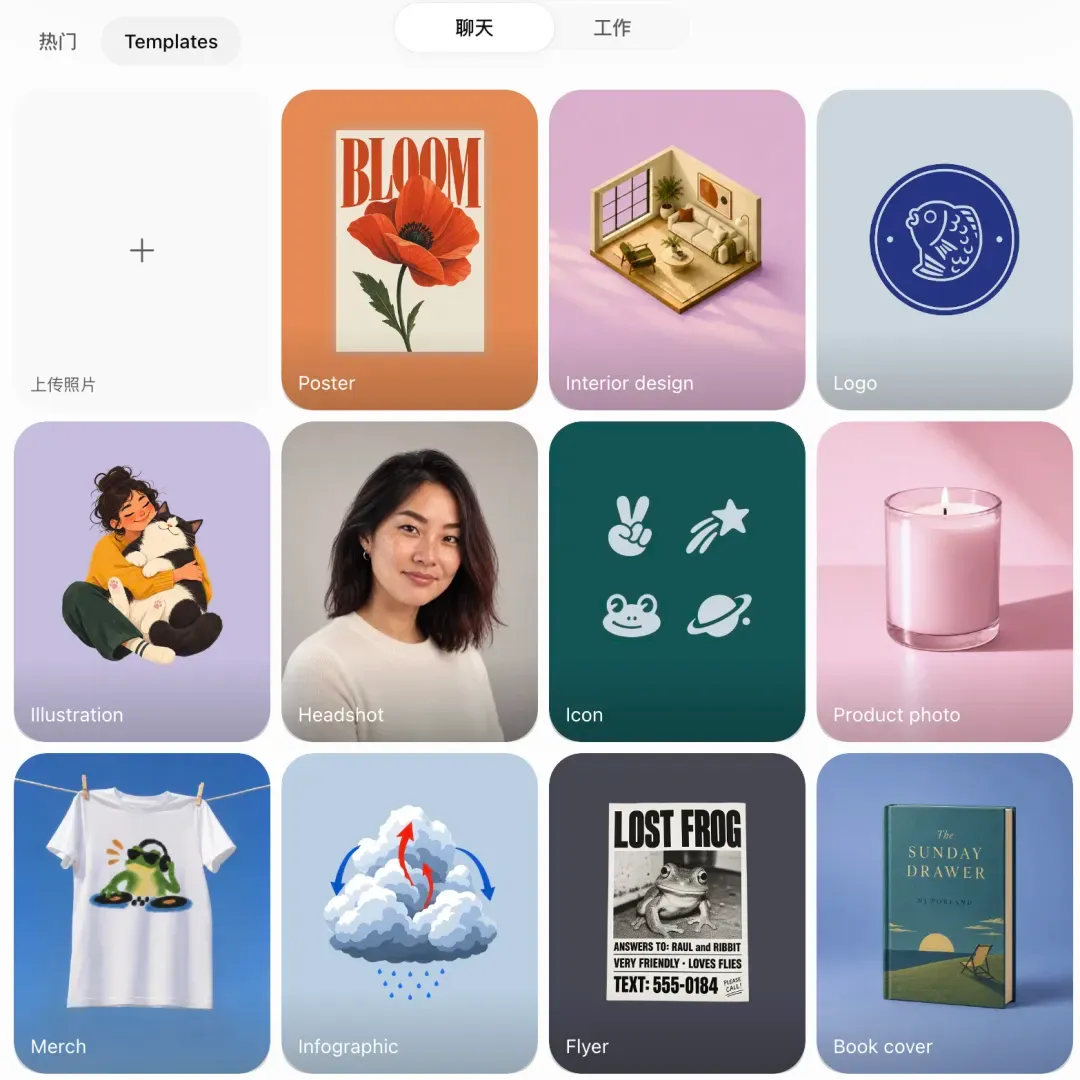
Sharing the prompt used for an image also makes a result easier to inspect and reproduce. That matters for teams. A final image without its prompt, source references, and revision history is hard to evaluate. A prompt alone is not a guarantee of repeatability, but it gives another person a starting point.
A practical review record should include the input image, prompt, model variant, quality setting, aspect ratio, number of revisions, and the final selection. Without those details, comparisons between GPT Images 2.5 examples remain anecdotal.
Flare or Sunburst for image-generation cases?
OpenAI positions GPT-Image-2.5 Flare as the faster default choice for most applications. It is intended for high-quality everyday generation and editing. GPT-Image-2.5 Sunburst is aimed at more demanding creative workflows where precision is more important than generation time.
That suggests a simple starting rule:
- use Flare for high-volume social, catalog, and routine creative variants;
- test Sunburst when a small edit must preserve many details;
- compare both models on the same prompt and reference image before choosing one for a workflow.
The best model is not necessarily the one that produces the most dramatic single image. It is the one that reaches an approved result with fewer retries, fewer manual fixes, and less unusable output.
What these GPT Images 2.5 examples do not prove
The early cases are a useful map of what to test, but they do not establish universal reliability. They do not prove that every portrait will preserve identity, that every recursive image will remain coherent, or that generated typography will be correct every time.
Noise, small visual defects, incorrect details, and inconsistent text can still matter, especially in product and advertising work. Official examples show what the provider chose to present. Social posts show what a user reported. Neither replaces a controlled test with a defined brief and acceptance criteria.
For a serious evaluation, run the same task several times, record the failed outputs, and compare the complete workflow cost rather than only the best image.
Try GPT Images Model in Atoms
Atoms helps turn an image-generation idea into an editable product workflow. You can start from a natural-language brief, visualize the layout and content, and iterate on the result before treating it as an MVP or internal tool. It is not a replacement for production engineering review, but it is useful when you need to test a visual concept in a working interface.
A little more clarity
Frequently asked questions
01Where can I use GPT Image 2.5?
You can use it in ChatGPT Image where the feature is available, including the web and supported mobile or desktop experiences. Developers can also access the API models GPT-Image-2.5 Flare and GPT-Image-2.5 Sunburst. Availability, limits, and pricing depend on the account, plan, and API terms.
02What is the difference between GPT Image 2.5 and GPT Image 2?
GPT Image 2.5 is positioned as a workflow upgrade: Flare is designed for lower latency, while the 2.5 workflow adds Comment-based local edits and Sketch references. It also targets better consistency across repeated edits. GPT Image 2 remains a capable general-generation model, but small changes may require a full redraw. Actual results vary by prompt and image.
03Can Atoms generate images?
Yes. Atoms can use AI image-generation capabilities inside product and website workflows, then place the resulting visuals into a landing page, storefront, prototype, or other interface. The exact models and usage limits depend on the current Atoms setup.
04Can I use GPT Image 2.5 in Atoms?
Atoms is a product-building platform rather than a standalone image-model console. Whether GPT Image 2.5 is available directly depends on the enabled model integrations and workspace configuration. Check the model selector or current Atoms documentation before assuming a specific model is included.
05Is Atoms free to use?
Atoms may offer a free tier or trial, but free usage is subject to the current plan, credits, rate limits, and feature availability. Image generation can consume credits or incur usage charges, so confirm the pricing shown in your workspace before generating at scale.
06Which model should I choose for image work?
Use Flare for fast exploration and many variants. Use Sunburst when an edit has strict detail, layout, or product-geometry requirements. Keep GPT Image 2 for stable workflows that already meet your quality bar.
07Are these examples a benchmark?
No. They are workflow demonstrations. For a fair comparison, use the same inputs and settings several times, and record failed attempts as well as successful results.
Share this article
 Posts
Posts 