On this page
GPT Image 2.5 is easier to understand as a workflow update than as a simple image-quality upgrade. GPT Image 2 was already useful for covers, story assets, and product visuals. The frustration came later, when the first image was almost right but one small detail needed changing.
OpenAI now positions GPT-Image-2.5 Flare as a faster default model and GPT-Image-2.5 Sunburst as a slower, more precise option for demanding creative work. OpenAI says Flare can produce higher-quality results than GPT Image 2 at 50% lower latency. The new ChatGPT workflow also adds comment-based editing and Sketch references.
Those are the product claims. The supplied article adds hands-on examples involving portraits, fashion, product mockups, recursive images, and sketch-to-image transformations. They are useful demonstrations, but they are not a controlled benchmark. The practical difference is best judged by asking how much of the image survives each revision.
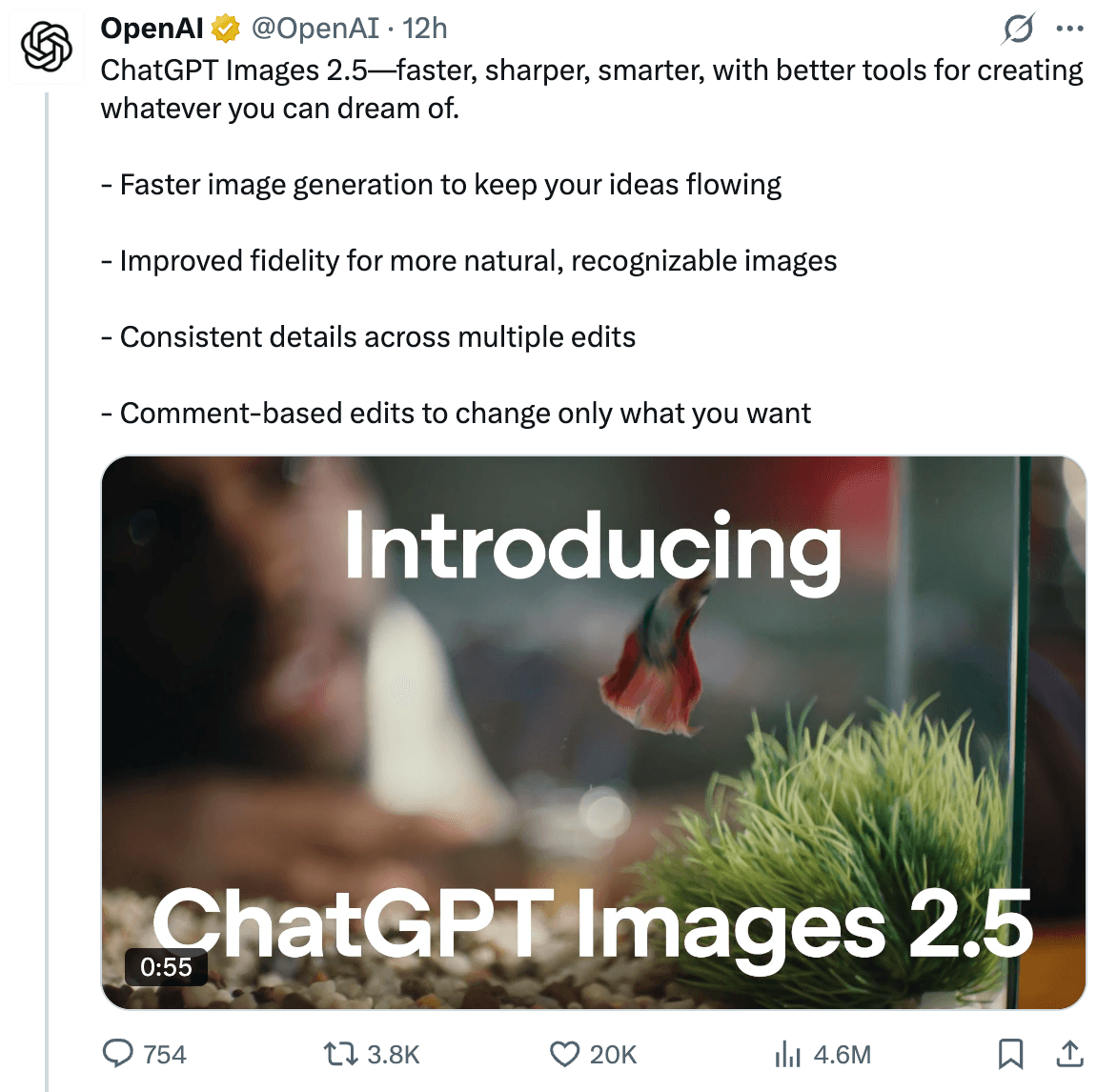
Reported comparison from the supplied source article. The image shows the comparison format, not an independently reproduced benchmark.
GPT Image 2.5 vs GPT Image 2 at a glance
| Area | GPT Image 2 | GPT Image 2.5 |
|---|---|---|
| Generation speed | Baseline in the supplied comparison | OpenAI reports up to 50% lower latency for Flare versus GPT Image 2 |
| Editing model | Often requires another full generation | Comment-based edits can target a marked area |
| Reference consistency | Subject details may drift across revisions | OpenAI says consistency across edits has improved |
| Spatial input | Natural-language instructions and image references | Adds Sketch references in the ChatGPT workflow |
| API options | One GPT Image 2 model | Flare for speed, Sunburst for more precise work |
| Best fit | General image generation | Faster iteration or detail-sensitive editing, depending on the variant |
The table separates documented product positioning from the supplied article's observations. It does not claim that every prompt will produce the same result.
The main change is local editing
With GPT Image 2, a small correction could turn into a full redraw. Asking for a new shirt might change the face. Changing the background might alter the subject's pose or the composition. A useful draft could become a different image after one seemingly harmless instruction.
The new comment workflow is designed to narrow the edit. A user can mark the area that needs work and describe the change without drawing over the source image itself. The idea is simple: preserve the unmarked region and focus the instruction on the selected area.
Reported before-and-after editing example. It illustrates the intended workflow, but the original prompt and full edit history are not included.
This is more useful than a generic claim about better image quality. In design work, the cost of a model is often the number of repairs needed after the first generation. If a local edit stays local, the whole iteration loop gets shorter.
Comment editing versus drawing on the image
A common workaround for image editing is to draw a red circle, box, or arrow over the area that needs attention. That annotation can obscure the very pixels the model needs to inspect. It can also be mistaken for part of the source image.
Comment-based editing keeps the instruction separate from the image. The user can identify a region while leaving the underlying details visible. The supplied article describes this as a better fit for tasks such as replacing text on a card while preserving a hand, a shelf, a face, and the original lighting.
A reliable test should include a clear constraint list:
- change only the marked object;
- keep the subject's face and pose;
- preserve the camera angle and lighting;
- do not alter the surrounding layout;
- keep any unmarked text and logos unchanged.
This does not guarantee perfect editing. It gives the model a narrower job and gives the evaluator a clear pass or fail condition.
Reference images and multi-round consistency
The supplied tests also focus on keeping a person recognizable while changing the clothes, environment, and photographic direction. That is a familiar pain point in character and portrait work: the first image looks right, but the subject slowly changes after several edits.
Supplied reference-image workflow. The screenshot shows the editing setup, not a controlled identity-consistency score.
A better portrait prompt separates what must stay from what may change:
The important part is not the exact wording. It is the separation between locked attributes and editable attributes. Run the prompt through several revisions and compare the identity after each one.
Speed: Flare is the practical default
OpenAI describes GPT-Image-2.5 Flare as the faster model for everyday, high-volume generation and editing. That makes it a natural choice for exploring several compositions, testing thumbnail directions, or generating multiple campaign variants.
The supplied article frames the speed improvement as a way to generate wide, medium, and close compositions quickly, then discard weak options before spending time on detailed edits. That is a sensible workflow even when the exact latency depends on image size, quality setting, queue conditions, and the surrounding application.
GPT Image 2 may still be adequate when a workflow is already stable. A migration should be judged by total time to an approved image, not by one fast response.
Sunburst is for precision-sensitive work
GPT-Image-2.5 Sunburst is the precision-oriented API option. It is a better candidate when the image has many constraints: a product must retain its geometry, a layout must preserve text placement, or a reference subject must survive several targeted changes.
This speed-versus-control split is more useful than treating GPT Image 2.5 as one uniform model. A fast model can be cheaper in practice when the team is exploring ideas. A slower model can win when every failed edit requires manual cleanup or a new review cycle.
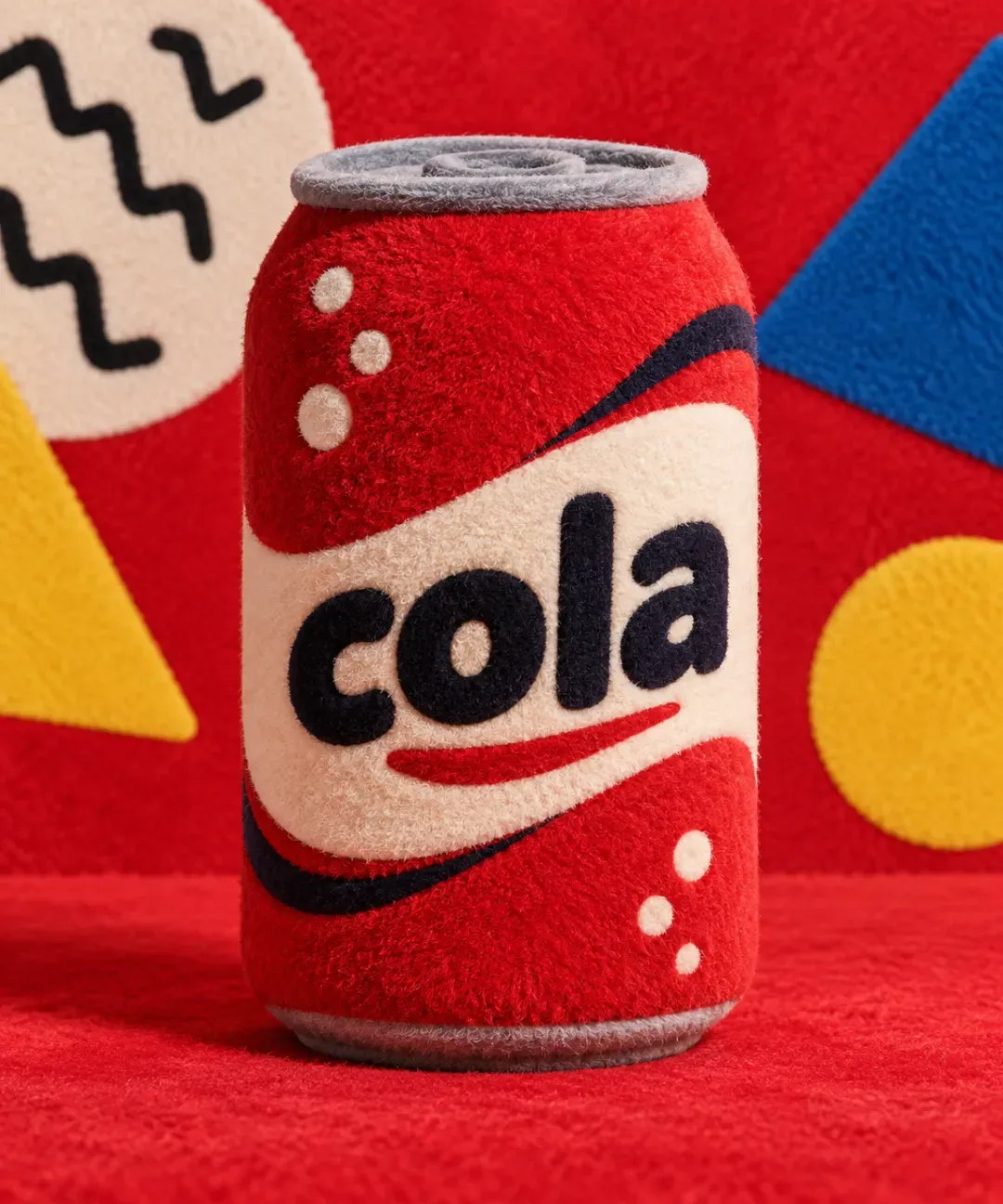
Supplied product-visualization example. Treat the visible brand treatment as source material, not as a rights-cleared advertising asset.
Sketch adds a spatial input layer
Text is not always the best way to describe a layout. A rough sketch can show where a laptop sits, which direction a camera faces, or how a room should be arranged. GPT Images 2.5 adds Sketch references to the ChatGPT workflow so that a user can provide that rough structure directly.
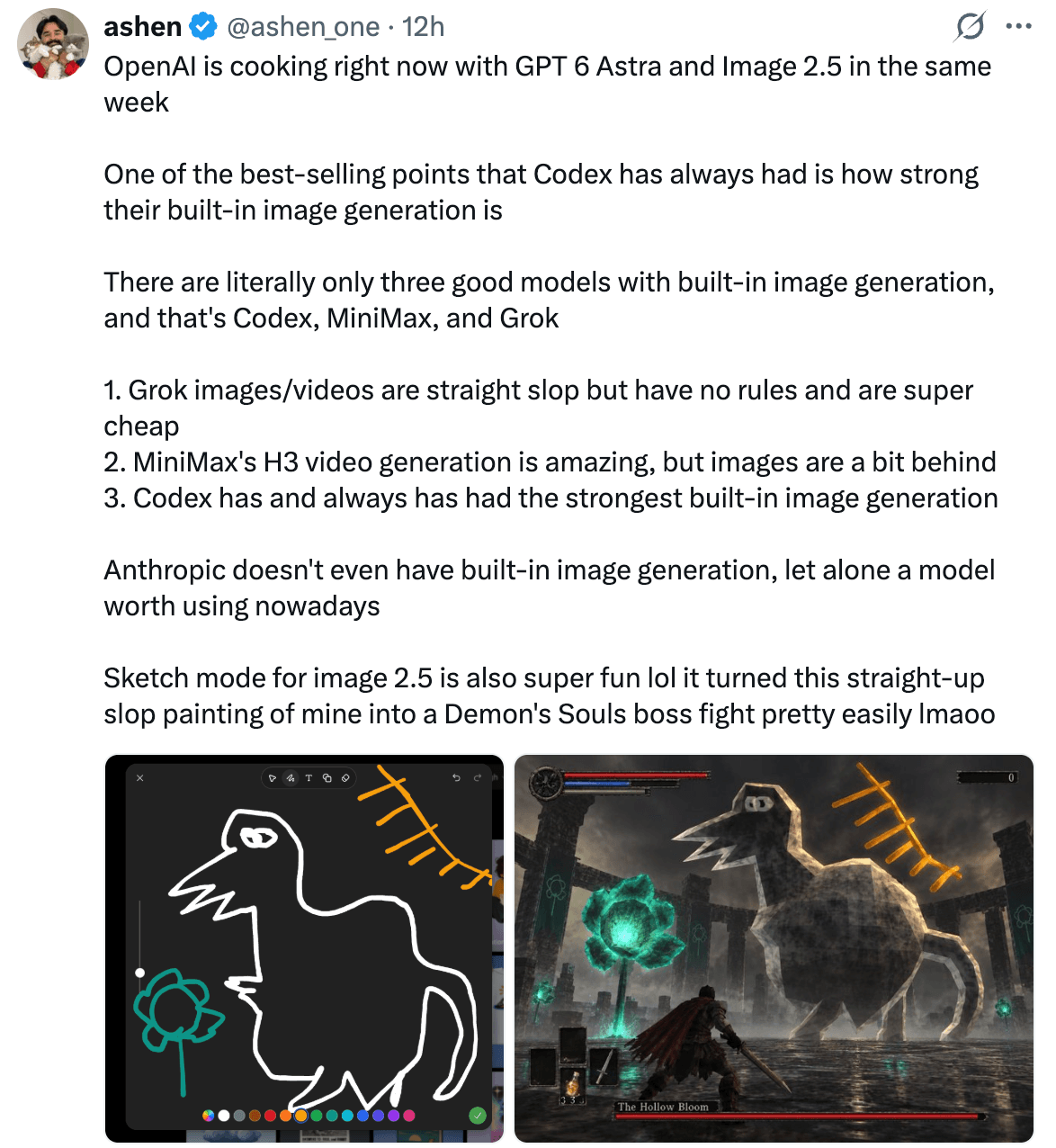
Supplied Sketch-to-image example. The screenshot documents the visual workflow, but not a complete reproducible run.
A useful Sketch test does not need a polished drawing. Use simple shapes, arrows, and blocks to define composition, then ask the model to treat the sketch as the authority for position and perspective. Describe materials and lighting separately. This makes it easier to see whether the model followed the layout or invented a new one.
Sketch is also relevant to animated concepts and GIF-style assets. In those cases, the evaluation needs one more layer: check whether the subject, camera, and important details remain stable from frame to frame.
Recursive images expose consistency problems
One reported example asks for an orange cat holding an iPad whose screen shows the same cat holding the same iPad. The image repeats the scene inside itself.

Reported recursive-image example. It demonstrates nested visual relationships, not a measured reasoning capability.
This is a useful stress test because the model must track the main subject, the tablet, the screen content, and the repeated relationship. Count how many layers remain coherent. A convincing first layer can hide gradual changes in the cat, chair, tablet, or screen layout.
Prompt templates for a fair comparison
Character consistency
Local edit
Sketch-to-image
Run each template with the same reference image, output size, quality setting, and number of attempts for both models. Save failed outputs as well as the best result.
So, should you switch from GPT Image 2?
Switch to GPT Image 2.5 when your work depends on repeated edits, reference preservation, Sketch-based layouts, or faster exploration. Start with Flare for routine generation and high-volume variants. Test Sunburst when the job is detail-sensitive and a failed edit is expensive.
Keep GPT Image 2 when it already meets the quality bar and the workflow does not need the new controls. There is no reason to migrate a stable process solely because a new model has a higher version number.
The most honest comparison is not “which model makes the prettier image?” It is “which model reaches an approved image with fewer retries and fewer unintended changes?”
Use GPT Images in Atoms
Atoms is an AI product-building platform that can use GPT Images to turn natural-language instructions into editable websites and web applications. It lets you generate, edit, preview, and review a product before publishing, so an image-model comparison can be judged in context: does the visual asset fit the layout, interaction, and revision loop you would actually ship?
For an image-focused workflow, Atoms can help you:
- generate and integrate AI images into a landing page, storefront, or product prototype;
- use AI-assisted building and editing to iterate on layout, copy, and visual assets together;
- preview the complete web experience and review changes before publishing;
- coordinate specialized agents for product-building tasks, while keeping the final result open to human review.
The following examples show how generated visuals can be evaluated as part of a finished web product rather than as isolated files.
Case 1: Fragrance Brand Store
Fragrance Brand Store AFTERGLOW Parfum is a high-end fragrance e-commerce website focused on a luxury scent with long-lasting wear. It is a useful context for checking whether generated product imagery remains consistent with a brand storefront.
Case 2: Skincare Brand E-commerce Web
Skincare Brand E-commerce Web HALO SKIN is a nighttime skincare e-commerce website centered on products positioned around overnight skin repair. Its focused hero concept provides a practical setting for reviewing image variations, composition, and product hierarchy together.
Case 3: Running Shoe Brand Store
Running Shoe Brand Store FEATHERSTEP is an e-commerce website for lightweight running shoes, highlighting zero-impact cushioning. The storefront context helps test whether a product image preserves the shoe's visual focus across edits and page layouts
A little more clarity
Frequently asked questions
01Where can I use GPT Image 2.5?
Use it in supported ChatGPT Images experiences on web and mobile, or through the GPT-Image-2.5 Flare and Sunburst APIs. Availability depends on your plan and account.
02What is the difference between GPT Image 2.5 and GPT Image 2?
GPT Image 2.5 focuses on faster iteration, local Comment edits, Sketch references, and better consistency across revisions. GPT Image 2 remains suitable for general generation, but small changes may require a full redraw.
03Can Atoms generate images?
Yes. Atoms can generate and place AI visuals inside websites, storefronts, landing pages, and prototypes.
04Is Atoms free?
Atoms offer free access or trial credits. Limits and image-generation costs depend on the current plan and workspace, so check the in-product pricing before large batches.
Share this article
 Posts
Posts 