
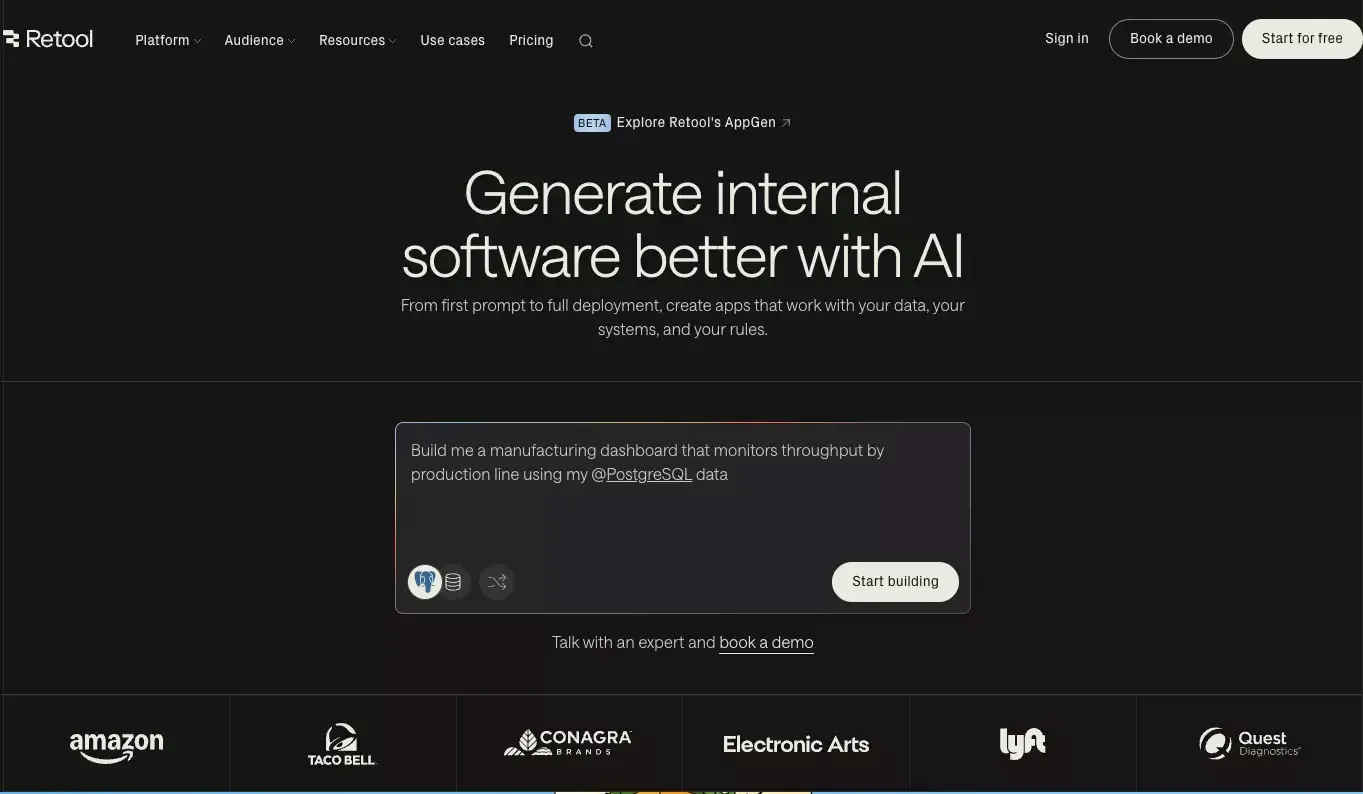
 Retool is still one of the strongest tools in this category. I do not think teams look for alternatives because Retool is bad. Most of the time, they look because their needs become more specific.
Some teams want open-source and self-hosting. Some need external portals, not just internal dashboards. Some care more about AI-assisted building. Others want a smoother experience for less technical teams. Once you narrow the real use case, the “best Retool alternative” stops being a generic answer.
That is why I would not compare these tools as if they all solve the exact same problem. They overlap, but they are not identical. The right choice depends on what you are actually building, who will maintain it, and how much control you need.
Retool Alternatives at a Glance
| Tool | Best for | Key strength | Main trade-off |
|---|---|---|---|
| Atoms | AI-assisted product building | Goes beyond internal tools into full product workflows | Less of a pure Retool-style internal tool match |
| Appsmith | Open-source internal apps | Strong self-hosted and developer-friendly foundation | Less broad out of the box than Retool |
| ToolJet | Open-source with AI direction | Good mix of open-source control and AI-native direction | Still not as established as Retool in some teams |
| Budibase | Workflow-heavy internal apps | Practical for CRUD apps, forms, approvals, and ops tools | Less ideal for broader product ambitions |
| Superblocks | Enterprise governance | Strong control, security, and centralized management | More enterprise-shaped than startup-friendly |
| UI Bakery | Polished internal tools and portals | Better visual flexibility and portal readiness | Smaller platform surface than Retool |
| Jet Admin | Business apps and client portals | Strong fit for mixed technical teams and external sharing | Less developer-centric than Retool |
| Power Apps | Microsoft-first companies | Deep ecosystem leverage inside Microsoft stack | Best only if your company already lives in that stack |
Why Teams Start Looking Beyond Retool
Retool is a very capable platform. It covers internal apps, workflows, external apps, mobile use cases, and increasingly AI-assisted workflows. That breadth is a big reason it became so popular.
But broad products always create a second wave of demand. Once teams mature, they stop asking, “Can this build an internal tool?” and start asking sharper questions:
- Can I self-host this without compromise?
- Can non-engineers use it comfortably?
- Can I build external portals without awkward pricing or UX trade-offs?
- Can AI help with more than UI scaffolding?
- Can this grow into a larger product workflow?
That is where alternatives become interesting.
In my view, Retool is still the safest general-purpose option. The alternatives win when you want a more specific trade-off.
How I Evaluated These Retool Alternatives
I looked at five practical filters instead of marketing claims.
- Internal tool speed: How quickly can a team get something useful running?
- Control: How much flexibility is there around data, logic, permissions, and deployment?
- Team fit: Is the product better for developers, mixed technical teams, or business users?
- Scope expansion: Can it handle portals, workflows, AI agents, or broader product use cases?
- Operational trade-offs: What do you gain, and what do you give up, compared with Retool?
That last point matters the most. A good alternative does not need to beat Retool at everything. It just needs to be better for a specific kind of team.
1. Atoms
Atoms is the most interesting option on this list if your team is moving beyond classic internal tools and into AI app builder territory.
What stands out to me is that Atoms is not framed as a narrow admin-panel builder. It is positioned more like an AI coding assistant and development platform that helps teams go from idea to working product faster. That changes the comparison. You are no longer just choosing a better way to assemble dashboards. You are choosing whether AI should help shape more of the product workflow itself.
Where Atoms Stands Out
- Stronger fit for teams that want AI involved earlier in the process
- Useful when the scope includes internal tools, SaaS apps, AI dashboard builder workflows, or launchable products
- Better match for teams thinking beyond a single operations interface
Where Retool Still Has the Edge
- More established as a dedicated internal software platform
- Safer pick for classic admin apps and operations tooling
- Better known as a mature general-purpose business app builder
My take is simple: if your use case is expanding from “we need a tool” to “we need an app and website builder that gets a working product out faster,” Atoms becomes much more compelling.
2. Appsmith
Appsmith remains one of the clearest Retool alternatives for teams that want open-source, self-hosting, and developer control.
I like Appsmith because the value proposition is easy to understand. It is not trying to be everything at once. It is a strong, practical platform for internal apps, admin panels, dashboards, and workflow-heavy business tools, with open-source credibility built into the product story.
That makes it an easy recommendation for teams that want more ownership over their stack.
Best Reasons to Choose Appsmith
- Open-source foundation
- Strong self-hosted path
- Good fit for engineering-led teams
- Solid for dashboards, support tools, admin panels, and internal apps
Best Reasons to Stay With Retool
- Broader packaged platform across app types
- More complete general-purpose experience
- Stronger default choice if you want one mature platform for many internal use cases
If open-source is your main filter, Appsmith is one of the first tools I would evaluate.
3. ToolJet
ToolJet is one of the more interesting players because it combines open-source positioning with a more AI-native direction.
A lot of products in this category fall into one of two buckets. They are either open-source and traditional, or AI-heavy and closed. ToolJet tries to sit in the middle. That gives it a distinct position.
For teams that like the idea of Retool but want a platform with stronger open-source DNA and a visible AI-forward roadmap, ToolJet is worth serious attention.
ToolJet in Practice
| Strength | Why it matters |
|---|---|
| Open-source foundation | More control over deployment and platform strategy |
| AI-oriented direction | Better fit for teams that want more than manual app assembly |
| Enterprise app support | Useful for internal apps, workflows, and operational software |
Where It Falls Short
- Still not the default enterprise-safe choice in the way Retool often is
- Some teams may prefer a more mature ecosystem and broader adoption footprint
I would shortlist ToolJet when open-source matters, but I still want the product to feel modern rather than purely traditional.
4. Budibase
Budibase is stronger than many people assume. It is often treated as a lighter CRUD builder, but that undersells it.
I think Budibase makes the most sense for internal workflow software. If your team is building request systems, approval apps, forms, process tools, or operations software, Budibase feels focused in a good way. It is practical. It is opinionated enough to be useful. And it does not try to turn every project into a grand platform decision.
That is a feature, not a weakness.
Budibase Is a Strong Fit For
- CRUD-heavy internal apps
- Approval and request workflows
- Operations software
- Teams that want open-source and self-hosting with a pragmatic setup
Budibase Is Less Ideal For
- Teams building broader digital products
- Companies that want one platform to span many very different use cases
- Buyers who want the broadest feature surface in a single tool
If I were building process software for internal teams, Budibase would be much higher on my list than people expect.
5. Superblocks
Superblocks is one of the strongest enterprise-shaped alternatives to Retool.
This is the product I would pay close attention to if the buyer is not just an engineering team, but also a platform team, a security stakeholder, or a larger organization that cares deeply about governance. Superblocks is very clearly built around centralized control, integrations, permissions, auditing, and enterprise-grade operational structure.
That gives it a sharper identity than many generic low-code tools.
Why Enterprise Teams Like Superblocks
- Strong governance story
- Good fit for centralized management
- Serious attention to security, permissions, and auditability
- Better aligned with large-scale internal platform needs
Why It Is Not for Everyone
- Feels more enterprise-specific than startup-simple
- May be more platform-heavy than small teams need
Retool is still easier to recommend as a general default. Superblocks becomes more attractive as governance and control move to the center of the buying decision.
6. UI Bakery
UI Bakery deserves more credit than it usually gets.
Yes, it has a more polished and design-friendly reputation. But it is not just a visual layer. It supports internal tools, admin panels, dashboards, and portals, which makes it useful for teams that care about both speed and presentation.
That matters more than people admit. Some internal apps stay internal forever. Others slowly become client-facing or partner-facing. When that happens, interface quality starts to matter much more.
Where UI Bakery Stands Out
- Better visual flexibility than many internal tool builders
- Useful for internal tools that may expand into portals
- Good fit for teams that care about both operations and presentation
Where Retool Still Wins
- Broader overall product surface
- Stronger general-purpose internal software platform
- More mature as an all-around default choice
If visual quality is a bigger factor than usual, UI Bakery deserves a spot on the shortlist.
7. Jet Admin
Jet Admin sits in a very practical middle ground. It works well for internal apps, business systems, and client portals, and it feels more accessible to mixed technical teams than some developer-first tools.
That is important. Not every internal app decision is made by engineers who want maximum flexibility. In a lot of companies, the actual users are ops teams, revops, agency teams, or technically fluent business people. Jet Admin fits that audience well.
Best Use Cases for Jet Admin
- Business apps
- Internal operational tools
- Client or partner portals
- Teams that want less engineering overhead
Trade-Offs to Keep in Mind
- Less of a pure developer platform than Retool
- Not the obvious first choice for engineering-heavy internal platforms
If your project includes external users and you want a smoother business-app feel, Jet Admin becomes much more relevant.
8. Microsoft Power Apps
Power Apps belongs in this conversation for one big reason: ecosystem leverage.
On paper, some teams compare Power Apps to Retool as if they are just two app builders. That is too shallow. Power Apps is really part of a larger Microsoft operating system for apps, workflows, sites, automation, and AI experiences.
That can be a huge advantage. It can also be a huge commitment.
When Power Apps Makes the Most Sense
| Scenario | Why Power Apps Works |
|---|---|
| Microsoft-first organization | Better native fit with existing tools and workflows |
| Heavy use of Microsoft 365, Azure, or Dataverse | Lower friction across the stack |
| Teams already using Power Platform | Easier expansion into automation and portals |
When Retool Is the Better Choice
- You want a more neutral stack
- You do not want to inherit broader Microsoft platform logic
- You want a faster path to internal tools without ecosystem lock-in
If your company already runs on Microsoft, Power Apps is hard to ignore. If not, it may feel like more platform than you want.
Which Retool Alternative Is Best for Your Use Case
Here is the practical summary.
- Best for AI-assisted product building: Atoms
- Best open-source choice: Appsmith
- Best open-source option with AI direction: ToolJet
- Best for workflow-heavy internal apps: Budibase
- Best for enterprise governance: Superblocks
- Best for polished internal tools and portals: UI Bakery
- Best for business apps and client portals: Jet Admin
- Best for Microsoft ecosystem teams: Power Apps
This is why I do not like one-size-fits-all rankings. The best tool depends on what kind of team you are and what kind of system you are building.
What Actually Changes When You Move Away From Retool
Switching away from Retool is rarely just about features. In my experience, the real shift usually happens in one of these areas:
1. You change your control model
Open-source and self-hosted tools often give you more ownership. They also give you more responsibility.
2. You change who can build
Some alternatives are better for developers. Others are friendlier to mixed teams. That changes who can ship and maintain apps.
3. You change your product scope
A classic internal tool builder is different from a platform that also supports portals, workflows, or AI prototype.
4. You change your long-term constraints
Pricing, deployment flexibility, vendor lock-in, and ecosystem dependence all matter more over time than they do in a one-week proof of concept.
That is why teams should not evaluate alternatives based only on how fast they can build one dashboard. That is the easiest part to get wrong.
What to Check Before You Migrate
Before replacing Retool, I would sanity-check these five areas:
- Data sources and API dependencies
- Permission model and audit requirements
- Workflow complexity
- External user needs
- Hosting and governance requirements
If those five areas still point in the same direction after a real review, then the migration case is probably real. If not, you may just be reacting to surface-level product differences.
Final Verdict
Retool is still one of the strongest general-purpose platforms for internal software. That has not changed.
What has changed is the market around it. The alternatives are more distinct now. They are not just cheaper copies or lighter clones. Many of them are pulling the category in new directions.
Some focus on open-source control. Some are stronger for portals. Some are built for enterprise governance. And some, like Atoms, are trying to move beyond internal tools into a more vibe coding and AI-native product workflow.
If I had to reduce the whole comparison to one sentence, it would be this:
Retool is still the safe default, but the best alternative is the one that matches the real shape of your workflow, team, and product ambition.
FAQ
What is the best open-source Retool alternative?
For most teams, Appsmith is the cleanest answer. It is open-source, self-hostable, and well aligned with internal apps, dashboards, and admin tools. ToolJet and Budibase are also strong, but they lean in different directions.
Which Retool alternative is best for portals?
Jet Admin and UI Bakery are both strong options if portals are central to the use case. Power Apps can also make sense in Microsoft-heavy organizations.
Is Retool still worth it in 2026?
Yes. Retool is still a strong platform. The question is not whether it is good. The question is whether its trade-offs still match your team.
Which option is best if I want AI to help with more than UI building?
Atoms stands out most clearly here because it pushes into broader coding agents, deep research, and AI market research agent workflows rather than stopping at internal app assembly.
Which Retool alternative is easiest for non-engineers?
Jet Admin and Power Apps are both strong candidates for less engineering-heavy teams. UI Bakery also works well when visual building and ease of use matter a lot.
 Posts
Posts 