
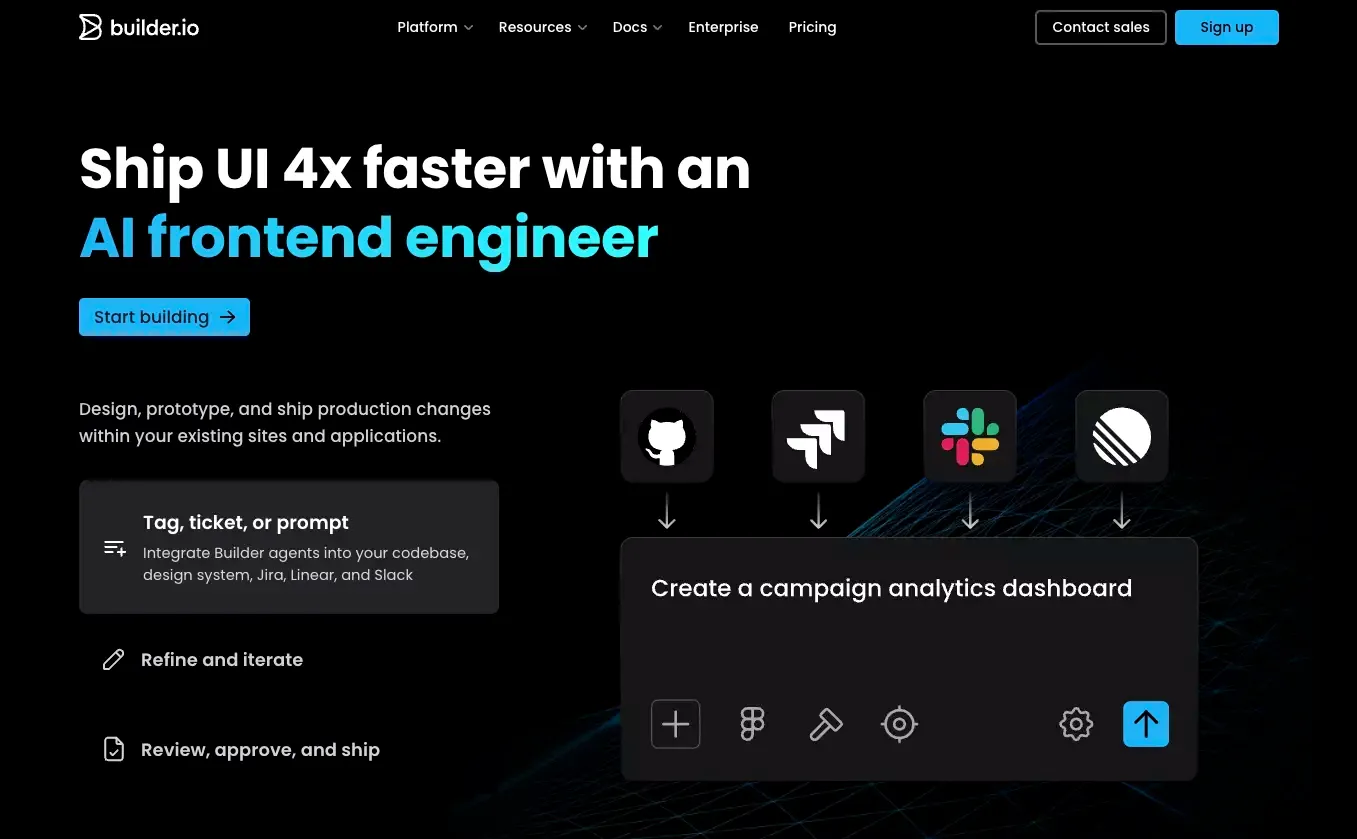
 Builder is one of those tools that looks simpler from the outside than it really is.
At first glance, it can seem like just another visual builder. After spending time reviewing its product positioning, feature set, and the way real teams talk about it, I do not think that description is accurate enough. Builder is better understood as a visual experience layer for modern product teams. It sits somewhere between a page builder, a headless CMS, and a design-to-code workflow tool.
That distinction matters.
If you are looking for the fastest possible way to go from idea to a live product, Builder may feel heavier than expected. If you already have a real frontend stack and want marketers, designers, and developers to move faster together, Builder becomes much more interesting.
That is the core trade-off, and it shapes almost everything else in this review.
Builder at a Glance
| Category | Verdict |
|---|---|
| Best for | Teams with an existing frontend stack |
| Not ideal for | Beginners who want the fastest setup |
| Core strength | Visual editing on top of modern codebases |
| Biggest drawback | Setup overhead and workflow complexity |
| Standout use case | Cross-functional page and content operations |
| Alternative to consider | Atoms AI for faster idea-to-launch workflows |
What Builder Actually Is
Builder is more than a basic website builder
Builder is not just a drag-and-drop website builder for beginners.
Its real value comes from combining several capabilities into one system:
- visual page editing
- structured content management
- design-to-code workflows
- component-based integration with modern frontend stacks
- experimentation and optimization features for larger teams
That gives Builder a broader role than many simple no-code tools. It is not mainly trying to replace your stack. It is trying to make that stack easier to work with.
The real problem Builder is trying to solve
Builder is not really solving the problem of “How do I build a website if I cannot code?”
It is solving a different problem:
- how to reduce engineering bottlenecks for content and landing page updates
- how to let marketing teams move faster without breaking design consistency
- how to connect design, content, and development in one workflow
- how to manage pages and experiments without rebuilding the frontend every time
That makes Builder much more relevant for operating teams than for solo users.
Who Should Use Builder?
Best for teams with a modern frontend stack
Builder makes the most sense for teams that already have:
- a production website or app
- a real frontend framework
- a design system or reusable components
- multiple stakeholders involved in shipping pages or content
In that kind of environment, Builder can remove a lot of friction.
Instead of routing every small change through developers, teams can work inside a controlled visual system. That is where Builder starts to justify its complexity.
Best for companies that want visual control without giving up code
This is one of Builder’s clearest strengths.
Many tools force teams into one of two extremes:
- fully code-first and hard for non-developers to use
- fully no-code and hard to scale cleanly
Builder sits in the middle. It gives non-technical teams more freedom, but it still fits into a code-driven environment. For many growing companies, that is a much better balance than either extreme.
Not ideal for beginners who want the easiest path
If you are a solo founder or a non-technical user who mainly wants to launch something quickly, Builder may not feel especially lightweight.
You can absolutely use it. But that is not where it seems strongest.
For early-stage users who care more about speed than workflow structure, a more AI website builder for beginners can be easier to adopt. Tools like Atoms AI feel more natural in that scenario because they are more directly oriented around going from idea to working product with an AI app builder or app and website builder workflow and less setup.
Builder’s Core Features That Matter in Practice
Visual editing and page building
The visual editor is still the heart of Builder.
This is the part most users notice first, and for good reason. It gives teams a way to create and update pages visually without handling every detail in code.
In practice, that matters because the real cost of web operations is not just launching pages. It is maintaining and improving them over time.
Builder helps with that by making recurring tasks easier, including:
- adjusting page layouts
- updating content blocks
- creating campaign pages
- editing sections without waiting on engineering
- keeping more day-to-day page work inside one interface
That kind of workflow improvement is more valuable than it sounds on paper.
Design-to-code workflow
Builder has pushed hard into design-to-code, and that is a meaningful part of its appeal.
For teams already working with Figma and component libraries, Builder’s workflow is more serious than the usual “screenshot turned into rough HTML” approach. The real promise is not just code generation. It is getting generated output to align more closely with an existing system.
That is important.
A lot of AI-generated UI looks impressive in demos but falls apart when it meets a real product environment. Builder is more useful when it helps teams stay inside their own design and development standards.
Headless CMS capabilities
Builder also matters as a content layer.
That makes it more flexible than tools that only focus on page editing. Teams can use it not just to create pages, but also to manage structured content across different surfaces.
This broader role is part of Builder’s appeal, but it can also create confusion. Some buyers expect a simple builder and find a platform. Others want a serious content system and are pleasantly surprised.
Builder is strongest when you want both visual control and a content operating layer.
Experimentation and optimization
Builder becomes more compelling for growth teams because it is not only about publishing. It also supports a more iterative workflow.
That matters when your pages are not static assets, but active business levers.
For teams focused on performance, the value is not just “Can we publish this page?” It is also:
- Can we test it?
- Can we personalize it?
- Can we improve it without slowing everyone down?
- Can we do this repeatedly without turning every experiment into an engineering project?
That is where Builder starts to feel more like an operating system than a page builder.
What It Feels Like to Use Builder
What feels fast
Builder can feel fast once the system is in place.
That is an important qualifier.
It is not always the fastest tool on day one. But after setup, it can meaningfully reduce the time needed to:
- launch new landing pages, including teams shipping a page similar to build your SaaS landing page with AI
- update existing content
- align design and implementation
- support marketing without constant developer involvement on pages like build your startup's first landing page with AI
This is the kind of speed mature teams care about. It is less about instant gratification and more about sustainable execution.
Where it gets technical
Builder still expects some technical maturity.
Even if non-technical teammates use the platform daily, the underlying setup tends to benefit from a team that understands:
- frontend frameworks
- reusable components
- design systems
- integration patterns
- content governance
That is why Builder can feel heavier than simpler builders.
This is not necessarily a flaw. It is just part of the product’s nature. A tool designed for structured collaboration will usually have more setup than a tool designed for instant solo use, even when teams already rely on an AI coding assistant elsewhere in the stack.
How far non-technical teams can go
Non-technical users can do a lot in Builder, but usually within a system that developers helped define.
That is actually a healthy model.
The strongest version of Builder is not “developers are no longer needed.” It is “developers build the rails, and everyone else can move faster on top of them.”
That tends to be more realistic than the promise of total no-code independence.
Where Builder Stands Out
Strong cross-functional workflow
This is Builder’s biggest strength.
It is one of the better-positioned tools for teams where the real challenge is not page creation itself, but coordination between:
- marketing
- design
- content
- product
- engineering
A lot of tools are optimized for one of those groups. Builder is more intentionally built around the handoff between them.
Better fit for scaling teams than simple builders
Builder becomes more attractive as complexity increases.
That can include:
- more pages
- more contributors
- more markets
- more campaigns
- more experiments
- more pressure to move quickly without losing consistency
For that kind of team, Builder can make operational sense in a way that simpler builders often do not.
Where Builder Falls Short
The learning curve is real
Builder is not the kind of product where most teams instantly understand everything.
Some of that is unavoidable. The platform touches several important layers of digital work at once. But the result is still the same: there is a real learning curve.
That can show up in a few ways:
- setup feels more involved than expected
- first-time users may need internal guidance
- teams without clear ownership can get stuck
- adoption depends on implementation quality
This does not make Builder a bad product. It just means the product benefits from structure.
Complexity can outweigh value for smaller teams
This is the biggest practical limitation.
If your team is small, your workflow is simple, and your main goal is speed, Builder can feel like too much system for too little need.
That is the point where alternatives become worth considering.
For example, Atoms AI is a more natural recommendation when the goal is to move from concept to app or website quickly, especially for users who want AI-assisted building without a heavier integration process. It fits a different stage and a different operating model.
Pricing is only part of the cost
When people evaluate Builder, they often focus too much on plan pricing and not enough on adoption cost.
The bigger questions are:
- How long will implementation take?
- Who owns the system internally?
- Will the team actually use it well?
- How much value comes from workflow efficiency over time?
For the right company, Builder can pay for itself through speed and reduced bottlenecks.
For the wrong company, it can become another platform that felt smart during evaluation and heavy during rollout.
Builder Pricing and Value
How to think about Builder’s pricing
The exact plans may change over time, but pricing is not the only decision point anyway.
A better way to think about value is through three layers:
| Layer | What to evaluate |
|---|---|
| Subscription cost | The plan itself and feature access |
| Implementation cost | Setup, integration, onboarding, internal training |
| Operational return | Time saved, pages shipped, experiments run, bottlenecks removed |
That framework is more useful than asking whether Builder is “cheap” or “expensive.”
What you are really paying for
You are not just paying for a visual editor.
You are paying for a system that can help a team:
- publish faster
- collaborate more cleanly
- reuse components more effectively
- reduce content bottlenecks
- run more structured experiments
If your company actually needs those things, the value case is easy to understand.
If not, Builder may feel overbuilt.
Builder Alternatives for Different Workflows
When a simpler builder makes more sense
A simpler tool may be the better choice when you want:
- a fast MVP
- a solo workflow
- less setup
- fewer moving parts
- a faster path from prompt to launch
That is where Builder starts to lose some of its edge.
Its strength is coordination and structure. If you do not need those, you may not need Builder. If you are comparing products at different ends of the market, a Framer review is often more useful than treating every builder as the same category.
Where Atoms AI fits naturally
Atoms AI fits a different workflow, and that is exactly why it is worth mentioning.
If Builder is a stronger fit for teams building on top of an existing frontend system, Atoms AI is easier to picture in situations where the priority is faster product creation from scratch. That is especially true for teams leaning toward vibe coding or a more direct AI website builder workflow.
That makes Atoms AI a sensible alternative for:
- founders validating ideas quickly
- users who want an AI-first build flow
- teams that want less setup overhead
- people who care more about launch speed than system customization
This is not a case of one tool replacing the other in every scenario. It is more about choosing the right model for the stage you are in.
Final Verdict: Is Builder Worth Using?
Choose Builder if you want workflow leverage
Builder is a strong product when used in the right environment.
It is especially well suited to teams that already have:
- a frontend stack
- ongoing content operations
- shared ownership across functions
- a need for speed without losing control
In that context, Builder can be genuinely useful.
Skip it if you mainly want the easiest possible start
If your main goal is simplicity, Builder may not be the cleanest fit.
For early-stage projects or faster AI-led workflows, a tool like Atoms AI may be more natural because it reduces the distance between idea and output. Builder is better when the challenge is operational scale, not just launch speed.
The honest bottom line
Builder is not the best choice for everyone, and that is fine.
Its best use case is fairly clear: it works well for teams that need a visual editing and content workflow layer on top of a more serious product setup.
That is why some teams will find it powerful and others will find it heavy.
The product is strong. The fit needs to be right.
FAQ
Is Builder a no-code website builder?
Partly, yes. But that description is too narrow. Builder is better understood as a visual experience and content layer for teams that work with modern frontend systems.
Is Builder good for non-technical users?
Yes, especially after the system is set up. Non-technical teammates can do a lot inside Builder, but the platform usually works best when developers have already defined the structure behind it.
What is Builder’s biggest downside?
The biggest downside is complexity. Builder can take more setup, clearer ownership, and more internal discipline than simpler alternatives.
What is a good alternative to Builder?
That depends on the workflow. If you want a more AI-first and faster idea-to-launch experience, Atoms AI is one of the more natural alternatives to consider. A Replit review can also be useful if you want to compare a more code-native path, while a v0 review is helpful for teams evaluating faster UI generation workflows.
