On this page
On September 17, 2026, developers began sharing demos they attributed to Google’s Gemini 4 Pro, showcasing expressive web design, SVG illustration, 3D modeling, animation, and interactive interfaces. The model appeared in Arena under the label gemini-3.8-flash; its identification as Gemini 4 Pro comes from those testers, rather than an official Google release announcement. This article brings together six Gemini 4 Pro examples and examines the capabilities each one demonstrates, from turning a visual concept into an interactive website to coordinating 3D geometry with a presentation interface.
Gemini 4 Pro examples at a glance
The Gemini 4 Pro coding examples below showcase three broad strengths: visual composition, spatial modeling, and interactive programming. Some concentrate on a single illustration or object. Others combine an environment, interface, and changing state into a complete browser experience.
Each example makes a different part of that range visible. The table connects the capability to the specific result shown in the demo.
| Example | Capability on display | Evidence in the demo |
|---|---|---|
| Graphite website | Art direction and frontend animation | Sketch styling continues into scroll effects |
| SVG cat | Vector illustration and spatial relationships | Coordinated silhouette, limbs, and markings |
| Cycling pelican | Animation and interface-state coordination | Cadence, lighting, and annotation controls |
| Voxel pagoda | Architectural and environmental modeling | Tiered building within a voxel landscape |
| Airbus H145 | Complex object construction | Aircraft components and presentation controls |
| Flight simulator | Dynamic scene integration | Aircraft, terrain, trees, and instrument interface |
6 Gemini 4 Pro demos worth a closer look
These Gemini 4 Pro cases show how several coding and design abilities come together in a finished output. The most revealing details are the connections: visual style and page behavior, separate parts and overall geometry, interface controls and changing scene state.
1. A graphite website that draws as you scroll
Developer Bee’s graphite website demonstrates coherent art direction carried through into frontend behavior. The model combines pencil textures, prominent typography, and a sketch-led composition with an effect that darkens the drawing as the visitor scrolls.
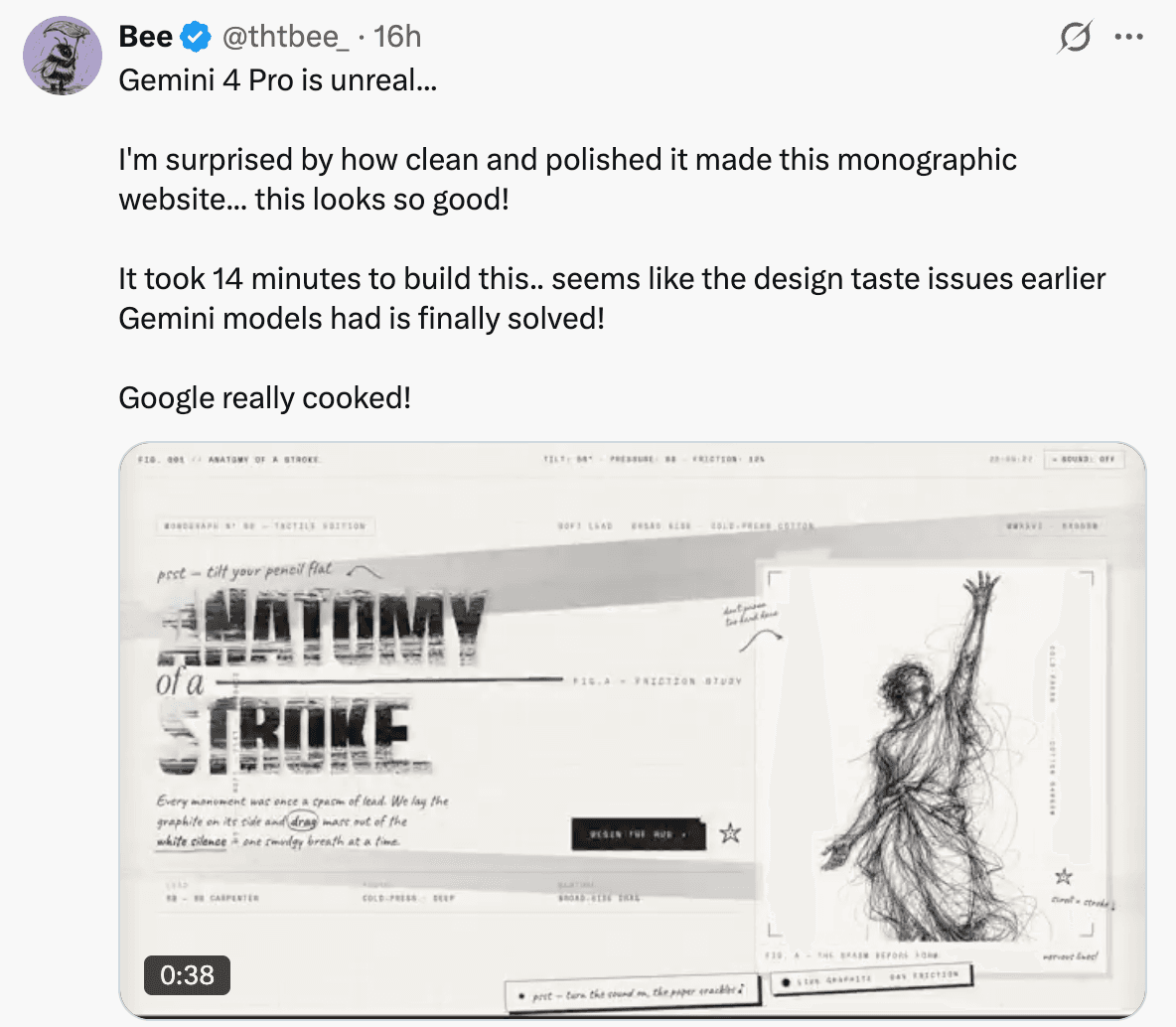
The capability on display is the translation of an aesthetic concept into multiple coordinated design decisions. “Graphite” determines the visual treatment of the page, while the changing line density gives the interaction the same character. Layout and motion contribute to a shared idea.
The large editorial lettering and illustrated subject also give the page a clear identity. The composition has to accommodate both readable content and a visually dominant drawing, with the sketch treatment connecting the two.
Among the reported Gemini 4 Pro website examples, the graphite site is distinctive because the model carries the creative direction beyond the first screenshot. The scroll effect extends the concept through the visitor’s movement, showing an ability to connect graphic design with the behavior of an actual webpage.
2. A cat drawn in SVG
The SVG cat demonstrates visual reasoning expressed through vector graphics. A request for a domestic cat in side view produces a recognizable illustration whose body, legs, head, tail, and striped markings work together as a single form.
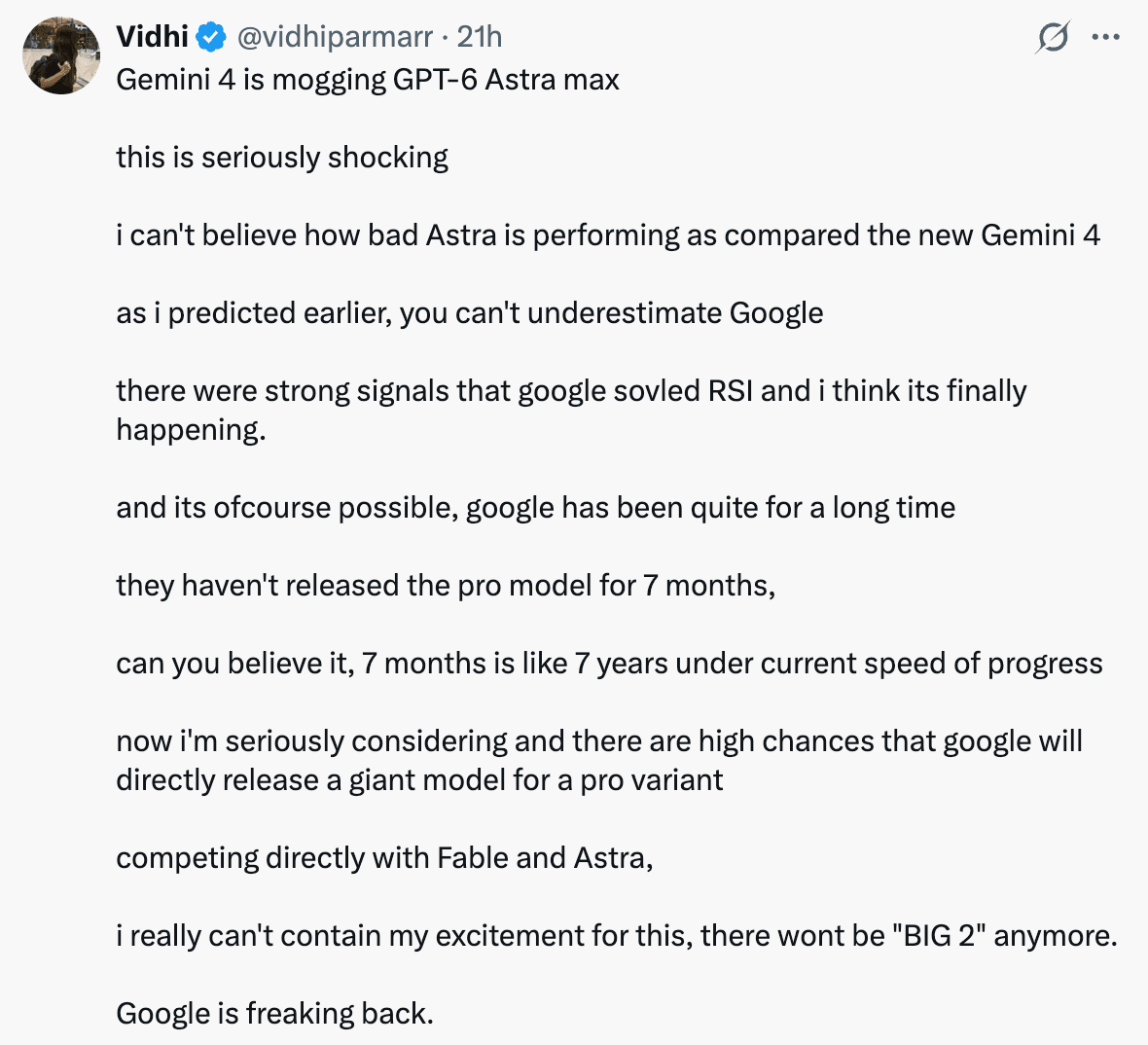
The important capability is the coordination of shapes and their relative positions. The outline establishes the animal’s posture, the limbs support it, and the markings follow the body rather than competing with the silhouette. Small elements contribute to a readable whole.
The original comparison image places the Gemini output alongside other model outputs, making differences in proportion and drawing style easy to see. The Gemini-labeled cat uses a clean profile, a curved upright tail, and clearly arranged legs to communicate the pose.
This is one of the most direct Gemini 4 Pro SVG examples because the subject is familiar and the result can be read immediately. It shows the model translating a semantic instruction into an organized visual representation, with enough control over shape and detail to preserve the identity of the requested subject.
3. A cycling pelican with working controls
The cycling pelican demonstrates how illustration, animation, and interface logic can be combined in one output. The scene includes pedaling-speed controls, day and night modes, a headlamp, and anatomical labels around the animated subject.
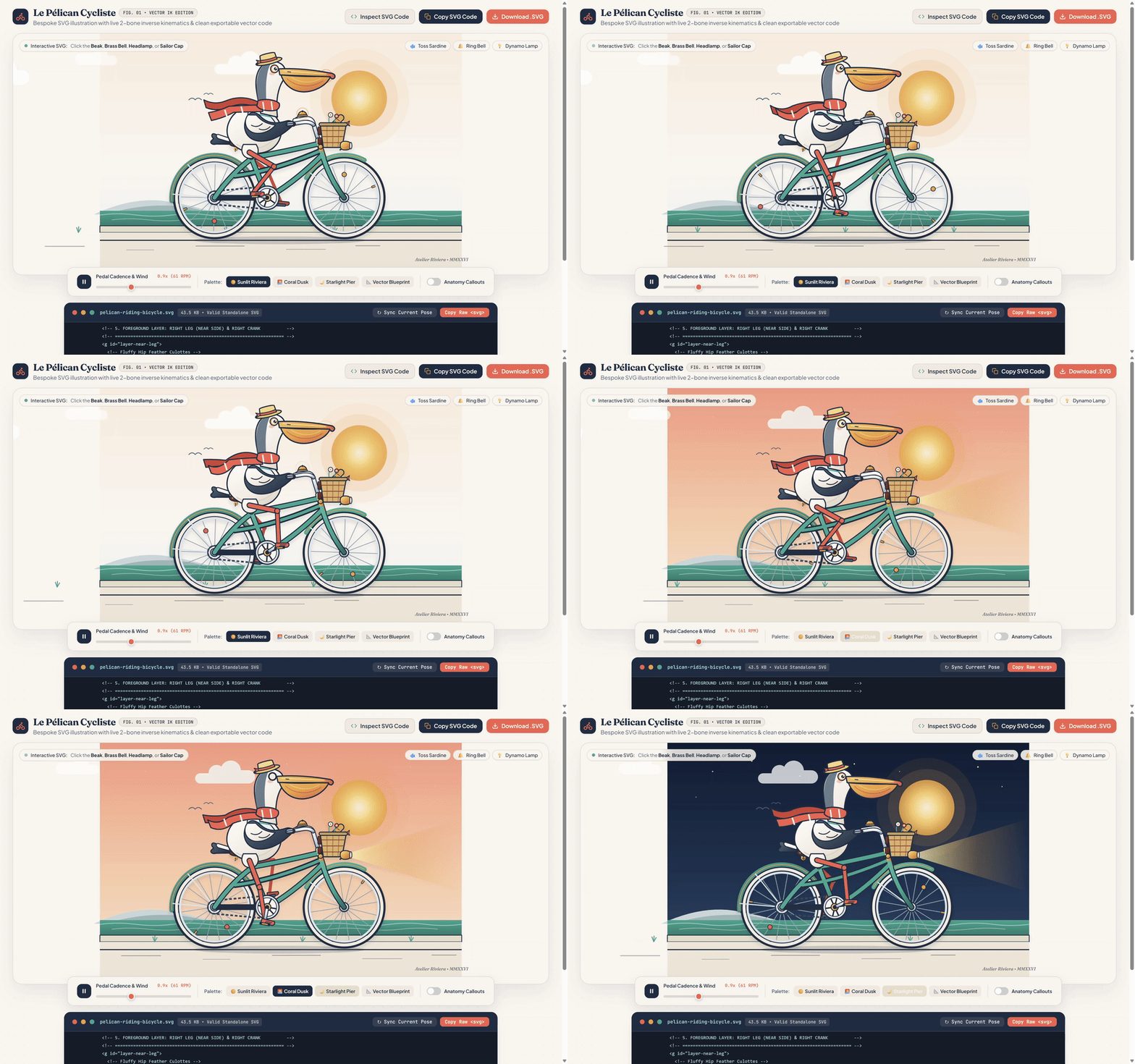
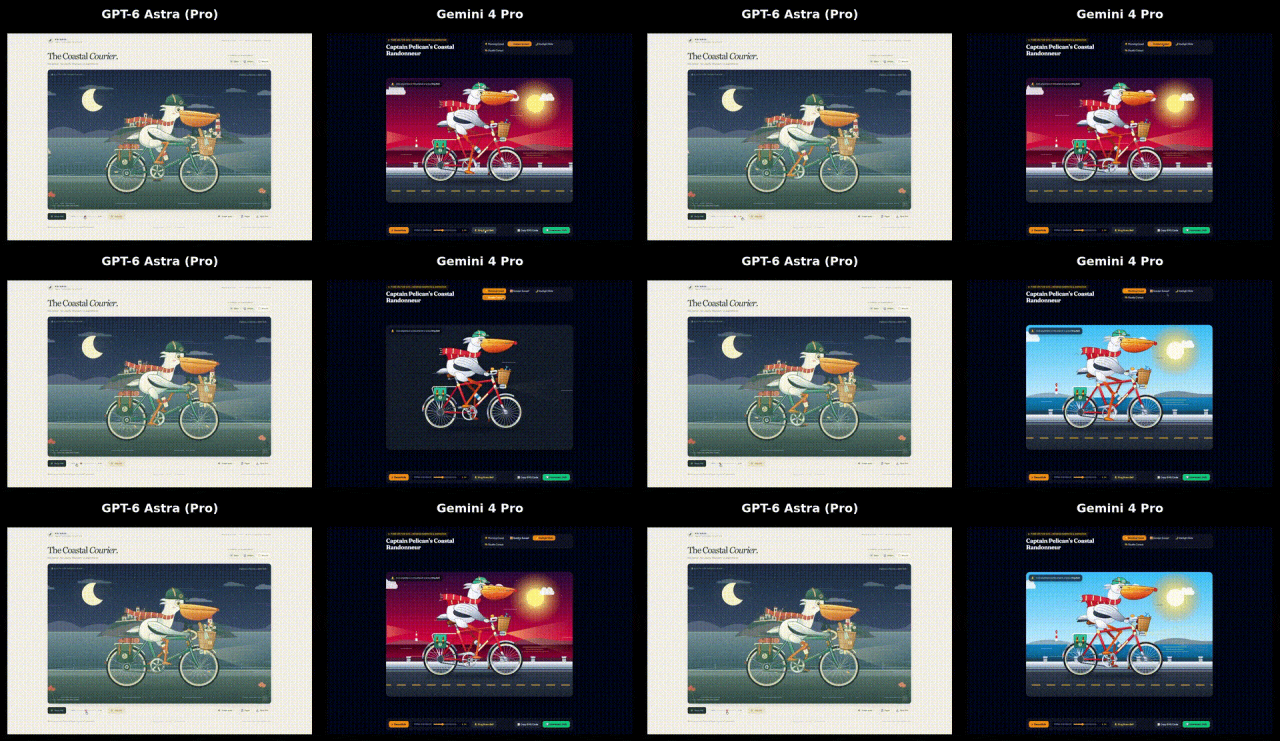
The model has several connected tasks to solve here. It needs to compose the pelican and bicycle, animate the cycling action, and expose controls that change how the illustration behaves. The result brings a visual subject and its interactive states into the same interface.
Cadence is a particularly useful detail: the control relates directly to the motion that defines the scene. The lighting modes and headlamp add another kind of state change, while labels provide an informational layer over the illustration.
The demo therefore showcases more than drawing ability. Its strength lies in coordinating visual assets, changing parameters, and interface elements around a clear central action. That combination makes the pelican a compact demonstration of interactive frontend programming, with the animation itself serving as visible feedback for the controls.
4. A voxel pagoda
The voxel pagoda demonstrates spatial composition at the scale of an entire scene. A multi-tiered building stands within a block-based landscape of terrain, trees, and vegetation, with a consistent voxel style across the architecture and its surroundings.
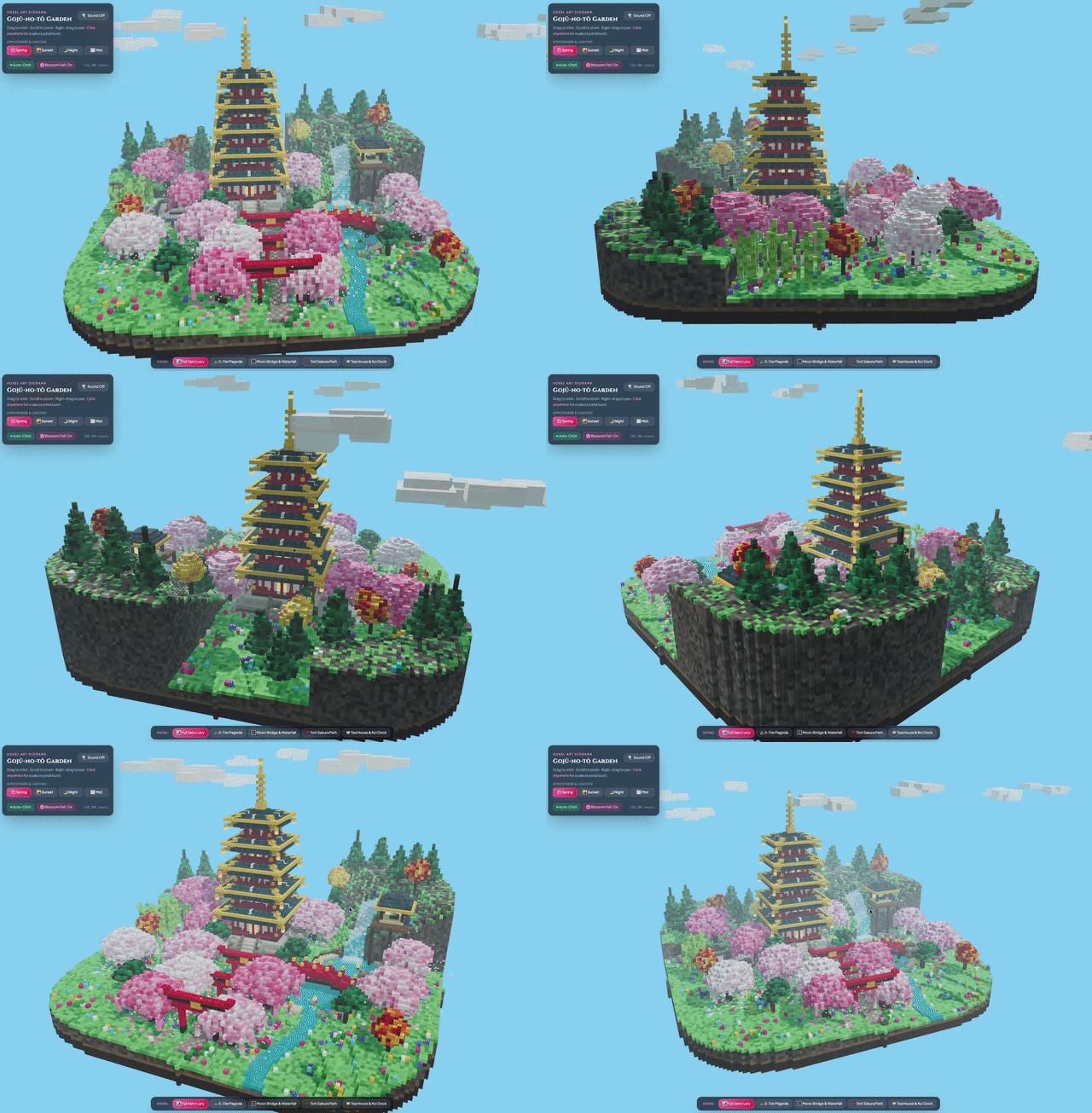
The building supplies a strong vertical structure. Its repeated roof levels organize the form, while the surrounding vegetation and raised terrain create different heights and depths around it. The scene combines repetition in the architecture with variation in the environment.
That combination makes this a notable entry among the Gemini 4 Pro 3D demos. The model has to arrange several kinds of objects relative to one another and keep them visually consistent. The pagoda remains the central subject even though the landscape contains substantial supporting detail.
The presentation also includes viewing and lighting controls around the scene, giving the generated environment an interface of its own. The result demonstrates how architectural geometry, environmental composition, and browser presentation can be assembled into a unified 3D showcase.
5. An Airbus H145 helicopter model
The Airbus H145 demonstrates the construction of a complex object from distinct, recognizable components. The cockpit, fuselage, main rotor, tail assembly, enclosed tail rotor, and landing skids combine into a coherent helicopter model.
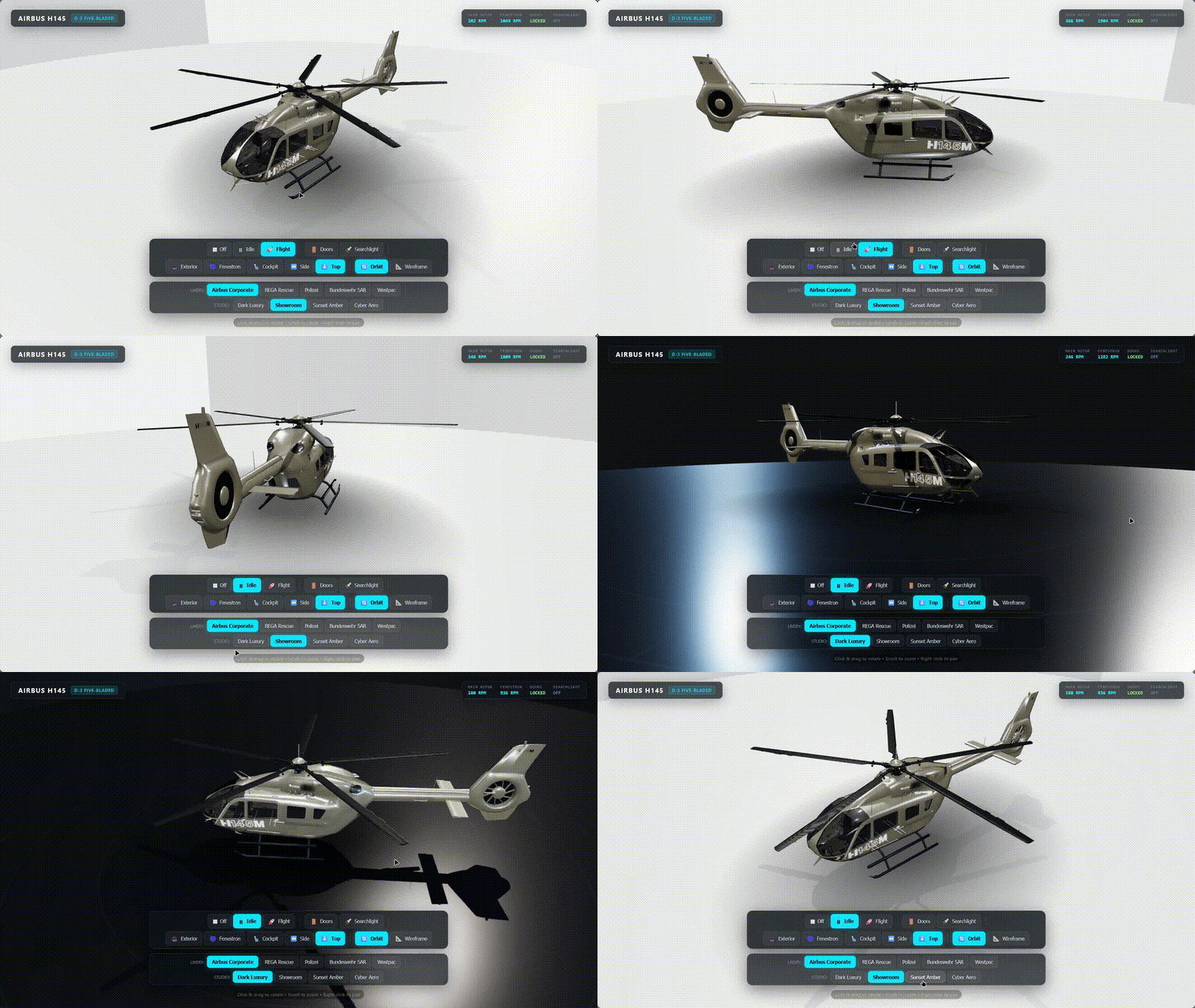
The spatial challenge is in the relationships between those parts. The cockpit flows into the body, the rotor sits above it, and the tail extends behind it with its own structure. The model preserves the overall identity of the aircraft while including details at several scales.
The output also wraps the aircraft in a presentation interface. Viewpoint controls and livery options organize how the object can be displayed, connecting the model with a usable browser-based showcase. This adds interface design to the object-construction task.
What makes the case compelling is the integration of those two layers. The aircraft is detailed enough to sustain close visual attention, and the surrounding controls give that detail a structured presentation. It demonstrates the ability to generate both a multipart 3D subject and an interface built around exploring it.
6. A flight-simulation demo
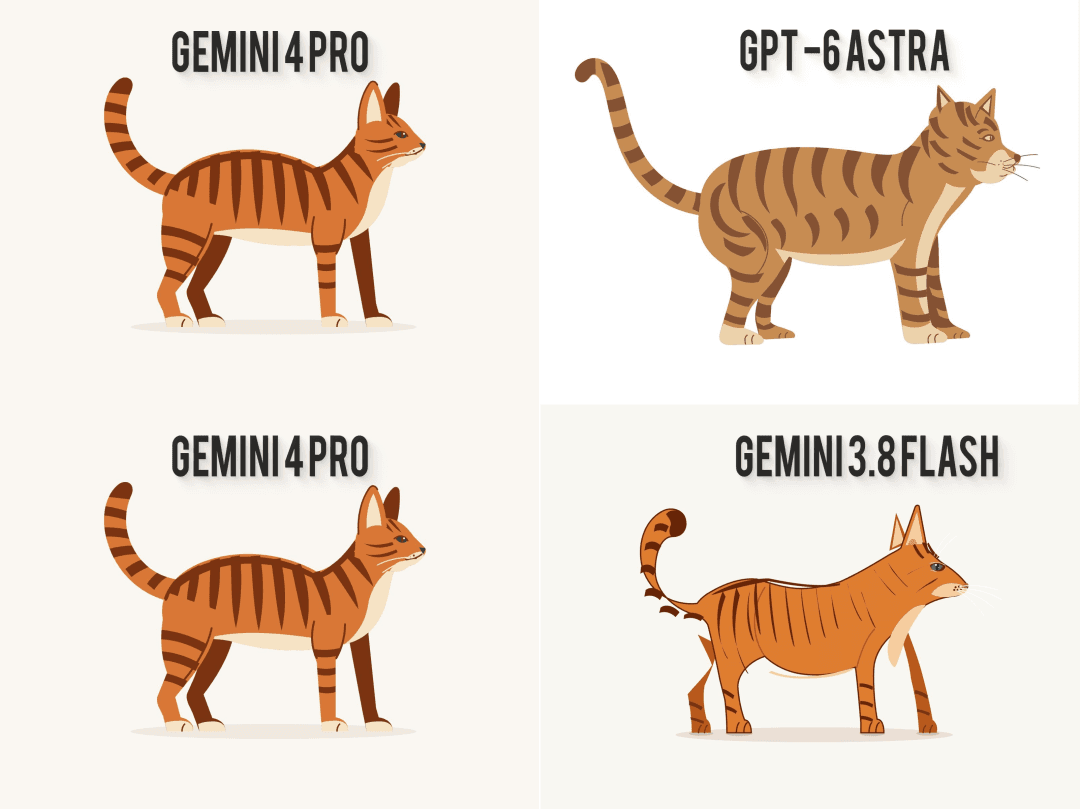
The flight-simulation example demonstrates the integration of a moving subject, a large 3D environment, and an instrument interface. The shared comparison places a scene labeled Gemini 4 Pro below a Gemini 3.8 Flash output, with visibly different approaches to the landscape and presentation.
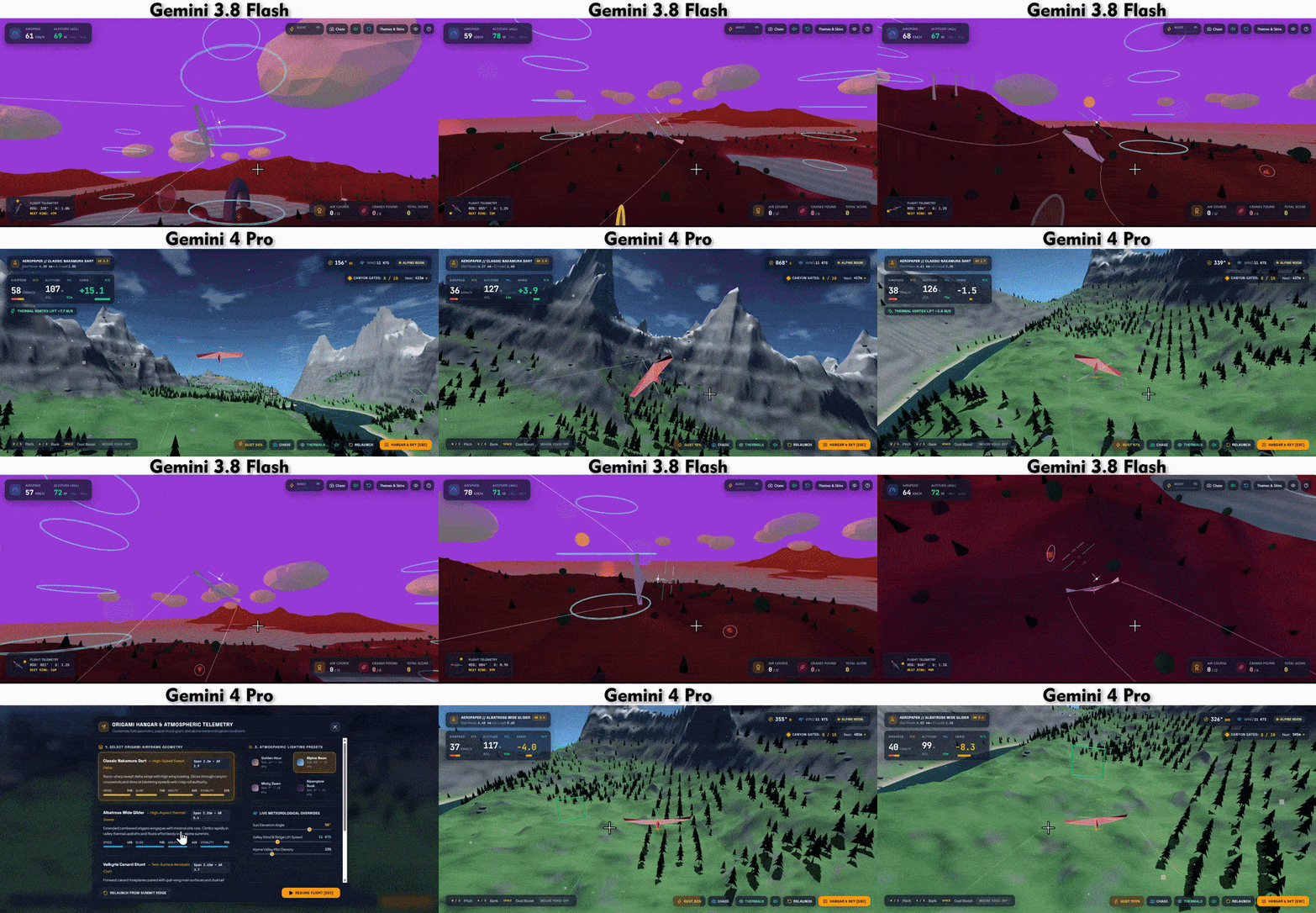
In the Gemini 4 Pro-labeled scene, green terrain, groups of trees, and distant slopes establish a layered environment around the aircraft. The visible interface places flight information around the scene, bringing environmental rendering and simulation-style presentation together.
The capability highlighted here is scene coordination. The aircraft provides the central activity, the landscape provides spatial context, and the instruments provide a second stream of information. These elements need to remain legible within one moving view.
Compared with the standalone helicopter, this example moves the modeling task into an environment. The visual workload expands from arranging parts of one object to organizing terrain, repeated environmental elements, an aircraft, and interface overlays. The result illustrates the broader scene-building side of the model’s coding output.
Build your own interactive project with Atoms
Atoms is an AI product-building platform for creating editable websites and web applications from natural-language requirements. It combines page generation, visual media, 3D experiences, and game creation with conversational editing and preview. Those capabilities connect directly with the kinds of interactive work shown throughout this collection.
- Websites and applications. The AI app builder brings page structure, content, and interaction into one working product. Its editable workflow supports changes to the interface and behavior as the project develops.
- Visual media and 3D experiences. Atoms supports generated images and video, media placement, and 3D modeling. These assets can become part of a website or interactive experience, keeping visual creation connected to the surrounding product.
- Browser games. Atoms supports movement, interaction, rules, and progression in web games. Combined with scene creation and preview, this allows a playable concept to develop within the same product-building workflow.
These three Atoms projects illustrate the platform’s related 3D and game capabilities:
Cozy Island Game is a relaxed browser-based 3D exploration game set on a tropical island. Players can explore the world at their own pace.
Elvenwood - Procedural Elven Forest presents a procedurally generated medieval elven forest built with Three.js. It connects scene composition with a browser-based 3D environment.
tuftcraft is a Minecraft-style game and 3D demo delivered as a static HTML project. Its block-world format extends the scene-building theme into a playable environment.
Turn a visual idea into an interactive web project.
What these examples show about Gemini 4 Pro
The range of Gemini 4 Pro use cases in this collection centers on three connected capabilities. First is creative consistency: the graphite site sustains a visual concept across layout, imagery, and interaction. Its sketch treatment gives the whole page a recognizable identity.
Second is spatial organization. The cat arranges recognizable features in a two-dimensional drawing; the helicopter combines mechanical components; the pagoda and flight simulator organize objects into larger environments. These examples show visual relationships operating at different levels of complexity.
Third is interactive execution. The pelican connects controls to animation, while the helicopter and pagoda bring viewing controls into their 3D presentations. The results combine generated visuals with behavior that gives users something to control.
Together, the cases make the model’s appeal concrete: design, geometry, and frontend logic can appear in the same output. The most interesting results are those where these capabilities support each other, producing a coherent website, an interactive model, or a dynamic simulation scene.
Sources: Developer posts dated September 17, 2026, collected in the September 18 reporting behind “Gemini 4 Pro Leaks: The Lasted SOTA Model?”, including NPowerUser’s Arena coverage.
Conclusion
These six Gemini 4 Pro examples put visual design, spatial modeling, and interactive programming on display. The graphite website connects art direction with scrolling, the helicopter combines detailed geometry with presentation controls, and the pelican links animation to controls and changing state. Their shared strength is the integration of appearance and behavior. Atoms brings related website, 3D, and game-building capabilities into an editable product workflow. Build an interactive project with Atoms.
A little more clarity
Frequently asked questions
01Q1: When did the Gemini 4 Pro demos appear?
Developers shared the Arena demos on September 17, 2026, and coverage followed on September 18. Those dates refer to the public demonstrations and reporting described in this article. The Arena entry was labeled gemini-3.8-flash, with testers identifying it as a possible Gemini 4 Pro model.
02Q2: What capabilities do these Gemini 4 Pro examples demonstrate?
The collection covers expressive website design, SVG illustration, 3D object and environment construction, animation, and interactive frontend coding. The graphite site highlights art direction, the helicopter highlights multipart modeling, and the pelican and flight simulator show how visual output can connect with controls and changing state.
03Q3: Where can I watch the original Gemini 4 Pro demos?
The screenshots and animated GIFs are embedded alongside all six cases on this page. The separate Atoms section includes three videos that play directly within the article, plus links to the projects.
04Q4: What can I build with Atoms?
Atoms supports websites and web applications, generated images and videos, 3D models and interactive scenes, and browser games. It combines these capabilities with an editable workflow, allowing a visual concept and its supporting interface to develop as parts of the same product.
05Q5: Can I refine a project after Atoms generates it?
Yes. Atoms supports conversational changes and preview throughout development. You can request revisions to layout, content, media, a 3D scene, or game behavior, then inspect the updated result. This makes it possible to continue developing the project after the first generated version.
Share this article
 Posts
