 Ethan Carter
On this page
 Retool has been one of the most recognizable names in internal tool building for years.
It is easy to see why. The product helps teams move faster, connect data sources quickly, and build useful business software without starting from a blank engineering stack. That combination still makes it attractive in 2026.
But Retool is also one of those tools that can look simpler from the outside than it feels in real use.
At first glance, it looks like a visual builder for almost anything. In practice, it is better understood as a powerful internal software platform for teams that need speed, flexibility, and access to real business systems. That difference matters. It shapes who gets value from Retool, who gets frustrated by it, and when another option may be a better fit.
Quick Verdict
| Category | Verdict |
|---|---|
| Best for | Internal tools, admin panels, ops dashboards, approval flows |
| Main strength | Fast building on top of APIs, databases, and business systems |
| Main weakness | Becomes more technical as complexity grows |
| Good fit for | Technical teams, product-minded operators, data-heavy businesses |
| Less ideal for | Complete beginners or teams focused on polished consumer-facing products |
| Overall take | One of the strongest internal tool platforms, but not the simplest path for every team |
What Retool Is and Who It Is Built For
Retool is built for one job above all: helping teams create internal software faster.
That includes things like:
- admin panels
- customer support dashboards
- operations tools
- approval systems
- reporting interfaces and AI dashboard builder workflows
- internal workflow apps
This is the core lens to use when evaluating it. Retool is not trying to be a generic website builder. It is not mainly a landing page tool either. It is most useful when a company already has systems, data, and business logic, but needs better interfaces on top of them.
Retool’s core positioning
Retool sits in a useful middle ground.
It is more visual than traditional custom development, but it is also more flexible than lightweight no-code tools. You are not locked into templates. At the same time, you are not doing everything from scratch.
That balance is a big part of its appeal.
Who usually gets the most value from it
Retool tends to work best for teams like these:
- operations teams that need custom dashboards
- support teams that need faster internal workflows
- data teams building internal interfaces on top of databases
- engineering teams that want to avoid building every business tool from zero
- startups that need internal systems quickly without diverting too much engineering time
If your team already thinks in terms of APIs, SQL, automation, and permissions, Retool usually feels logical fast.
If your team wants a very simple no-code experience with almost no technical concepts, Retool can feel heavier than expected.
Why Retool Became So Popular
Retool became popular because it solves a real business problem.
Most companies do not struggle because they lack ideas for internal tools. They struggle because building those tools the traditional way is slow, expensive, and usually low priority for product engineering teams.
Retool cuts through that.
What it does especially well
Retool stands out in a few areas:
- It connects well to existing business systems
- It helps teams assemble interfaces quickly
- It allows more logic and customization than most simple builders
- It supports internal apps, workflows, and increasingly AI-driven automation
That combination is stronger than it sounds.
A lot of builders are fast at the demo stage. Fewer stay useful once the app starts touching real databases, real permissions, and real business processes.
Retool often does.
Key Retool Features That Matter in Real Workflows
App builder and UI components
The app builder is still the center of the product.
You can build interfaces with tables, forms, charts, lists, buttons, and other common components, then connect them to APIs or databases. This is the part that makes Retool feel fast early on.
You are not wasting time building standard business UI patterns from scratch.
That matters more than people think. Internal tools do not usually win because the interface is beautiful. They win because teams can use them right away.
Queries, logic, and data handling
This is where Retool becomes more than a drag-and-drop tool.
You can read and write data, trigger actions, transform results, and add logic around user events. That gives Retool much more depth than a basic no-code platform.
It also changes the user experience.
The moment your app gets more ambitious, Retool starts to feel less like a simple builder and more like a low-code development environment. That is not a bad thing, but it does raise the bar.
Workflows and automation
Retool is no longer just about internal app interfaces.
It also supports workflows, which makes it more useful for background jobs, approvals, alerts, scheduled actions, and process automation. This expands the platform from “tool builder” to “operational software layer.”
That is a meaningful shift.
A lot of internal software is not just about showing data. It is about routing decisions, moving data between systems, and reducing manual work. Retool becomes more valuable when you use it with coding agents and automation in mind.
AI and agent capabilities
Retool has leaned much more heavily into AI.
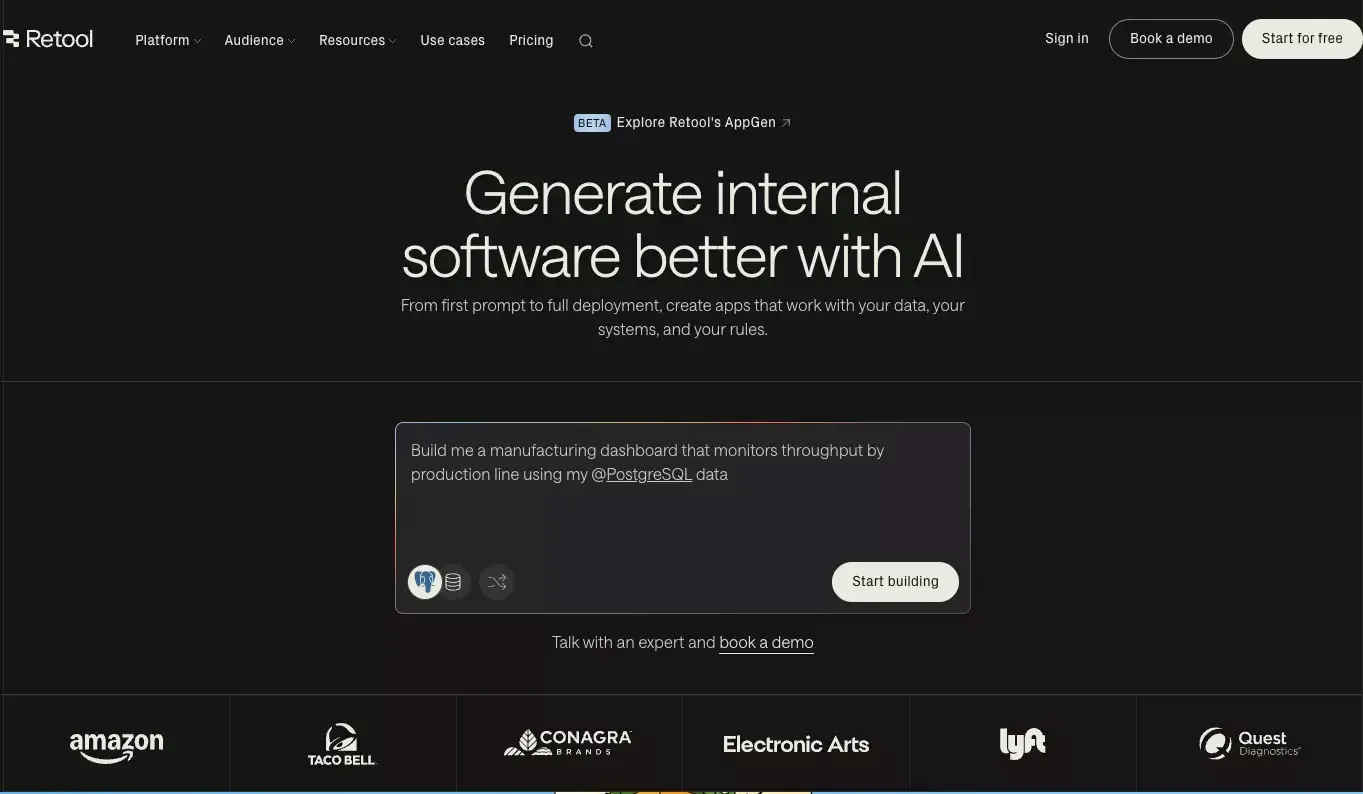
That now includes AI-powered building assistance, AI queries, and agent-style automation. This does not suddenly make Retool the best choice for every AI product workflow, but it does make the platform more relevant for companies that want to embed AI into internal operations.
The important point is this: AI in Retool feels most useful when it is attached to business processes, not when it is treated as a novelty feature.
Teams exploring that direction often end up comparing Retool with broader AI coding assistant workflows too.
My Experience-Based Take on Using Retool
Retool makes a strong first impression.
You can get from concept to working internal interface quickly. That speed is real. It is one of the main reasons the product has stayed relevant for so long.
But Retool also reveals itself in layers.
What feels good early
At the beginning, Retool feels efficient because it removes a lot of setup friction.
You can:
- connect a data source
- drop in components
- display and update records
- build a useful internal page surprisingly fast
That creates momentum. And momentum matters.
Where things start to get harder
The complexity shows up once the app stops being simple.
You start dealing with things like:
- more advanced query logic
- state management
- event handling
- permissions
- environments
- maintainability
- automation logic across tools
This is the real Retool experience.
It is fast, yes. But it is not magically free of complexity. It just lets you manage that complexity in a more structured environment than full custom development.
The honest tradeoff
This is my main takeaway:
Retool is easy to start, but not always easy to simplify.
That is why some teams love it and some teams feel it grows heavier over time. The platform can support serious internal systems, but serious systems still need good structure, clear ownership, and thoughtful design.
Retool speeds up building. It does not eliminate software complexity.
Retool Pros and Cons
Pros
- Very fast for building internal tools
- Strong support for APIs, databases, and business systems
- More flexible than many basic no-code tools
- Useful mix of visual building and programmable logic
- Works well for operational dashboards and internal workflows
- Growing AI and automation capabilities
- Better governance and control than many lightweight builders
Cons
- Not as beginner-friendly as it first appears
- Complexity rises quickly in larger apps
- Pricing can become harder to love as usage scales
- Some teams may want more design freedom or frontend control
- Best results often require users who are comfortable with data and logic
- It is stronger for internal software than for polished external product experiences
Retool Pricing: What to Watch For
Pricing is one of those areas where first impressions can be misleading.
Retool can look affordable at the start, especially if only a small number of people are building while a broader group is using the tools internally. In that setup, it often makes sense.
But the real question is not just sticker price.
The real question is total cost of ownership.
When pricing feels reasonable
Retool tends to feel cost-effective when:
- a few builders support a wider internal team
- the business saves engineering time
- the tools replace manual operational work
- the platform shortens delivery cycles in a measurable way
In those cases, the value is usually easy to defend.
When pricing gets harder
It gets harder when:
- many people need builder-level access
- the user model becomes more complex
- external-facing usage starts scaling
- the company wants broader product-building flexibility from the same spend
That does not make Retool overpriced. It just means the value equation depends heavily on how your team is structured.
Who Should Use Retool
Retool is a strong choice for teams that need internal software, not just prototypes.
It is especially good for:
- internal admin tools
- support and operations interfaces
- business process software
- data-heavy dashboards
- workflow-driven internal systems
- companies with existing APIs and databases that need better frontends
If your main problem is “we need internal software fast, and we cannot justify building every tool from scratch,” Retool should be on the shortlist.
Who Should Probably Look Elsewhere
Retool is less ideal when your needs look more like this:
- you want a truly beginner-first no-code experience
- your main product is customer-facing, not internal
- you care deeply about custom frontend polish
- you want idea-to-launch help from an AI website builder, an AI app builder, backend, and go-to-market assets
- you do not want to think much about logic, queries, or system structure
That last point is important.
Retool is powerful, but it still rewards structured thinking.
Retool Alternatives Worth Considering
No serious review is complete without looking at alternatives.
The right alternative depends on what job you are actually trying to get done.
When Retool is the better choice
Retool is usually the better pick when:
- the product is mainly internal
- the work is operational
- you need strong connections to existing systems
- the team wants a controlled low-code environment
- governance and permissions matter
When Atoms is a more natural fit
Atoms is more interesting in a different scenario.
If the goal is broader than internal tooling — for example, you want to go from idea to a working product surface, build both app and website with an app and website builder, use an AI prototype generator, and move faster from concept to launch — Atoms can be a more natural fit.
That does not make it a direct replacement in every case.
It is better understood as a different kind of product-building workflow.
A simple way to think about it is this:
| Platform | Better fit for |
|---|---|
| Retool | Internal tools, operational dashboards, business systems, admin software |
| Atoms | Idea-to-product workflows, app + website creation, broader AI-assisted product building |
This is why Atoms makes sense as a recommendation here, but only in the right context. It is not about saying one tool is universally better. It is about matching the tool to the shape of the work.
If you are comparing a wider no-code or low-code set, it is also worth checking a Bubble review, a FlutterFlow review, and a Softr review.
Final Verdict
Retool is still one of the strongest internal tool platforms available.
Its biggest advantage is not that it makes software easy in some magical way. Its advantage is that it makes a specific class of software much faster to build, especially when that software sits on top of real business systems.
That is why it remains valuable.
The catch is that Retool works best for teams that can handle some technical depth. If you expect pure simplicity, you may be disappointed. If you want a powerful environment for internal software, it is still a serious option.
The bottom line
Choose Retool if you want speed, internal-tool depth, and a platform that can connect to the systems your business already runs on.
Look beyond Retool if your real goal is broader product creation, simpler beginner workflows, or a more end-to-end AI building experience across app, website, and launch assets.
Retool is not for everyone.
But for the right team, it is still very good.
