On this page
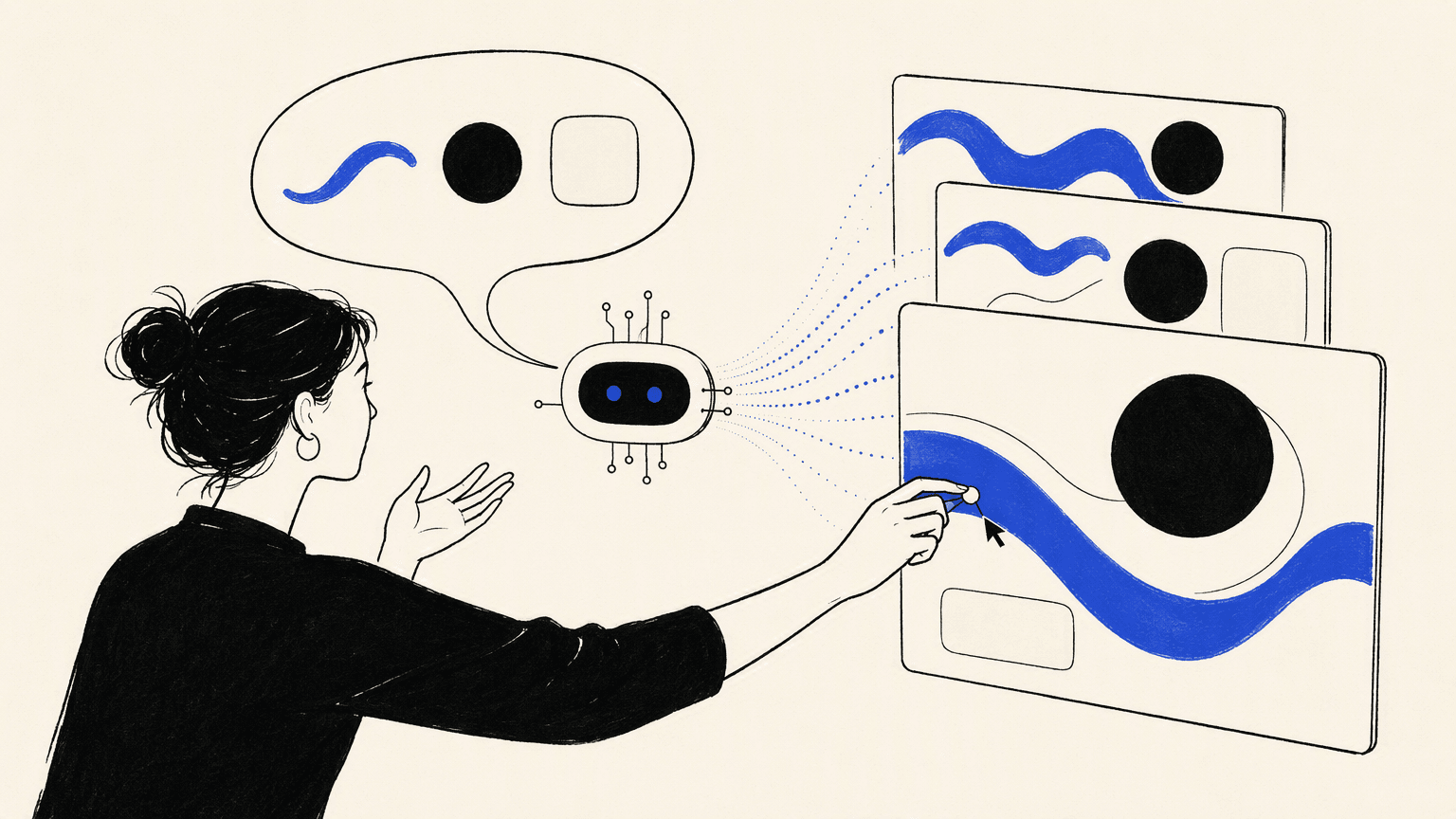
Vibe design is a creative workflow in which people communicate intent through language or references, AI generates design options, and people select and refine the result. The term covers several practices, from exploring campaign imagery to shaping interfaces and websites, with different tools producing different outputs. Understanding those outputs, the role of human judgment, and the limits of generation makes the approach easier to use thoughtfully.
What is vibe design?
Vibe design starts with a description of the desired experience and uses AI to propose how that experience could look. The person directing the work remains responsible for the brief, the choices between alternatives, and the final result.
“Vibe” means more than a mood word. A direction such as “calm and editorial” suggests choices about typography, spacing, imagery, and emphasis. For an event page, those choices must still make the date readable and the booking action obvious.
Three elements recur: communicating intent, generating candidates, and retaining human selection and refinement. These are a useful way to recognize the workflow, rather than a formal standard every tool follows.
Usage also varies. Some people apply the term broadly to AI-supported creative media; others reserve it for structured, editable layouts. Both interpretations are easier to understand when you name the deliverable. An image, a design composition, a linked prototype, and a working website are different things, even if they begin with a similar prompt.
What can you create with vibe design?
The approach can support several creative jobs, but the available output depends on the tool. Describing the same mood does not make an image generator, an interface canvas, and a website builder interchangeable.
Images and visual concepts
A creative team might describe a quiet summer evening and explore imagery for a campaign. The immediate deliverable is a set of images or visual directions. A selected image can become part of an advertisement or website, but someone still needs to compose the surrounding text and other elements.
UI layouts and prototypes
A product team might describe a browsing flow and generate screens showing how people find and compare items. The output could be editable interface layouts or a linked prototype. These make structure and navigation easier to discuss without establishing that the underlying search or data behavior exists.
Video and motion
A marketer might ask for a moving scene that extends an approved campaign image. The deliverable is footage or a motion direction. The team then selects suitable material, checks continuity, and decides where it belongs within the final campaign, presentation, or page.
Brand and campaign directions
A designer might explore how typography, color, imagery, and layout could work together across several assets. The output is a proposed visual system or campaign direction. Consistency is useful, but a set of matching designs does not itself establish the audience research, positioning, or reasoning behind a brand.
These categories can connect within one project. A launch website might use a generated illustration and video, while a separate interface workflow defines its signup journey. The shared brief links the work; each artifact still needs an appropriate editing and review process.
How does vibe design differ from other design approaches?
The main difference is who constructs the first design and how people direct the next change. It is a workflow distinction, not a reliable label for how polished or usable the final output will be.
Vibe design vs traditional design
Traditional design includes research, templates, reusable components, collaboration, and iteration. It does not require making every asset from scratch. Vibe design adds a way to generate a broader starting direction from expressed intent.
| Decision | Traditional design | Vibe design |
|---|---|---|
| Starting input | Brief, research, references, and design rules | The same context expressed for an AI tool |
| Initial construction | A person composes the design using appropriate tools | AI proposes a layout, asset, or experience |
| Revision method | Direct editing and feedback | Prompt-based changes, direct editing where supported, and feedback |
| Reusable rules | Components, templates, and brand guidance | Those rules must also guide generated work |
| Human responsibility | Understanding users and approving design decisions | Understanding users, choosing outputs, and approving design decisions |
The two approaches can coexist. A designer may use AI to explore several arrangements, then refine one precisely in a canvas. Another may build the structure manually and use generated imagery inside it. Neither path guarantees a better result independently of the brief and review.
Vibe design vs AI-assisted design and vibe coding
AI-assisted design is a wider category. Removing an image background with AI is assistance with a local task. Asking AI to propose the page's visual direction and composition changes a larger part of the design process.
Vibe coding emphasizes generating and modifying code through natural-language direction. Vibe design emphasizes the intended experience and its visual expression. They overlap when a prompt produces a working website: its layout is a design outcome, while its navigation and form behavior depend on implementation.
The useful boundary is the artifact and what you can inspect or change. A polished screenshot supports a visual discussion. A working page can support an interaction test. Treating the first as proof of the second creates confusion about what is ready.
How does a vibe design workflow work?
The workflow connects a brief to candidate outputs, then uses feedback to shape the next version. A small example makes the mechanism clearer: an independent bookshop wants a page announcing an author event.
Brief and references
The bookshop's initial direction might be “warm, literary, and welcoming.” That helps communicate a mood, but it leaves many decisions open. The brief also needs the audience, required information, and intended action.
An illustrative prompt could be:
Create an author-event page for an independent bookshop. Use a warm, editorial direction with generous spacing, readable text, and one clear reservation action. Include the supplied author biography, event date, venue, and booking information. Keep event details easy to find on mobile. Use our approved photographs and brand colors. Flag missing facts instead of inventing them.
The prompt gives the tool a design target and constraints. References can clarify a particular quality, such as the reading rhythm or image treatment, without asking it to reproduce another business's identity.
For a real project, supply accurate content and visual material you are entitled to use. If key details are missing, mark them explicitly so they remain visible decisions rather than convincing-looking invented facts.
Generation and selection
The tool interprets the brief and returns an output within its capabilities: perhaps a layout, a prototype, or an implemented page. Several candidates may express the mood differently.
Compare them against the same requirements. Does the page make the event understandable? Is the author image supporting the story? Does the reservation action appear where a reader needs it?
A more dramatic composition can be less useful if it buries the date. Selection is therefore a design decision about the brief, not merely a vote for the most unusual image.
Refinement and feedback
A broad request can explore a different direction. A local change should preserve what already works. For example:
Keep the approved colors, author image, and event copy. Move the date and reservation action earlier in the mobile reading order, and reduce the decorative content around them.
Use direct editing for precise changes where the selected tool supports it. Use prompts when describing a broader transformation is the clearer action. Review the result after either kind of edit.
Feedback also comes from people. If a reader misses the booking action, that observation should guide the next revision. Save the approved direction and its rules so later changes have a stable reference.
When is vibe design useful, and which tools fit?
Vibe design is particularly useful when making an idea visible will help people decide what to do next. Choose the tool by the artifact that supports that decision, rather than by the presence of a prompt box.
- A non-designer explaining an idea: An editable wireframe can make a proposed screen concrete for a stakeholder discussion. A tool such as Visily supports this kind of UI exploration through AI inputs and canvas editing. The immediate goal is shared understanding, not a claim that the product has been built.
- A designer exploring alternatives: Generating layout or image directions can provide material for comparison while the audience, content, and brand rules remain stable. Choose a design canvas or asset editor that leaves the important details editable. Exploration becomes useful when it leads to a reasoned choice.
- A marketer assembling a campaign: Separate the image or video asset from the final composition. A generated scene might fit the mood while still needing headlines, formatting, or another crop. Select tools for those distinct outputs and make the campaign brief the common reference.
- A founder testing a web concept: A working page or application draft can make questions about navigation, content, and user actions visible. A website-building platform fits when those behaviors are the next thing to examine, alongside the visual direction.
Projects with tightly defined components, complex states, or specialist requirements need more deliberate oversight. You can still use AI during exploration, but the output must pass the same relevant checks as manually constructed work. The number of generated options does not reduce the importance of that review.
How Atoms supports vibe design for websites
For a website project, the smarter way to vibe design with websites is to express the visitor's task alongside the visual mood. A beautiful hero section becomes useful when it introduces the right information and leads into an action people understand.
Atoms is an AI product-building platform that turns natural-language requirements into editable websites and web applications. It supports a workflow from an initial brief through generation, conversational refinement, preview, and preparation for publication. This is one application of vibe design, rather than the definition of the whole practice.
- From intent to a working page. Give Atoms the audience, required sections, content, and primary action. Include the visual direction as part of that brief. Review the generated website as an experience someone will use. The first question is whether it expresses the intended purpose, not only whether its individual sections look appealing.
- Media within the experience. Atoms can generate images and video and integrate them into the website, or work with supplied media. This lets a team assess visual storytelling within the page. Check how the asset relates to nearby text and how its crop changes across screens. Review accuracy and media rights before publication.
- Conversational refinement. Ask for focused changes to layout, content, or interactions, then inspect the result. A bookshop could request a clearer event hierarchy while preserving approved copy. Keep a concrete acceptance question attached to the change. Production launches still require review of accessibility, security, integrations, performance, and the actual behavior being offered.
The following projects illustrate different visual directions in a retail context. Their descriptions establish the subject and positioning, not measured results or evidence that each project used generated media.
Swim Lifestyle E-commerce Website SOLEIL is a premium swimwear and beachwear e-commerce website with a luxurious, golden-hour seaside direction.
Cashmere Lounge Sets NORDA is a Nordic loungewear e-commerce website centered on calm, comfortable Scandinavian styling.
Streetwear Clothing For Gen Z VAGUE is a Gen Z streetwear e-commerce website with a bold, forward-looking fashion direction.
What are the limits, and how can you get better results?
Generation supplies candidates; it does not settle the decisions behind them. Better results come from making those decisions explicit and checking whether revisions preserve them.
- Make the target observable. Replace a direction such as “make it premium” with choices about hierarchy, spacing, imagery, and content. Keep the audience and primary action visible in the brief. Organize references around the qualities they explain.
- Keep a stable design direction. Compare revisions with the approved brand rules or component system. When only one detail is wrong, try a precise edit rather than repeatedly regenerating the whole composition and reopening settled decisions.
- Inspect the relevant usability details. For an interface, review reading order, contrast, keyboard behavior, mobile layouts, and meaningful error and success states. A prompt asking for accessibility is a requirement to verify, not evidence that it has been achieved.
- Distinguish demonstration from implementation. A button can suggest an action without completing it. Test the actual user journey and any form or data destination before presenting a prototype as a working product. Apply a different review to an image or video asset.
- Preserve human judgment and a fallback. Keep research, domain knowledge, content accuracy, and launch decisions with people. Gather feedback from intended users. If AI revisions repeatedly damage approved work, return to a saved version, simplify the scope, or make the change through a suitable manual workflow.
For the bookshop example, a useful acceptance check is whether someone can find the event details and complete the intended reservation action without guidance. This is a proposed check, not a reported test result. If the booking service is unfinished, a visually complete button should not conceal that gap.
That is vibe design explained in practical terms: creative intent starts the generation, but evidence from the resulting experience should guide the next decision.
Conclusion
Vibe design changes how a first design is constructed by letting people express creative intent and review AI-generated options. It still requires a clear brief, an appropriate output, and someone responsible for the final decisions. Choose editing controls that let you improve the result without losing its purpose. When your idea calls for a working website, explore the brief in Atoms and review the experience as it develops.
A little more clarity
Frequently asked questions
01Q1: Do I need design experience to try vibe design?
You can start by describing a goal and reviewing options. Giving someone new to vibe design a complete beginner guide is only a starting point; discussing an actual layout makes hierarchy, readability, and interaction easier to understand.
02Q2: Can vibe design produce more than websites?
Yes. The term is used for image exploration, interface layouts, motion, and campaign design, as well as websites. Each tool supports particular outputs, so confirm whether you will receive an asset, an editable composition, or an implemented experience.
03Q3: Does vibe design replace professional designers?
It can change how designers construct and explore work, but it does not remove the need for research, creative direction, selection, and review. Generating options and deciding which option serves people well are different responsibilities.
04Q4: Can Atoms create the visuals as well as the website?
Yes. Atoms supports image and video generation and placement within websites, alongside its website and web application building workflow. You can also supply media. Review the content and finished page rather than assuming generated assets are automatically suitable.
05Q5: Is the first generated design ready to publish?
Treat it as a candidate for review. Check factual content, visual clarity, and the actual behavior appropriate to the output. For a website, verify the important links, interactions, and connected services before presenting it as ready for visitors.
Share this article
 Posts
Posts 