 Ethan Carter
On this page
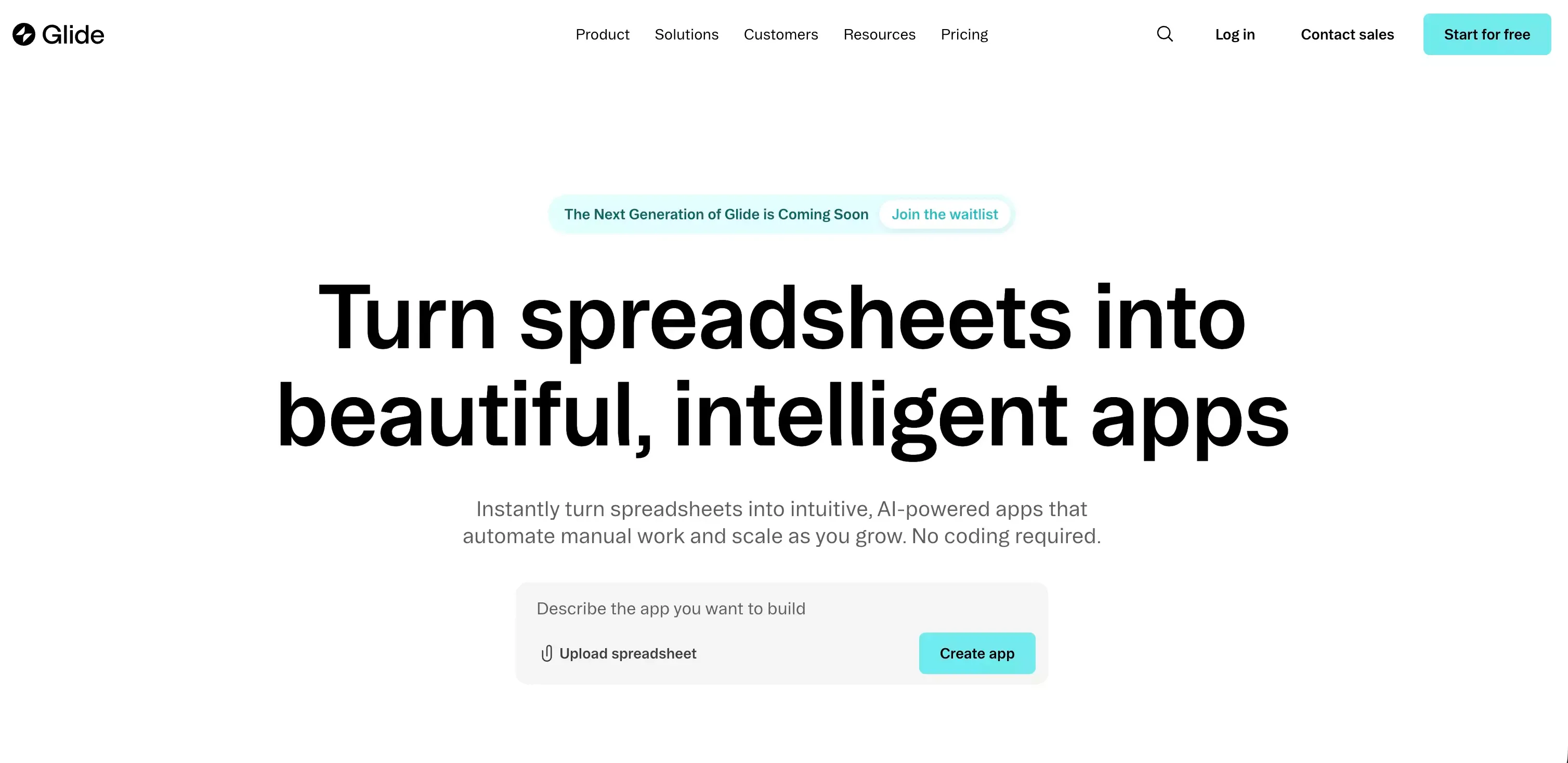 Glide helps people turn structured data into working apps without dragging every idea through a full engineering cycle. That is a strong promise, and for the right kind of user, it still holds up.!
But Glide is not a tool that fits every product idea equally well.
If your project already looks like a workflow, a dashboard, a client portal, or an internal system, Glide can feel refreshingly fast. If your product is more open-ended, more design-heavy, or less tied to structured data, the limits show up sooner.
This review takes that practical angle. Not hype. Not blanket praise. Just a clear look at where Glide works, where it does not, and when a broader AI builder like Atoms may be a better fit.
Quick Verdict
| Category | Verdict |
|---|---|
| Best for | Internal tools, portals, dashboards, lightweight business apps |
| Biggest strength | Fast path from structured data to usable app |
| Main limitation | Less flexible for complex, highly custom, or app-store-first products |
| Ease of use | Very beginner-friendly for spreadsheet-minded teams |
| Value | Good when replacing manual workflows; less compelling if you need unlimited flexibility |
Glide is still worth it in 2026 if you need to build a data-driven app quickly.
It is especially strong for teams that already think in terms of tables, roles, workflows, and operations. That is where Glide feels efficient rather than restrictive.
If you want to go from a rough product idea to a broader app or website experience with more AI-led planning and build support, Atoms is worth a look. Glide is strongest when the system is already clear. Atoms makes more sense when the product is still taking shape.
What Is Glide?
Glide is a no-code app builder designed to turn structured data into working web apps.
In practice, that usually means:
- internal tools
- client portals
- team dashboards
- approval workflows
- lightweight CRMs
- operational apps for small businesses
That positioning matters.
Glide is not trying to be a blank canvas for every possible product. It works best when your use case already has some structure. If your business problem can be described in rows, records, users, permissions, and actions, Glide usually feels intuitive very quickly.
That is one of its biggest advantages.
A lot of no-code tools reduce coding. Glide also reduces decision fatigue. It gives users a more opinionated way to build, and that often helps non-technical teams move faster.
Glide is a strong fit for:
- founders building internal systems fast
- operations teams replacing messy spreadsheets
- agencies creating lightweight client portals
- startups that need a usable admin or back-office app
- non-technical teams who want something practical, not overly abstract
Glide is usually not ideal for:
- consumer apps that depend on app store distribution
- products with highly custom interface requirements
- complex software with unusual business logic
- founders who are still shaping the product from a vague idea
- teams that want one platform for both website and app creation in a broader AI workflow
That last point is where Glide starts to separate from a tool like Atoms.
Glide is excellent when the workflow is already clear. Atoms is more interesting when the product still begins as an idea, and you want help moving from concept to launch with a wider AI-assisted build process powered by coding agents.
Glide’s Biggest Strengths
1. It gets you from data to app very fast
This is the core reason people keep choosing Glide.
Many platforms claim to be fast. Glide actually removes a lot of the friction at the beginning. You do not need to start with architecture debates, UI systems, or deployment decisions. You start with the data and the use case, then build outward from there.
That makes Glide especially effective for early momentum.
And early momentum matters more than most teams admit. A tool that helps you get to a working version in a day can be more valuable than a more powerful tool that takes a week to organize.
2. It feels approachable for non-technical users
Glide has a business-friendly mental model.
Instead of pushing people toward developer habits, it leans into familiar concepts:
- tables
- rows
- actions
- forms
- permissions
- workflows
That makes adoption easier for operators, marketers, project managers, and founders who do not want to think like engineers just to build something useful.
3. It is stronger for real business workflows than many people expect
Glide is not just a toy builder.
Once you start adding roles, permissions, logic, and workflows, it becomes much more than a visual app mockup tool. This is why Glide is often more useful for internal operations than some flashier AI builders that generate a first draft but do not hold up well once a process gets real.
4. Sharing and deployment are simple
For many business use cases, web-based delivery is a feature, not a limitation.
You can share apps quickly, roll out updates without app store friction, and keep the experience simple for internal teams or controlled user groups. That is a real advantage when speed and accessibility matter more than native distribution.
Glide’s Main Weaknesses
1. It is not the best fit for app-store-first products
If your vision is a consumer mobile app with native expectations from day one, Glide may not be the cleanest fit.
That does not make it bad. It just means it solves a different problem.
Glide is better for:
- internal business apps
- operational tools
- web-based portals
- lightweight mobile-friendly experiences
It is less compelling when the product story depends on being a fully native mobile app brand.
2. Design freedom has a ceiling
Glide can produce polished results. But polished is not the same as fully flexible.
If your product needs:
- unusual layout systems
- highly custom interactions
- a distinctive visual identity
- product behavior outside Glide’s preferred model
then you may start feeling constrained.
This is one of the most important buying truths with Glide: its speed comes partly from its structure. The tradeoff is that structure can become a ceiling later.
3. Advanced use cases can become expensive
Glide often feels affordable at the beginning.
But many no-code tools look simple on the way in and more expensive once the real requirements show up. If your team needs broader data access, more scale, stronger admin features, or more advanced workflows, pricing becomes a more serious part of the decision.
That does not mean Glide is overpriced. It means you should evaluate it as business software, not just as a quick prototype tool.
4. Complexity does not disappear just because it is no-code
This is easy to forget.
No-code does not remove systems thinking. It only changes how you interact with it.
As your app grows, you still have to manage:
- data relationships
- roles and permissions
- workflow logic
- user states
- process edge cases
Glide makes that easier. It does not make it vanish.
Key Glide Features That Actually Matter
A long feature list is less useful than a clear sense of what changes the real user experience.
Here are the Glide capabilities that matter most in practice.
Data-driven app building
This is the foundation of Glide.
If your team already works from spreadsheets, records, or business data, Glide feels natural. That is why it works so well for internal operations and administrative products.
Visual builder
You can assemble screens and app flows visually, which lowers the barrier for non-technical users.
The benefit here is not just that you avoid code. It is that you can react faster. You can see a working shape early, revise quickly, and move from idea to usable workflow with less friction.
Roles and permissions
This is one of the most useful parts of Glide for real business use.
Different users often need different views, different access, and different actions. Glide supports that kind of structure well enough for many internal and team-facing tools.
Workflows and automations
This is where Glide becomes more than a static interface.
You can build actions and flows that support approvals, updates, task handoffs, and process logic. That is essential if you want your app to do real operational work rather than just display information.
Integrations and connected data
Glide becomes more valuable when it can plug into the rest of your stack.
For many teams, this is the difference between “nice app” and “useful system.”
Glide Pricing: Is It Good Value?
Pricing matters, but context matters more.
Here is the practical way to think about Glide pricing.
| Scenario | Value outlook |
|---|---|
| Replacing repetitive spreadsheet workflows | Often strong value |
| Launching a client portal quickly | Usually reasonable |
| Building internal tools for a small team | Can be cost-effective |
| Trying to build a highly custom startup product | May feel limiting for the cost |
| Scaling into more advanced needs | Requires closer scrutiny |
When Glide feels worth the money
Glide is often worth it when it saves time immediately.
For example:
- replacing manual admin work
- reducing back-and-forth between teams
- centralizing operational processes
- giving non-technical teams self-serve software
In those cases, the ROI can be obvious.
When Glide feels less convincing
It becomes less attractive when you are paying for a platform that still cannot support the product direction you really want.
That is where founders often pause. Not because Glide is bad, but because the product ambition has moved beyond Glide’s ideal shape.
If you are in that zone, Atoms may be the more natural alternative. It is better positioned for teams that want to start from a product idea, shape the experience with AI, and move toward a broader launch workflow rather than stay inside a spreadsheet-first model.
Real User Insight: Glide Is Best When the Product Is Already Clear
This is the most useful way I can summarize Glide after reviewing how it is positioned and where users tend to find value.
Glide is not really about invention.
It is about acceleration.
That is an important distinction.
If you already know:
- what the workflow is
- what the data looks like
- what users need to do
- what permissions matter
- what screens are required
then Glide can feel very efficient.
But if you are still figuring out the product itself, the platform can feel more limiting. In that phase, you may want a tool that helps shape the product direction, not just implement a structured version of it.
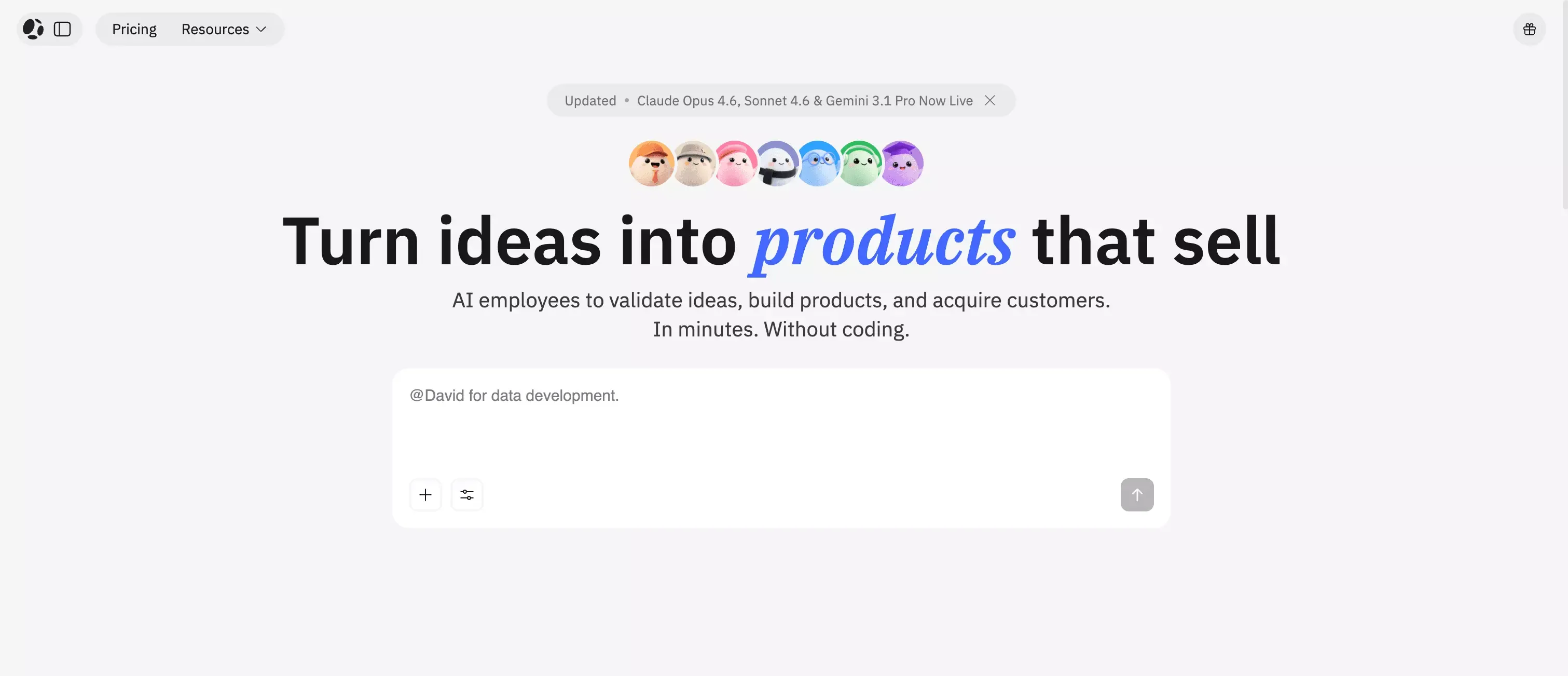
That is why Atoms fits naturally into this conversation. Not as a forced comparison. Not as a hard sell. Just as a different answer to a different starting point.
Choose Glide when:
- your app is driven by structured data
- the workflow is already defined
- you need something useful quickly
- the audience is internal or operational
- simplicity matters more than full flexibility
Consider Atoms when:
- the project starts from an idea, not a spreadsheet
- you want a wider app or website building workflow
- you want AI to help shape product thinking, not only app assembly
- you need more room for product direction beyond Glide’s structure
Glide vs Atoms: The Practical Difference
This is the cleanest way to think about the difference.
| Glide | Atoms |
|---|---|
| Best for structured, data-driven apps | Better for idea-to-product workflows |
| Strong fit for internal tools and portals | Better fit for broader AI-assisted product building |
| Works best when process is already clear | More useful when product direction is still forming |
| Faster within a spreadsheet-style logic | More flexible when starting from intent and goals |
Glide is still the sharper tool for many operational use cases.
But Atoms becomes more compelling when your product is not just a system yet. If you want to move from a prompt, a concept, or a rough business idea toward a fuller website or app experience, it offers a more natural path.
That is why I would not frame Atoms as a universal replacement for Glide.
I would frame it this way instead:
Glide is excellent for structured business apps. Atoms makes more sense when the product journey starts earlier and needs broader AI help.
That is a much more honest comparison.
If you are weighing Glide against other builder categories as well, adjacent comparisons like Lovable review, Bubble review, and Replit review can help clarify whether you need spreadsheet-style structure, broader no-code flexibility, or a more code-native workflow.
Is Glide Easy to Use?
Yes, for the right kind of user.
Glide is easier to use than many low-code platforms because it does not overwhelm you with too much freedom at the start. That is a strength.
The learning curve is usually manageable if you are comfortable with:
- structured data
- process thinking
- simple logic
- business workflows
If you are expecting a completely freeform creative environment, the experience may feel more constrained than easy.
So the answer is not just “yes.”
It is more accurate to say this:
Glide is easy when your project matches Glide’s way of thinking.
Is Glide Good for Startups?
Yes, but only certain kinds of startups.
Glide is a good startup tool if you need:
- an MVP for internal operations
- a partner or client portal
- a back-office workflow system
- a quick operational product without hiring developers immediately
Glide is less ideal if your startup needs:
- a highly differentiated user experience
- a consumer-facing product with strong native expectations
- a complex software architecture
- a broad AI-native product creation workflow from concept to launch
That is the dividing line.
For some startups, Glide is exactly the right first move. For others, it is the wrong abstraction from day one.
Final Verdict: Is Glide Worth It in 2026?
Yes, Glide is still worth it in 2026.
But it is worth it for a specific reason.
It is one of the better tools for turning structured workflows into usable apps fast. It helps non-technical teams ship useful software without getting stuck in traditional development cycles. For internal tools, portals, dashboards, and business apps, that remains a strong value proposition.
At the same time, Glide is not the best answer for everything.
If you need more design freedom, a more open-ended product path, or a broader AI-assisted journey from concept to launch, Glide may start to feel narrow. In that case, Atoms is a natural alternative to explore, especially if your project starts with an idea rather than a finished workflow.
Final recommendation
- Choose Glide if you want speed, structure, and a practical path to data-driven apps.
- Look at Atoms if you want a more flexible AI-powered route from product idea to app or website launch.
That is the honest answer.
Glide is not overrated. It is just easiest to love when you use it for the kind of work it was built to do.
Frequently Asked Questions About Glide
Is Glide good for beginners?
Yes. Glide is one of the more approachable no-code tools for people who are comfortable with spreadsheets, workflows, and structured business data.
What is Glide best for?
Glide is best for internal tools, portals, dashboards, approval systems, and lightweight operational apps.
Is Glide good for building customer-facing apps?
It can be, but it is generally stronger for controlled, process-driven experiences than for highly polished consumer product experiences.
What are Glide’s biggest limitations?
Its main limitations are design flexibility, fit for app-store-first products, and the way complexity can grow as your workflows become more advanced.
What is a good Glide alternative?
That depends on what you need. If you want a broader AI-powered path from concept to launch, Atoms is one of the more relevant alternatives to consider.
Is Glide worth the cost?
It can be, especially when it replaces manual work or helps a team launch operational software quickly. It is less compelling when your long-term product needs go far beyond Glide’s structured model.
