On this page
The best AI poster generators help you revise the headline, move layout elements, and export a file that works where the poster will appear. Start with Design for a business-branded workflow, Template Net for prompt-to-layout customization, Atoms for a visual concept paired with a campaign page, Canva or Adobe Express as account-specific candidates that need verification, or Venngage for an information-led poster. Treat editable text and a successful export as requirements, not optional polish.
Need a destination for the poster's call to action? Start a matching campaign page in Atoms while you plan the visual and message.
Choose a layout generator, not only an image generator
A poster must communicate accurate information, not just produce an attractive image. An editable layout lets you correct the date, change the offer, and move a text block without rebuilding the entire design.
Whether you search for “poster generator AI” or “poster AI generator,” check what the tool actually produces: a flattened picture, an editable composition, or both. A realistic-looking poster mockup is not necessarily the file you can send to a printer.
Use the same criteria for every candidate:
- Content control: Can you change the exact headline, event details, and action text?
- Layout control: Can you move, resize, and align elements independently?
- Visual fit: Can you use approved images, logos, and brand colors?
- Delivery: Does the available export meet the print or digital destination's requirements?
- Access and rights: Are the required controls and assets included under suitable terms?
This comparison is based on documented workflows, not a hands-on quality benchmark. The recommendations describe where to start, not a universal ranking of design quality.
Compare six AI poster generators
These six workflows overlap, but they do not start from the same artifact or provide the same edit-and-export path. Choose a promising workflow, then verify it with your own literal text and a real export. Atoms appears third because it is included for the campaign-page and web-product context, not as a claim of universal print-production superiority.
| Tool | Recommended starting point | Documented workflow | Verify in your trial |
|---|---|---|---|
| Design | A business promotion with an established identity | Edit poster typography, colors, layout, and logo placement after generating a direction | Whether your chosen design and plan provide the required file |
| Template Net | A prompt-led poster you want to customize | Generate a poster concept, then edit text, visuals, layout, and branding | Whether the exported content remains usable in your destination |
| Atoms | A visual concept paired with a working campaign page | Generate visual directions while building and iterating a website or web app | Whether the page, call to action, and visual work together in a real user journey |
| Canva | An account-specific candidate to verify | Its current poster workflow could not be independently reviewed for this article | Whether editable text, export, and account access meet the destination needs |
| Adobe Express | An account-specific candidate to verify | Its current poster workflow could not be independently reviewed for this article | Whether the actual plan provides the controls and file delivery you require |
| Venngage | An event, classroom, or information-led poster | Generate and edit a layout with text, fonts, colors, and sharing/export routes | Whether dense content stays readable and the export fits the brief |
1. Design: for a business-branded promotion
Design describes generating poster options from a business name and short description, shortlisting designs, and editing typography, colors, and layout. Its page also describes adding a logo and downloading digital or vector-format files.
That is a useful starting point when the poster belongs to an existing business identity. For a shop promotion, supply the approved offer and logo rather than asking the generator to invent a brand from scratch.
The trade-off to investigate is the chosen design's flexibility. Change a short headline into your real, longer headline. Does the hierarchy survive, or do you spend the rest of the session repairing the layout? Confirm the exact format available in the selected plan; a list of export extensions is not proof that every embedded image becomes vector artwork.
2. Template Net: for prompt-to-layout customization
Template Net describes turning text or voice instructions into editable posters, then changing the elements in its editor. Its feature page includes branding, resizing, and several export or sharing routes.
Consider it when you want to start with a written brief but retain control over the resulting layout. A community workshop poster is a useful trial: it has a headline, factual details, a visual, and a clear next action.
Check the delivered result rather than relying on broad “printable” or “any format” language. Export a sample, open it outside the editor, and verify the text, dimensions, and embedded images. If you need to continue editing elsewhere, test that specific handoff before committing.
3. Atoms: for a visual concept paired with a campaign page
Atoms supports AI image generation alongside website and web-app creation. It is relevant when a poster is only one part of the campaign: the visual direction, the call to action, and the destination page need to work together.
For a workshop promotion, use the visual concept as a starting point, then build a page that carries the approved event details and registration action. Review the visitor journey on desktop and mobile; Atoms' verified scope does not establish specialist print-production features or a particular export format.
4. Canva: an account-specific candidate to verify
Canva is included as a candidate to inspect in your own account, not as a documented capability recommendation. The supplied Canva reference could not be independently read for this article, so this comparison does not assert a particular AI poster feature, editable layout control, or export route.
If Canva is already part of your team’s design workflow, test one real poster with approved copy and a real export destination. Record the controls, plan access, and asset terms that are currently available before making it the default workflow.
5. Adobe Express: an account-specific candidate to verify
Adobe Express is included as a candidate to inspect when it is already part of your team’s creative workflow. The supplied Adobe reference could not be independently read for this article, so no specific AI poster control, editable-design feature, or file-delivery option is claimed here.
Use a literal brief and check the outcome in your own account: edit the event facts, inspect the layout at its delivery size, and export a sample. Verify the controls and plan availability that apply to you; this is not a quality ranking.
6. Venngage: for information-led posters
Venngage describes a goal-first workflow: define the audience and message, generate a layout with text and visuals, edit it, then export or share. Its examples include events, classroom communication, and research-oriented layouts.
It is a reasonable candidate when organizing information matters more than creating a dramatic background. For example, a workshop poster needs a visible topic, date, venue, and registration action without making every line equally prominent.
For an academic or data-heavy poster, provide verified copy and citations yourself. Do not assume a generated chart, statistic, or reference is accurate. Also check the actual PDF and sharing options in your account; marketing statements about licensing or accessibility do not replace your own requirements review.
Write a poster brief that keeps the facts intact
Separate locked copy from visual direction. This reduces the chance that an attractive layout silently changes the details that make the poster useful.
Here is an illustrative brief for a fictional event:
Create an editable poster for a fictional ceramics workshop. Use the headline “MAKE YOUR FIRST CUP.” Include these exact details: “Saturday, October 17”; “2–4 pm”; “Studio North”; and “Reserve your place.” Treat these as sample details, not a real event announcement. Use a warm neutral palette, a single ceramics-related visual, and a clear hierarchy. Keep all event text editable. Leave a reserved area for a registration QR code that I will supply. Do not invent sponsors, testimonials, prices, URLs, or QR codes.
Before generating, settle the destination. Is this a printed window poster, a social post, or a digital noticeboard? Tell the tool the required dimensions when you know them, but still verify the exported file.
Use an approved registration address rather than asking an image model to draw a scannable code. If you need to build that destination, create the workshop landing-page draft in Atoms with the same approved message.
Run an edit-and-export test
A useful trial proves that you can correct the poster without losing control of the design. Do this before generating a full campaign's worth of variations.
- Replace the headline with your real copy. Check line breaks and whether the main message remains dominant.
- Change one factual detail. Verify that you can edit the text directly rather than regenerate the entire image.
- Move or replace the main visual. Confirm the text remains separate and legible.
- Insert your approved logo or asset. Check it for distortion and unwanted cropping.
- Export the intended format. Open it in another viewer and inspect every word.
- Check the plan conditions. Confirm any watermark, asset, format, or sharing restrictions that affect your actual output.
Reject a result if you cannot correct critical copy, if essential content is cut off, or if the export fails the destination's requirements. Do not buy a larger plan merely because the preview looked convincing.
Prepare the poster for print or digital sharing
The destination determines the file requirements. Ask the printer for its specification instead of assuming an “HD” image or a PDF label means the job is ready.
For print, confirm:
- Finished size, orientation, bleed, and safe margins.
- Required color handling and the printer's accepted file format.
- Effective image resolution at the final physical size.
- Font handling and whether text is embedded or otherwise supplied correctly.
- A proof that shows the actual crop and verifies every critical detail.
As an arithmetic example, if a printer requests a 12 × 18 inch raster image at 300 pixels per inch, the required dimensions are 3,600 × 5,400 pixels. That is an example specification, not a universal requirement or a promise that a particular generator exports that size.
For digital sharing, check the platform's current aspect ratio and file limits. Preview on the device and placement where the audience will encounter it; tiny event details can disappear even when the full-size export looks sharp.
Test the supplied QR code in its final size and context. Confirm that it opens the correct destination, that the page works on mobile, and that the promised action can actually be completed.
Connect the poster to a working campaign page
Use Atoms for the web experience around the poster, rather than assuming it is a specialist print-production tool. Its verified capabilities include image generation and building websites and web applications from natural-language instructions.
For the fictional workshop, the web brief can be simple:
Build a responsive workshop landing-page draft with an event summary, approved practical details, and a reservation flow. Use the same warm visual direction as the poster. Keep sample details clearly marked until I approve them. Show a clear confirmation only after a reservation has been recorded. Do not add payment collection or publish a real event without approval.
Preview the generated page and revise the layout. Test the action with non-sensitive sample data, then verify the stored result rather than trusting the confirmation screen alone. For a real booking system, review privacy, permissions, capacity, and failure handling before launch.
You can also explore a supporting image in Atoms, but its verified image-generation capability does not establish editable poster exports, bleed controls, or printer-specific color management. Finish the print file in a workflow that meets those requirements.
Related links: explore the Atoms website and app workflow and current plans and credit terms when budgeting for the campaign destination.
Bonus: How Atoms supports this workflow
Atoms is an AI product-building platform that turns natural-language requirements into editable websites or web applications. It supports generation, editing, and preview, so you can move from an idea to a testable product while your team retains responsibility for pre-launch review.
- Build and iterate on the core product. Describe the page, app, or interaction you need in natural language, then inspect the generated result. Ask for focused changes to layout, content, and behavior instead of restarting the project for every revision. Keep the brief narrow enough that you can verify each important path. Use the preview as a working checkpoint, not as proof that security or business rules are complete.
- Create and place visual assets in context. Atoms supports AI image generation as part of product-building workflows, so a candidate visual can be evaluated inside the page or app where it will appear. Check crop, contrast, hierarchy, and readability at the destination size. Keep critical interface copy editable rather than relying on generated lettering. Use a specialist editor when you need precise retouching or print controls.
- Coordinate a larger build without losing ownership. Atoms provides coordinated specialist agents for product-building tasks and supports code export or GitHub synchronization for handoff. Define what the first version includes, what remains out of scope, and which checks must pass before launch. Review integrations, permissions, data handling, and deployment independently. Generated work still requires an accountable human owner.
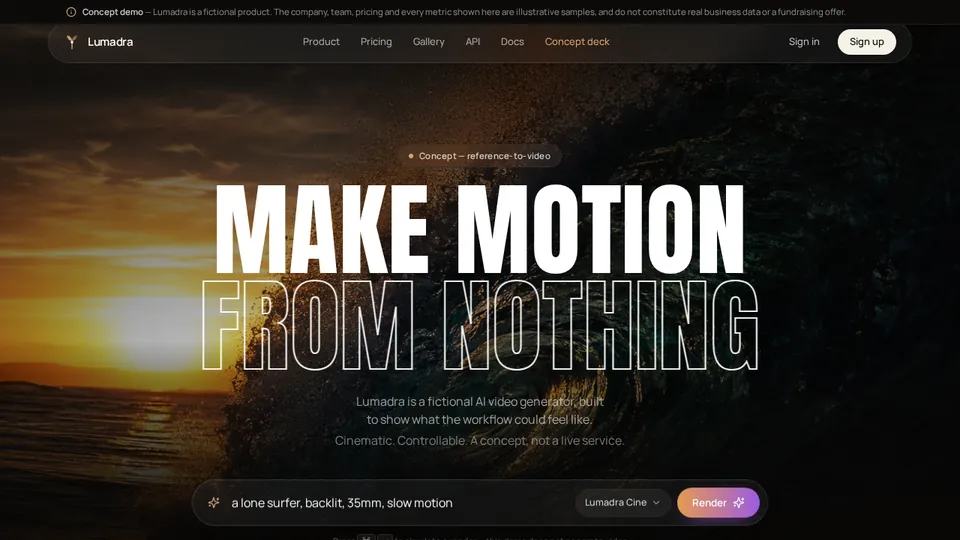
Case: A Product Story Page
This showcase entry is included as a concise capability example. It is not a benchmark, customer-result claim, or substitute for reviewing the project yourself.
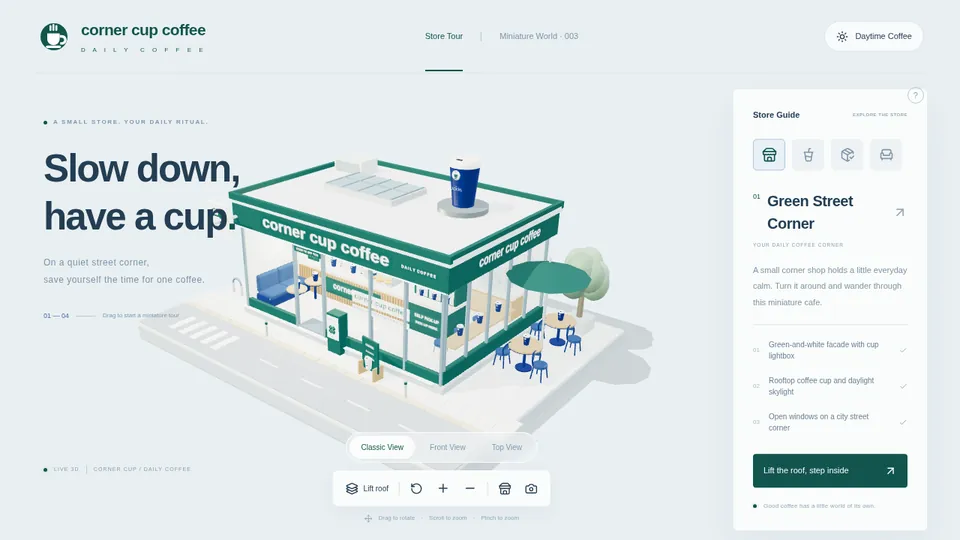
Case: A 3D Brand Environment
This showcase entry is included as a concise capability example. It is not a benchmark, customer-result claim, or substitute for reviewing the project yourself.
A little more clarity
Frequently asked questions
01Q1: Is there a free AI poster generator?
Some providers advertise free access, but what matters is whether the free option includes the assets, editing, and export you need. Run the edit-and-export test in your own account and check current terms before promising a no-cost campaign workflow.
02Q2: What about the poster maker Adobe offers?
If you want the poster maker Adobe offers, check the official Adobe Express AI poster page and verify the same requirements: editable copy, layout control, asset terms, and final export. Its current page details could not be verified for this comparison, so no capability, price, or quality ranking is assigned here.
03Q3: Can an image generator create the whole poster?
It can create a poster-like image, but inspect the text and delivery requirements carefully. When dates, prices, accessibility, or repeated edits matter, keep essential copy in editable design elements rather than relying on generated lettering.
04Q4: Is Atoms a print-production poster tool?
The verified scope supports image generation and web-product building; it does not establish specialist print-production controls. Use Atoms for the visual concept or campaign page, and verify or use another workflow for the final print file.
Once the message and destination are clear, start the matching campaign page in Atoms. A poster is more useful when its call to action leads somewhere that works.
Sources and availability
Research cutoff: September 7, 2026. Feature references: Design, Template Net, Canva, Adobe Express, Venngage, and the Atoms platform. Recheck editing controls, export access, asset terms, and plan restrictions when they change. No hands-on design scores or universal print-readiness guarantees are claimed.
Share this article
 Posts
Posts 