
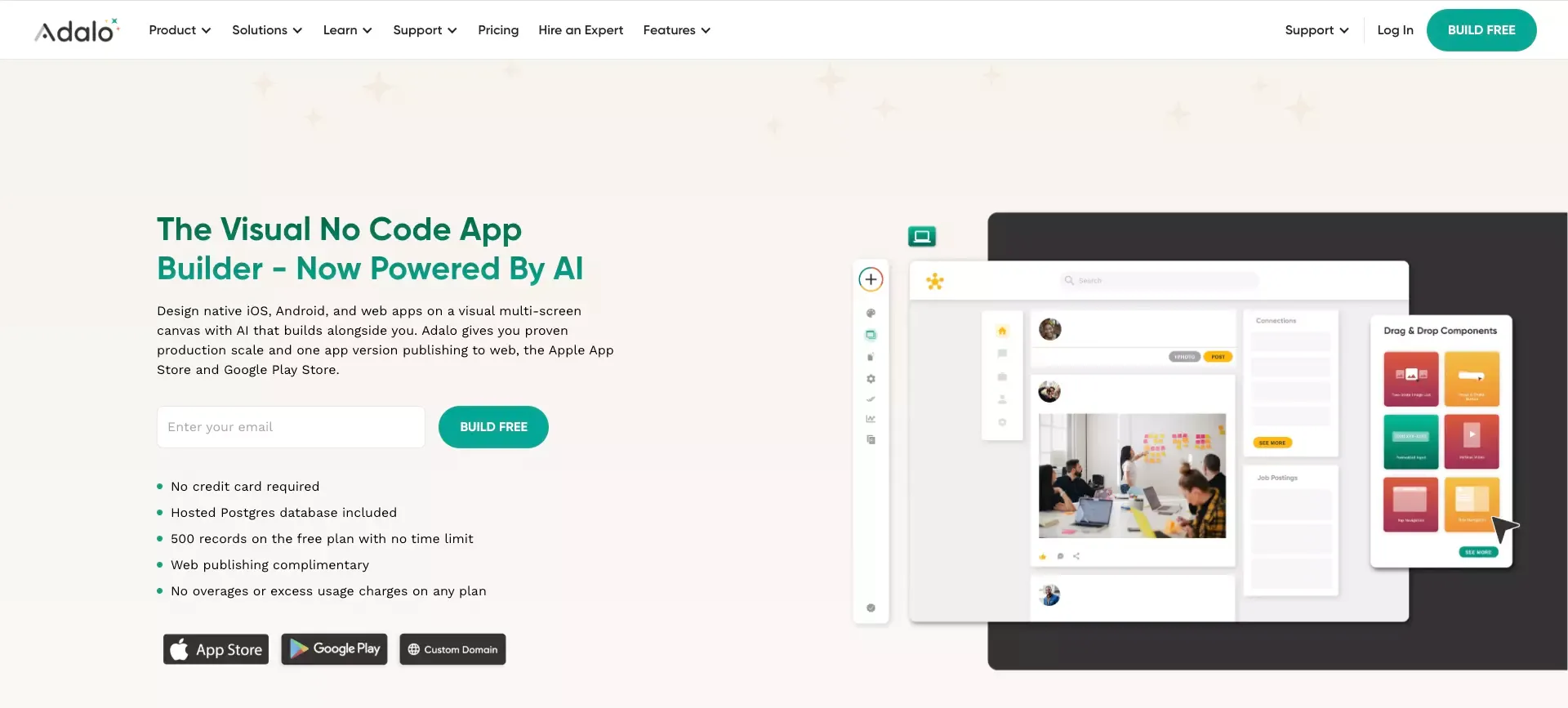
 Adalo still gets attention for one clear reason: it promises a faster path to building an AI app.
That promise is appealing, especially for founders, solo builders, and small teams that want to launch something real without hiring a full engineering team on day one. Adalo is built around a visual editor, built-in database tools, app logic, and publishing across web and mobile.
The bigger question is not whether Adalo can build an app. It can.
The real question is whether it is the right tool for the kind of app you want to build, and whether it will still feel right once your product grows beyond the MVP showcase stage.
Quick Verdict
Adalo is best understood as a practical no-code builder for early-stage products.
It is strong when you care about speed, clarity, and ease of use. It is weaker when your product starts demanding deeper logic, heavier customization, or more room to scale.
The short version
- Best for: non-technical founders, MVPs, simple mobile-first apps, and fast validation
- Less ideal for: complex products, advanced workflows, and long-term software with growing technical demands
- Biggest strength: it makes app building feel approachable
- Biggest weakness: it can feel limiting once your product gets more ambitious
If your goal is to get from idea to working product quickly, Adalo is worth serious consideration. If your goal is to build a highly customized product with a long technical runway, you should compare it with other options before committing.
Why Adalo Still Matters in 2026
A lot of no-code platforms look similar at first glance. Most promise speed. Most promise simplicity. Most promise that you can build without code.
What makes Adalo stand out is that it has stayed focused on a very specific promise:
- build visually
- connect your data
- create app logic
- publish to web and mobile
That focus matters.
Many no-code tools are really best for internal tools, dashboards, or lightweight web experiences. Adalo feels more product-oriented. It is designed for people who want to use an app and website builder, not just a workflow or admin layer.
That is why it still shows up in so many review roundups. It sits in a useful middle ground:
- easier to approach than more technical app builders
- more app-centric than many internal-tool platforms
- better aligned with MVP thinking than traditional development stacks
What Adalo Is
Adalo is a no-code app builder for creating database-driven web and mobile apps with a visual interface.
At a high level, it gives you:
- a drag-and-drop editor
- built-in database support
- actions and app logic
- templates and components
- integrations and API connections
- publishing to web, iOS, and Android
That combination is a big part of the appeal. Instead of piecing together multiple tools for design, backend structure, and deployment, Adalo tries to keep the workflow inside one product.
For beginners, that is a real advantage. Less tool-switching usually means less friction.
What Adalo Does Well
Easy Visual Building for Beginners
This is the part Adalo gets right most consistently.
The platform is approachable. The editor is visual. The learning curve is lower than what many people expect when they hear “app builder.”
That matters because early-stage builders rarely struggle with ambition. They struggle with momentum.
Adalo helps reduce the kind of friction that kills momentum early:
- setting up infrastructure
- figuring out backend basics
- wiring together simple logic
- building screens from scratch
If you are non-technical, that ease can make the difference between shipping a first version and staying stuck in planning mode.
Good Fit for MVPs and Simple Apps
Adalo makes the most sense when the goal is to get something usable in front of people quickly.
It works especially well for:
- early startup MVPs
- appointment or booking apps
- directories and simple marketplaces
- internal business tools with a mobile layer
- community-style or member-based products
- small business apps that do not need heavy custom logic
This is where Adalo feels practical rather than theoretical.
You are not choosing it because it can do everything. You are choosing it because it can help you ship faster than a traditional build process and move from concept to an AI prototype with less setup.
Built-In Database and Logic Are Convenient
A lot of the platform’s value comes from convenience.
Instead of treating the app, the data, and the logic as separate technical problems, Adalo wraps them into one visual workflow. That reduces mental overhead for beginners.
The benefit is not just that it is “no-code.” The benefit is that it feels more self-contained.
That can make a big difference if you are:
- building alone
- validating a startup idea with limited time
- working without an in-house engineer
- trying to avoid a messy stack of tools too early
Publishing Across Web and Mobile Is a Real Advantage
This is one of Adalo’s most attractive traits.
For many builders, the emotional goal is not just “make a prototype.” It is “build a product launch page with AI.”
Adalo’s multi-platform publishing story makes that outcome feel more reachable. If mobile is central to your product idea, that is a stronger reason to look at Adalo than at some lighter no-code tools that are more web-only in spirit.
Where Adalo Starts to Feel Limited
Complex Products Can Outgrow It Quickly
This is the trade-off you need to take seriously.
Adalo is easiest to like when your app is still simple. Once the product becomes more complex, the same simplicity that felt helpful can start to feel restrictive.
That usually happens when you need:
- more advanced permissions
- more flexible data relationships
- more custom logic
- more unusual user flows
- more technical control over how things behave
This does not mean Adalo suddenly stops working. It means the platform’s comfort zone becomes easier to feel.
Flexibility Has a Ceiling
Visual builders always involve abstraction. That is how they make building easier.
But abstraction has a cost. The more the platform hides complexity, the more you depend on the platform’s opinion of how things should be built.
That is fine when your use case fits the model.
It becomes harder when your product starts asking for something outside the model.
In practice, that means Adalo is often a better fit for:
- recognizable app patterns
- simpler workflows
- more standard user journeys
It is a weaker fit when your product is unusual, highly customized, or constantly evolving.
Scalability Is the Real Long-Term Question
Many founders ask the wrong question at the start.
They ask, “Can I build this in Adalo?”
A better question is, “Will I still want to run this in Adalo later?”
Those are not the same thing.
For MVPs, early validation, and smaller apps, the answer may be yes. For products with growing complexity, the answer becomes less clear. That is why long-term fit matters more than first-week excitement.
Adalo Pricing: What You Really Need to Know
Pricing should be evaluated in context, not in isolation.
A cheap tool that forces a rebuild later can become expensive. A higher-priced tool that helps you move faster can be worth it.
With Adalo, the decision is usually less about the raw monthly price and more about whether the platform matches your product stage.
What the Pricing Means in Practice
| Stage | What Adalo Usually Feels Like | Pricing Mindset |
|---|---|---|
| Exploration | Good for learning the builder and testing basic flows | Low-risk starting point |
| MVP launch | Often where Adalo feels strongest | Can be cost-effective if speed matters |
| Growth stage | Depends heavily on app complexity | Evaluate carefully before committing long term |
| Complex product scale-up | Trade-offs become more visible | Rebuild risk matters more than plan cost |
A more practical way to think about cost
- If you are validating an idea, Adalo can be a cost-efficient shortcut
- If you need to launch fast without building a team, the value can be strong
- If your product is likely to outgrow the platform, the future migration cost matters more than the subscription cost
That last point is easy to ignore early. It becomes much harder to ignore later.
Who Adalo Is Best For
Adalo is a good fit for people who value speed and simplicity more than maximum flexibility.
Best-fit users
- Non-technical founders who want to launch without relying on developers immediately
- Solo builders who need a faster path from concept to product
- Small teams building an MVP or a first commercial version
- Businesses with standard app needs such as booking, member access, simple workflows, or basic marketplaces
- Mobile-first builders who care about getting an app experience live quickly
Who Should Probably Look Elsewhere
Adalo is not the strongest option for every type of project.
It may be the wrong fit if you need
- deeper customization from day one
- more advanced engineering control
- unusual product logic
- a platform built for long-term technical extensibility
- a system that can stretch further as the product becomes more sophisticated
If you already know your product will get complex fast, it is smarter to compare now rather than wait until the platform starts feeling tight.
Adalo Alternatives to Consider
Choosing an alternative is not really about finding the “best” no-code tool. It is about finding the best match for your bottleneck.
Choose Adalo if your main priority is
- visual simplicity
- fast MVP delivery
- approachable app building
- lower setup friction
Consider other tools if your main priority is different
| Need | Better direction to explore |
|---|---|
| More AI help from idea to product | Atoms |
| More control and customization | FlutterFlow |
| Simpler business apps and internal workflows | Glide or Atoms |
| More flexibility with a steeper learning curve | Bubble |
Adalo Alternatives to consider
Atoms is worth looking at if your problem is not just building screens, but shortening the entire path from idea to working product.
That is a slightly different use case from Adalo.
Adalo is more of a classic visual app builder. Atoms AI makes more sense for people who want heavier AI assistance across the product workflow itself, especially when the challenge is turning a rough concept into something usable faster. If you are comparing newer product-building workflows in general, it is also reasonable to look at tools covered in the Lovable review or the Replit review.
That does not make it a universal replacement for Adalo. It simply makes it a sensible option to compare if you want more guidance and automation in the product-building process.
Final Thoughts
Adalo is not a magic platform, but it is also not just a lightweight toy.
It is a useful no-code builder with a clear sweet spot.
Adalo is a strong option when
- you need momentum
- you want to launch an MVP quickly
- you are non-technical
- your app structure is relatively straightforward
- mobile delivery matters
Adalo becomes less convincing when
- your product gets more complex
- you need more flexibility
- long-term scalability becomes the main concern
- technical control starts to matter more than build speed
That is the real takeaway.
Adalo is not a tool for every kind of software business. But for the right kind of builder, at the right stage, it can still be a very practical way to turn an idea into a real app.
FAQ
Is Adalo good for beginners?
Yes. Adalo is one of the more approachable no-code app builders for beginners, especially if you want to work visually and avoid a heavy technical setup.
Is Adalo good for MVPs?
Yes. This is one of its strongest use cases. Adalo is well suited for MVPs, early product validation, and simple app launches.
Can Adalo handle complex products?
It depends on the complexity. Adalo can support more than very basic apps, but it becomes less comfortable as the product requires deeper customization and more advanced logic.
Is Adalo better for mobile apps or web apps?
Adalo is especially appealing for people who want a path to mobile app publishing, though it also supports web apps. That mobile angle is part of what makes it stand out.
What is the best Adalo alternative?
There is no single best alternative. The right choice depends on what you need most:
- choose Atoms AI if you want a more AI-guided product workflow
- choose FlutterFlow if you want more control
- choose Glide or Softr if you want simpler business apps or internal tools
- choose Bubble if you are willing to trade simplicity for flexibility
