 Maya Chen
On this page
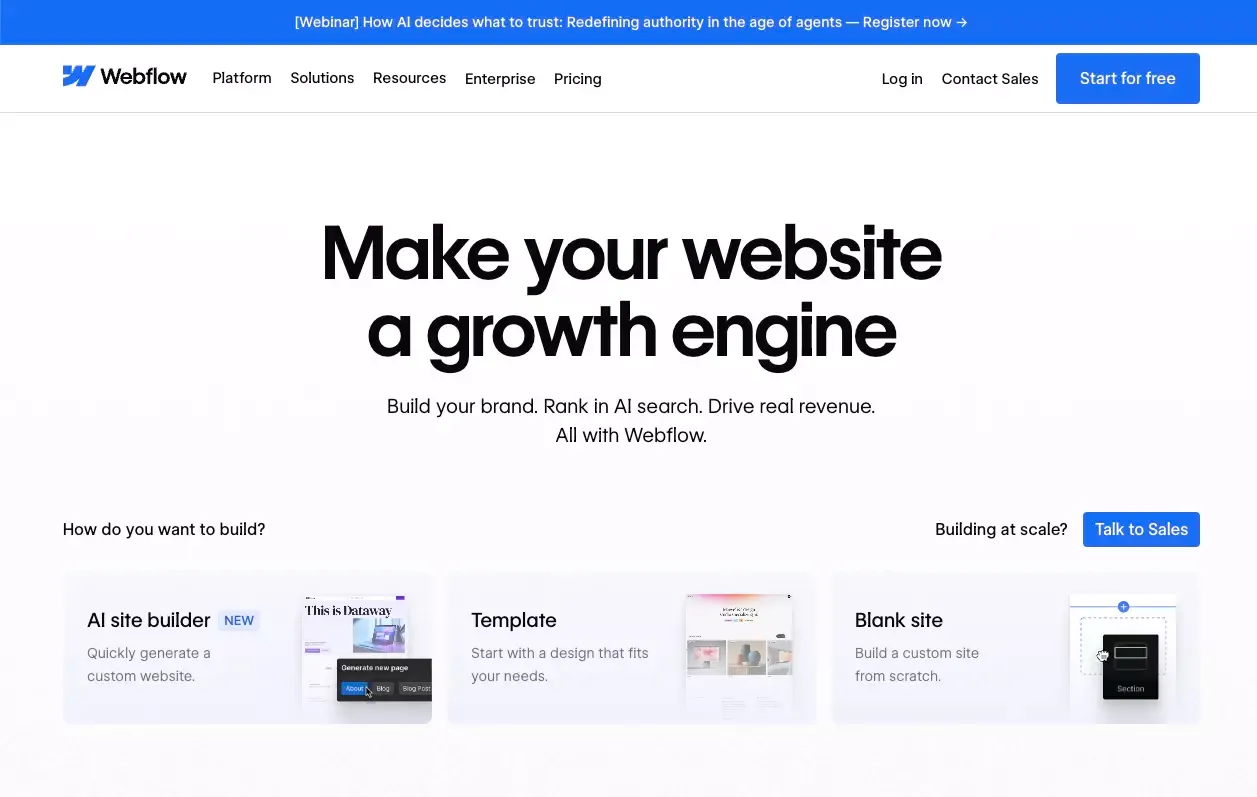 Webflow is still a strong product. I would not pretend otherwise.
It gives teams deep visual control, a flexible CMS, solid SEO settings, and a serious collaboration model for content teams. That is exactly why so many designers, marketers, and agencies still like it.
But that does not mean it is the right fit for everyone.
A lot of people search for Webflow alternatives for a simple reason: what feels powerful to one team can feel heavy to another. Some teams want to move faster. Some want easier content editing. Some care more about shipping a working product than designing every pixel visually. Others just want a simpler path from idea to launch.
After reviewing the major options, my view is simple: there is no single “best” Webflow alternative. There is only the best one for the kind of team you are, the kind of site you need, and the amount of complexity you actually want to own.
Why People Start Looking Beyond Webflow
Most people do not leave Webflow because it is bad. They leave because they no longer want to pay the complexity tax.
Webflow is great when your team values visual control, structured CMS content, and a more design-centric workflow. But if your team is mostly marketers, founders, content people, or operators, that same setup can feel like more system than you actually need.
In practice, people usually start looking for alternatives because of one or more of these reasons:
- They want to launch faster
- They want easier editing for non-designers
- They want a better fit for SEO or content workflows
- They need stronger ecommerce support
- They want fewer tools and less handoff work
That distinction matters. Once you are clear on the real job to be done, the best alternative becomes much easier to identify.
How I Evaluated These Webflow Alternatives
I looked at each option through a practical lens, not a feature-dump lens.
I care about how fast you can get live, how easy it is to keep a site updated, how much SEO control you get, how well the tool fits non-technical teams, and whether it can scale without turning into a maintenance mess.
These were the main criteria I used:
- Ease of building and editing
- Design flexibility
- SEO and content control
- Collaboration workflow
- Ecommerce readiness
- Long-term scalability
Quick Comparison Table
| Tool | Best For | Main Strength | Main Limitation |
|---|---|---|---|
| Atoms | Fast-moving teams and builders | AI-assisted build speed with broader product capability | Less familiar if you want a traditional visual-builder workflow |
| Framer | Design-forward marketing sites | Fast, polished, modern publishing experience | Less convincing for complex content or business workflows |
| Wix | Beginners and small businesses | Easy setup and approachable editing | Less flexible for advanced customization |
| Squarespace | Brand sites and service businesses | Clean design and simple all-in-one experience | More limited when you need deeper customization |
| WordPress | Content-heavy and SEO-led sites | Strong flexibility for publishing at scale | More setup and maintenance overhead |
| Shopify | Ecommerce-first businesses | Built for selling, checkout, and store operations | Not ideal if content or brand pages are the main priority |
1. Atoms
If your main complaint about Webflow is that it still feels like a website-building workflow, Atoms is one of the more interesting alternatives.
What stands out to me is that Atoms does not behave like a traditional site builder first. It is closer to an AI-powered build system that helps teams go from idea to live website or product much faster. That matters, because for many startups and growth teams, the real goal is not “design a site in a visual editor.” The goal is “ship something real without slowing the team down.”
That changes the comparison.
If I were choosing between Atoms and Webflow, I would not ask which one gives me more control over a visual canvas. I would ask whether I want to spend more time designing pages manually, or whether I want AI to handle more of the execution work so I can move faster.
Atoms feels strongest when speed is the priority. It makes a lot of sense for startup teams, solo founders, and growth-minded operators who care about launch velocity, SEO readiness, and broader build capability beyond a simple marketing site. That is especially true if you need an app and website builder, an AI app builder, or the kind of workflow described in introduce Atoms growth dashboard.
Where Atoms feels stronger than Webflow
- Faster path from idea to launch
- Better fit for AI-assisted execution
- More aligned with broader product-building workflows
- Natural fit for teams that want site building tied to growth and shipping
Where Webflow may still feel stronger
- More familiar for design-led teams
- Better fit if your workflow is centered on visual layout control
- Easier choice if your team already knows the Webflow ecosystem
My take: Atoms is one of the best Webflow alternatives if your real priority is shipping faster, not spending more time inside the builder.
2. Framer
Framer and is probably the most obvious Webflow alternative for design-forward teams that still want speed.
I understand why it shows up so often in comparison articles. It feels modern. It is visually polished. And for many marketing sites, it gives teams enough flexibility without the same sense of operational heaviness.
Framer works especially well for landing pages, brand sites, campaign pages, and visually sharp marketing experiences. It feels lighter than Webflow in day-to-day use, which is a real advantage. If you are comparing that lane more directly, Framer alternatives are relevant reference points.
That said, I would not overstate it. Framer is a very good choice for design-focused publishing, but I am less convinced by it as a one-size-fits-all answer for more CMS-heavy or operationally messy use cases.
My take: Framer is one of the best alternatives for teams that want a streamlined design-and-publish experience.
3. Wix
Wix has improved a lot, and I think some people still judge it by an older version of the product.
What I like about Wix is that it knows what it is. It is not trying to be the most advanced builder for designers or developers. It is trying to help people get a real business website live without too much friction.
That makes it a strong option for small businesses, solo operators, local service companies, and teams that care more about ease than deep system control.
Wix is usually a better choice than Webflow when the team wants a simpler editor, quicker onboarding, and a lower learning curve. But once you start caring more about advanced structure, more control, or long-term flexibility, it starts to feel narrower. In practice, that often overlaps with what buyers want from an AI website builder, an auto website builder, or even the AI website builder for beginners.
My take: Wix is one of the safest Webflow alternatives for beginners and non-technical teams.
4. Squarespace
Squarespace remains one of the cleanest choices for people who want a polished site without too many decisions.
That is its real advantage. It reduces cognitive load. You spend less time building a system and more time getting a professional-looking site online.
For portfolios, service businesses, creators, consultants, and brand-led websites, Squarespace is still a very practical option. It is especially appealing for teams that want decent SEO defaults, built-in business features, and a calmer editing experience.
The tradeoff is clear. Simplicity comes with boundaries. If you want deep customization, highly dynamic content structures, or a more product-like workflow, Squarespace is usually not the winner. It makes more sense when your need is closer to build your startup's first landing page with AI or a straightforward text-to-website flow than a highly structured CMS operation.
My take: Squarespace is one of the best alternatives for people who want elegance, simplicity, and an all-in-one setup.
5. WordPress
WordPress is the classic answer, but it is still a serious one.
If your site is going to live or die by publishing, category depth, internal linking, editorial scale, and search growth over time, WordPress still deserves respect. It remains one of the strongest options for content-heavy SEO programs.
But I would be careful with lazy advice like “WordPress is always better for SEO.” That is too simplistic. WordPress gives you a lot of range. Range is not the same as ease.
In practice, the real question is whether your team wants that flexibility badly enough to manage the extra complexity that often comes with it. For the right content team, the answer is yes. For many smaller teams, the answer is no. If your workflow leans toward rapid content production instead, tools like an AI blog website builder or an AI content creator website builder may better reflect what you actually need.
My take: WordPress is one of the strongest Webflow alternatives for content-led sites and long-term SEO growth, but it is not the cleanest option for every team.
6. Shopify
Shopify belongs in this conversation any time the real job is ecommerce.
I would not compare Shopify to Webflow as a general-purpose website builder first. I would compare it as a business decision. If you are building an online store, Shopify is often the more natural choice. It is built around products, payments, inventory, checkout, and store operations.
That is why Shopify tends to win when commerce is the center of the business, not a side feature.
If you are building a content-led brand site with a little bit of selling on the side, the decision is more nuanced. But if selling products is the main event, Shopify usually has the clearer logic. That is where an AI ecommerce website builder or create a simple ecommerce page with AI becomes a more relevant comparison than a traditional content-first builder.
My take: Shopify is the best Webflow alternative when ecommerce is your main priority.
7. Other Webflow Alternatives Worth Mentioning
There are other names that come up often, including Hostinger, Weebly, Webstudio, Duda, and other niche builders.
Some are cheaper. Some are easier. Some are better for specific situations. But for most teams, the real shortlist is smaller than the internet makes it seem.
That is why I would not start with a long list. I would start with the actual use case, then narrow the field quickly. For some teams, that means comparing adjacent options like Replo alternatives, Relume alternatives, or Dora AI alternatives depending on the workflow they are leaving behind.
Which Webflow Alternative Is Best for Different Needs?
Here is the blunt version.
Best for startups and fast-moving product teams: Atoms
If speed matters most, Atoms is one of the strongest options. It makes sense when your team wants to go from idea to live site or product quickly, with AI helping more of the build process. That is often the same kind of team evaluating build your SaaS landing page with AI or build your product launch page with AI.
Best for design-led marketing sites: Framer
If your team cares about visual polish and wants a smoother publishing experience than Webflow, Framer is a strong choice.
Best for beginners: Wix
If your team wants simplicity, easy editing, and fast onboarding, Wix is a safe and practical pick.
Best for polished brand sites: Squarespace
If your goal is a clean, professional website without too much setup overhead, Squarespace works well.
Best for SEO-driven publishing: WordPress
If content scale, search growth, and editorial flexibility matter most, WordPress still has a strong case.
Best for ecommerce brands: Shopify
If the website is really a store, Shopify is usually the better fit.
Atoms vs Webflow: When Each One Makes More Sense
This is where I think the comparison gets more useful.
Choose Atoms if you care more about speed, execution, and shipping
Atoms makes more sense when your team wants to move from concept to live experience quickly. It is a better fit when you want AI to do more of the work and when the website is not isolated from the rest of your product or growth system.
Choose Webflow if you care more about traditional visual web design workflows
Webflow still makes a lot of sense for teams that want serious visual control, a structured CMS, and a familiar design-centric environment. If the website itself is the main deliverable, and your team is comfortable with that style of workflow, Webflow remains a strong choice.
What to Check Before Moving Away From Webflow
No matter which platform you choose, a migration is where teams often make avoidable mistakes.
Before moving away from Webflow, I would check these areas carefully:
- URL structure and redirects
- Page titles and meta descriptions
- Heading structure and on-page copy
- Internal links
- CMS field mapping
- Image handling and alt text
- Indexing settings
- Analytics and search console setup
A platform switch does not hurt SEO by default. A sloppy migration does.
Final Verdict
If I had to reduce everything to one honest conclusion, it would be this:
Webflow is still one of the best options for teams that want strong visual control, a flexible CMS, and a serious website-building workflow.
But it is no longer the obvious answer for everyone.
The market has split. Some tools now win on speed. Some win on simplicity. Some win on ecommerce. Some win on content scale. And some, like Atoms, are interesting because they challenge the old assumption that building a website has to start with a blank canvas or a traditional visual editor at all.
So the better question is not “What is the best Webflow alternative?”
It is this: what kind of workflow do you actually want to own?
That is the question that leads to a better decision.
Frequently asked questions
01What is the best Webflow alternative overall?
There is no universal winner. For AI-first speed, Atoms is a strong option. For design-forward marketing sites, Framer stands out. For simplicity, Wix and Squarespace make sense. For content-heavy SEO programs, WordPress is still very relevant. For ecommerce, Shopify is the obvious shortlist.
02Which Webflow alternative is best for SEO?
That depends on your workflow. WordPress is strong for content scale and long-term publishing flexibility. Webflow itself is solid for built-in SEO control. Atoms is compelling for teams that want faster shipping with SEO-friendly structure. The best answer depends on whether you value flexibility, simplicity, or speed more.
03Is Framer better than Webflow?
Sometimes yes, sometimes no. Framer is often better when speed and publishing simplicity matter most. Webflow is often better when your team needs stronger CMS structure, more workflow control, or a more robust content system.
04Can I move away from Webflow without hurting SEO?
Yes, absolutely. But only if the migration is handled carefully. The key areas are redirects, metadata, content parity, internal linking, and indexing settings.
