
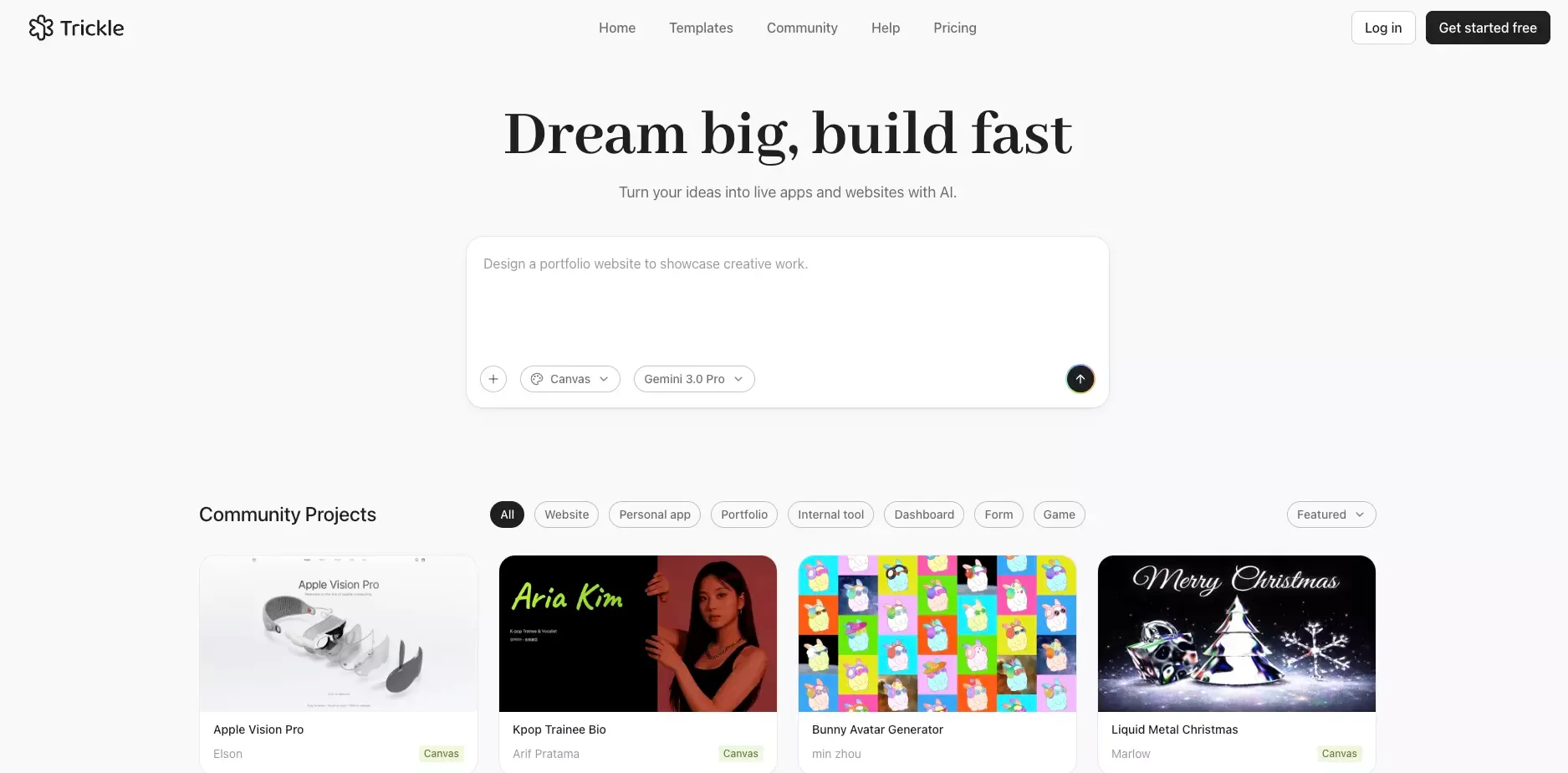
 AI builders are easier to try than ever. Judging them is the hard part.
Most tools look great in a demo. Fewer still look convincing when you think like a real user with a deadline, a rough idea, and limited patience for setup. That is where Trickle gets interesting.
Trickle is not just trying to generate a page from a prompt. Its pitch is broader than that. It aims to help people move from idea to a working website or lightweight app with less friction, fewer tools, and a faster path to launch.
That sounds promising. But the more useful question is this:
What is Trickle actually good at, and where does it start to feel limited?
My view is simple. Trickle looks strongest when speed, simplicity, and low setup overhead matter more than engineering depth. It becomes less convincing when the product needs heavy backend logic, deep customization, or long-term system complexity from the start.
What Is Trickle?
Trickle is an AI website and app builder designed to help users create simple digital products through a prompt-first workflow.
Instead of starting with code, deployment, and databases separately, Trickle tries to compress those early steps into one place.
What Trickle is built to help with
- Landing pages
- Forms and lead capture flows
- Lightweight web apps
- Internal tools
- Waitlists and simple customer-facing products
- Fast MVPs for early validation
What makes Trickle different from a basic AI page generator
- Built-in hosting
- Native database support
- SEO settings
- Custom domain support on paid plans
- Integrations for more advanced workflows
That matters because many AI builders are really just front-end generators. They can create a first draft, but they leave the rest of the work to you. Trickle is more useful when it can reduce that handoff.
How Trickle Works for Real Users
The easiest way to understand Trickle is to think in terms of workflow, not features.
A typical user is not comparing abstract technical specs. They are asking practical questions:
- Can I get something usable quickly?
- Can I publish without stitching together five tools?
- Can I make changes without fighting the system?
- Will this still work once the project becomes a little more serious?
Trickle seems built for people who want momentum early. That includes founders, marketers, solo builders, and small teams who want to turn an idea into something visible without getting stuck in setup.
Why that matters
Early-stage product work often fails before the product itself fails.
It gets delayed by:
- deployment choices
- data setup
- tool switching
- vague workflows
- too much technical overhead too early
Trickle’s strongest value is that it tries to remove that drag.
Trickle Review: What Stands Out
There are plenty of AI builders now. Trickle becomes more interesting when you look at the parts that affect real execution.
Fast path from prompt to working draft
This is the main appeal.
If your goal is to get from idea to first version quickly, Trickle makes sense. It is designed for users who want to see something tangible early instead of spending the first day configuring infrastructure. That puts it in the same broader conversation as tools aimed at text-to-website workflows and fast AI prototype generation use cases.
That speed matters more than people admit.
A fast first draft helps with:
- idea validation
- internal feedback
- customer conversations
- landing page testing
- early product direction
The ability to react to something real is often more valuable than staring at a blank canvas with more theoretical flexibility.
Lower setup friction
This is where Trickle is stronger than many lighter AI tools.
Instead of asking users to solve hosting, data, publishing, and basic project structure separately, it bundles more of that into one workflow.
For many users, that is the real product.
Not the AI itself. Not the prompt box.
The real value is fewer steps between idea and output.
Built-in tools for simple products
Trickle includes a set of capabilities that make it more practical for lightweight projects.
Core product capabilities
| Capability | Why it matters |
|---|---|
| Built-in hosting | Lets users publish without extra deployment work |
| Native database | Makes forms and simple data-driven experiences easier |
| SEO settings | Useful for landing pages and public-facing projects |
| Custom domains | Helps projects feel production-ready |
| Integrations | Gives users a path beyond the basics |
This combination makes Trickle more than a visual generator. It makes it a lightweight build-and-launch environment, which is why it overlaps with categories like AI app builder, AI website builder, and app and website builder workflows.
Better for lightweight products than complex systems
This is important to say clearly.
Trickle looks strongest when the project is:
- small to medium in scope
- early in its lifecycle
- focused on speed
- simple enough to fit inside a guided builder workflow
That is not a weakness. It is product positioning.
The mistake is expecting it to behave like a full custom engineering stack.
Trickle Features That Matter Most
Not every feature matters equally in a review. These are the ones that actually influence the buying decision.
1. Built-in database
This is one of Trickle’s most useful capabilities.
A native database changes the product from “AI makes a page” to “AI helps me build something that can actually collect and use information.”
That makes a difference for:
- lead forms
- waitlists
- lightweight internal tools
- customer intake flows
- simple app logic
2. Hosting and publishing
Shipping matters.
A tool that helps you build quickly but creates deployment friction loses much of its value. Trickle is stronger when users can go from build to publish in the same environment.
3. SEO settings
This is especially relevant for marketing pages, startup sites, and MVP launches.
If a builder wants to be taken seriously for public-facing projects, SEO basics cannot be missing. Trickle’s inclusion of SEO settings makes it more usable for real launch scenarios, especially for teams building an early SaaS landing page with AI or a startup's first landing page with AI.
4. Custom domains
Custom domains are not just a cosmetic upgrade.
They matter because they signal whether a product can move beyond prototype mode. The moment a user wants to show a project publicly, domain support becomes part of the core workflow.
5. Integrations for broader workflows
This is where Trickle shows some ambition.
For users who outgrow the simplest use cases, integrations give the platform a more realistic path forward. That does not make it limitless, but it does make it more credible.
Trickle Pricing Review
Pricing is easy to misread with AI tools.
The question is not just “is it cheap?” The better question is: what kind of work does this price actually support?
| Plan | Best for | General take |
|---|---|---|
| Free | Testing, learning, tiny demos | Good for understanding the product |
| Pro | Real side projects and serious MVP work | Likely the real starting point for most users |
| Premium | Heavier usage and more active building | More capacity, not a completely different product |
My take on Trickle pricing
Trickle’s pricing makes sense if you are paying for speed.
It feels less attractive if you expect:
- unlimited iteration
- deep product infrastructure
- advanced backend power out of the box
- unrestricted complexity at every stage
In other words, the pricing is reasonable for a fast builder workflow. It is less compelling if your project quickly turns into a more traditional software product.
That distinction matters.
Trickle Limitations You Should Know Before Choosing It
This is the part many reviews soften too much.
Trickle has real strengths, but it also has clear boundaries. Those boundaries are not necessarily bad. They just need to be understood before you commit to the workflow.
Less control as the project gets more specific
The more tailored your product becomes, the more likely a guided AI builder starts to feel tight.
That can show up in different ways:
- layout control becomes more limited
- app behavior becomes harder to fine-tune
- unique product logic becomes more difficult to express cleanly
- advanced flows may need external tools or technical workarounds
This is a normal pattern in AI builders. Trickle is not unique here. But it is still a real consideration.
AI speed does not remove product complexity
Fast generation is useful. It does not eliminate complexity.
You may still need to think carefully about:
- user flow
- data structure
- edge cases
- project scope
- how the product should behave after launch
This is where many users get disappointed with AI tools in general. They expect product thinking to disappear. It does not.
Better for execution speed than deep product architecture
Trickle makes more sense as a fast execution layer than as a long-term architecture decision.
That means it is strong for:
- quick launches
- early validation
- first working versions
- lightweight public projects
It is less naturally suited to:
- large-scale SaaS platforms
- complex permissions
- highly custom frontend systems
- long-horizon product architecture
Who Trickle Is Best For
Trickle is not for everyone. But for the right user, it can be a very efficient choice.
Best fit for these users
- Non-technical founders who want to launch quickly
- Solo builders validating an idea
- Marketers creating landing pages or lead capture flows
- Small teams building lightweight internal tools
- Anyone who values speed over total flexibility in the early stage
Best fit for these types of projects
| Project type | Fit |
|---|---|
| Landing page MVP | Strong |
| Waitlist or signup flow | Strong |
| Lightweight internal tool | Strong |
| Early web app prototype | Good |
| Complex SaaS platform | Weak |
| Deeply customized product system | Weak |
This is the right lens for evaluating Trickle. Not “can it technically do something in theory?” but “does it naturally fit the shape of the work?”
Who Should Probably Look at Alternatives
A tool can be good and still not be right for your project.
You should be more cautious with Trickle if you already know you need:
- advanced backend workflows
- highly custom business logic
- detailed frontend control
- broader product planning before execution
- a workflow that extends beyond fast UI and basic app scaffolding
That is where broader platforms start to make more sense.
Trickle Alternatives
This is where the comparison gets more useful.
Trickle feels strongest when the main goal is to move quickly from idea to a working draft. It reduces setup friction and helps users get something tangible online faster.
That is a strong use case on its own.
When Trickle is the better fit
Choose Trickle when your priority is:
- speed to first version
- low setup effort
- simple public-facing projects
- lightweight app building
- validating an idea before going deeper
When Atoms feels like a more natural fit
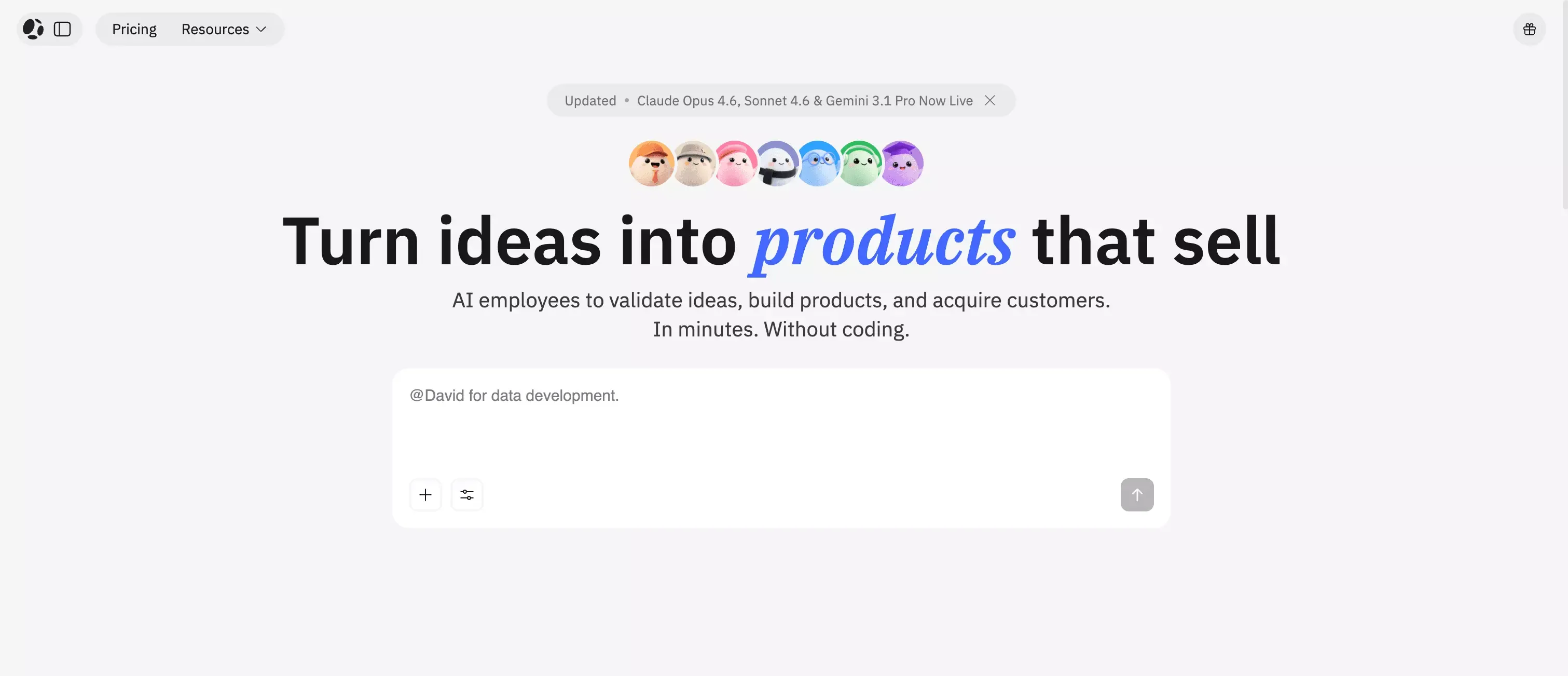 Atoms becomes more relevant when the work is broader than just generating a site or a basic app shell.
It is a more natural option when you want the workflow to include:
- deeper planning before building
- more connected product execution
- a broader path from idea to launch
- a system that feels less centered on fast scaffolding alone
That is why Atoms fits best here as a contextual recommendation, not as a hard sell.
If Trickle is appealing because it helps you start fast, Atoms AI becomes interesting when the bigger challenge is not just building quickly, but building with more connected product thinking from the beginning. That is also why pages like AI startup idea validator and build your product launch page with AI map naturally to this comparison.
The real comparison is workflow shape
Many people compare AI builders feature by feature. That is usually the wrong way to do it.
A better comparison is this:
| Tool type | Best when your main goal is |
|---|---|
| Trickle-style builder | Launch something quickly with minimal setup |
| Broader platform like Atoms AI | Connect idea, planning, execution, and launch in a fuller workflow |
That framing is much more useful than asking which tool is “better” in the abstract. If readers want adjacent comparisons, they will likely also look at reviews like Lovable, Bubble, Replit, Bolt, and Glide.
Final Verdict: Is Trickle Worth Using in 2026?
Trickle looks like a credible option in the AI builder market because it removes the right kinds of friction.
Its strongest idea is not that AI can generate pages. Many tools can do that now.
Its stronger idea is this:
people should be able to go from idea to usable product draft without solving hosting, database setup, publishing, and basic SEO as separate problems.
That is a meaningful value proposition.
What I like most about Trickle
- Fast path from prompt to draft
- Lower setup overhead than many alternatives
- Useful built-in tools for lightweight real-world projects
- A workflow that makes sense for early-stage users
What I would be careful about
- It is still a guided builder, not a full engineering environment
- Complex products will hit limits faster
- Advanced logic may require outside tools or a different platform
- It is easier to overestimate what “AI-generated” actually means
My bottom-line take
Trickle is a strong choice for people who want to build fast, publish quickly, and avoid unnecessary setup in the early stage.
It is not the best answer for every project. It does not need to be.
If your real need is speed with enough structure to launch and learn, Trickle is worth serious consideration. If your project needs a fuller product workflow from the start, that is where alternatives like Atoms AI become a more natural next step.
FAQ
Is Trickle good for beginners?
Yes, especially for users who want a lower-friction way to build and publish simple projects. Its workflow is easier to approach than a traditional stack, especially for readers comparing it with guides like best AI website builder for beginners.
Can Trickle build real apps or just landing pages?
It appears better suited to lightweight real apps, forms, and landing pages than to highly complex software systems. That middle ground is where it looks most practical.
Does Trickle require coding knowledge?
Not in the same way a traditional development stack does. But clear thinking still matters. AI builders reduce technical overhead, not product complexity.
Is Trickle better for prototypes or production use?
It looks strongest for early production-lite use cases: MVPs, internal tools, lead-gen flows, and public-facing lightweight products. It is less naturally suited to deep product systems.
When should I consider Atoms AI instead of Trickle?
Consider Atoms AI when your challenge is bigger than getting a fast first version online. It makes more sense when you want a fuller workflow from idea through execution and launch.
